
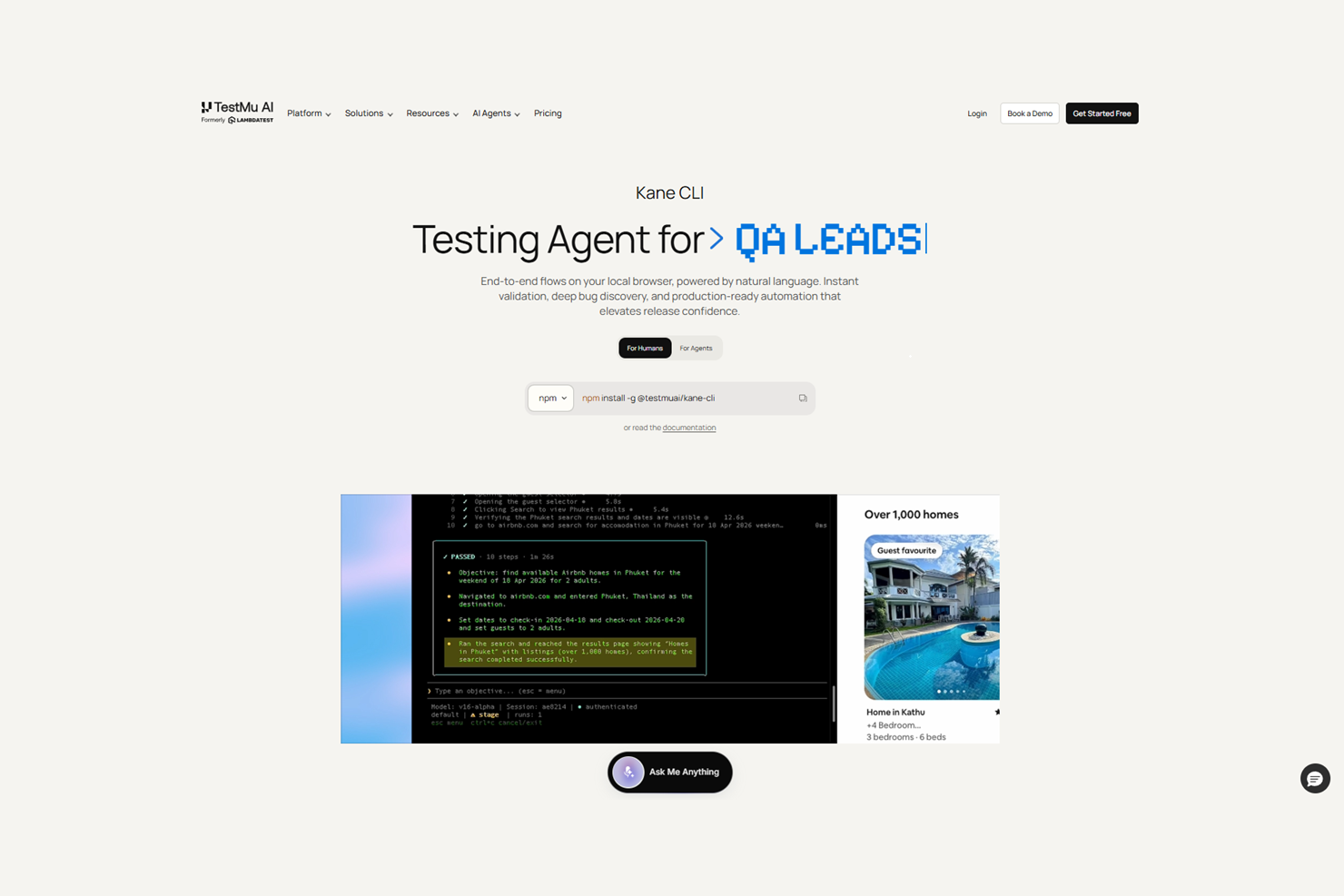
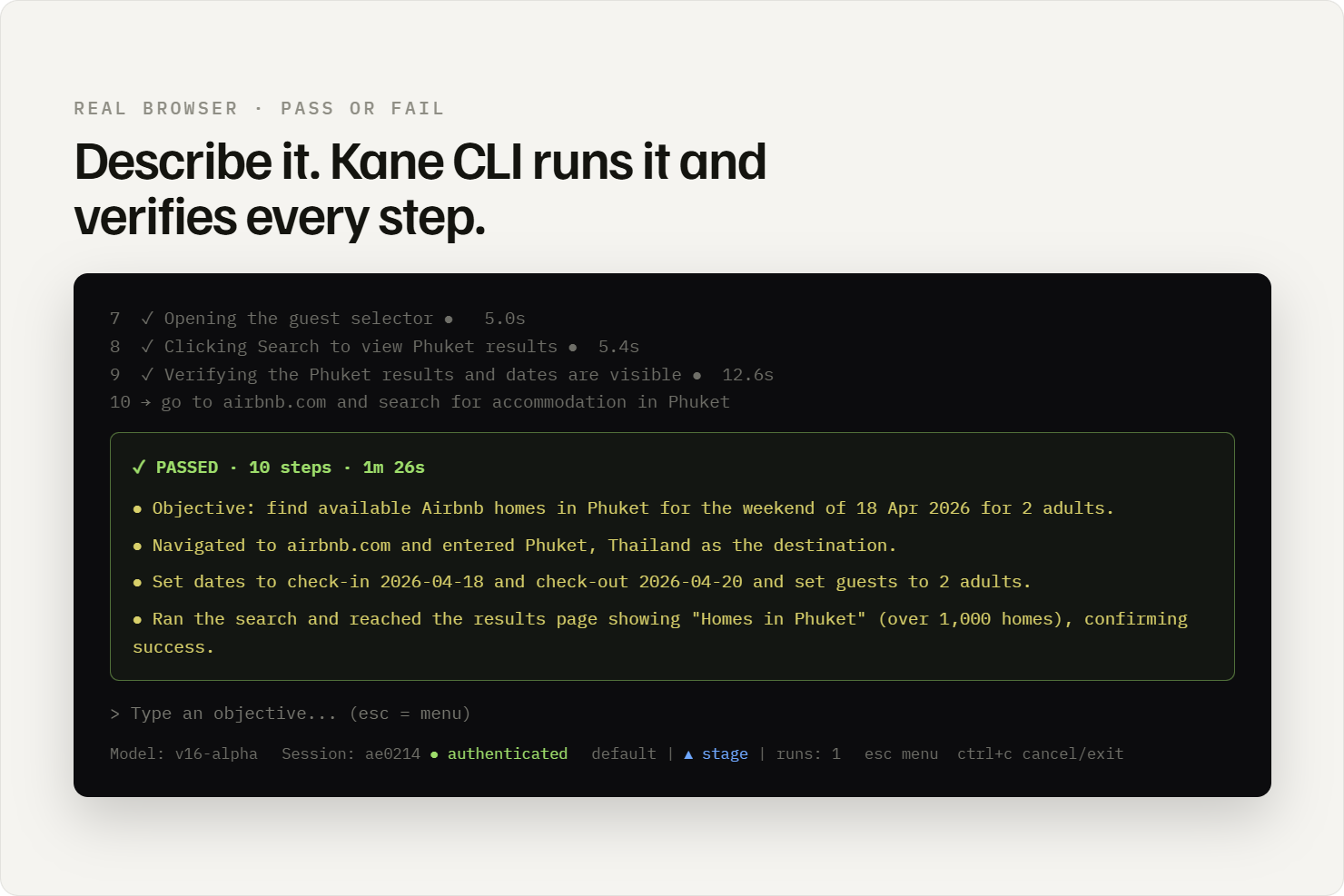
Kane CLI is a terminal-native browser testing tool built for developers, QA engineers, and AI coding agents. Describe a browser flow in plain English and Kane CLI executes it in a real Chrome browser, verifies every step, and returns a clean pass or fail. No selectors to write, no test scripts to maintain, no framework to learn from scratch.
The Problem It Solves
AI coding agents like Claude Code, Codex CLI, and Gemini CLI can write features, fix bugs, and refactor code at impressive speed. What they cannot do is open a real browser, navigate to the application, and confirm that what they built actually works end to end. They can run unit tests. They cannot verify a multi-step browser flow with real DOM, real network requests, and real user interactions. Kane CLI fills that gap.
For human developers, the problem is different but equally real. Verifying a feature before a PR means either manually clicking through the flow in a browser or waiting for a full CI pipeline to run. Neither is fast enough to be a natural part of a development loop. Kane CLI gives developers a third option: run the verification from the terminal in under two minutes, before the PR is even opened.
Three Execution Modes
Kane CLI ships with three execution modes designed to fit different workflows.
Interactive TUI is the default mode. The browser stays open between runs, so session state carries over. Authenticate once and subsequent runs start from that authenticated state. This is the mode for development and exploratory testing.
Headless CLI runs a flow with no visible browser. It produces a deterministic exit code — 0 for pass, non-zero for fail — and output goes to stdout. This is the mode for shell scripts and CI/CD pipelines.
Agent Mode outputs structured NDJSON, one JSON object per line, each representing a step in the execution. This output is designed to be consumed by AI coding agents and automated systems that need to parse and act on results programmatically.
Built for AI Coding Agents
Setting up an AI coding agent to use Kane CLI takes one command:
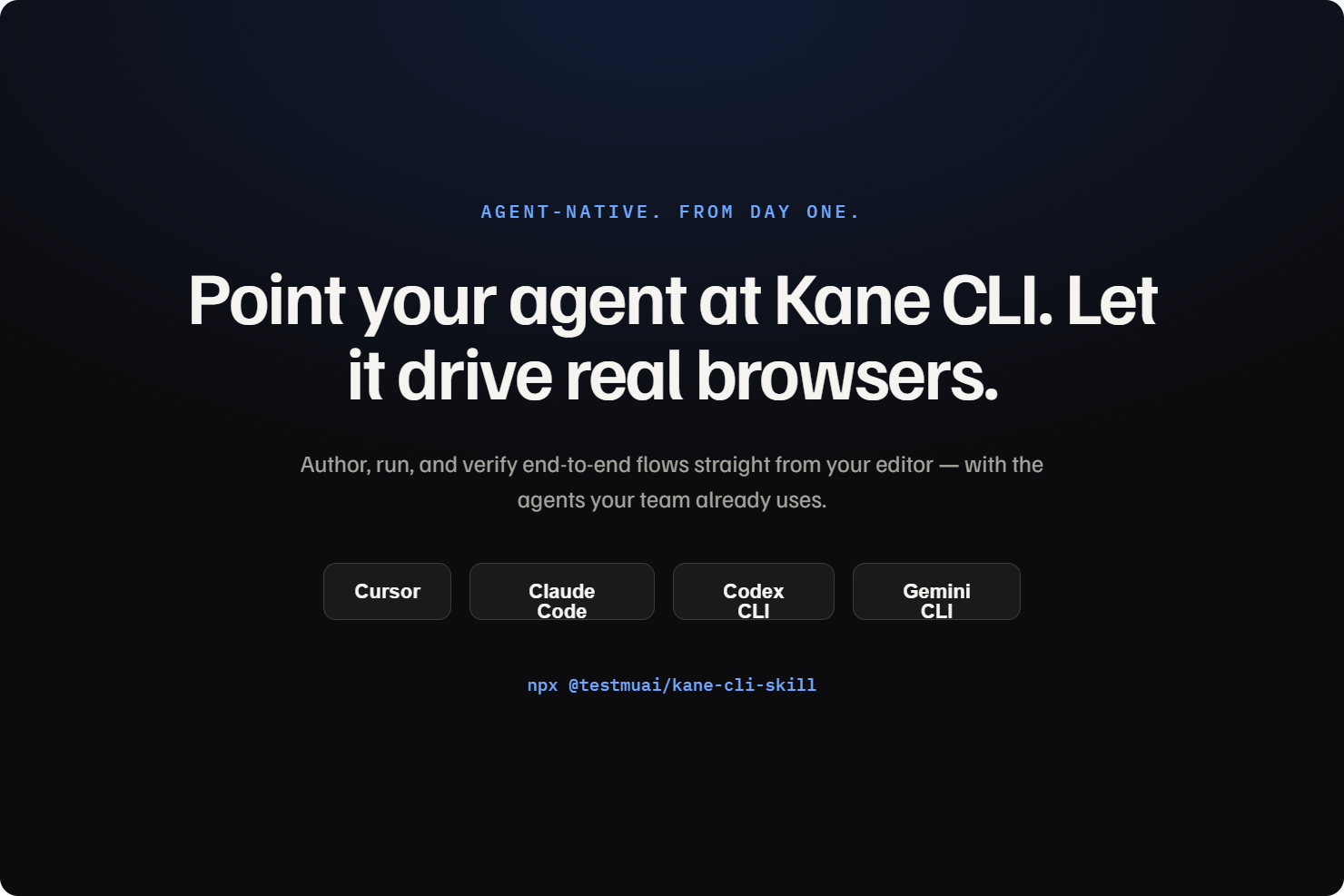
npx @testmuai/kane-cli-skill
This installs a SKILL.md and AGENTS.md file that tells Claude Code, Codex CLI, or Gemini CLI exactly how to use Kane CLI, the available commands, the expected inputs, the output schema, and example patterns. The integration is one command away from being operational.
Key Capabilities
The automation engine is vision-based rather than selector-based. It identifies elements by what they look like on screen, not by CSS classes or DOM position. This makes it resilient to the UI changes that break traditional selector-dependent automation. Built-in autoheal and smart waiting detect loaders and animations before acting.
Test.md is Kane CLI's agent-native test format. Any session can be saved as a replayable markdown file that is human-readable, version-controllable, committable to a repository, and executable by AI agents. This is the test framework designed for the era of AI-assisted development.
Native Playwright export lets any Kane CLI flow be converted to an idiomatic Playwright script. Existing Playwright and Selenium scripts can also be imported into Kane CLI.
Every run generates a shareable evidence link with the full session recording, step-by-step logs, and complete network and console capture, synced automatically to the KaneAI Test Manager dashboard.
Pricing
Free tier: 200 credits per month, no card required. Paid plans from 19 dollars per month. Enterprise available with SSO, IP whitelisting, and compliance support.
Available on macOS, Linux, and Windows. Install with:
npm install -g @testmuai/kane-cli
Features
- Natural language to real Chrome automation — no selectors, no test scripts required
- Three modes: interactive TUI, headless CLI, and agent mode with structured NDJSON output
- Vision-based engine identifies elements by appearance — resilient to UI changes
- One-command skill install for Claude Code, Codex CLI, and Gemini CLI
- Test.md — agent-native replayable markdown test format, version-controllable
- Native Playwright export — convert any Kane CLI flow to a Playwright script
- Shareable evidence links with session recording and network logs on every run
- Built-in autoheal and smart waiting for loaders, animations, and shadow DOM
- Parameterized flows with secrets and variables for multi-environment testing
Use Cases
- Verify features from the terminal before opening a PR — no manual browser clicking
- Run end-to-end browser flows in CI/CD pipelines with a deterministic pass or fail exit code
- Give AI coding agents like Claude Code and Codex CLI browser verification capability
- Test authenticated user flows without re-logging in on every run
- Run cross-environment browser validation using parameterized flows with secrets and variables
- Generate replayable Test.md files from any live browser session for version-controlled test coverage
- Export any browser flow to a native Playwright script for integration into existing test suites

Comments


Testing browser interactions at scale has always been a bottleneck - you either write brittle Selenium scripts or use heavy CI pipelines. Being able to describe a browser flow in plain English and get real Chrome verification removes that friction completely. For AI agents, this is huge - Claude or other AI can now verify their own work in actual browsers instead of guessing at CSS selectors and timing issues. The fact that you support multiple execution modes shows you understand different workflows. This closes a real gap in the testing toolchain.
Testing browser interactions at scale has been a bottleneck for a while - you either write brittle Selenium scripts that break on UI changes, or spend time on heavy CI pipelines. Being able to describe a browser flow in plain English and get real Chrome verification removes that friction completely. For AI agents especially, this is huge - Claude or other AI can now verify their own work in actual browsers instead of guessing at CSS selectors and timing issues. The fact that you support multiple execution modes shows you understand different workflows. This closes a real gap in the testing toolchain.
Premium Products



















































Sponsors
Buy

Makers

Makers
Comments
Testing browser interactions at scale has always been a bottleneck - you either write brittle Selenium scripts or use heavy CI pipelines. Being able to describe a browser flow in plain English and get real Chrome verification removes that friction completely. For AI agents, this is huge - Claude or other AI can now verify their own work in actual browsers instead of guessing at CSS selectors and timing issues. The fact that you support multiple execution modes shows you understand different workflows. This closes a real gap in the testing toolchain.
Testing browser interactions at scale has been a bottleneck for a while - you either write brittle Selenium scripts that break on UI changes, or spend time on heavy CI pipelines. Being able to describe a browser flow in plain English and get real Chrome verification removes that friction completely. For AI agents especially, this is huge - Claude or other AI can now verify their own work in actual browsers instead of guessing at CSS selectors and timing issues. The fact that you support multiple execution modes shows you understand different workflows. This closes a real gap in the testing toolchain.
Premium Products
New to Fazier?

Find your next favorite product or submit your own. Made by @FalakDigital.
Copyright ©2026. All Rights Reserved