JSK Photo Studio
Passport photos that measure right when printed
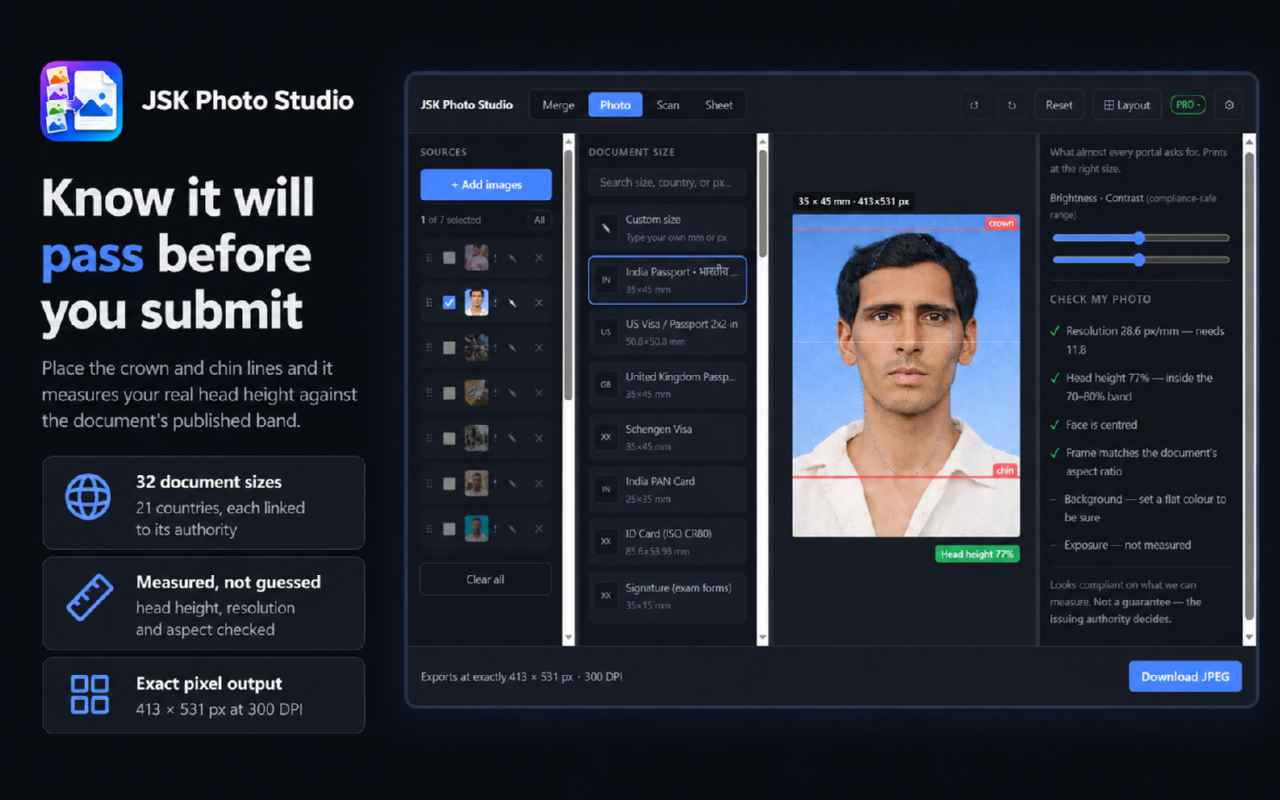
Getting a passport photo right is a measurement problem, not a photo problem. The specification is published in millimetres, printers work in pixels, and most tools hand back something that looks correct on screen and prints at the wrong size.
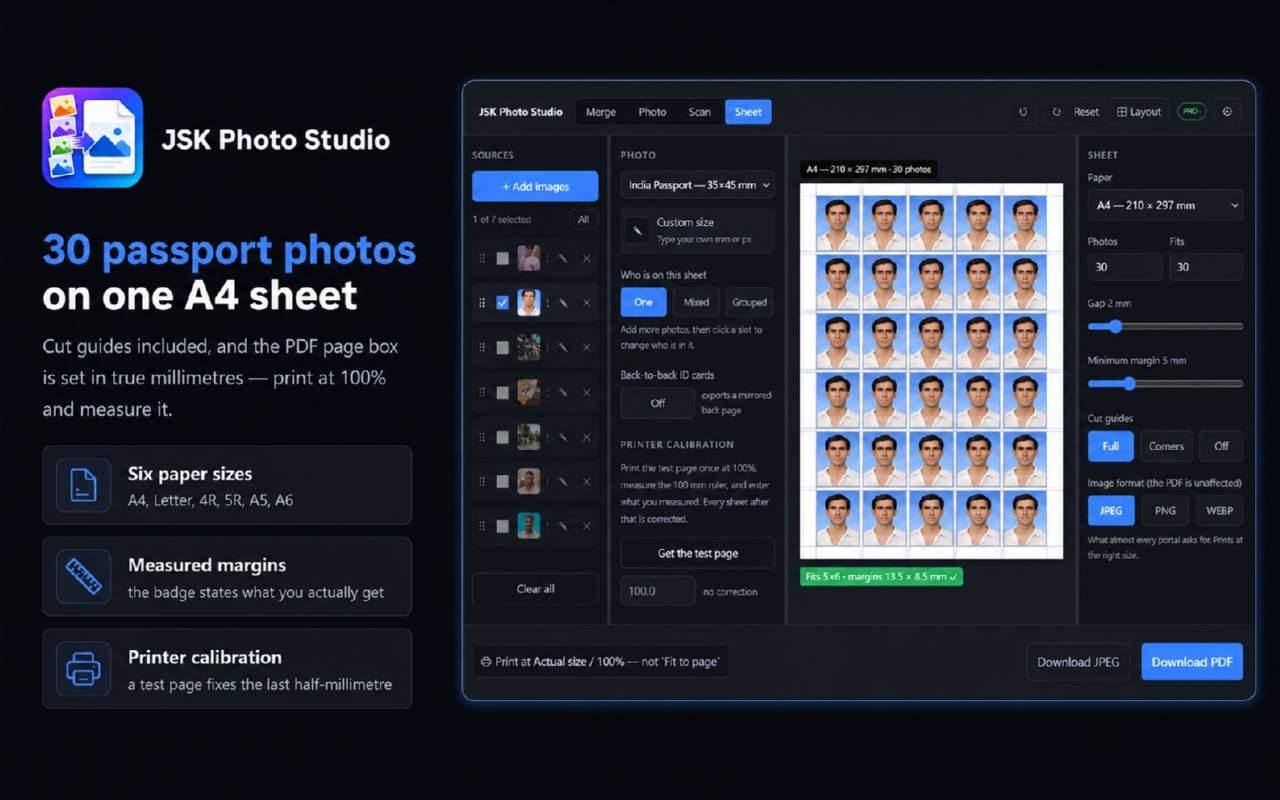
JSK Photo Studio works in millimetres from the start. Set the document specification, crop to it, and print a full A4 or 4x6 sheet that measures correctly when you put a ruler on it. Everything runs in your browser on your own machine, so nothing is uploaded, no account is needed to start, and it keeps working with no network connection.
It is a measuring and printing tool rather than a photo editor, so there is no retouching or enhancement, and there is no mobile or desktop app — it is a browser extension for Chrome, Edge and Firefox.
Features
- Passport and ID photos cropped to an exact millimetre specification
- Print sheets on A4 or 4x6 that measure correctly against a ruler
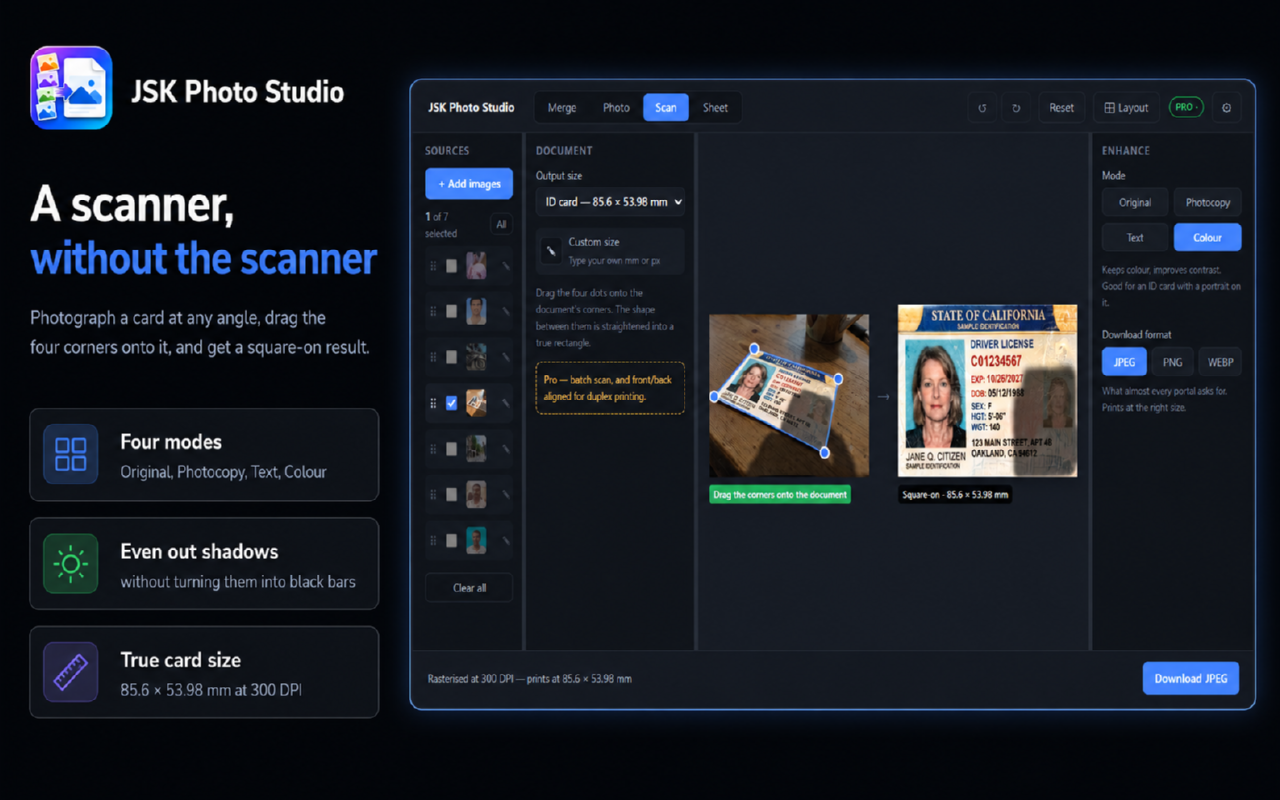
- Straighten and crop a scanned document
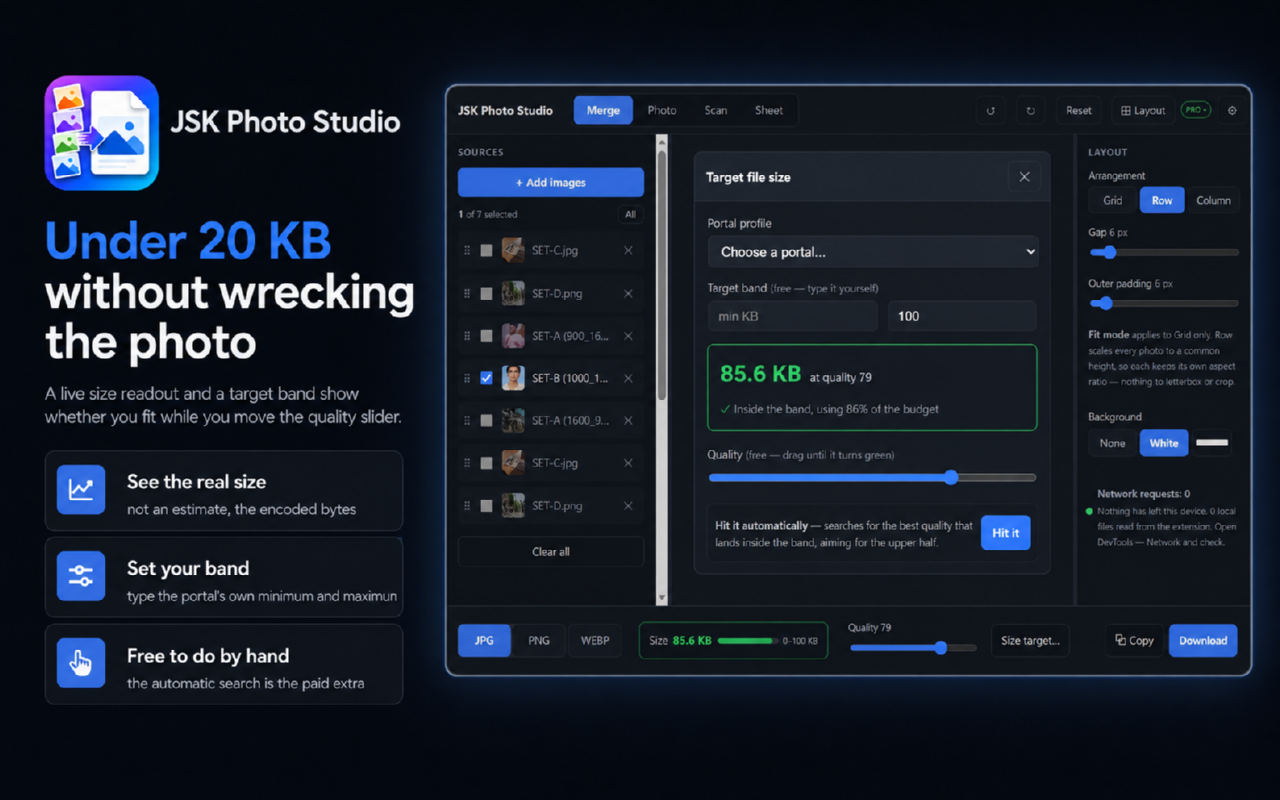
- Resize an image to a target file size in KB for upload forms that cap it
- Lay out multiple copies on one sheet so less paper is wasted
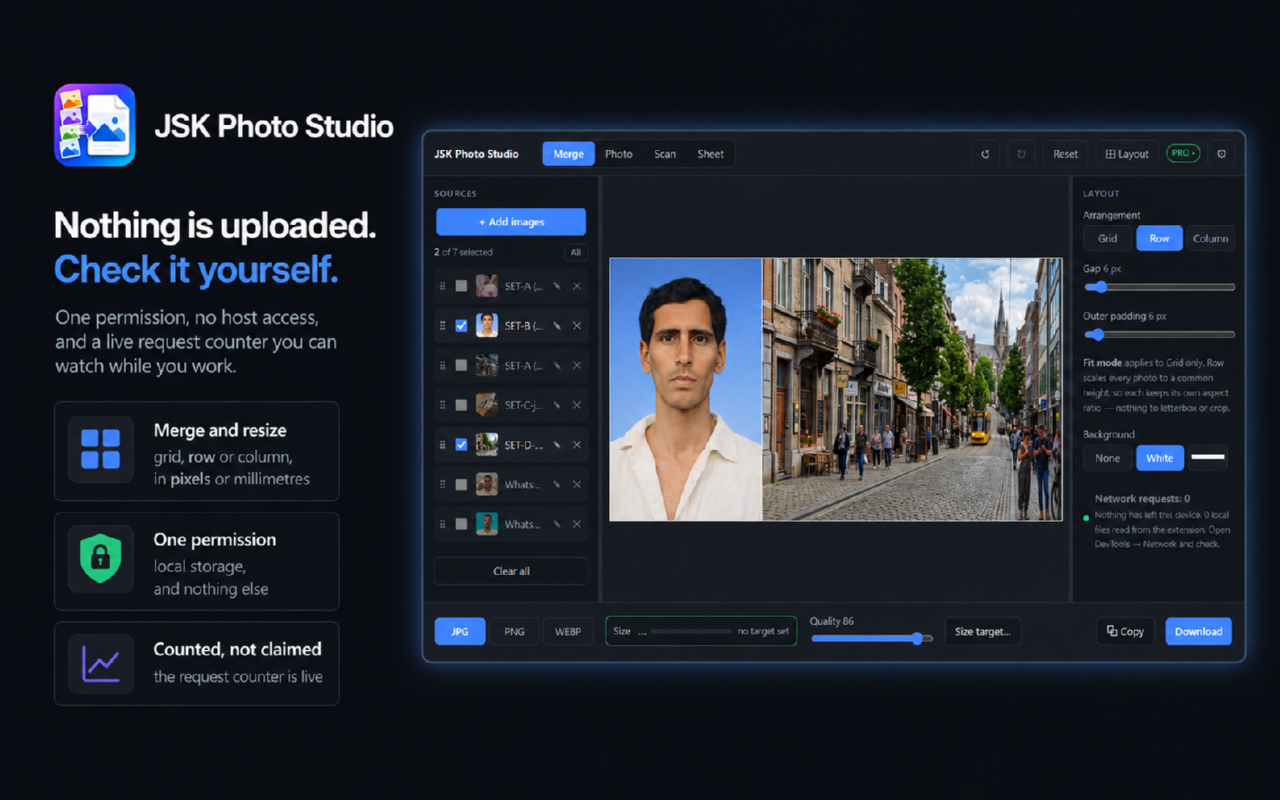
- Runs in your browser with nothing uploaded, and works offline
- No account needed to start
Use Cases
- Applying for a passport, visa or driving licence where the photo size is specified in millimetres
- Filling an exam or government form that caps the upload at 20, 50 or 100 KB
- Printing a full sheet of ID photos at home instead of paying a studio
- Straightening a document you photographed or scanned at an angle
- A small photo or print shop producing ID sheets for walk-in customers

Comments


Every passport photo tool I tried got the pixels right and the millimetres wrong. It looks correct on screen, you print it, you put a ruler on it, and it is 3mm out - which is the one thing that gets an application rejected. JSK Photo Studio works in millimetres from the start. You set the spec, crop to it, and print a sheet that measures correctly on paper. It also straightens scanned documents and resizes to a target KB when an upload form has a limit. Honest about what it is not: this is a measuring and printing tool, not a photo editor. If you want retouching, use something else. And it is a browser extension - there is no mobile app. Everything runs on your machine. Nothing is uploaded, it works with no connection, and you do not need an account to use it. Free to start; paid plans from $4.99 with a 15-day trial. Happy to answer anything, including the awkward questions.
Premium Products

































Sponsors
Buy

Makers
Makers
Comments
Every passport photo tool I tried got the pixels right and the millimetres wrong. It looks correct on screen, you print it, you put a ruler on it, and it is 3mm out - which is the one thing that gets an application rejected. JSK Photo Studio works in millimetres from the start. You set the spec, crop to it, and print a sheet that measures correctly on paper. It also straightens scanned documents and resizes to a target KB when an upload form has a limit. Honest about what it is not: this is a measuring and printing tool, not a photo editor. If you want retouching, use something else. And it is a browser extension - there is no mobile app. Everything runs on your machine. Nothing is uploaded, it works with no connection, and you do not need an account to use it. Free to start; paid plans from $4.99 with a 15-day trial. Happy to answer anything, including the awkward questions.
Premium Products
New to Fazier?

Find your next favorite product or submit your own. Made by @FalakDigital.
Copyright ©2026. All Rights Reserved