
Jomatter
Free HTML, CSS & JavaScript Developer Tools
Jomatter is a free online toolkit built for HTML, CSS, and JavaScript developers. It brings together practical web development tools designed to make everyday coding tasks easier, faster, and more convenient.
From working with HTML and CSS to handling JavaScript-related development tasks, Jomatter focuses on providing simple browser-based utilities that developers can access without unnecessary complexity. The platform is designed for developers, web designers, students, and anyone working with modern web technologies.
Jomatter also publishes development-focused blog content and provides a dedicated Write for Us section for contributors interested in sharing relevant topics. The goal is to create a useful resource for people building, testing, optimizing, and learning web technologies.
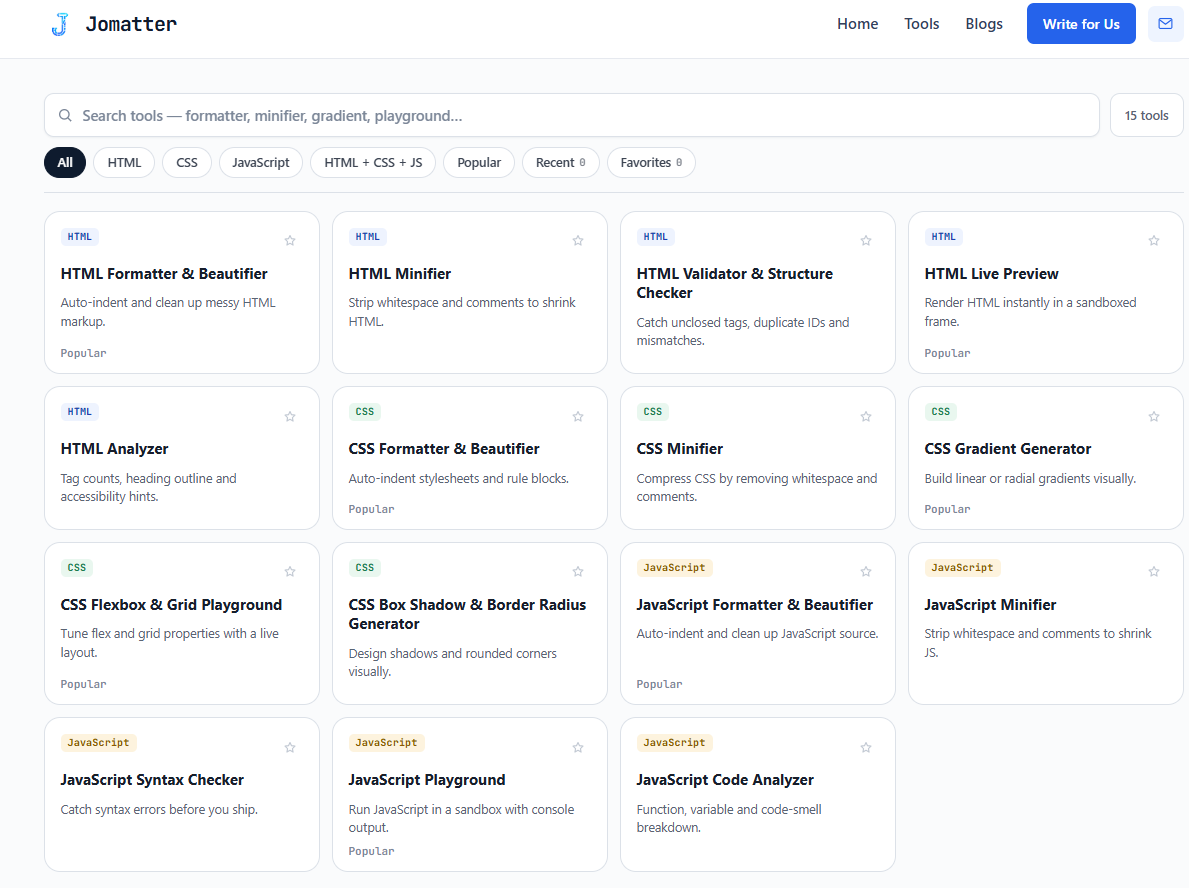
Features
Free Developer Tools – HTML, CSS, and JavaScript utilities for everyday development.
Fast & Browser-Based – Use tools instantly without installing software.
Format & Minify Code – Beautify and optimize HTML, CSS, and JavaScript.
Validate & Generate – Check code and quickly generate useful snippets and styles.
No Signup Required – Simple, accessible, and ready to use for everyone.
Use Cases
Web Development – Quickly handle common frontend development tasks.
Learning & Practice – Helpful for students and beginners learning web technologies.
Debugging – Format and validate code to identify potential issues.
Code Optimization – Minify code and prepare files for production.
Quick Utilities – Generate, convert, format, and test code directly in your browser.

Comments


Format, minify, and validate in the browser with no signup is the right shape for a one-off HTML, CSS, or JS fix. The gap versus a local CLI is seeing what minify changed: a side-by-side diff, plus a note on whether the JS minifier is syntax-aware or a regex pass, would make the production-prep use case safer. For the learning use case, pinning a validation error to the exact line instead of a pass/fail flag would help beginners more than another beautify button.


The listing mentions both validation and minification. One useful addition would be a supported-syntax table: for example, whether the CSS tools preserve @layer, @container and custom properties, and whether JavaScript modules are supported. Those details would help developers decide which files are safe to process. A downloadable sample input/output pair for each tool would also let beginners distinguish a formatting change from a change in behaviour. This is feedback on the description; I haven't run the tools yet.

A browser formatter that also minifies HTML, CSS, and JavaScript without an account is the piece I would actually open during a debug session, because installing a local CLI is overkill for a one-off paste. The listing groups validate and generate together, which is less clear: HTML validation and a CSS snippet generator are different jobs, and I would want the validator to say which spec it checks against. Is the minify step safe for code that already has template literals, or does it only handle plain scripts?
Premium Products

















































Sponsors
Buy
Makers

Makers
Comments
Format, minify, and validate in the browser with no signup is the right shape for a one-off HTML, CSS, or JS fix. The gap versus a local CLI is seeing what minify changed: a side-by-side diff, plus a note on whether the JS minifier is syntax-aware or a regex pass, would make the production-prep use case safer. For the learning use case, pinning a validation error to the exact line instead of a pass/fail flag would help beginners more than another beautify button.
The listing mentions both validation and minification. One useful addition would be a supported-syntax table: for example, whether the CSS tools preserve @layer, @container and custom properties, and whether JavaScript modules are supported. Those details would help developers decide which files are safe to process. A downloadable sample input/output pair for each tool would also let beginners distinguish a formatting change from a change in behaviour. This is feedback on the description; I haven't run the tools yet.
A browser formatter that also minifies HTML, CSS, and JavaScript without an account is the piece I would actually open during a debug session, because installing a local CLI is overkill for a one-off paste. The listing groups validate and generate together, which is less clear: HTML validation and a CSS snippet generator are different jobs, and I would want the validator to say which spec it checks against. Is the minify step safe for code that already has template literals, or does it only handle plain scripts?
Premium Products
New to Fazier?

Find your next favorite product or submit your own. Made by @FalakDigital.
Copyright ©2026. All Rights Reserved