
InTab
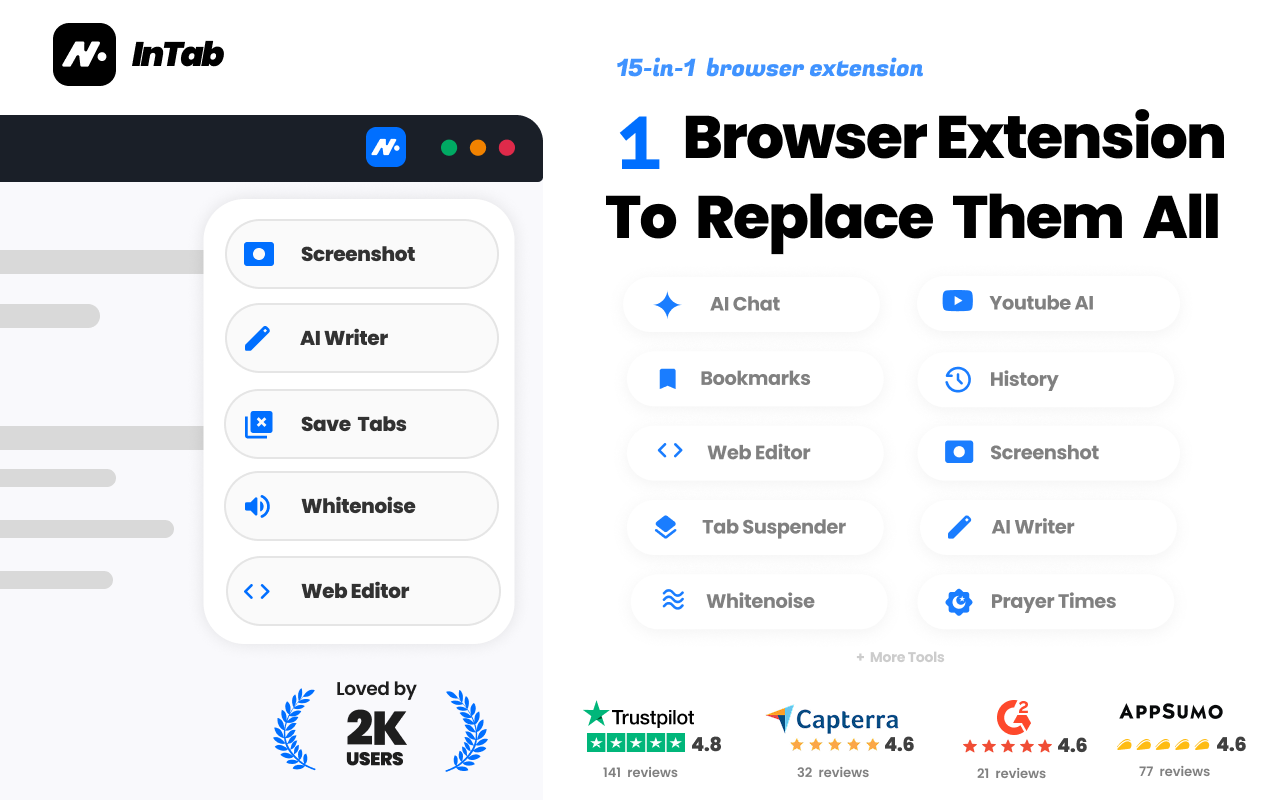
1 browser extension to replace them all
InTab replaces 15 separate extensions with a single clean install, so your browser stays fast and your laptop stops lagging. You get all your daily superpowers in one place without a dozen background add-ons eating your memory.

Features
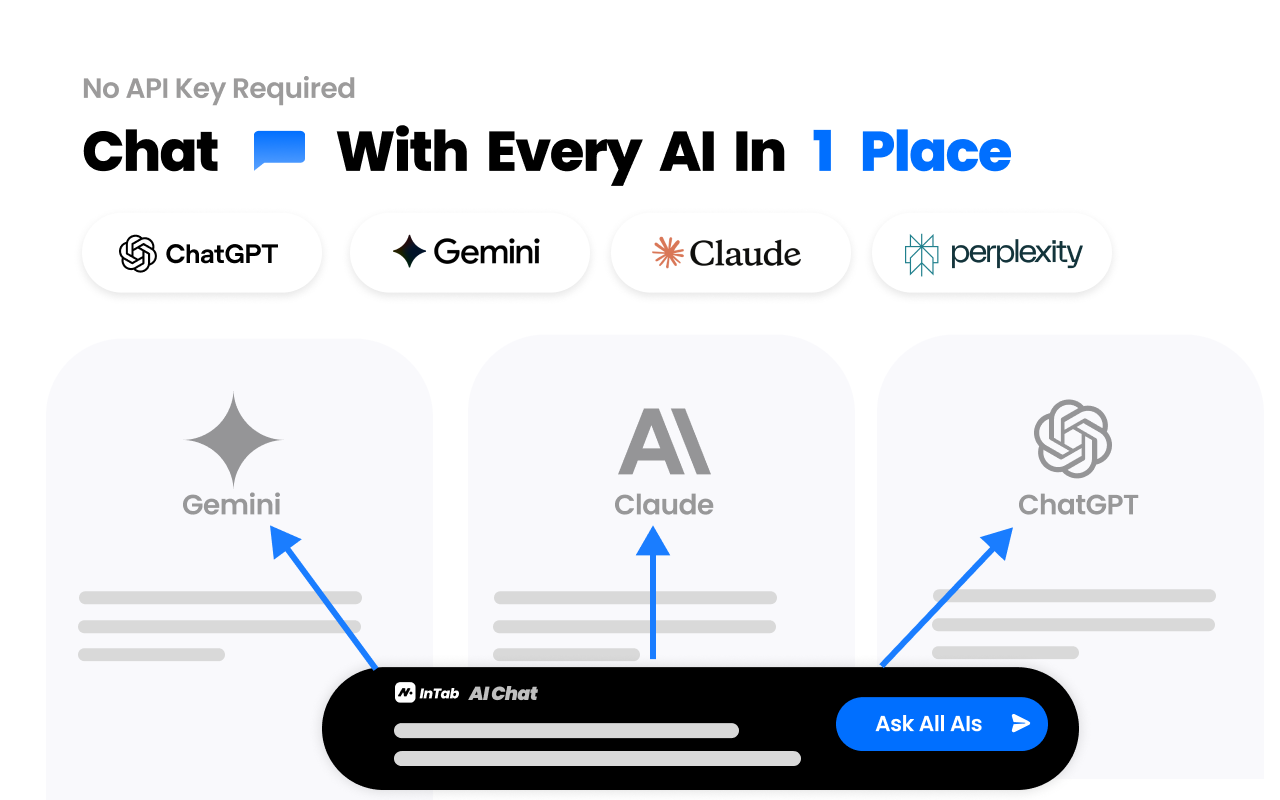
🤖 Compare top AIs: Claude, ChatGPT, Gemini & Perplexity side-by-side.
✍️ Write better anywhere: Fix, rewrite, summarize & translate selected text with AI.
▶️ Skip YouTube fluff: Instant takeaways & AI smart chapters.
🖼️ Compress images instantly: Auto-convert downloads to WebP/AVIF.
📸 Screenshots: Full-page screenshots, markup & privacy blur.
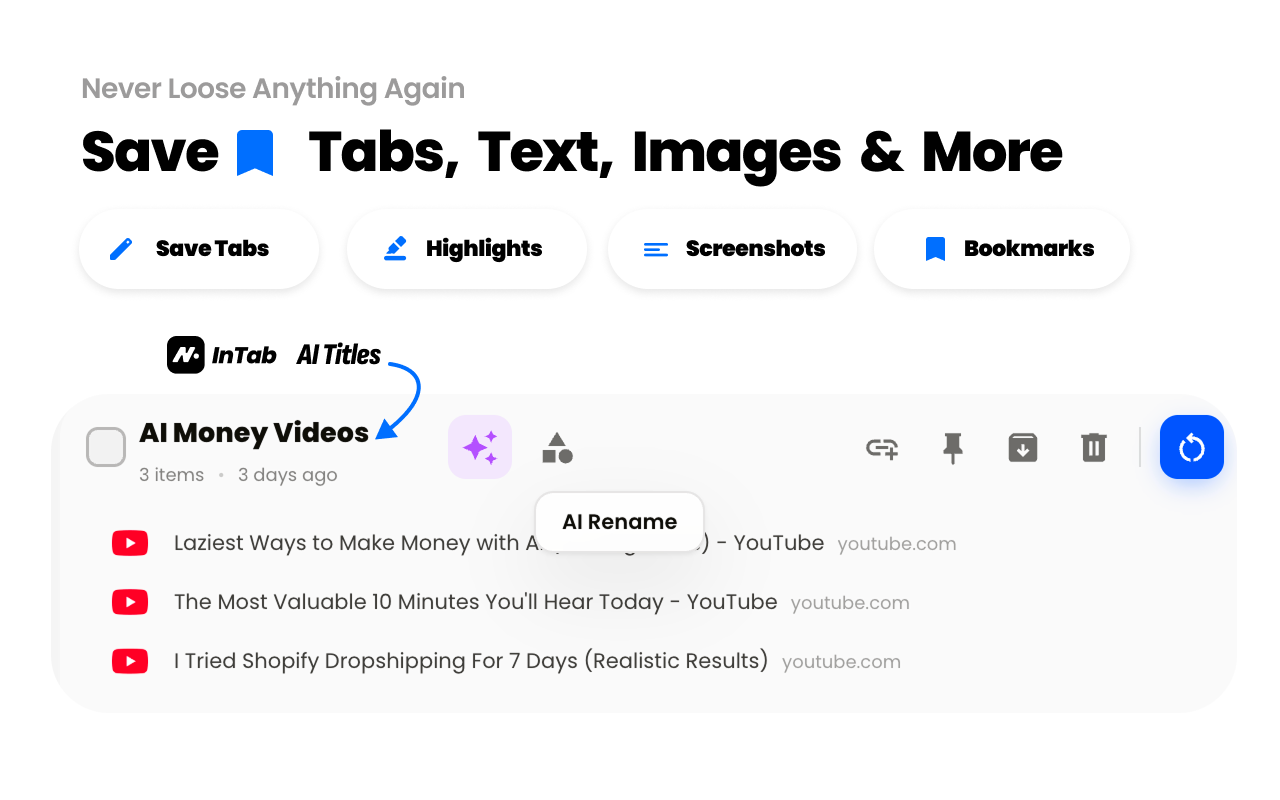
🧠 Tame your tabs: Save windows, suspend tabs & search everything.
🛠️ Dev: Edit websites, test screen sizes & change code live.
Use Cases
Polishing a Risky Email
Highlight a sloppy or angry draft in Gmail and instantly rewrite it into a calm, professional tone before hitting send.
Skipping YouTube Clickbait
See if a 30-minute tutorial is clickbait and jump straight to the exact minute with the answer.
Blurring Secrets on Screenshots
Take a full-page screenshot and wipe a blur brush over passwords, credit cards, or client emails before posting to Slack.
Saving 50 Tabs on Friday
Save an entire messy window of research in 1 click and shut your laptop without losing your links or cooking your CPU.
Catching AI Code Bugs
Prompt Claude and ChatGPT side-by-side in one split screen to catch hallucinations and pick the cleanest code.
Finding a Buried Link Instantly
Press one shortcut on a clean new tab to find a page buried across your open tabs, bookmarks, and history in one second.

Comments


Hey everyone! 👋 I built InTab because Chrome was constantly lagging from having 10 separate extensions installed. Each one was running in the background and eating memory even when I was not using it. I combined the utilities I use every day (side-by-side AI chat, YouTube AI summaries, full screenshots, tab management and more...) into a single extension that stays completely asleep until you click it. Core tools are 100% free. Try it out and let me know your thoughts or what features you want added next! I am here in the comments 😊


Replacing 15 extensions with one install is ambitious, and the side by side AI comparison is the feature that sold me. Prompting Claude and ChatGPT in one split screen to catch hallucinations is a genuinely useful workflow. Curious how the tab suspension handles pinned tabs and whether the memory savings hold up with 50 plus tabs open.




Replacing 15 extensions is only a win if the one extension is actually lighter. The feature list still does side-by-side calls to Claude, ChatGPT, Gemini, and Perplexity, plus YouTube summaries and image conversion to WebP or AVIF. Those are the heavy parts. What I want to know is whether tab suspend is on by default for the research-window use case, or whether the AI rewrite and screenshot tools keep their own background work running after you suspend the tabs. The Friday workflow of saving a whole window in one click is specific enough to test. Does that saved window restore the suspended tabs as titles only, or does it wake every tab and undo the memory saving?



Congrats on the launch! Packing all of this into one extension is handy. Two quick questions: does the translate feature work well for Hindi and Gujarati, and does the WebP/AVIF compression happen locally in the browser, or are images uploaded to a server? We build a site in those two languages, so both matter to us.

The side-by-side comparison of Claude, ChatGPT, Gemini and Perplexity is the feature that stands out to me, since catching hallucinations that way is a real use case. Does the comparison use my own API keys or logins, or are the model calls included in the free core tools? Clarifying that on the page would help people judge the cost.




The 'stays asleep until you click it' approach is what sold me, since memory use is the main complaint with extension bundles. How do the side-by-side AI comparison and the tab suspender behave together when you have 50+ tabs open? Also, does the WebP/AVIF auto-convert on downloads let you exclude certain sites?



The side-by-side AI comparison is a smart differentiator — most extensions only bundle one model, so catching hallucinations across Claude, ChatGPT, Gemini and Perplexity in one split screen adds real value for researchers. Consolidating 15 installs into one permission-scoped install should also make the security review much easier for teams. One question: how does the tab suspender treat pinned tabs? That's usually where memory-focused extensions get tricky. Curious to see how the WebP/AVIF auto-conversion holds up quality-wise on high-res images too.
The side-by-side AI comparison is the smartest hook here — most utility extensions only bundle one model, so prompting Claude and ChatGPT in one split screen to catch hallucinations is a genuinely useful workflow, not just a bundle trick. The 'stays asleep until you click it' design answers the obvious objection too. Genuine question: with 15 tools in one extension, how do you keep the permission set scoped? A per-tool permissions toggle (or at least a clear breakdown of which permissions map to which tool) would make this an easy recommend to security-conscious teams. Also curious whether the AI features run fully local or call an API — that decides whether companies can allowlist it.



The lazy-load approach is the real win here — most extension packs keep background scripts alive and drain memory even when idle. Combining side-by-side AI chat, YouTube summaries, and tab management in one install is practical for daily work. One question: how do you handle permission prompts when a user only needs screenshots and not the AI features?
The lazy-load approach is the real win here — most extension packs keep background scripts alive and drain memory even when idle. Combining side-by-side AI chat, YouTube summaries, and tab management in one install is practical for daily work. One question: how do you handle permission prompts when a user only needs screenshots and not the AI features?

The side-by-side comparison of Claude, ChatGPT, Gemini and Perplexity is a strong differentiator here, because most people end up opening four tabs to check the same prompt. I also like the privacy blur for screenshots — that solves a real sharing pain point. Quick question: when tabs are suspended to save memory, can you search inside the suspended tab titles and restore a whole saved window in one click?

The idea of keeping everything asleep until you click it is a smart answer to extension memory bloat. I like the side-by-side comparison of Claude, ChatGPT and Gemini for catching hallucinated code. Do you plan to let users choose which of the bundled tools are enabled, so permissions can be limited to only the ones they actually use?

The side-by-side comparison of Claude, ChatGPT, Gemini and Perplexity is the feature that stands out to me, especially for spotting hallucinations in code answers. One thing I'd like to know is whether the extension stays idle on pages where none of the tools are used, since background memory use was the problem you set out to fix. A short note on the permissions it requests would also help people decide whether to install it.

Combining so many useful browser tools into one extension sounds like a great way to simplify everyday workflows. I especially like the side-by-side AI comparisons, tab management, and screenshot privacy features, since they can save time for both developers and content creators. Keeping everything accessible without installing dozens of separate extensions is a practical idea


The side-by-side AI compare plus the “sleep until click” memory claim is the part that stands out. Combining YouTube chapters, full-page screenshots with blur, and tab suspend into one install is a real problem if Chrome is already lagging. I would want to know whether the AI rewrite runs locally or sends selected text out, since that decides if I would use it on client email.

The side-by-side AI comparison in one split screen is the standout feature for me — I manually bounce the same prompt between Claude and ChatGPT all the time, so catching hallucinations without switching tabs would save real time. One genuine question: with 15 tools bundled into one extension, how do you handle permissions? A page editor plus tab manager implies broad access, so a public breakdown of exactly which permissions are needed and why would build a lot of trust. Also curious whether the AI features send page content to your servers or run locally — that matters a lot for people using the screenshot blur for client emails and passwords. Congrats on the launch!

Putting the YouTube summaries, tab saving and the screenshot blur brush in one extension is a clear win over juggling separate add-ons, and blurring passwords before sharing a screenshot is a nice touch. One question: can users switch off individual modules so only the ones they use are loaded? That would back up the lighter-on-memory promise for people who just want two or three of the features.


Replacing about 15 separate extensions with one install is a strong pitch, especially the tab tools that save a whole window and suspend tabs to cut memory use. The full-page screenshot with a blur brush for hiding passwords before sharing in Slack is a very practical detail. I'd be curious how much memory InTab uses with all modules enabled compared with a few single-purpose extensions.
Premium Products



















































Sponsors
Buy

Awards
View all
Awards
View allComments
Hey everyone! 👋 I built InTab because Chrome was constantly lagging from having 10 separate extensions installed. Each one was running in the background and eating memory even when I was not using it. I combined the utilities I use every day (side-by-side AI chat, YouTube AI summaries, full screenshots, tab management and more...) into a single extension that stays completely asleep until you click it. Core tools are 100% free. Try it out and let me know your thoughts or what features you want added next! I am here in the comments 😊
Replacing 15 extensions with one install is ambitious, and the side by side AI comparison is the feature that sold me. Prompting Claude and ChatGPT in one split screen to catch hallucinations is a genuinely useful workflow. Curious how the tab suspension handles pinned tabs and whether the memory savings hold up with 50 plus tabs open.
Replacing 15 extensions is only a win if the one extension is actually lighter. The feature list still does side-by-side calls to Claude, ChatGPT, Gemini, and Perplexity, plus YouTube summaries and image conversion to WebP or AVIF. Those are the heavy parts. What I want to know is whether tab suspend is on by default for the research-window use case, or whether the AI rewrite and screenshot tools keep their own background work running after you suspend the tabs. The Friday workflow of saving a whole window in one click is specific enough to test. Does that saved window restore the suspended tabs as titles only, or does it wake every tab and undo the memory saving?
Congrats on the launch! Packing all of this into one extension is handy. Two quick questions: does the translate feature work well for Hindi and Gujarati, and does the WebP/AVIF compression happen locally in the browser, or are images uploaded to a server? We build a site in those two languages, so both matter to us.
The side-by-side comparison of Claude, ChatGPT, Gemini and Perplexity is the feature that stands out to me, since catching hallucinations that way is a real use case. Does the comparison use my own API keys or logins, or are the model calls included in the free core tools? Clarifying that on the page would help people judge the cost.
The 'stays asleep until you click it' approach is what sold me, since memory use is the main complaint with extension bundles. How do the side-by-side AI comparison and the tab suspender behave together when you have 50+ tabs open? Also, does the WebP/AVIF auto-convert on downloads let you exclude certain sites?
The side-by-side AI comparison is a smart differentiator — most extensions only bundle one model, so catching hallucinations across Claude, ChatGPT, Gemini and Perplexity in one split screen adds real value for researchers. Consolidating 15 installs into one permission-scoped install should also make the security review much easier for teams. One question: how does the tab suspender treat pinned tabs? That's usually where memory-focused extensions get tricky. Curious to see how the WebP/AVIF auto-conversion holds up quality-wise on high-res images too.
The side-by-side AI comparison is the smartest hook here — most utility extensions only bundle one model, so prompting Claude and ChatGPT in one split screen to catch hallucinations is a genuinely useful workflow, not just a bundle trick. The 'stays asleep until you click it' design answers the obvious objection too. Genuine question: with 15 tools in one extension, how do you keep the permission set scoped? A per-tool permissions toggle (or at least a clear breakdown of which permissions map to which tool) would make this an easy recommend to security-conscious teams. Also curious whether the AI features run fully local or call an API — that decides whether companies can allowlist it.
The lazy-load approach is the real win here — most extension packs keep background scripts alive and drain memory even when idle. Combining side-by-side AI chat, YouTube summaries, and tab management in one install is practical for daily work. One question: how do you handle permission prompts when a user only needs screenshots and not the AI features?
The lazy-load approach is the real win here — most extension packs keep background scripts alive and drain memory even when idle. Combining side-by-side AI chat, YouTube summaries, and tab management in one install is practical for daily work. One question: how do you handle permission prompts when a user only needs screenshots and not the AI features?
The side-by-side comparison of Claude, ChatGPT, Gemini and Perplexity is a strong differentiator here, because most people end up opening four tabs to check the same prompt. I also like the privacy blur for screenshots — that solves a real sharing pain point. Quick question: when tabs are suspended to save memory, can you search inside the suspended tab titles and restore a whole saved window in one click?
The idea of keeping everything asleep until you click it is a smart answer to extension memory bloat. I like the side-by-side comparison of Claude, ChatGPT and Gemini for catching hallucinated code. Do you plan to let users choose which of the bundled tools are enabled, so permissions can be limited to only the ones they actually use?
The side-by-side comparison of Claude, ChatGPT, Gemini and Perplexity is the feature that stands out to me, especially for spotting hallucinations in code answers. One thing I'd like to know is whether the extension stays idle on pages where none of the tools are used, since background memory use was the problem you set out to fix. A short note on the permissions it requests would also help people decide whether to install it.
Combining so many useful browser tools into one extension sounds like a great way to simplify everyday workflows. I especially like the side-by-side AI comparisons, tab management, and screenshot privacy features, since they can save time for both developers and content creators. Keeping everything accessible without installing dozens of separate extensions is a practical idea
The side-by-side AI compare plus the “sleep until click” memory claim is the part that stands out. Combining YouTube chapters, full-page screenshots with blur, and tab suspend into one install is a real problem if Chrome is already lagging. I would want to know whether the AI rewrite runs locally or sends selected text out, since that decides if I would use it on client email.
The side-by-side AI comparison in one split screen is the standout feature for me — I manually bounce the same prompt between Claude and ChatGPT all the time, so catching hallucinations without switching tabs would save real time. One genuine question: with 15 tools bundled into one extension, how do you handle permissions? A page editor plus tab manager implies broad access, so a public breakdown of exactly which permissions are needed and why would build a lot of trust. Also curious whether the AI features send page content to your servers or run locally — that matters a lot for people using the screenshot blur for client emails and passwords. Congrats on the launch!
Putting the YouTube summaries, tab saving and the screenshot blur brush in one extension is a clear win over juggling separate add-ons, and blurring passwords before sharing a screenshot is a nice touch. One question: can users switch off individual modules so only the ones they use are loaded? That would back up the lighter-on-memory promise for people who just want two or three of the features.
Replacing about 15 separate extensions with one install is a strong pitch, especially the tab tools that save a whole window and suspend tabs to cut memory use. The full-page screenshot with a blur brush for hiding passwords before sharing in Slack is a very practical detail. I'd be curious how much memory InTab uses with all modules enabled compared with a few single-purpose extensions.
Premium Products
New to Fazier?

Find your next favorite product or submit your own. Made by @FalakDigital.
Copyright ©2026. All Rights Reserved