InOneShot
Generate hundreds of personalized PDFs in one click from Exc
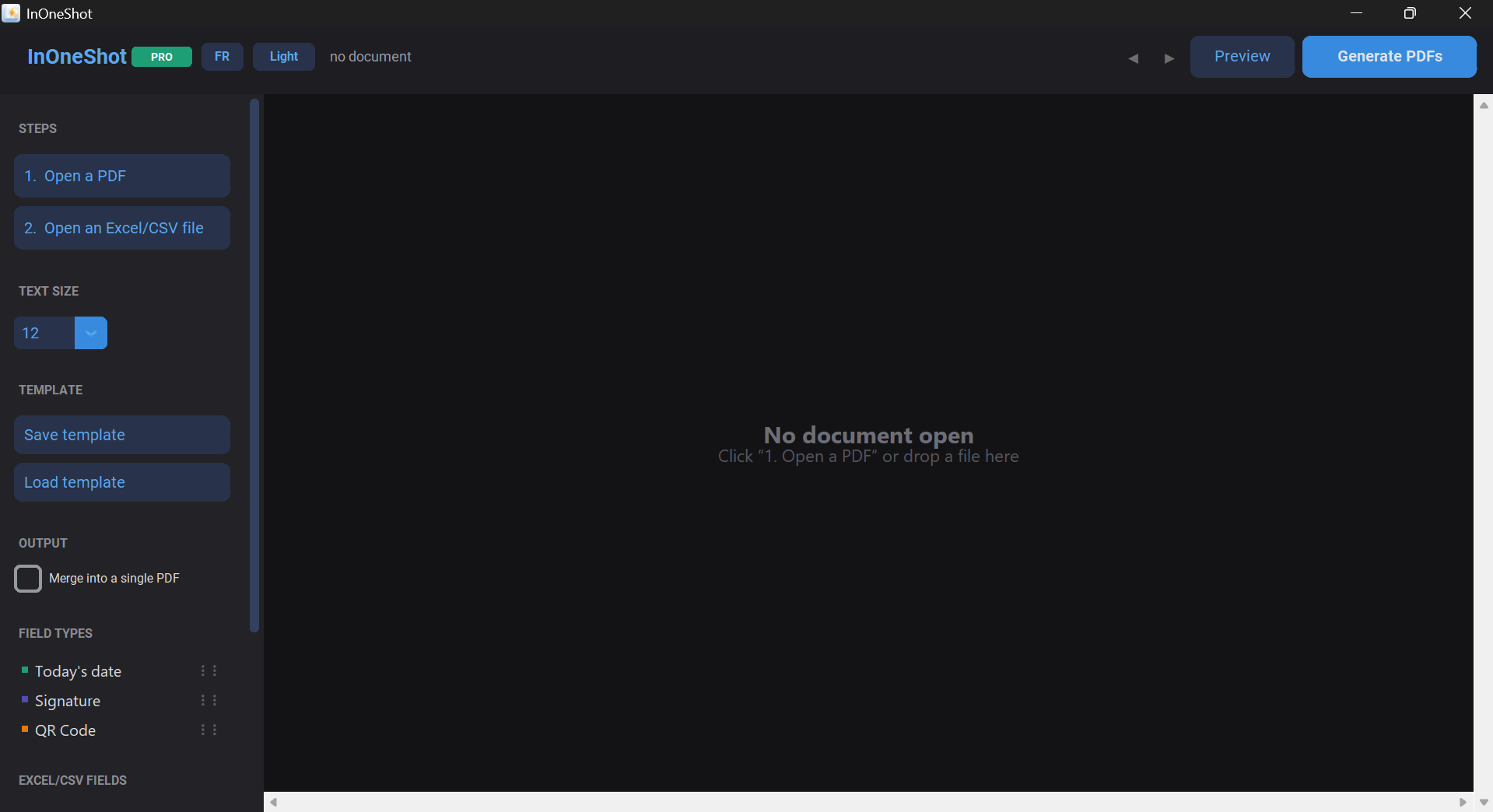
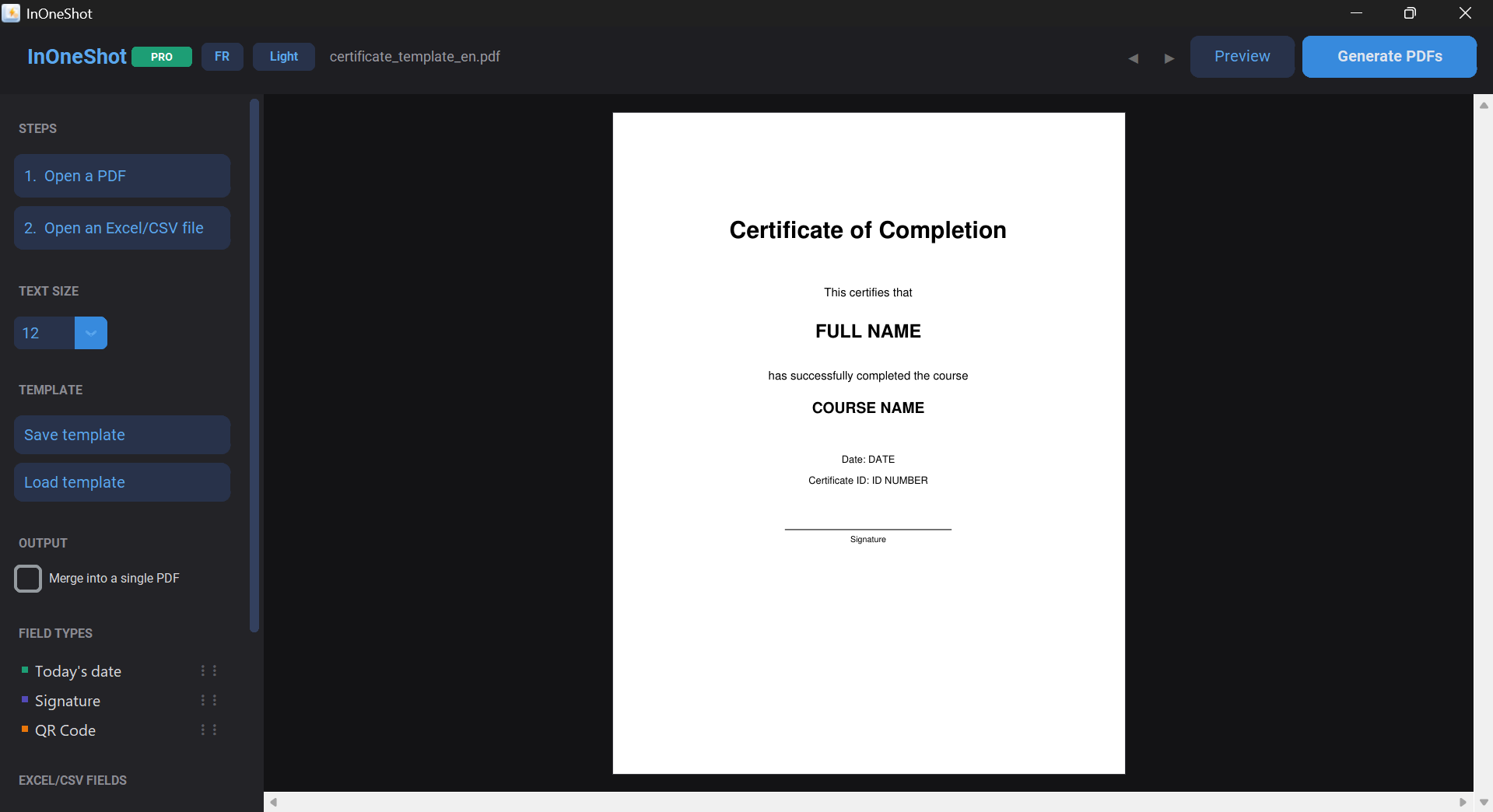
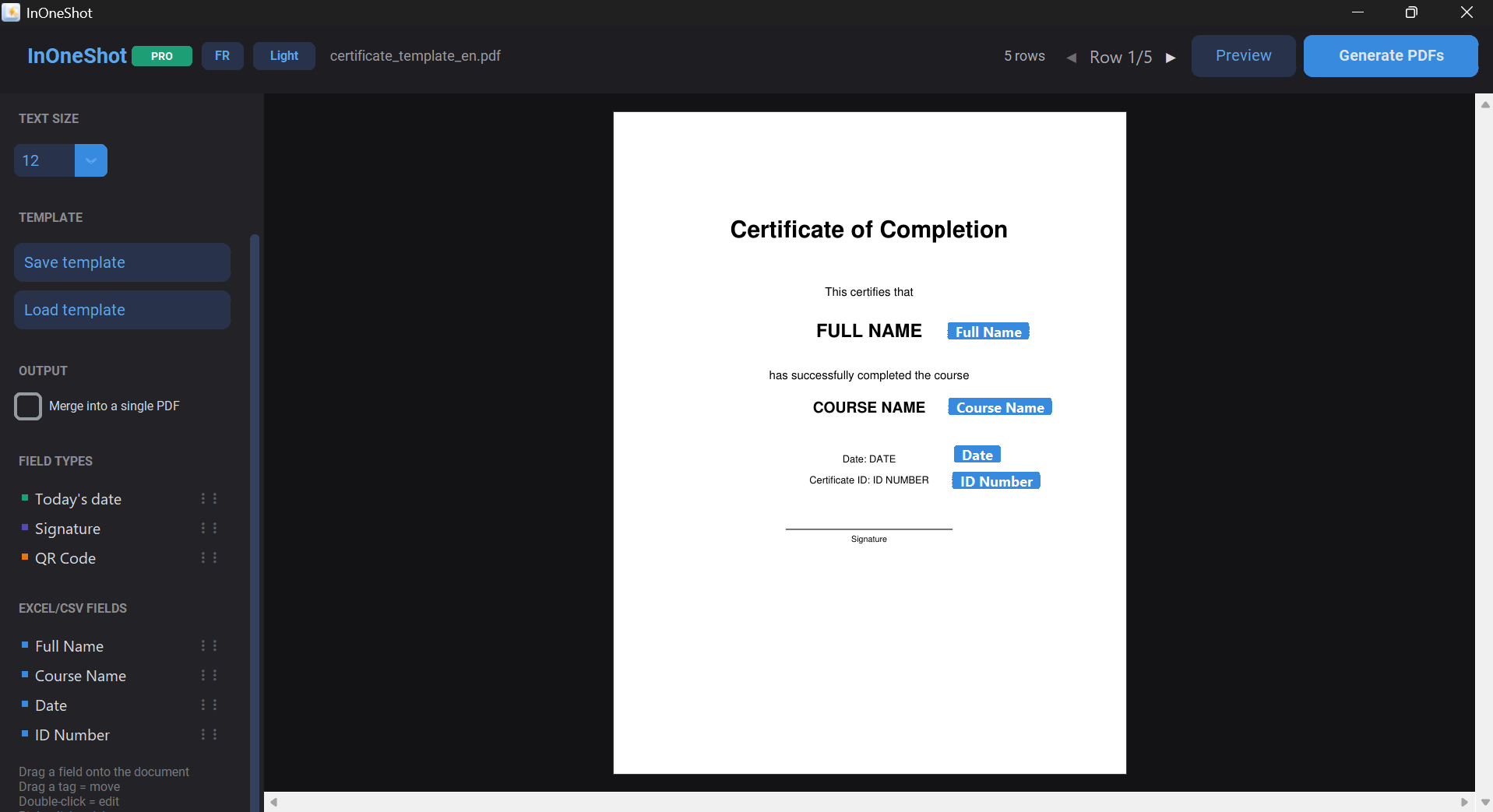
InOneShot is a Windows app that turns a PDF template and an Excel file into hundreds of personalized documents: drag and drop your fields, generate one PDF per row, and get a ready-to-send ZIP. 100% local, no cloud, no subscription — handy for HR, notaries, associations, schools, and invoicing. Free tier or Pro for a one-time €39.


Comments


💎 CHAMET DIAMONDS — Instant Top-Up! 💎 Get your Chamet Diamonds quickly and easily at YallaTopUp 🚀 ⚡ *Automatic Delivery* 💳 Easy & Secure Payment 🇵🇰 Available in Pakistan 👉 https://www.yallatopup.com/product/chamet_diamonds/





This is genuinely useful — turning an Excel sheet + PDF template into hundreds of personalized files in one click solves a painful manual workflow. Love that it runs as a focused Windows app. Congrats on #1 of the day, well deserved! A couple of ideas: a preview-before-batch step and saved mappings would make repeat runs even faster.





Hi, maker here. InOneShot came out of a very manual, very boring task: generating dozens of personalized attestations/certificates from an Excel list, one by one in Word. I built it so anyone can drag a PDF template, map the fields to Excel columns, and get a full ZIP of personalized PDFs in one click — no cloud, no per-document fee. Happy to answer questions about the templating or Excel mapping.

Really clever solution to a surprisingly painful workflow! 🔥 Turning an Excel file + PDF template into hundreds of personalized documents in one click is genuinely useful. I especially like that everything runs locally without cloud uploads or recurring fees. Congrats on the launch — excited to see where InOneShot goes next! 🚀



Running fully local is a big plus for HR and notary work where the data can't leave the PC. How does it handle Excel rows with missing values: does it skip the field, leave it blank, or flag the row before generating? A quick "rows with problems" report before the batch runs would save a lot of reprinting.
Smart approach — the fully-local angle is the real differentiator here. Mail-merge to PDF already exists in the cloud, but keeping HR/payroll/notary data on the machine removes the compliance conversation entirely. One feature I'd love to see: naming output files from a column value (e.g. employee name) so files are ready to distribute without manual renaming.

Local-only generation with no cloud is a strong selling point for HR and notary work, where the Excel data is often sensitive. Does the template step handle fields that change length, like long names or addresses, without breaking the layout? And is there a way to name each output PDF from a column in the sheet, so the ZIP is easy to sort?

The 100%-local angle is the real differentiator here — for notaries, HR, and invoicing, "data never leaves the machine" matters more than any feature, and it's smart to lead with it over generic online merge tools. Drag-and-drop field placement plus auto-naming from an Excel column solves the actual pain (the renaming slog), not just the merge. One-time €39 vs. Acrobat's subscription is a sharp wedge. Two honest gaps: no Mac yet limits reach, and 95 downloads means trust signals (reviews, a verified publisher cert to dodge SmartScreen) will matter most next.

One-time price and fully local is a nice change from yet another subscription. Two practical things I'd check before using it for invoices: can the output file names come from a column (like invoice number + client name), and does it keep Excel's date and currency formatting, or do those come out as raw numbers?


For a fully local bulk workflow, an export manifest would be extremely useful on larger runs: source row number, generated filename, success/failure status, and any missing-field warning. When you generate hundreds of PDFs, that small audit file makes it much easier to prove every Excel row produced the expected document without manually opening the whole ZIP.


In Octordle https://octordlegame.io , each guess directly impacts all eight letter grids. You're not just finding words, you need a clever strategy to eliminate letters. With only 13 guesses, every decision is crucial. Are you ready to enter this challenging vocabulary maze?

This sounds like a game-changer for anyone dealing with bulk document generation! The local processing and one-time payment are huge draws – so many services force subscriptions these days. I can imagine even my tech-averse Granny could easily use this for her club's monthly newsletters if they ever switched to personalized PDFs. Definitely checking out the free tier! https://grannyhorror.io


Generates individual, custom-named PDFs for every row in your spreadsheet and compresses them into a single, downloadable ZIP folder https://www.expresstollpass.com

Premium Products




















































Sponsors
Buy



Makers
Makers
Comments
💎 CHAMET DIAMONDS — Instant Top-Up! 💎 Get your Chamet Diamonds quickly and easily at YallaTopUp 🚀 ⚡ *Automatic Delivery* 💳 Easy & Secure Payment 🇵🇰 Available in Pakistan 👉 https://www.yallatopup.com/product/chamet_diamonds/
This is genuinely useful — turning an Excel sheet + PDF template into hundreds of personalized files in one click solves a painful manual workflow. Love that it runs as a focused Windows app. Congrats on #1 of the day, well deserved! A couple of ideas: a preview-before-batch step and saved mappings would make repeat runs even faster.
Hi, maker here. InOneShot came out of a very manual, very boring task: generating dozens of personalized attestations/certificates from an Excel list, one by one in Word. I built it so anyone can drag a PDF template, map the fields to Excel columns, and get a full ZIP of personalized PDFs in one click — no cloud, no per-document fee. Happy to answer questions about the templating or Excel mapping.
Really clever solution to a surprisingly painful workflow! 🔥 Turning an Excel file + PDF template into hundreds of personalized documents in one click is genuinely useful. I especially like that everything runs locally without cloud uploads or recurring fees. Congrats on the launch — excited to see where InOneShot goes next! 🚀
Running fully local is a big plus for HR and notary work where the data can't leave the PC. How does it handle Excel rows with missing values: does it skip the field, leave it blank, or flag the row before generating? A quick "rows with problems" report before the batch runs would save a lot of reprinting.
Smart approach — the fully-local angle is the real differentiator here. Mail-merge to PDF already exists in the cloud, but keeping HR/payroll/notary data on the machine removes the compliance conversation entirely. One feature I'd love to see: naming output files from a column value (e.g. employee name) so files are ready to distribute without manual renaming.
Local-only generation with no cloud is a strong selling point for HR and notary work, where the Excel data is often sensitive. Does the template step handle fields that change length, like long names or addresses, without breaking the layout? And is there a way to name each output PDF from a column in the sheet, so the ZIP is easy to sort?
The 100%-local angle is the real differentiator here — for notaries, HR, and invoicing, "data never leaves the machine" matters more than any feature, and it's smart to lead with it over generic online merge tools. Drag-and-drop field placement plus auto-naming from an Excel column solves the actual pain (the renaming slog), not just the merge. One-time €39 vs. Acrobat's subscription is a sharp wedge. Two honest gaps: no Mac yet limits reach, and 95 downloads means trust signals (reviews, a verified publisher cert to dodge SmartScreen) will matter most next.
One-time price and fully local is a nice change from yet another subscription. Two practical things I'd check before using it for invoices: can the output file names come from a column (like invoice number + client name), and does it keep Excel's date and currency formatting, or do those come out as raw numbers?
For a fully local bulk workflow, an export manifest would be extremely useful on larger runs: source row number, generated filename, success/failure status, and any missing-field warning. When you generate hundreds of PDFs, that small audit file makes it much easier to prove every Excel row produced the expected document without manually opening the whole ZIP.
In Octordle https://octordlegame.io , each guess directly impacts all eight letter grids. You're not just finding words, you need a clever strategy to eliminate letters. With only 13 guesses, every decision is crucial. Are you ready to enter this challenging vocabulary maze?
This sounds like a game-changer for anyone dealing with bulk document generation! The local processing and one-time payment are huge draws – so many services force subscriptions these days. I can imagine even my tech-averse Granny could easily use this for her club's monthly newsletters if they ever switched to personalized PDFs. Definitely checking out the free tier! https://grannyhorror.io
Generates individual, custom-named PDFs for every row in your spreadsheet and compresses them into a single, downloadable ZIP folder https://www.expresstollpass.com
Premium Products
New to Fazier?

Find your next favorite product or submit your own. Made by @FalakDigital.
Copyright ©2026. All Rights Reserved