ImPromptr
Stop Guessing, Start Engineering
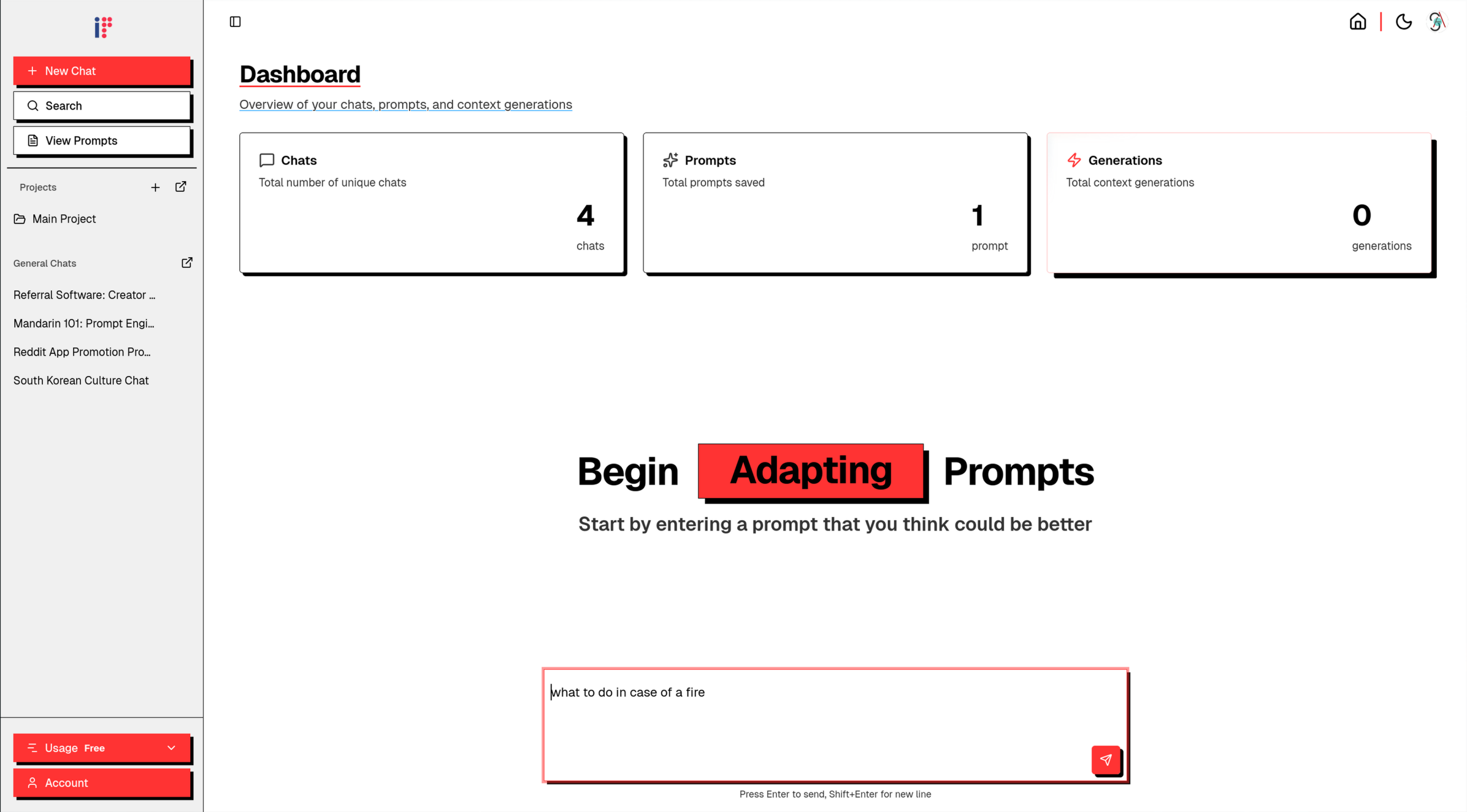
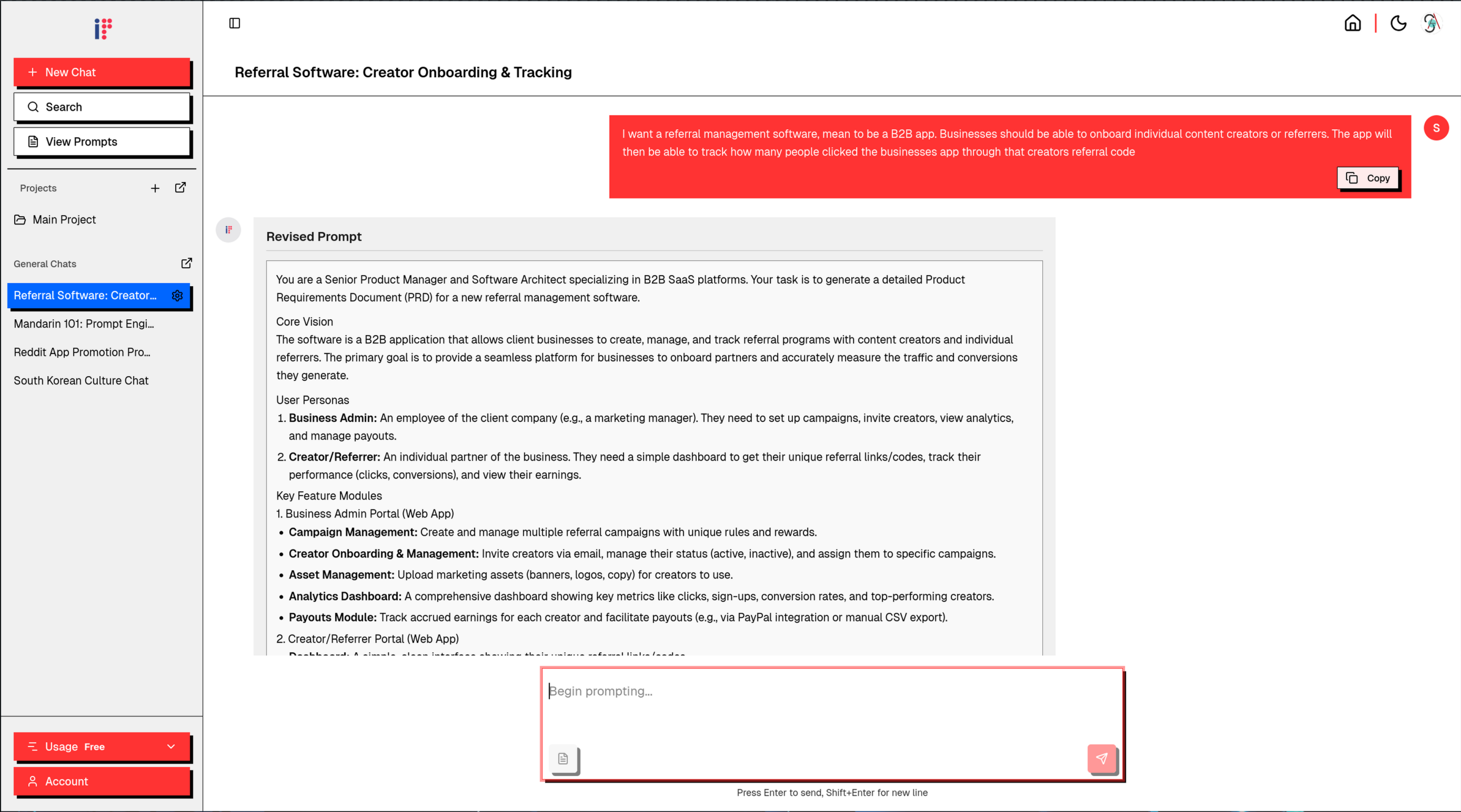
ImPromptr is a prompt refinement and context engineering app. It allows you to iteratively improve your prompt with the help of a special prompt engineering based agent that is instructed to use modern prompt engineering techniques. The way this app works is you start off by entering a prompt that you want to improve. The agent will then revise your prompt and give you a list of 5 questions to further guide your thinking. You can answer the questions, or you can write whatever information you would like, and using that additional information, the agent will revise your prompt further, being even more specific than its previous version, and provide you with another set of 5 questions to really hone in on your idea. You can save your favorite prompts, with each saved prompt allowing you to manually tweak them and have a version control of all the different variations. Once a chat instance has enough information, you can generate context files, markdown files that use your entire conversation history along with a specific topic for it to focus on. You can organize your chats, prompts, and context files in specific projects to further categorize your work.
Features
- Chat instances where you can iteratively refine prompts
- Once your chat has enough information, you can generate markdown context files
- You can save your favorite prompts and even modify them manually. Each version of the prompt is saved so you have a version control for your prompts
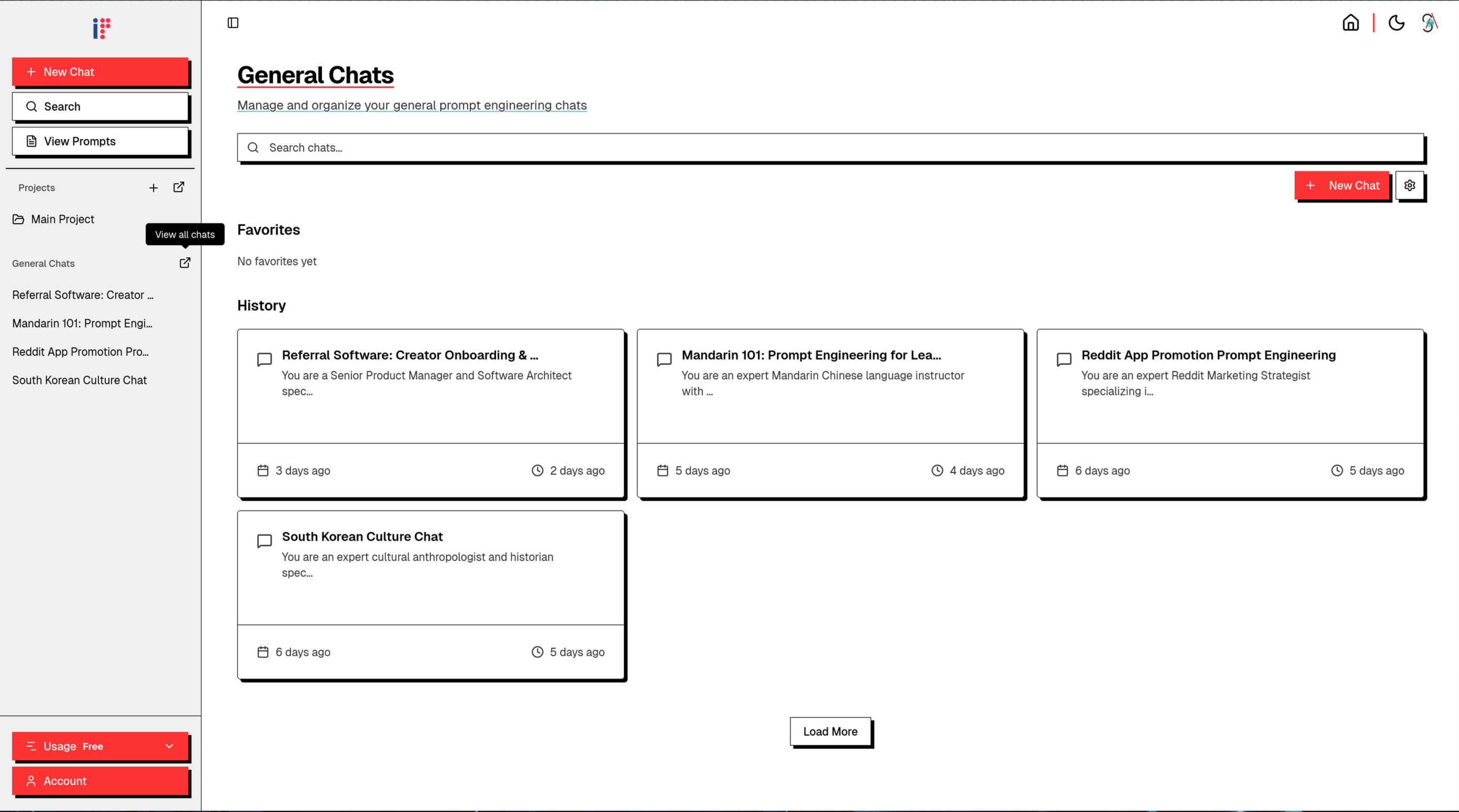
- Store all your chats, prompts, and contexts in projects
Use Cases
- If you need to do a particularly long and complicated task with many different aspects to it, so instead of writing portions of the prompt in different messages, create one perfect prompt along with the context required for it in one chat instance, allowing you get the best results with the least amount of effort.

Comments

This looks really useful for prompt engineering workflows! The ability to iteratively refine prompts with context-specific engineering is exactly what's needed for complex AI tasks. The markdown integration for saving prompt versions is a smart feature - it would be great to see how this handles multi-step prompts or chains. Does it support exporting to common formats like JSON for API integration?


If you use 3+ AI tools at work, your biggest problem usually isn’t “which model.” It’s that your prompts are missing context. I kept running into the same loop: • good idea • rushed prompt • meh output • more copy/paste across tools • still not quite right That is why I am very happy to announce my first public SaaS; ImPromptr (https://impromptr.com) — a prompt refinement + context engineering workflow. Here’s what it does (simple, but surprisingly effective): 1) Paste your rough prompt 2) It rewrites it + asks 5 clarifying questions 3) You answer in plain English 4) It refines again (and you can save versions like “prompt version control”) 5) When you’re ready, generate a clean Markdown “context file” you can reuse anywhere Quick example from my own use: Before: “I want a referral management software… track clicks from a creator’s referral code.” After: “You are a Senior Product Manager + Software Architect… generate a PRD in markdown… define personas, modules, acceptance criteria…” (+ 5 targeted questions that forced the missing details out of my head.) Result: the vague idea became an actionable spec I could hand to a model (and a teammate). I understand that the only way to get real results is with thorough, edge-case uses. I have a challenge for all those who are up to the task. Take the prompt that gave you the WORST results last week. Run it through ImPromptr. Then comment: - if the prompt is now better, worse, or the same - what changed in the output Extra credit if you include: - what you would have made the prompt even better - what additional features you would like to see
Premium Products












































Sponsors
Buy

Awards
View all
Awards
View allComments
This looks really useful for prompt engineering workflows! The ability to iteratively refine prompts with context-specific engineering is exactly what's needed for complex AI tasks. The markdown integration for saving prompt versions is a smart feature - it would be great to see how this handles multi-step prompts or chains. Does it support exporting to common formats like JSON for API integration?
If you use 3+ AI tools at work, your biggest problem usually isn’t “which model.” It’s that your prompts are missing context. I kept running into the same loop: • good idea • rushed prompt • meh output • more copy/paste across tools • still not quite right That is why I am very happy to announce my first public SaaS; ImPromptr (https://impromptr.com) — a prompt refinement + context engineering workflow. Here’s what it does (simple, but surprisingly effective): 1) Paste your rough prompt 2) It rewrites it + asks 5 clarifying questions 3) You answer in plain English 4) It refines again (and you can save versions like “prompt version control”) 5) When you’re ready, generate a clean Markdown “context file” you can reuse anywhere Quick example from my own use: Before: “I want a referral management software… track clicks from a creator’s referral code.” After: “You are a Senior Product Manager + Software Architect… generate a PRD in markdown… define personas, modules, acceptance criteria…” (+ 5 targeted questions that forced the missing details out of my head.) Result: the vague idea became an actionable spec I could hand to a model (and a teammate). I understand that the only way to get real results is with thorough, edge-case uses. I have a challenge for all those who are up to the task. Take the prompt that gave you the WORST results last week. Run it through ImPromptr. Then comment: - if the prompt is now better, worse, or the same - what changed in the output Extra credit if you include: - what you would have made the prompt even better - what additional features you would like to see
Premium Products
New to Fazier?

Find your next favorite product or submit your own. Made by @FalakDigital.
Copyright ©2026. All Rights Reserved