
iMideo
Turn Images into AI-Powered Videos. In Minutes.
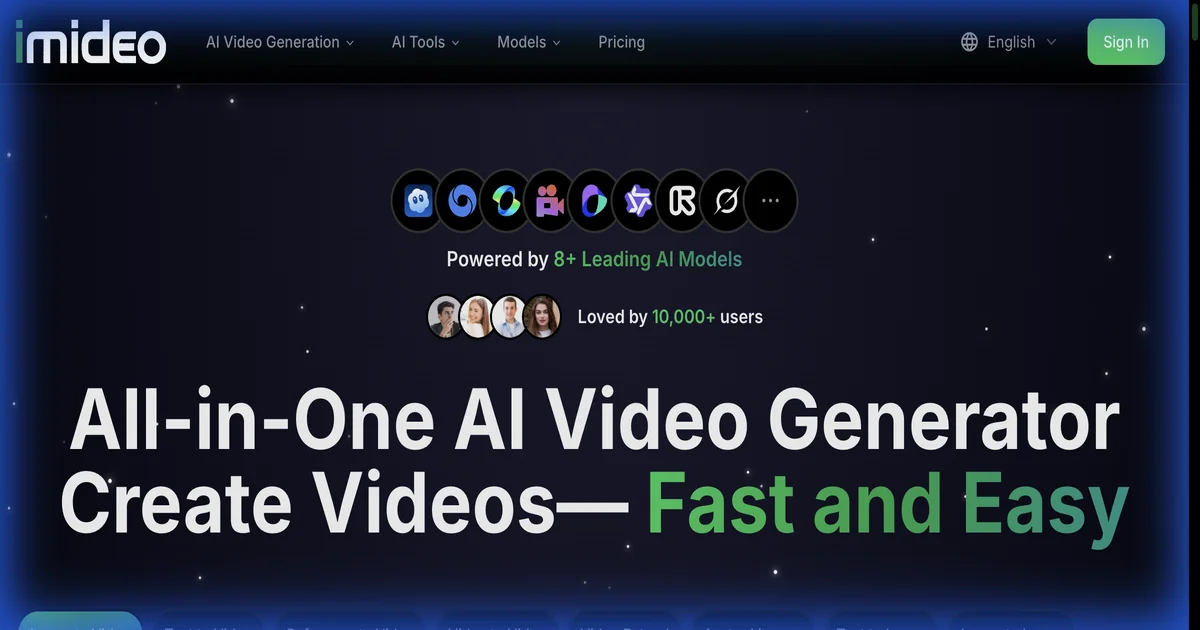
From image to video with AI magic. iMideo is a comprehensive platform for AI video generation. Access cutting-edge models, generate 4K images and 1080p videos, add sound effects. Flexible pricing options.
Features
- 🎬 Image to Video (multiple AI models)
- ✍️ Text to Video generation
- 📸 AI Image Generation (4K, unlimited Z-Image/Nano Banana Pro for subscribers)
- 🔊 Video Sound Effects (AI audio generation)
- 🧹 Video Watermark Remover
- 📈 Video Upscaler (up to 4K)
- 🎭 Face Swap capabilities
- 🤖 Multiple AI models: VEO 3.1, Seedance 1.5 Pro, Nano Banana Pro/2 , Z-Image
Use Cases
iMideo brings together the world's best AI video and image models in a
single, easy-to-use platform. Stop jumping between tools — everything you need
is here.
▎ Key Capabilities:
▎ - Text-to-Video & Image-to-Video — Generate videos with Veo3, Sora 2, Kling
3.0, Seedance 1.5 Pro, Wan 2.6, LTX, PixVerse 4.5, Runway Gen4, and more
▎ - AI Image Generation — Create images with GPT Image 1.5, Grok Imagine,
Seedream 4.5
▎ - Video Enhancement — Upscale to 4K, remove backgrounds, remove watermarks,
restore old videos
▎ - AI Editing Tools — Face swap, head swap, video extension, motion control,
video effects
▎ - Content Creation — AI talking avatars, AI dance generator, product video
maker, auto subtitle generator
▎ - Audio — Add AI-generated sound effects to any video
▎ Who it's for: Content creators, marketers, social media managers, YouTubers,
e-commerce brands, and anyone who wants to produce high-quality video content
without professional editing skills or multiple paid subscriptions.

Comments


Honestly, iMideo started out of pure frustration. I was juggling Runway for one thing, Kling for another, Veo3 somewhere else — three subscriptions, three logins, three different UIs. It was exhausting just to make a single video. So I thought: what if there was just... one place for all of it? That's iMideo. You open one tab, pick whichever AI model fits your vibe — Veo3, Sora 2, Kling 3.0, Seedance, Runway Gen4, whatever — type your idea or drop an image, and you've got a video in under a minute. No friction, no switching, no nonsense. We've grown it into 15+ models and 30+ tools now — face swap, background removal, 4K upscaling, AI sound effects, auto subtitles, the works. Basically everything a creator needs in one spot. Still a small team, still shipping every week. If you give it a try and something feels off — or something clicks — I'd genuinely love to hear from you.

Honestly this feels like the kind of product that’s trying to collapse an entire workflow into one place — which is both its biggest strength and biggest risk. On one hand, the value prop is obvious: creators don’t want to jump between 5–10 tools just to get from idea → final video. If iMideo can actually make that flow smooth (not just feature-rich), that’s a real win. The model aggregation angle is especially interesting — you’re basically abstracting away the “which model should I use?” decision, which is a real pain point right now. But at the same time, products like this often fall into the “everything but not deep enough” trap. The real test isn’t how many features or models you support, but whether one or two core workflows (e.g., text → video → polish → publish) feel meaningfully better than using separate best-in-class tools. If you can nail that end-to-end experience, this becomes sticky. If not, it risks becoming a feature buffet people try once and leave.

Premium Products












































Sponsors
Buy

Makers
Makers
Comments
Honestly, iMideo started out of pure frustration. I was juggling Runway for one thing, Kling for another, Veo3 somewhere else — three subscriptions, three logins, three different UIs. It was exhausting just to make a single video. So I thought: what if there was just... one place for all of it? That's iMideo. You open one tab, pick whichever AI model fits your vibe — Veo3, Sora 2, Kling 3.0, Seedance, Runway Gen4, whatever — type your idea or drop an image, and you've got a video in under a minute. No friction, no switching, no nonsense. We've grown it into 15+ models and 30+ tools now — face swap, background removal, 4K upscaling, AI sound effects, auto subtitles, the works. Basically everything a creator needs in one spot. Still a small team, still shipping every week. If you give it a try and something feels off — or something clicks — I'd genuinely love to hear from you.
Honestly this feels like the kind of product that’s trying to collapse an entire workflow into one place — which is both its biggest strength and biggest risk. On one hand, the value prop is obvious: creators don’t want to jump between 5–10 tools just to get from idea → final video. If iMideo can actually make that flow smooth (not just feature-rich), that’s a real win. The model aggregation angle is especially interesting — you’re basically abstracting away the “which model should I use?” decision, which is a real pain point right now. But at the same time, products like this often fall into the “everything but not deep enough” trap. The real test isn’t how many features or models you support, but whether one or two core workflows (e.g., text → video → polish → publish) feel meaningfully better than using separate best-in-class tools. If you can nail that end-to-end experience, this becomes sticky. If not, it risks becoming a feature buffet people try once and leave.
Premium Products
New to Fazier?

Find your next favorite product or submit your own. Made by @FalakDigital.
Copyright ©2026. All Rights Reserved