
ImageToBeads
Turn photos into editable Perler bead patterns for free
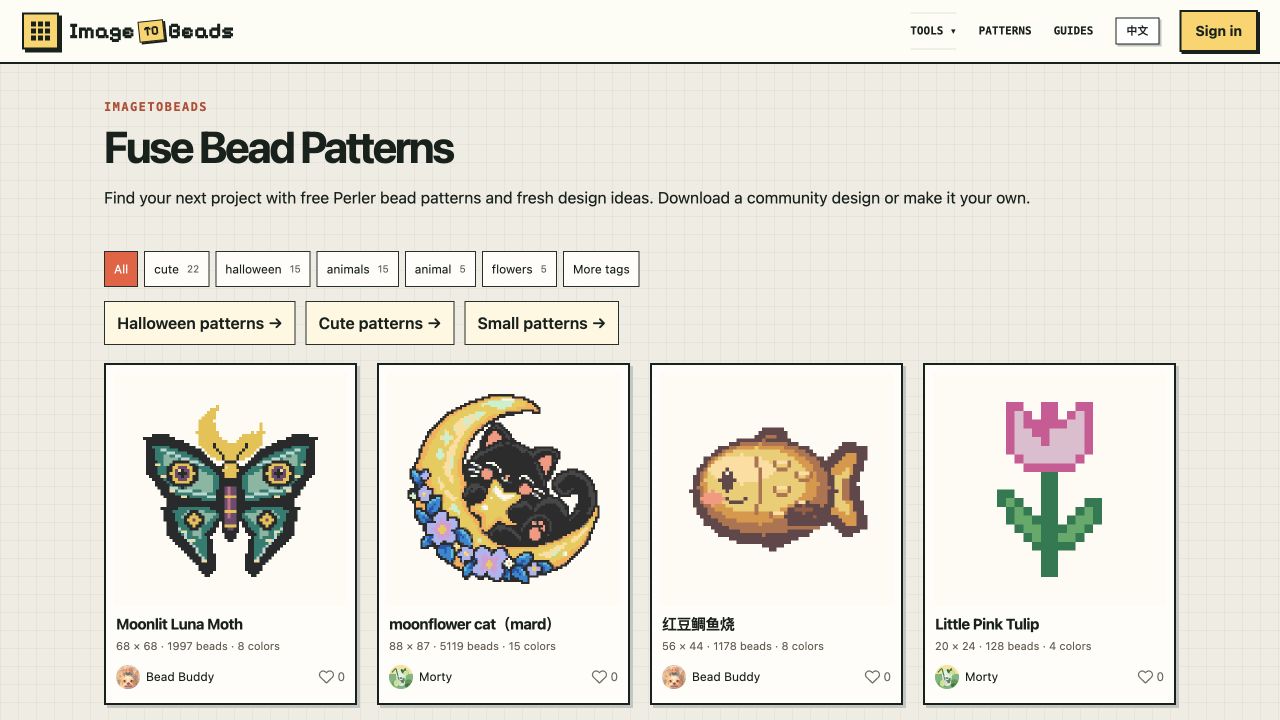
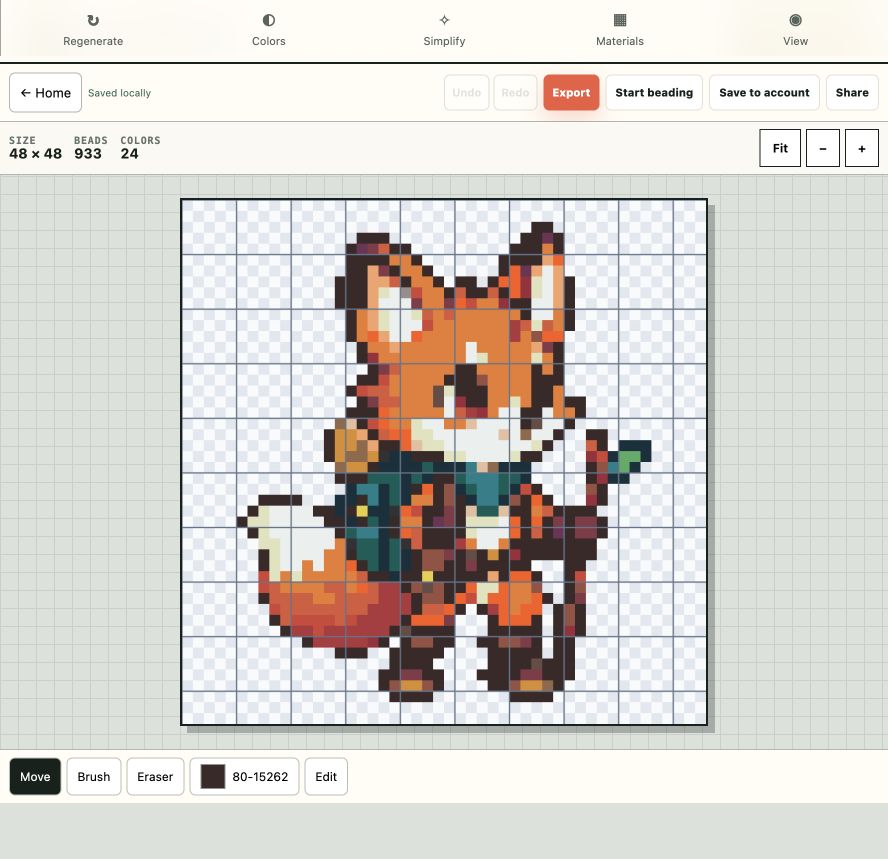
ImageToBeads is a free browser-based tool that turns photos and illustrations into editable Perler bead patterns. Upload an image, choose a pattern size and a bead-color palette, refine individual beads and colors, then download a PNG pattern with a grid, color legend, and bead counts. The public gallery also lets you browse, download, and remix community patterns with creator credit. You can create and download patterns without an account.
Features
Convert PNG, JPEG, and WebP images into bead patterns
Process source images locally in the browser
Choose Perler, Hama, MARD, Artkal, or Nabbi color references
Limit colors, merge rare shades, and edit individual beads
Export a PNG with grid, color legend, and bead counts
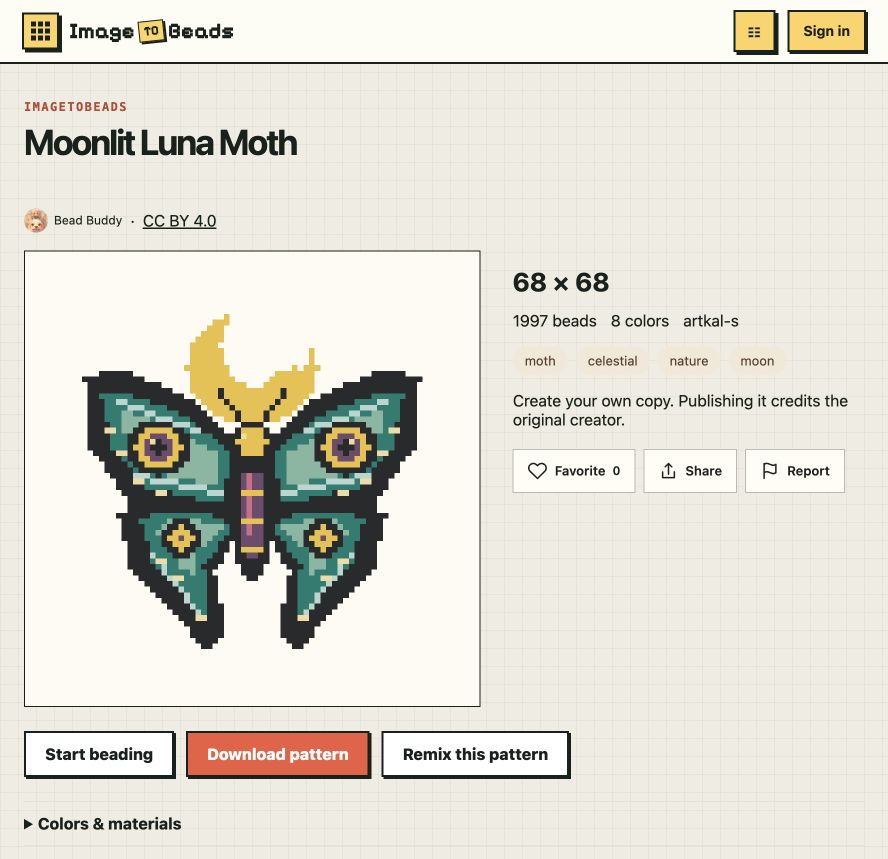
Explore a public gallery with downloads and credited remixes
Use Cases
Make a custom Perler bead pattern from a photo or illustration
Plan bead colors and quantities before starting a craft project
Download printable patterns from the gallery
Remix a community pattern and credit its creator

Comments


We built ImageToBeads to make turning an image into a buildable bead pattern straightforward and free. The editor runs in the browser, offers bead-color references and per-bead adjustments, and exports a grid with a color legend and quantities. We have also opened a gallery where makers can browse patterns and remix designs with creator credit. If you make Perler or fuse-bead projects, we'd especially appreciate feedback on color matching and which editing steps still feel tedious.
Being able to pick between Perler, Hama, MARD, Artkal or Nabbi color references and merge rare shades is really useful for avoiding a pile of one-off beads. Have you considered showing a live total bead count per color while editing, so makers can see how a change affects what they need to buy before exporting the PNG?


Turning a photo into an editable Perler pattern is a nice niche, and the “editable” part matters, because auto-converted images usually need manual cleanup (stray single beads, muddy gradients). Can you swap individual beads and limit the palette to the colors I actually own? Matching real brand colors (Hama, Artkal, Perler) would be a big plus.

Exporting bead counts with the grid is the useful part for buying supplies before you start. I would want the legend to flag colors that sit next to each other in the chosen palette, Perler versus Artkal, so a soft gradient does not become three nearly identical beads that are hard to tell apart on a pegboard.
Processing the image locally in the browser and letting people download without an account is exactly right for a craft tool. Bead counts per color in the export save a lot of trips to the store. One idea: an option to split large patterns across several standard pegboards (29×29), with the board borders marked, would help with bigger pieces.




Being able to edit single beads after the conversion is what makes this usable, since auto-converted photos always need cleanup. Two small things that would help at the pegboard: a mirrored export, because fuse beads are ironed from the back and text or asymmetric designs come out reversed, and a print option at true 1:1 scale (5 mm pitch for Perler/Hama) so the sheet can sit right under a clear pegboard as a template.
a fantastic tool for craft enthusiasts! I especially like that it processes images directly in the browser and supports different bead palettes. The ability to edit individual beads, download https://www.peryourhealth.us.com printable patterns, and remix community designs makes it even more useful. Great concept!

Premium Products



















































Sponsors
Buy

Makers
Makers
Comments
We built ImageToBeads to make turning an image into a buildable bead pattern straightforward and free. The editor runs in the browser, offers bead-color references and per-bead adjustments, and exports a grid with a color legend and quantities. We have also opened a gallery where makers can browse patterns and remix designs with creator credit. If you make Perler or fuse-bead projects, we'd especially appreciate feedback on color matching and which editing steps still feel tedious.
Being able to pick between Perler, Hama, MARD, Artkal or Nabbi color references and merge rare shades is really useful for avoiding a pile of one-off beads. Have you considered showing a live total bead count per color while editing, so makers can see how a change affects what they need to buy before exporting the PNG?
Turning a photo into an editable Perler pattern is a nice niche, and the “editable” part matters, because auto-converted images usually need manual cleanup (stray single beads, muddy gradients). Can you swap individual beads and limit the palette to the colors I actually own? Matching real brand colors (Hama, Artkal, Perler) would be a big plus.
Exporting bead counts with the grid is the useful part for buying supplies before you start. I would want the legend to flag colors that sit next to each other in the chosen palette, Perler versus Artkal, so a soft gradient does not become three nearly identical beads that are hard to tell apart on a pegboard.
Processing the image locally in the browser and letting people download without an account is exactly right for a craft tool. Bead counts per color in the export save a lot of trips to the store. One idea: an option to split large patterns across several standard pegboards (29×29), with the board borders marked, would help with bigger pieces.
Being able to edit single beads after the conversion is what makes this usable, since auto-converted photos always need cleanup. Two small things that would help at the pegboard: a mirrored export, because fuse beads are ironed from the back and text or asymmetric designs come out reversed, and a print option at true 1:1 scale (5 mm pitch for Perler/Hama) so the sheet can sit right under a clear pegboard as a template.
a fantastic tool for craft enthusiasts! I especially like that it processes images directly in the browser and supports different bead palettes. The ability to edit individual beads, download https://www.peryourhealth.us.com printable patterns, and remix community designs makes it even more useful. Great concept!
Premium Products
New to Fazier?

Find your next favorite product or submit your own. Made by @FalakDigital.
Copyright ©2026. All Rights Reserved