
Image Text Editor
Replace Text in Images, Keep the Original Style
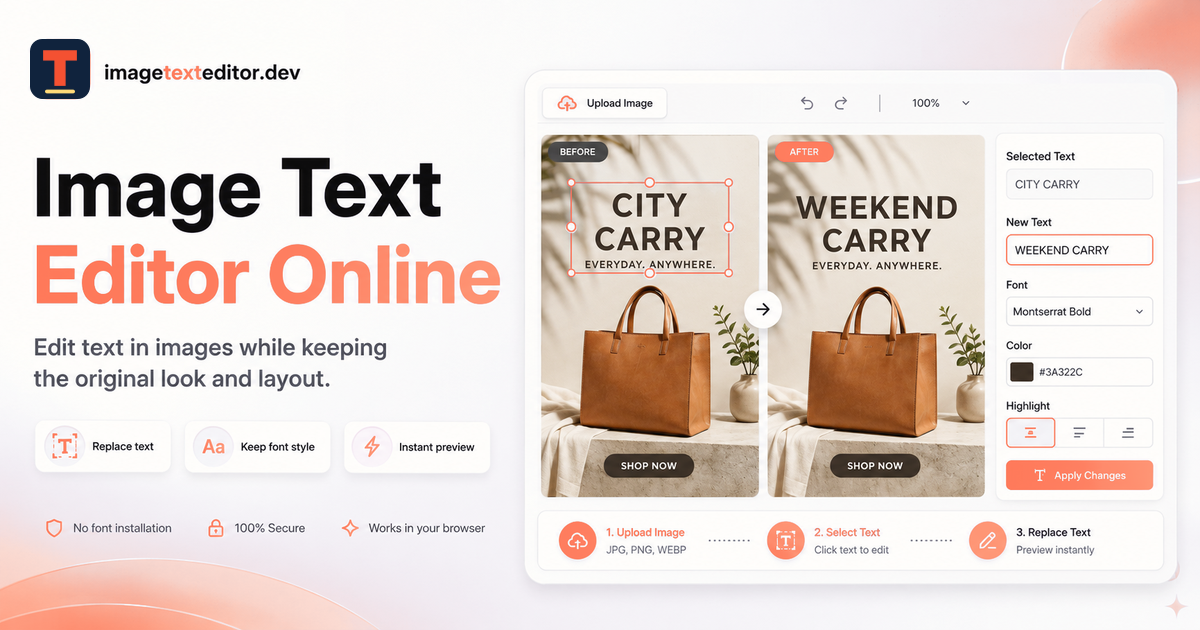
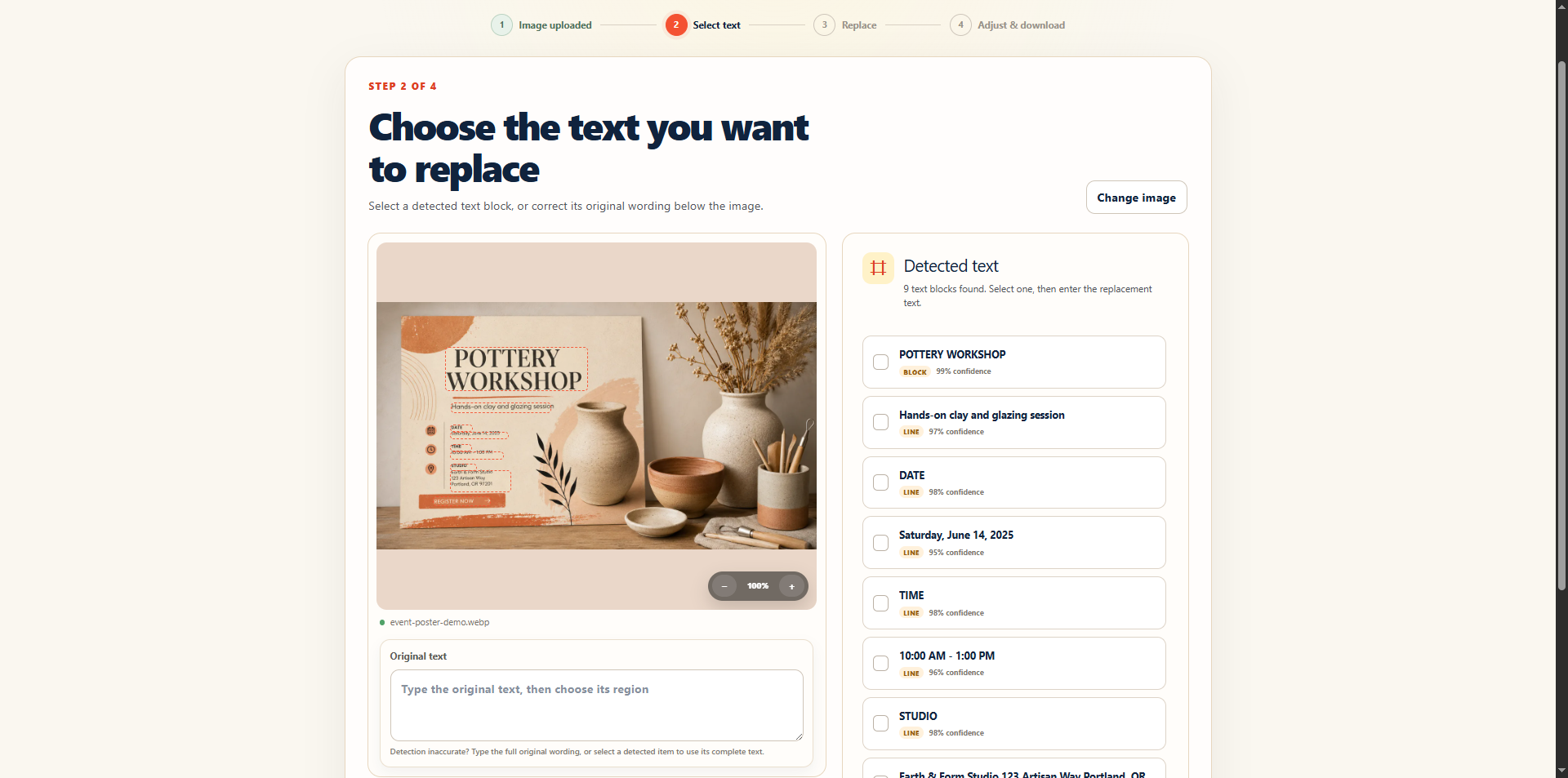
Image Text Editor is an AI-powered online tool for editing and replacing text directly inside images. Users can upload a product image, poster, ad, screenshot, or social media graphic, select the text they want to change, and enter new content while keeping the original visual style as close as possible.
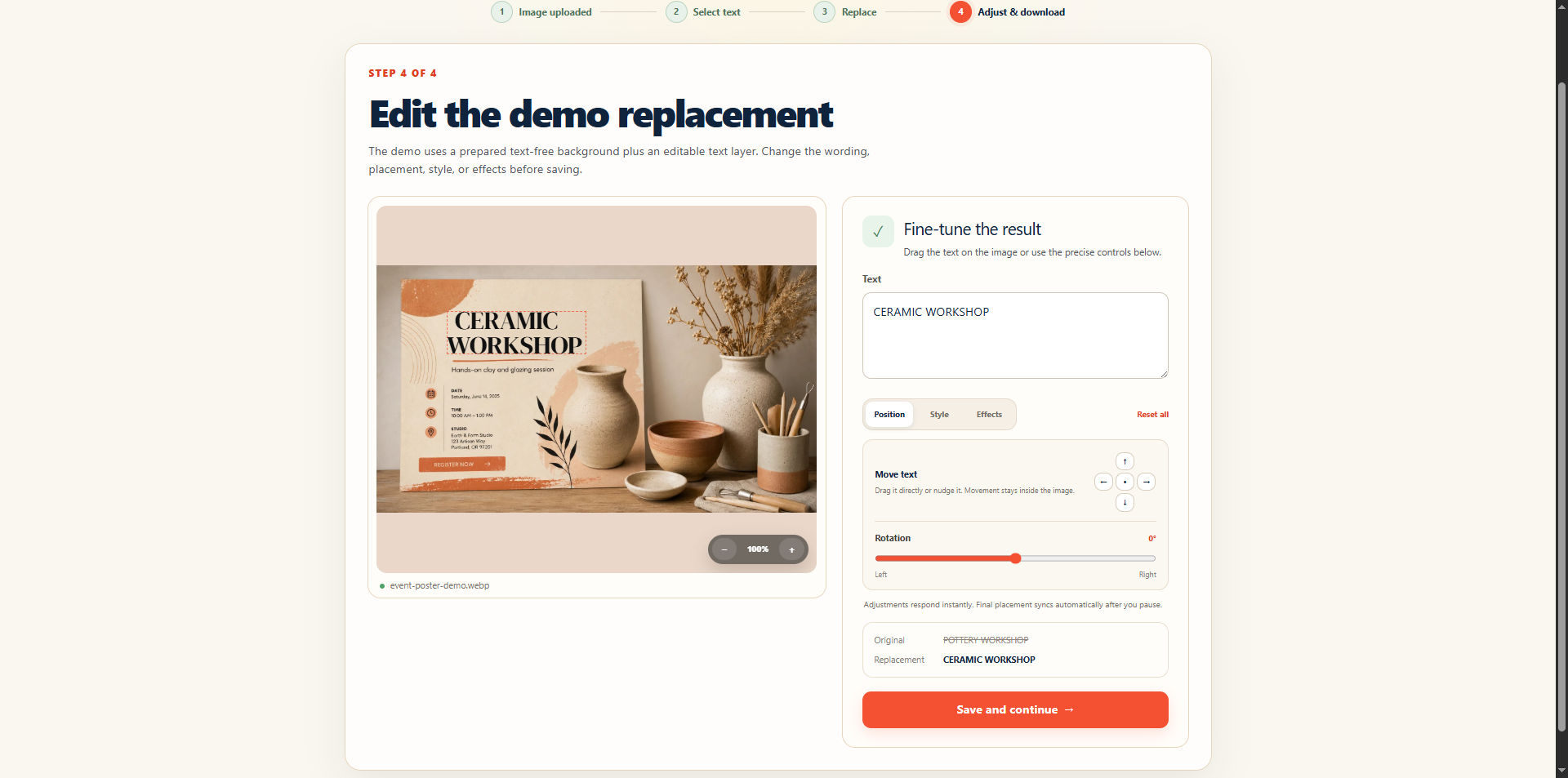
The tool is designed to preserve important details such as font style, color, position, layout, and surrounding background, making quick image text edits much easier without requiring Photoshop or the original design file.
Features
- Edit and replace text directly inside images
- AI-powered text replacement
- Preserve font style, color, position, and layout
- Keep the surrounding image background natural
- Support common image formats such as JPG, PNG, and WebP
- Works directly in the browser
- No Photoshop or original design file required
- Suitable for fast visual content updates
Use Cases
- Update text on ecommerce product images
- Change wording on marketing posters and advertisements
- Edit text in social media graphics
- Replace text inside screenshots
- Localize promotional images for different markets
- Correct typos in finished visual designs
- Quickly update prices, labels, headlines, or calls to action
- Reuse existing graphics without rebuilding the entire design

Comments


I built Image Text Editor after repeatedly running into a simple but frustrating problem: I often had an image or poster where I only wanted to change a few words, but the original design file was no longer available. Traditional editors can handle this, but recreating the font, color, spacing, background, and layout manually takes much longer than the actual text change. That led me to build a simpler workflow: upload an image, select the text, enter the replacement, and let AI handle as much of the visual matching as possible. I’m still improving the quality of text replacement, especially around fonts, backgrounds, and complex layouts. Feedback on the editing experience and the types of images you would use it for would be really valuable.
Premium Products


























Sponsors
Buy

Comments
I built Image Text Editor after repeatedly running into a simple but frustrating problem: I often had an image or poster where I only wanted to change a few words, but the original design file was no longer available. Traditional editors can handle this, but recreating the font, color, spacing, background, and layout manually takes much longer than the actual text change. That led me to build a simpler workflow: upload an image, select the text, enter the replacement, and let AI handle as much of the visual matching as possible. I’m still improving the quality of text replacement, especially around fonts, backgrounds, and complex layouts. Feedback on the editing experience and the types of images you would use it for would be really valuable.
Premium Products
New to Fazier?

Find your next favorite product or submit your own. Made by @FalakDigital.
Copyright ©2025. All Rights Reserved