
image search techniques
Image Search Techniques is a free reverse image search tool
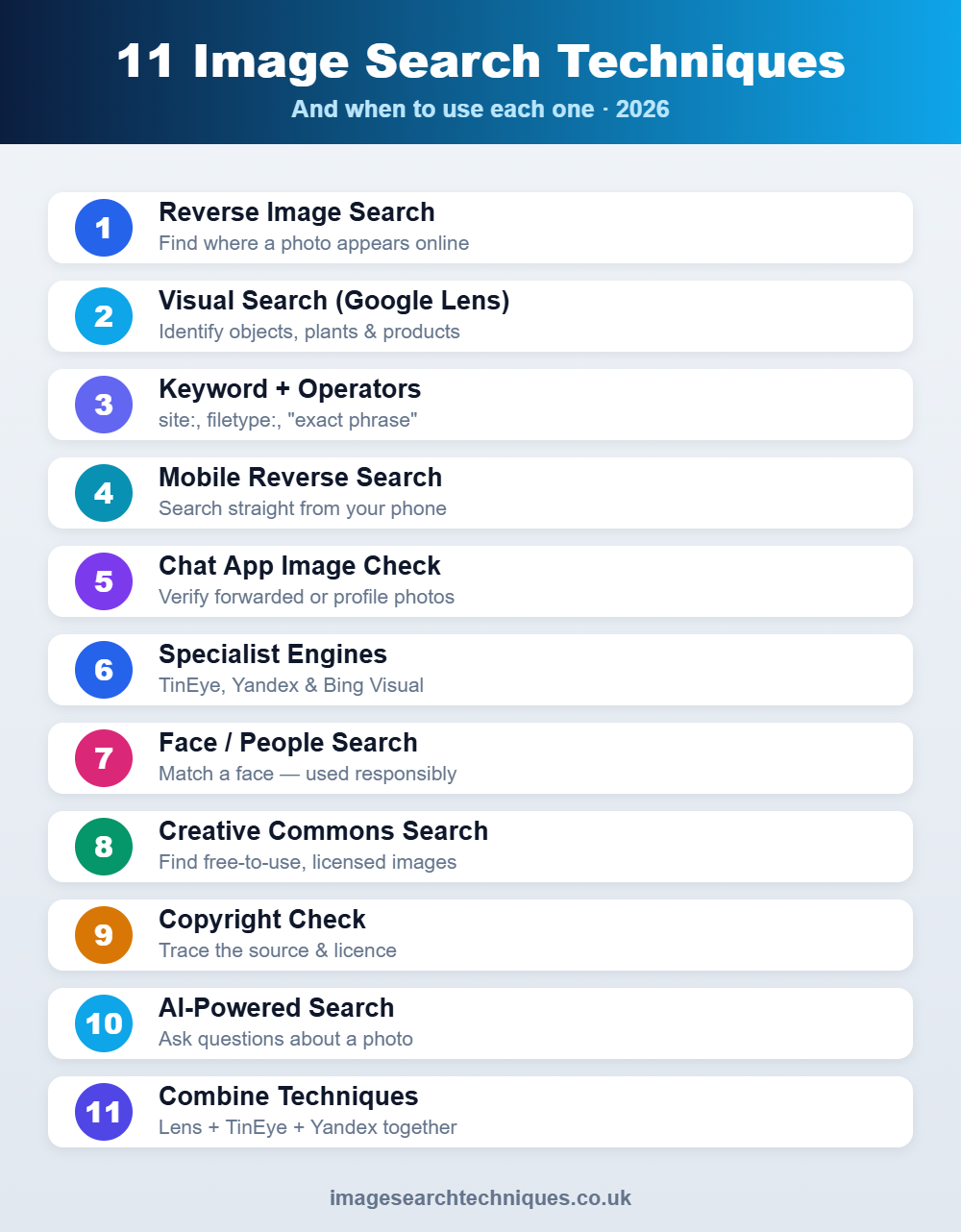
Image Search Techniques is a free reverse image search tool that lets you search one photo across six engines at once: Google, Google Lens, Bing, Yandex, TinEye and Pinterest. Upload an image or paste a link to find where a photo came from, spot duplicates and stolen images, verify a viral picture, or find a product from a photo.


Features
- Search 6 engines at once: Google, Google Lens, Bing, Yandex, TinEye and Pinterest
- Upload an image or paste an image URL
- Supports JPG, PNG, WEBP, GIF and BMP (up to 8MB)
- 100% free, no sign-up required
- Works on mobile
- Choose which engines to search, or select all
- Image preview with dimensions, size and type
- Uploaded images are not stored for more than 24 hours and are never shared
- Free guides on image search techniques, source tracing and image verification
Use Cases
1. Photographers and creators: find where your photos are published online and spot unauthorized use.
2. Online shoppers: upload a photo of a product and find where to buy it or compare similar items.
3. Journalists and fact-checkers: check whether a news or viral photo is real, old or recycled from another event.
4. Designers and art directors: trace the original source of a reference image and discover similar styles.
5. Online safety: check whether a profile photo is fake or taken from someone else, which helps spot catfishing.
6. Research and curiosity: identify a plant, animal, landmark or object from a photo.
Fazier Deal



Premium Products



























































Find your next favorite product or submit your own. Made by @FalakDigital.
Copyright ©2026. All Rights Reserved