
Igly Image
AI image editor with infinite canvas and 20+ tools
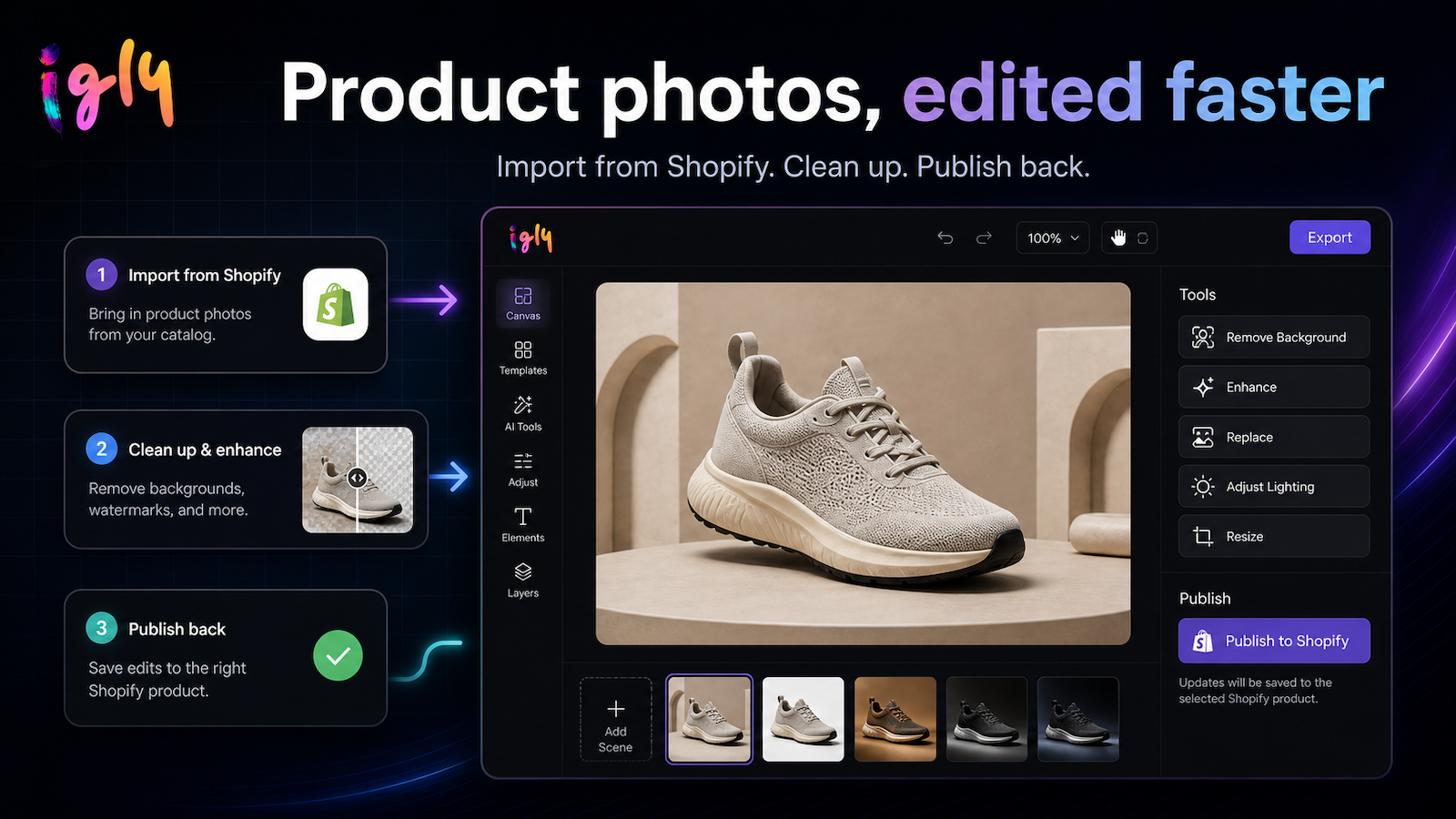
Igly image combines a AI image editor with a commerce workflow built for sellers. Beyond background removal, AI product shots, cleanup, resizing and batch edits, sellers can pull products from Shopify, create listing-ready visuals in an infinite canvas, and publish assets back into their store. It’s not just an image tool, it’s a seller studio for turning product photos into shoppable media faster.
Features
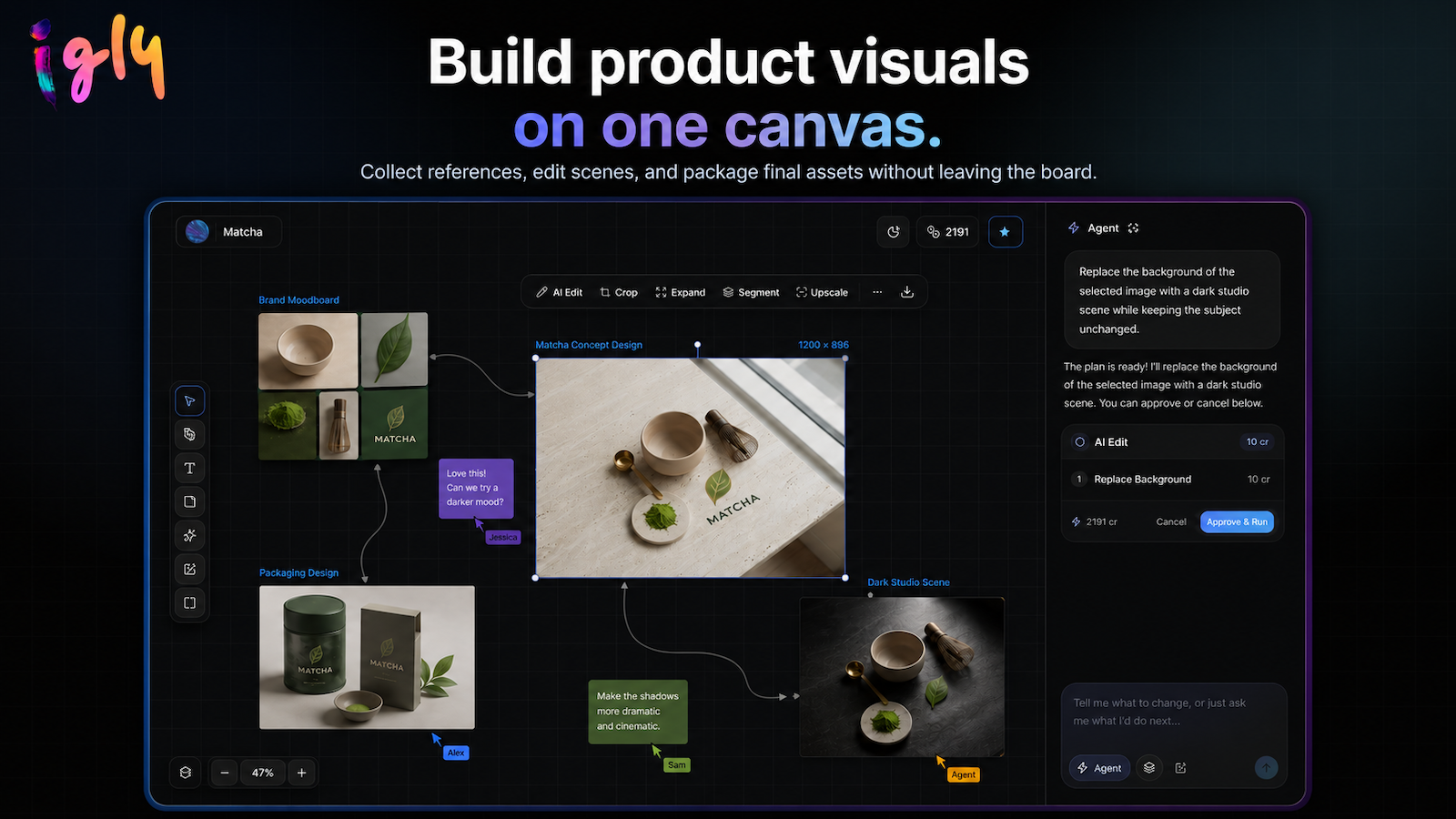
- Infinite canvas for building visual workflows with references, generations, edits, and finished assets in one place
- AI Edit for object-aware cleanup, local edits, replacements, retouching, and prompt-based image changes
- Expand Canvas to outpaint images into new ratios and generate matching background beyond the original frame
- Layer Split to extract subjects into editable transparent layers and rebuild a clean background
- Built-in tools for background removal, background replacement, upscale, restore, crop, image-to-text, logo/headshot generation, and short video workflows
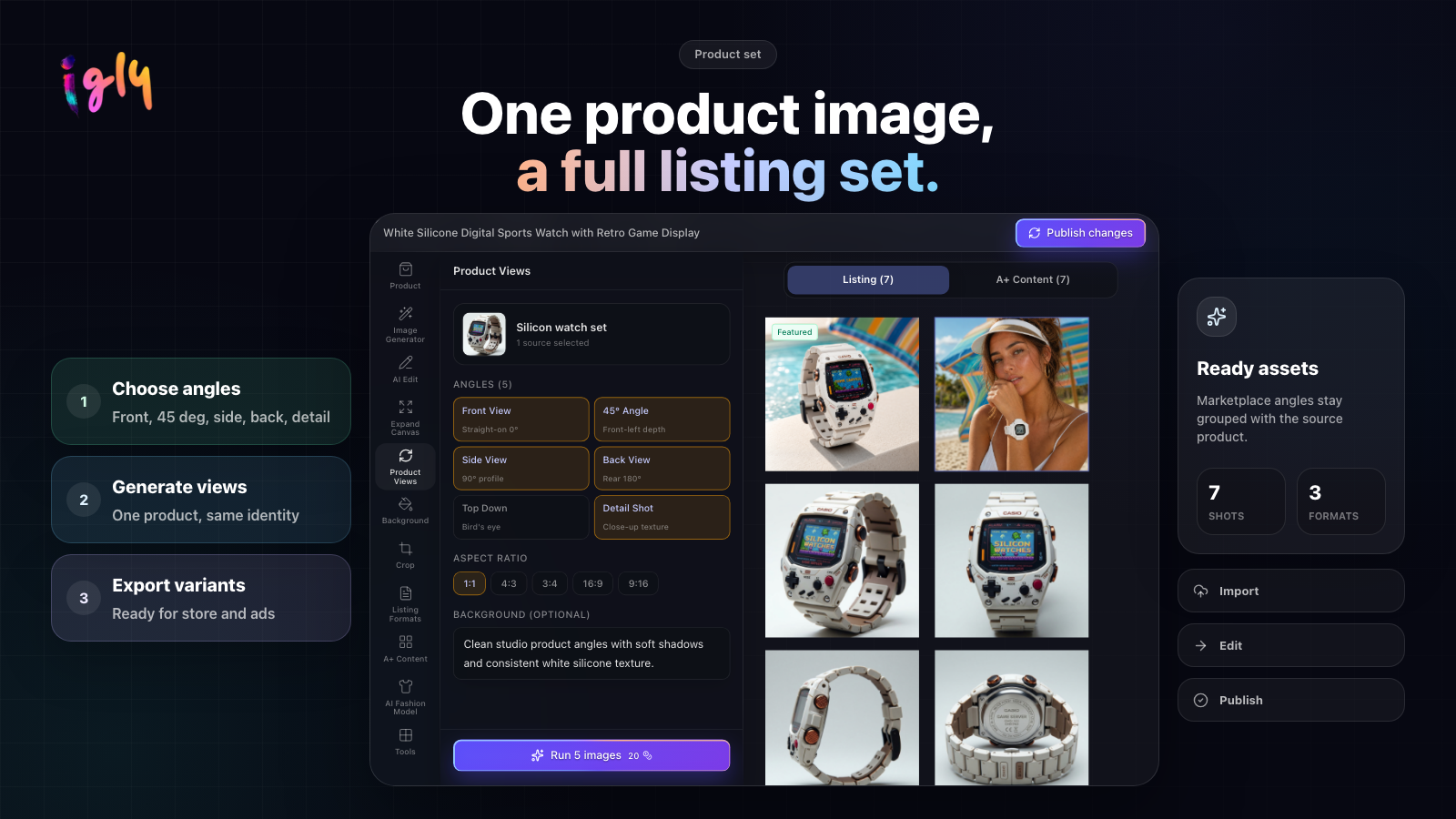
- Seller Studio for ecommerce teams: product views, listing formats, catalog-attached edits, and Shopify-ready product media
Use Cases
Launch new products faster — Turn one product photo into a complete listing set, including hero images, detail shots, lifestyle scenes, and channel-ready crops.
Refresh existing catalogs — Clean up inconsistent images, replace backgrounds, and modernize old listings without reshooting every SKU.
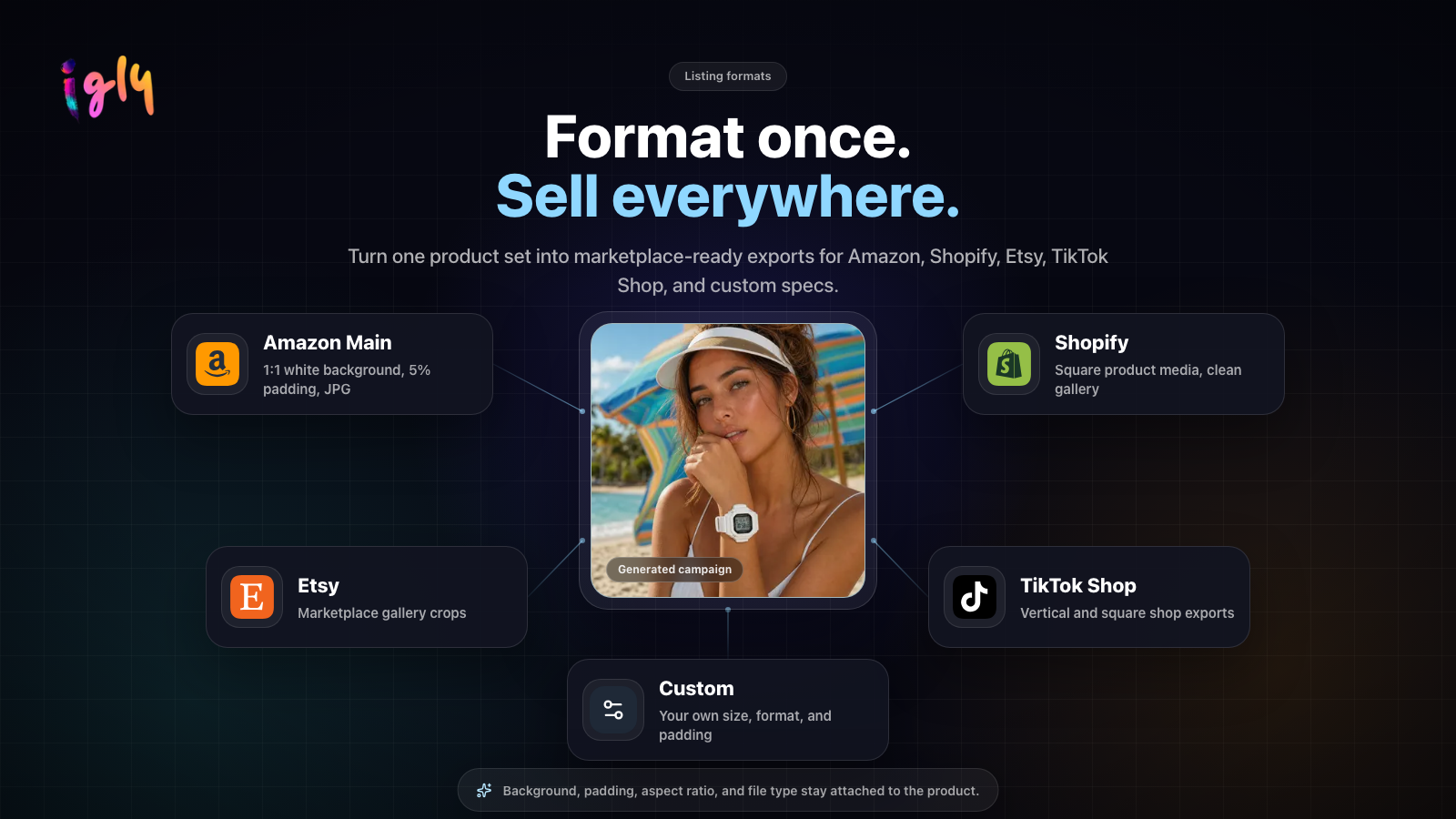
Create marketplace-ready assets — Generate the right images and formats for Shopify, Amazon, Etsy, TikTok Shop, and other sales channels.
Produce model and lifestyle shots — Place products on AI models or in branded scenes without booking a studio, photographer, or model.
Repurpose product visuals for campaigns — Turn listing assets into social ads, storefront banners, and launch creatives while keeping the product consistent.
Publish without repetitive uploads — Organize and approve assets in Seller Studio, then export them or sync the finished images back to the store.
Fazier Deal

Comments


Hey everyone, 👋 Quick backstory: my wife runs an e-commerce store, and I kept watching her spend hours on product photos. Remove the background here, clean up edges there, generate a lifestyle scene somewhere else, resize for a listing, then do it all again for another channel. One listing image somehow became five tools and a few subscription tabs. At some point I thought, what if I just built one workspace for this? So I did. It started as a weekend project for product photos. Then a few friends in ecommerce used it, then their friends. The scope kept expanding in the best possible way. Now Igly has grown into an AI canvas for visual work: prompt-based image edits, object-aware cleanup, background generation, expand canvas / outpainting, layer splitting, product views, short video experiments, and a Seller Studio workflow for ecommerce listings. If you have used canvas-first AI tools like Lovart, you will notice the inspiration. I think that interaction model is genuinely great. Igly is my indie take on it: more focused on practical image editing, product visuals, ecommerce workflows, and shipping useful tools without a giant creative-suite price tag. I am here all day answering questions 🧑💻, taking feature requests, and probably polishing rough edges as they appear. Would love to hear what you would use this for, especially if you edit product images, social creatives, or campaign visuals.
Premium Products
































Fazier Deal
Sponsors
Buy

Makers
Makers
Comments
Hey everyone, 👋 Quick backstory: my wife runs an e-commerce store, and I kept watching her spend hours on product photos. Remove the background here, clean up edges there, generate a lifestyle scene somewhere else, resize for a listing, then do it all again for another channel. One listing image somehow became five tools and a few subscription tabs. At some point I thought, what if I just built one workspace for this? So I did. It started as a weekend project for product photos. Then a few friends in ecommerce used it, then their friends. The scope kept expanding in the best possible way. Now Igly has grown into an AI canvas for visual work: prompt-based image edits, object-aware cleanup, background generation, expand canvas / outpainting, layer splitting, product views, short video experiments, and a Seller Studio workflow for ecommerce listings. If you have used canvas-first AI tools like Lovart, you will notice the inspiration. I think that interaction model is genuinely great. Igly is my indie take on it: more focused on practical image editing, product visuals, ecommerce workflows, and shipping useful tools without a giant creative-suite price tag. I am here all day answering questions 🧑💻, taking feature requests, and probably polishing rough edges as they appear. Would love to hear what you would use this for, especially if you edit product images, social creatives, or campaign visuals.
Premium Products
New to Fazier?

Find your next favorite product or submit your own. Made by @FalakDigital.
Copyright ©2025. All Rights Reserved