
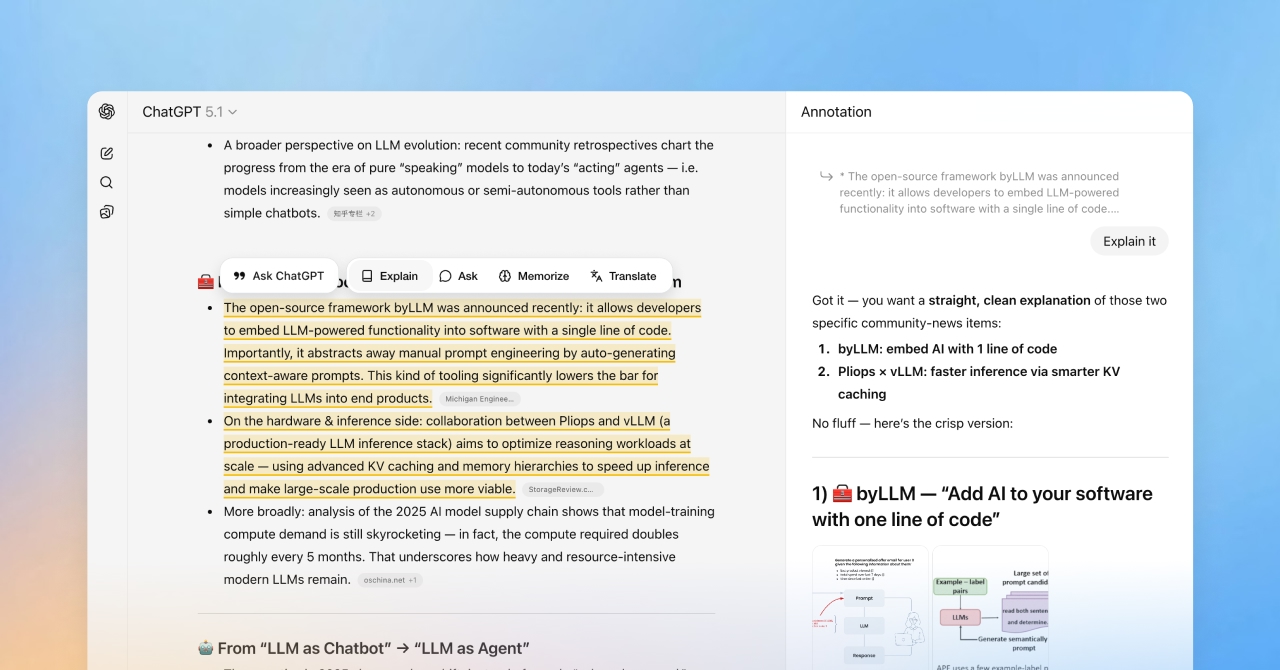
HighlightGPT is a lightweight browser extension that gives ChatGPT highlight superpowers.
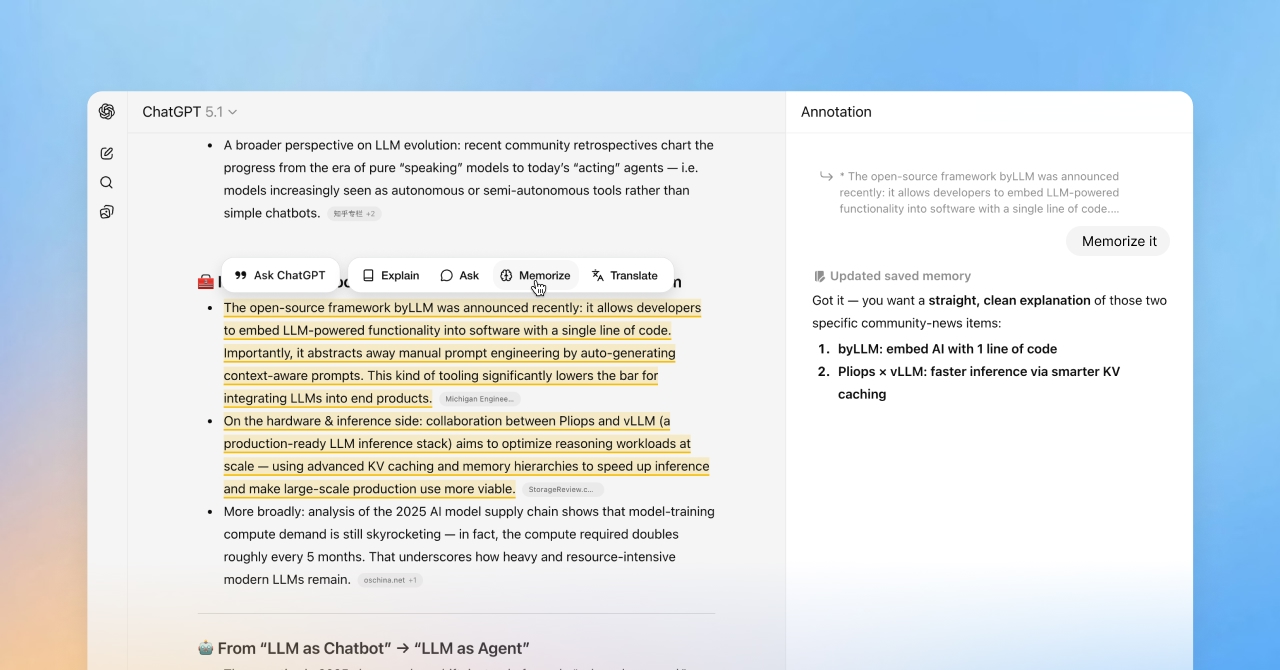
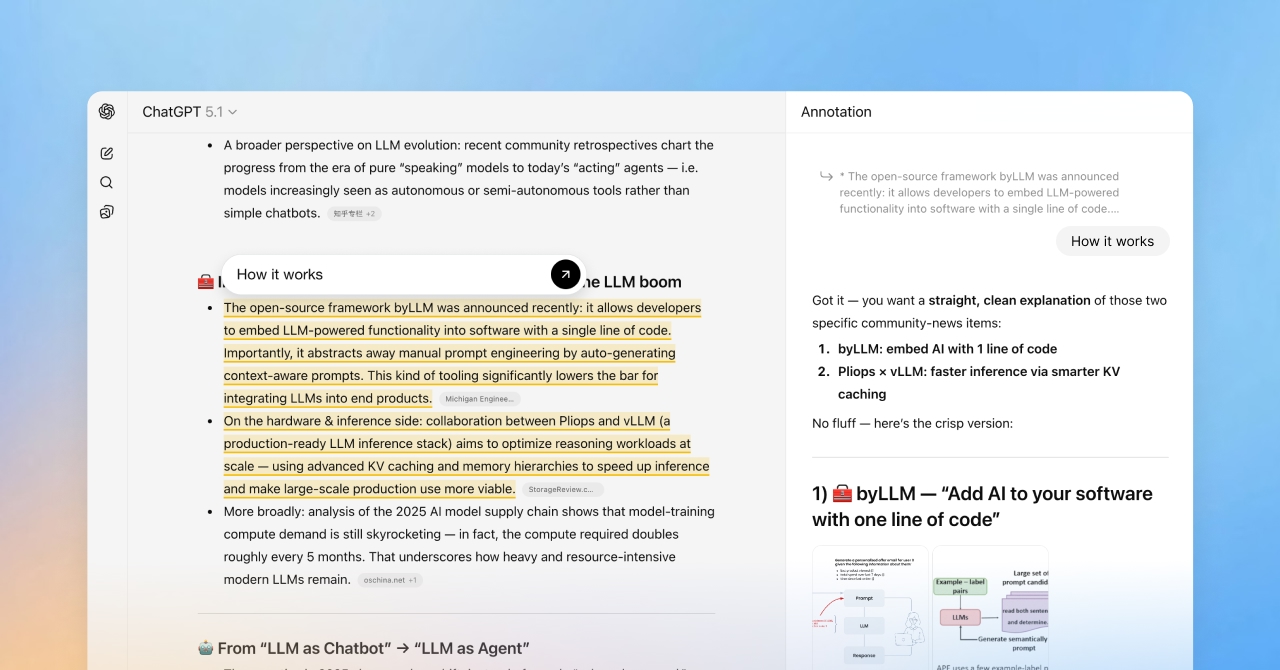
Select any text in ChatGPT and instantly ask questions, get explanations, translate, or save key insights to memory — all without copy and paste.
Answers live in a slim side panel, so you can keep reading the main conversation without losing your place.
Because it works entirely inside ChatGPT’s native web experience, there are no extra tokens, no separate models, and no new interface to learn.
Try it now on Chrome Web Store:
https://chromewebstore.google.com/detail/bdjccdhalfkaiolllkadcohhieboaain
Features
✨ Highlight any text in ChatGPT to ask questions or get explanations
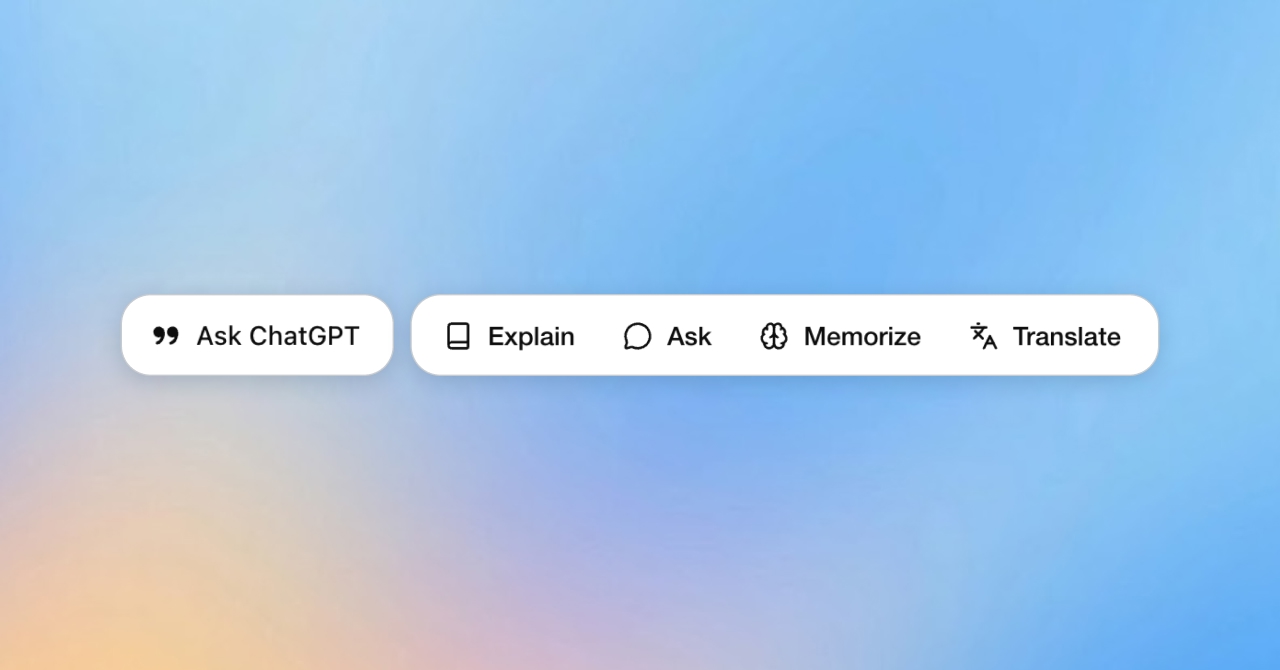
🪄 One-tap actions: ask, explain, translate, or save to memory
📎 Answers appear in a slim side panel so you never lose your reading flow
🌐 Works entirely inside ChatGPT’s native web experience — zero extra tokens
🚀 Optional Pro upgrade: remove ads, unlock unlimited memory saves, and get early access to new features
Use Cases
• Highlight any text in ChatGPT to ask questions or get explanations
• One-tap actions: ask, explain, translate, or save to memory
• Answers appear in a side panel so you never lose your reading flow
• Works entirely inside ChatGPT’s native web experience — zero extra tokens
• Optional Pro upgrade: remove ads, unlock unlimited memory saves, and get early access to new features

Comments


I built HighlightGPT because I was constantly losing my reading flow in ChatGPT. Whenever I highlighted a paragraph and wanted a quick explanation or translation, I had to copy it, open a new chat, paste it, ask again… and then scroll back to find where I was. It broke my focus every single time. So I made a tiny tool that fixes exactly that: highlight text inside ChatGPT and get the answer instantly — in a clean side panel that stays out of the way. You keep reading the main conversation, while all your follow-ups live neatly on the right. No new UI to learn, no context switching, and no extra tokens. Just a smoother way to read, think, and explore inside ChatGPT. Would love to hear how you use highlights in your workflow and what other one-tap actions you'd like next.


<a href="https://hailuo03.studio/">Hailuo O3</a > is a director‑style AI video generator that lets you create stable, cinematic footage with precise camera control from text or reference pictures, royalty‑free, and usable instantly on your browser.
<a href="https://wan3ai.studio/">Wan3 AI</a > is a professional AI video tool. It makes high‑quality videos from text descriptions or reference pictures. Videos look real, and camera moves smoothly. You can use the videos for business. No extra programs are needed, and it works right in your web browser.
<a href="https://seedance-25.studio/">Seedance 2.5</a > is a narrative‑focused AI video generator that creates consistent multi‑shot story clips from simple prompts, delivering natural character continuity and synced sound, all accessible through your web browser.
Gemini Music is an all-in-one AI music generator that transforms text or lyrics into studio-quality songs, complete with AI vocals, royalty-free licensing, and optional music video creation—all from your browser.<a href="https://geminimusic.studio">gemini music</a >
<a href="https://minimaxh3ai.studio/">MiniMax H3</a > is an all‑in‑one multimodal AI video generator that produces complete short clips with matched visuals, dialogue and sound effects, offering royalty‑free output, ready to use inside your browser.
Premium Products










































Sponsors
Buy

Awards
View all
Awards
View allMakers
Makers
Comments
I built HighlightGPT because I was constantly losing my reading flow in ChatGPT. Whenever I highlighted a paragraph and wanted a quick explanation or translation, I had to copy it, open a new chat, paste it, ask again… and then scroll back to find where I was. It broke my focus every single time. So I made a tiny tool that fixes exactly that: highlight text inside ChatGPT and get the answer instantly — in a clean side panel that stays out of the way. You keep reading the main conversation, while all your follow-ups live neatly on the right. No new UI to learn, no context switching, and no extra tokens. Just a smoother way to read, think, and explore inside ChatGPT. Would love to hear how you use highlights in your workflow and what other one-tap actions you'd like next.
<a href="https://hailuo03.studio/">Hailuo O3</a > is a director‑style AI video generator that lets you create stable, cinematic footage with precise camera control from text or reference pictures, royalty‑free, and usable instantly on your browser.
<a href="https://wan3ai.studio/">Wan3 AI</a > is a professional AI video tool. It makes high‑quality videos from text descriptions or reference pictures. Videos look real, and camera moves smoothly. You can use the videos for business. No extra programs are needed, and it works right in your web browser.
<a href="https://seedance-25.studio/">Seedance 2.5</a > is a narrative‑focused AI video generator that creates consistent multi‑shot story clips from simple prompts, delivering natural character continuity and synced sound, all accessible through your web browser.
Gemini Music is an all-in-one AI music generator that transforms text or lyrics into studio-quality songs, complete with AI vocals, royalty-free licensing, and optional music video creation—all from your browser.<a href="https://geminimusic.studio">gemini music</a >
<a href="https://minimaxh3ai.studio/">MiniMax H3</a > is an all‑in‑one multimodal AI video generator that produces complete short clips with matched visuals, dialogue and sound effects, offering royalty‑free output, ready to use inside your browser.
Premium Products
New to Fazier?

Find your next favorite product or submit your own. Made by @FalakDigital.
Copyright ©2026. All Rights Reserved