
Running a shop means juggling a shelf plan in one app, stock in a spreadsheet, the rota on a whiteboard and the team in a group chat. Add a second store and it falls apart.
headoffis puts all of that in one workspace built for independent retailers.
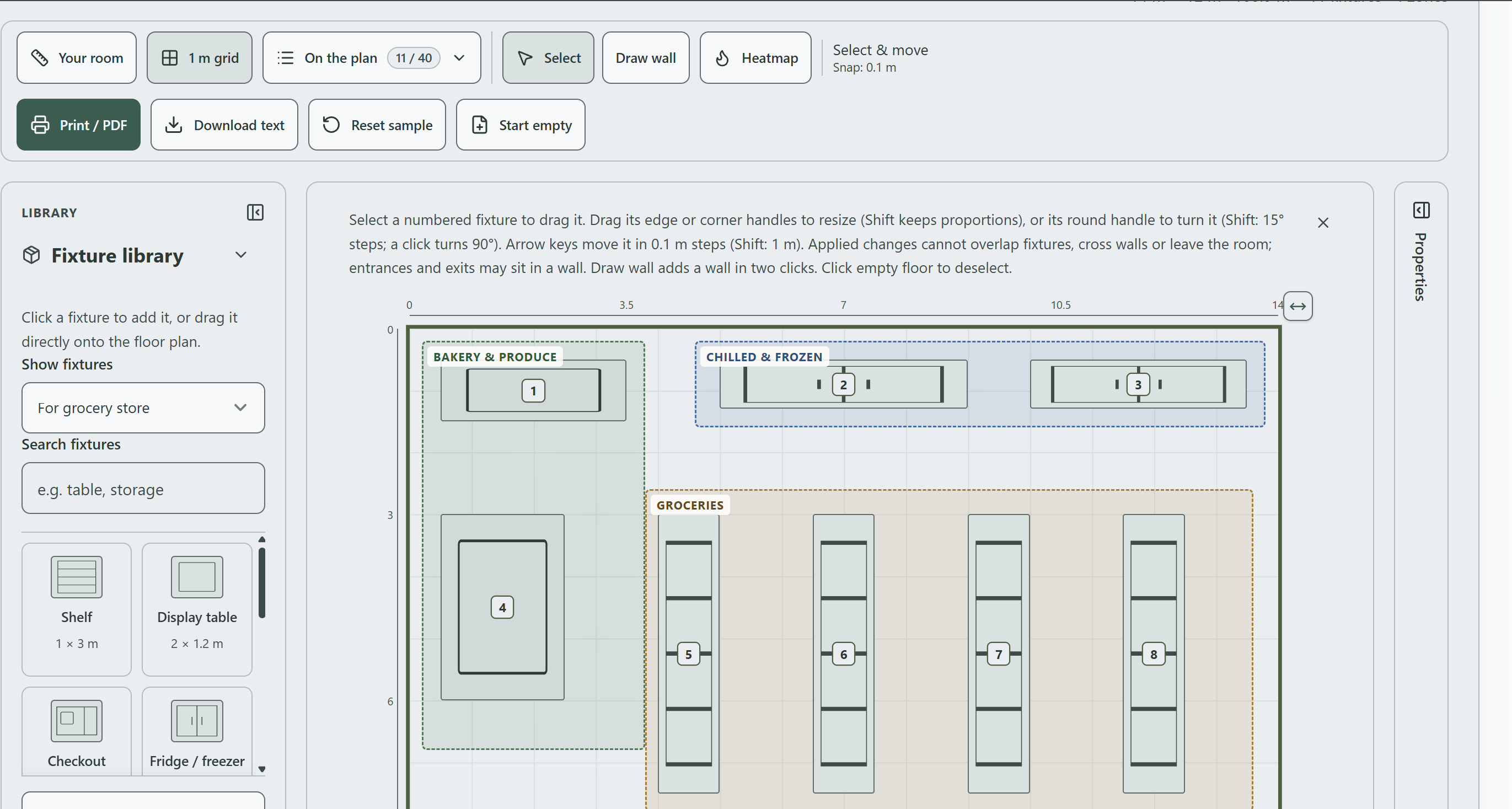
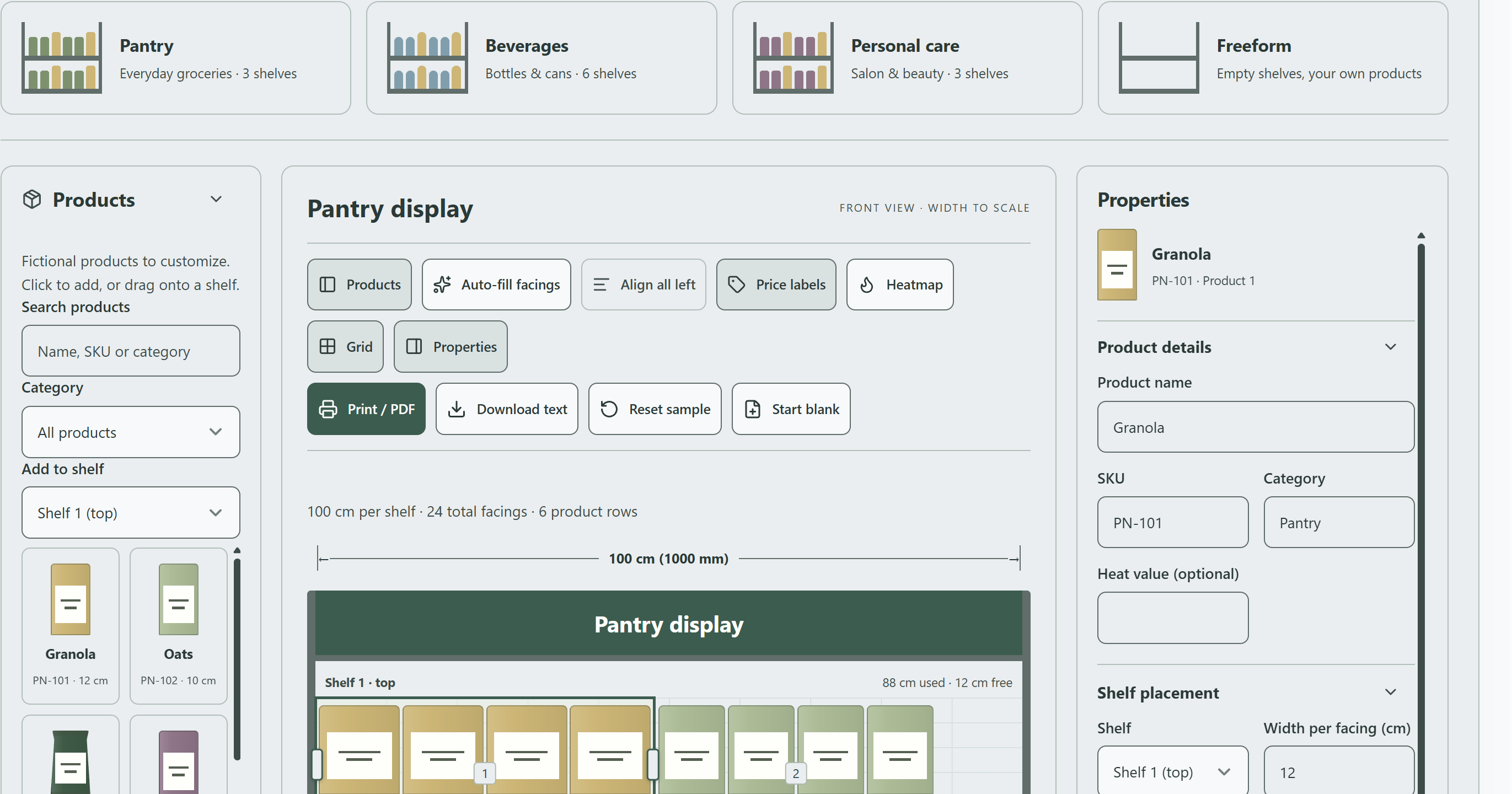
Design shelf and floor layouts from measured product and fixture catalogs, approve them, and send each store a placement checklist with printable labels. Receive, count and transfer stock, record sales, and see which store needs what next. Give every person their own sign-in and a role, assign the day's work, check availability and message colleagues without leaving the app. Keep equipment, suppliers and customers in registers instead of someone's inbox.
One account can run several businesses, each with up to 10 stores, so owners and managers always have the whole picture while staff see only what they need.
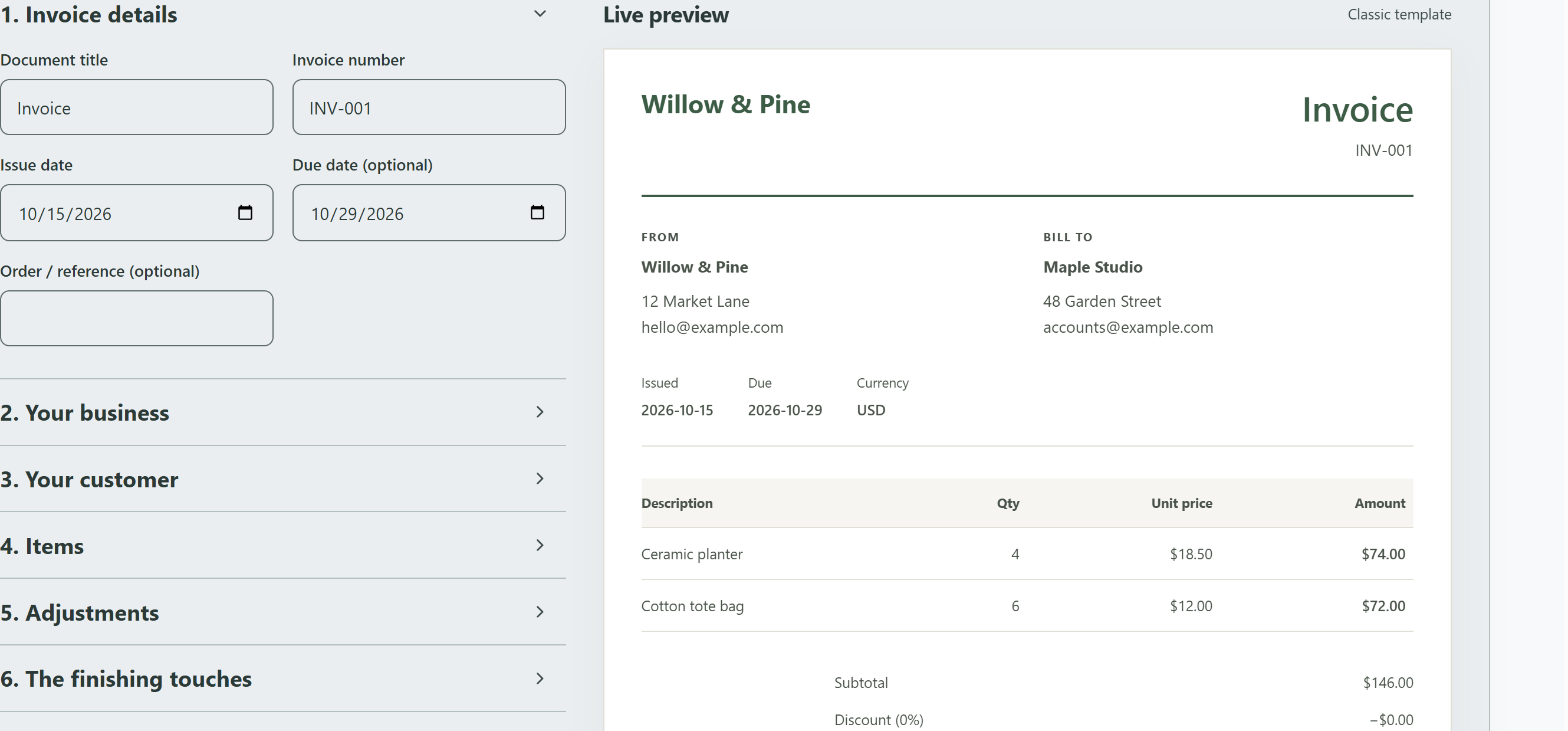
Square and QuickBooks connect so orders, staff and the books stay in step. And at headoffis.com/tools there are free printable shelf labels, sale signs, rotas, stocktake sheets and invoices that need no account at all.
Built for retailers who want one calm place to run the business, not another stack of disconnected apps.
Features
• Run up to 10 stores per business from one head office, with several businesses under one sign-in
• Plan shelves and floor layouts with measured product and fixture catalogs
• Roll out approved planograms as in-store checklists with printable labels and codes
• Receive, count, transfer and sell stock, with replenishment suggestions across stores
• Give every person a sign-in, a role and the screens they need
• Assign tasks, track availability and message the team in one place
• Keep an asset register plus supplier and customer directories
• Connect Square for orders and staff, and QuickBooks for the books
• Free printable retail tools at headoffis.com/tools, no account needed
Use Cases
• A shop owner opening a second or third store who needs one view of stock, staff and layouts
• A store manager running a seasonal reset from an approved planogram and checklist
• A head office planner designing shelf layouts before they go to the shop floor
• A retailer counting, receiving and transferring stock between stores without spreadsheets
• An owner onboarding new staff with roles, checklists and their own sign-in
• A team lead assigning daily tasks and tracking who is available this week
• A small chain keeping equipment, maintenance dates and supplier contacts in one register
• A Square merchant wanting orders and staff to flow into their back office
• A family business where each person sees only the screens relevant to their role
• Any independent retailer who needs a quick shelf label, sale sign or rota printed today

Comments

Replacing the shelf-plan app, stock sheet, rota and team chat with one tool is exactly the mess small multi-store owners live with. I like that the free printable labels and rotas at headoffis.com/tools work without signing up. How does the QuickBooks sync handle stock transfers between stores: as inventory moves, or as sales?

With Square connected, do sales reduce stock per store in real time, or on a daily sync? The "which store needs what next" view is only as good as that link, since counts drift fast when a busy Saturday lands in one batch. And when a shelf plan changes, can the placement checklist show staff only the shelves that moved, rather than the whole layout again?
Combining shelf and floor layouts with stock, rota and store-level roles in one workspace is a useful angle for independent retailers, and the planogram rollout as a checklist with printable labels is a concrete detail I liked. For a shop with a single location, how much of this can they use without setting up multiple stores and roles? It might help to show a short example of the first-week setup on the site for a very small shop.
Premium Products





















































Sponsors
Buy

Makers

Makers
Comments
Replacing the shelf-plan app, stock sheet, rota and team chat with one tool is exactly the mess small multi-store owners live with. I like that the free printable labels and rotas at headoffis.com/tools work without signing up. How does the QuickBooks sync handle stock transfers between stores: as inventory moves, or as sales?
With Square connected, do sales reduce stock per store in real time, or on a daily sync? The "which store needs what next" view is only as good as that link, since counts drift fast when a busy Saturday lands in one batch. And when a shelf plan changes, can the placement checklist show staff only the shelves that moved, rather than the whole layout again?
Combining shelf and floor layouts with stock, rota and store-level roles in one workspace is a useful angle for independent retailers, and the planogram rollout as a checklist with printable labels is a concrete detail I liked. For a shop with a single location, how much of this can they use without setting up multiple stores and roles? It might help to show a short example of the first-week setup on the site for a very small shop.
Premium Products
New to Fazier?

Find your next favorite product or submit your own. Made by @FalakDigital.
Copyright ©2026. All Rights Reserved