GPT Imagine
Create detailed AI images and seamlessly edit reference phot
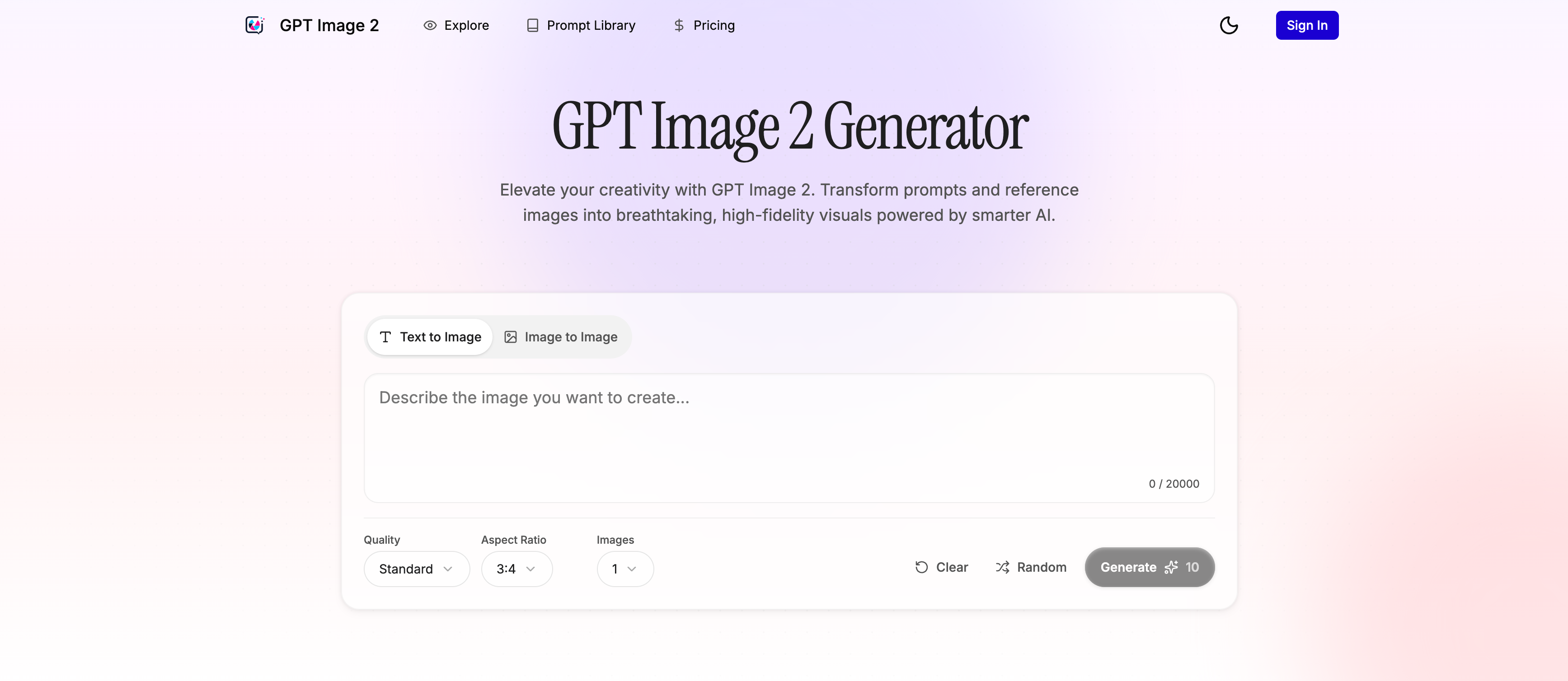
GPT Imagine is a premium AI image generator powered by GPT Image 2. It offers intuitive Text-to-Image and Image-to-Image capabilities, flexible aspect ratios, and selectable quality tiers. With a built-in Prompt Library, creating professional marketing visuals and social media assets has never been easier.
Features
- **AI Text-to-Image Generation**: Turn text prompts into stunning, high-fidelity images. - **AI Image-to-Image Editing**: Upload reference photos for style transfer and local modification. - **Prompt Library**: A curated gallery of AI artworks with ready-to-use prompts and generation parameters. - **High-Resolution Export**: Scalable output qualities ranging from Standard to Ultra (high-definition).
Use Cases
- **Marketing & E-commerce**: Quickly generate product hero images, promotional banners, and ad creatives. - **Social Media Management**: Create engaging, perfectly-sized visual assets for Instagram, X (Twitter), and Facebook posts. - **Design & Illustration**: Produce character concept art, poster drafts, and visual references for creative projects.

Comments


The reference photo editing angle looks useful, especially for people who do not want to start every image from a blank prompt. One thing I would love to understand is how well it preserves the original subject identity, lighting, and composition when making edits. That is usually where many AI image tools become inconsistent.




The text-to-image + image-to-image combo is what caught my eye — being able to tweak a reference photo instead of starting from scratch feels practical. The prompt library and aspect-ratio options seem like they’d save time if you’re making social or ad visuals regularly. Worth a look if you want something more structured than a generic AI art tool.

Premium Products





































Sponsors
Buy
Awards
View all
Awards
View allMakers

Makers
Comments
The reference photo editing angle looks useful, especially for people who do not want to start every image from a blank prompt. One thing I would love to understand is how well it preserves the original subject identity, lighting, and composition when making edits. That is usually where many AI image tools become inconsistent.
The text-to-image + image-to-image combo is what caught my eye — being able to tweak a reference photo instead of starting from scratch feels practical. The prompt library and aspect-ratio options seem like they’d save time if you’re making social or ad visuals regularly. Worth a look if you want something more structured than a generic AI art tool.
Premium Products
New to Fazier?

Find your next favorite product or submit your own. Made by @FalakDigital.
Copyright ©2026. All Rights Reserved