
GPT Image 2 — AI Image Generator
Generate stunning AI images for free with GPT Image 2
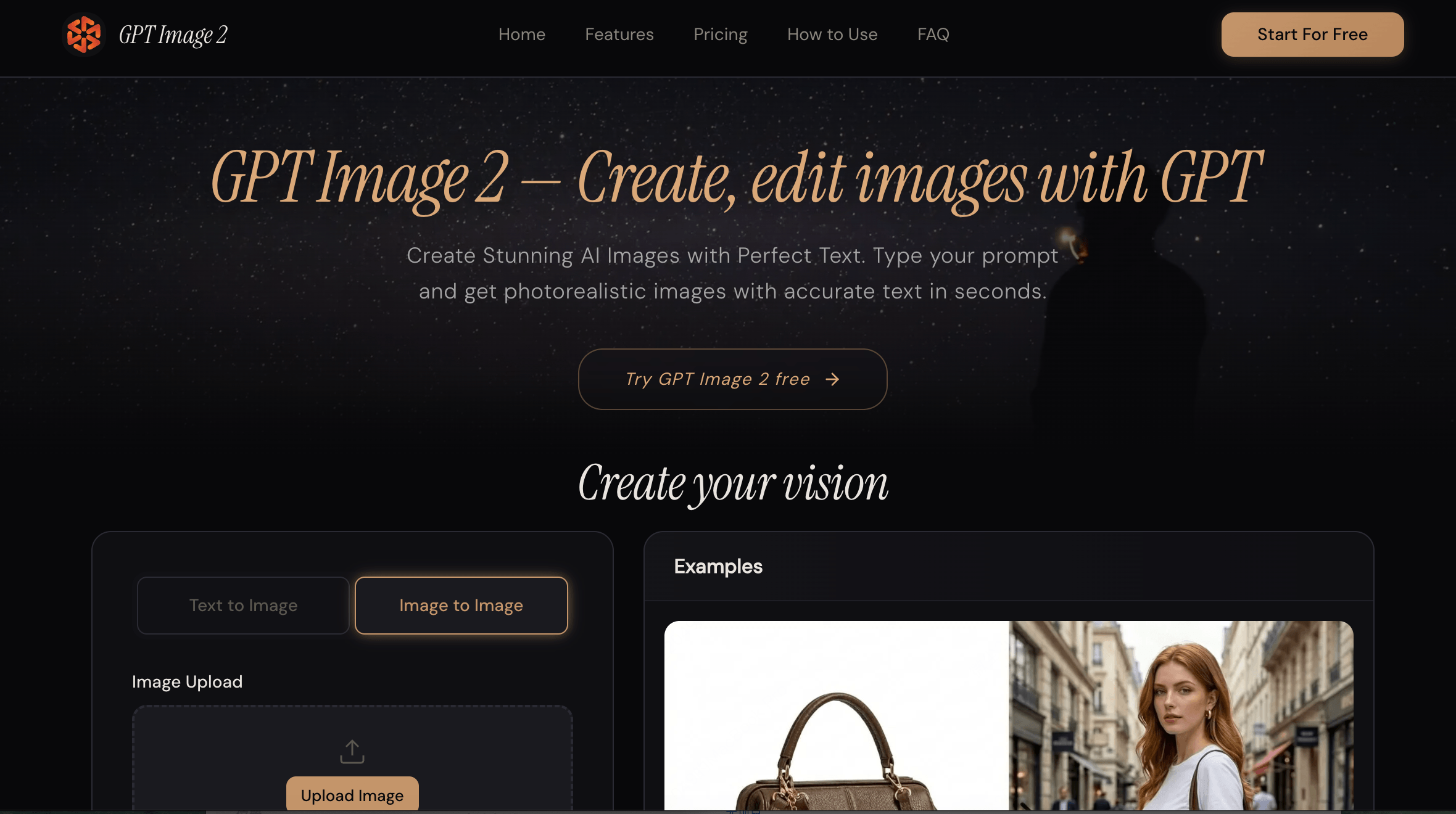
GPT Image 2 — free AI image generator with 95%+ text rendering, 4K resolution, transparent background & smart photo editing. No skills needed, commercial use included.
Features
1、🎯 95%+ Text Rendering Accuracy — Finally, AI That Gets Text Right
Most AI image generators distort or misspell text inside images, forcing designers to manually fix every output. GPT Image 2 renders headlines, labels, logos, and CTAs with 95%+ accuracy — create print-ready posters, banners, and infographics without touching Photoshop.
2、📸 Photorealistic & Multi-Style Output — One Tool, Every Visual Style
Switching between tools for different visual styles wastes time and budget. GPT Image 2 generates photorealistic photography, digital illustration, anime, flat design, and product renders all in one platform — from a single text prompt, in seconds.
3、✏️ Smart Image Editing — Edit Photos with Natural Language
Traditional photo editing requires masking, layers, and hours of manual work. GPT Image 2's AI editor lets you describe what to change in plain text — remove objects, swap backgrounds, adjust lighting, or add elements — and applies precise inpainting instantly, no design skills needed.
4、🪟 Transparent Background Support — Design-Ready Assets in One Click
Removing backgrounds manually is one of the most repetitive tasks in any design workflow. GPT Image 2 generates PNG images with clean transparent backgrounds from the start — logos, product cutouts, stickers, and UI elements are export-ready without any extra steps.
Use Cases
1、🛍️ AI Image Generator for E-commerce & Product Photography
Product sellers used to rely on expensive studio shoots and professional photographers to get clean, high-quality product visuals. With GPT Image 2, simply describe your product scene and generate photorealistic catalog shots, lifestyle images, and packaging mockups in seconds — cutting photography costs by 80% while maintaining commercial-grade quality ready for Amazon, Shopify, and social ads.
2、📢 AI Text-to-Image for Marketing & Social Media Teams
Marketing teams constantly struggle with turnaround time — briefing designers, waiting for revisions, and missing publish windows. GPT Image 2's 95%+ text rendering accuracy means banners, promotional posters, and ad creatives with perfectly readable headlines and CTAs are generated in seconds — no designer needed, no revision rounds, publish-ready across Instagram, LinkedIn, and TikTok instantly.
33、🎨 AI Photo Editor for Freelance Designers & Content Creators
Designers waste hours on repetitive tasks like background removal, object cleanup, and lighting adjustments across dozens of client assets. GPT Image 2's natural language editing handles all of it in one prompt — remove, replace, relight, and export as transparent PNG — cutting per-asset editing time from hours to seconds and freeing up creative bandwidth for higher-value work.

Comments


What a fascinating read — this really got me thinking about where things are headed! Curious what others here are finding most useful in their own workflows right now. Are you leaning more toward text-to-image tools, or do you find image editing and refinement features more valuable day to day? And with so many models dropping back to back, how do you even decide what's worth testing? Would love to hear how people are actually putting these tools to use — drop your thoughts below!
Premium Products











Makers
Makers
Comments
What a fascinating read — this really got me thinking about where things are headed! Curious what others here are finding most useful in their own workflows right now. Are you leaning more toward text-to-image tools, or do you find image editing and refinement features more valuable day to day? And with so many models dropping back to back, how do you even decide what's worth testing? Would love to hear how people are actually putting these tools to use — drop your thoughts below!
Premium Products
New to Fazier?

Find your next favorite product or submit your own. Made by @FalakDigital.
Copyright ©2025. All Rights Reserved