
GlissTouch
Custom trackpad gestures and window snapping for Mac
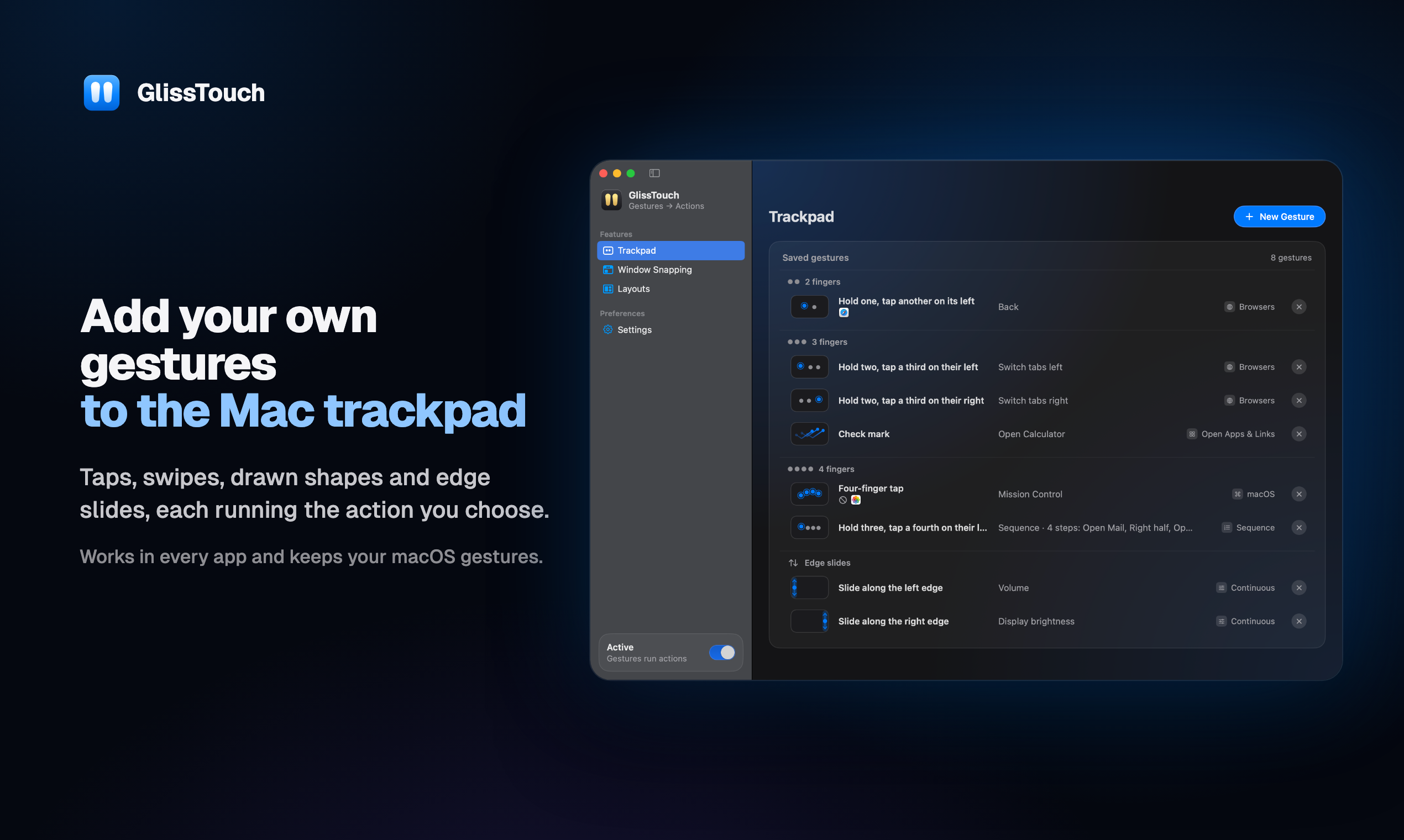
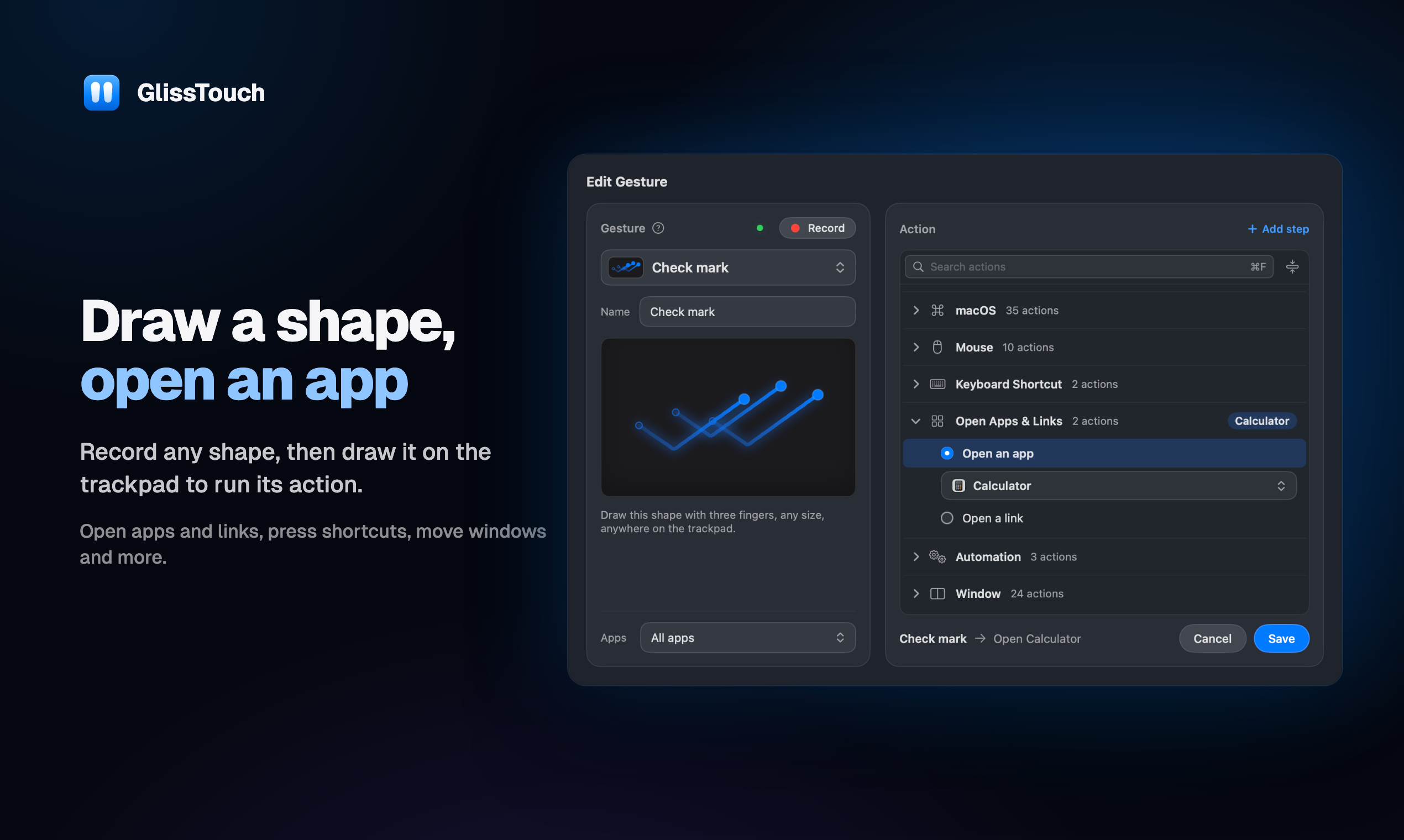
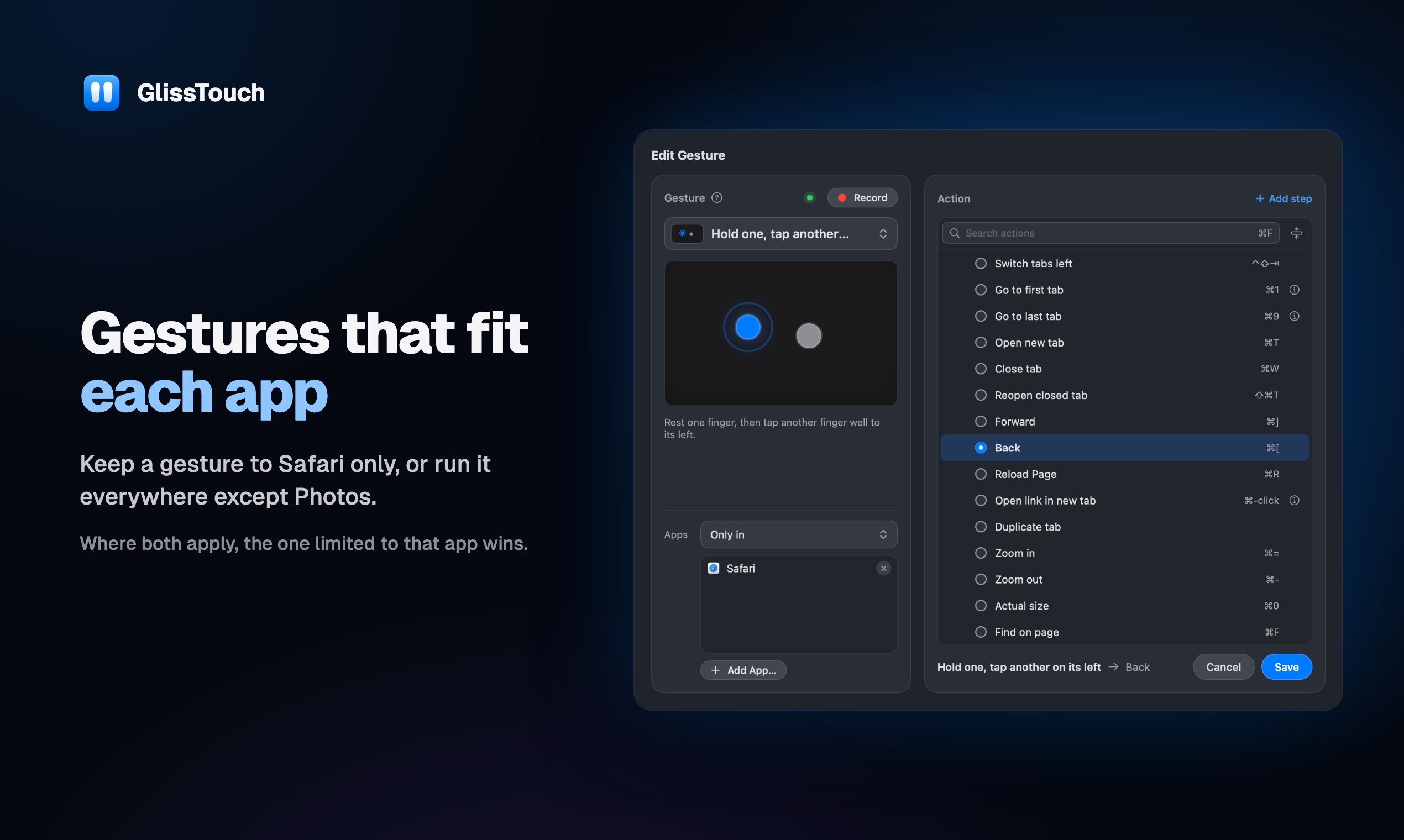
GlissTouch is a macOS utility that adds your own gestures to the MacBook trackpad and Magic Trackpad. Rest one finger and tap with another to go back a page, swipe two fingers on a window's title bar to snap it, or draw a shape to open an app.
It only uses finger patterns macOS leaves free, so the built-in gestures keep working. It uses no CPU while you aren't touching the trackpad, needs no account and has no analytics.
The free plan has up to 5 gestures and all of window snapping. Pro is $9.99 plus tax, paid once, for up to 3 Macs, and you can try it for 30 days in the app without a card. Until 1 December, Pro is $6.99 for Black Friday. Runs on macOS 13 Ventura or later.

Features
- Rest one finger and tap with another, tap or swipe with several fingers, or draw a shape with three to five fingers anywhere on the pad
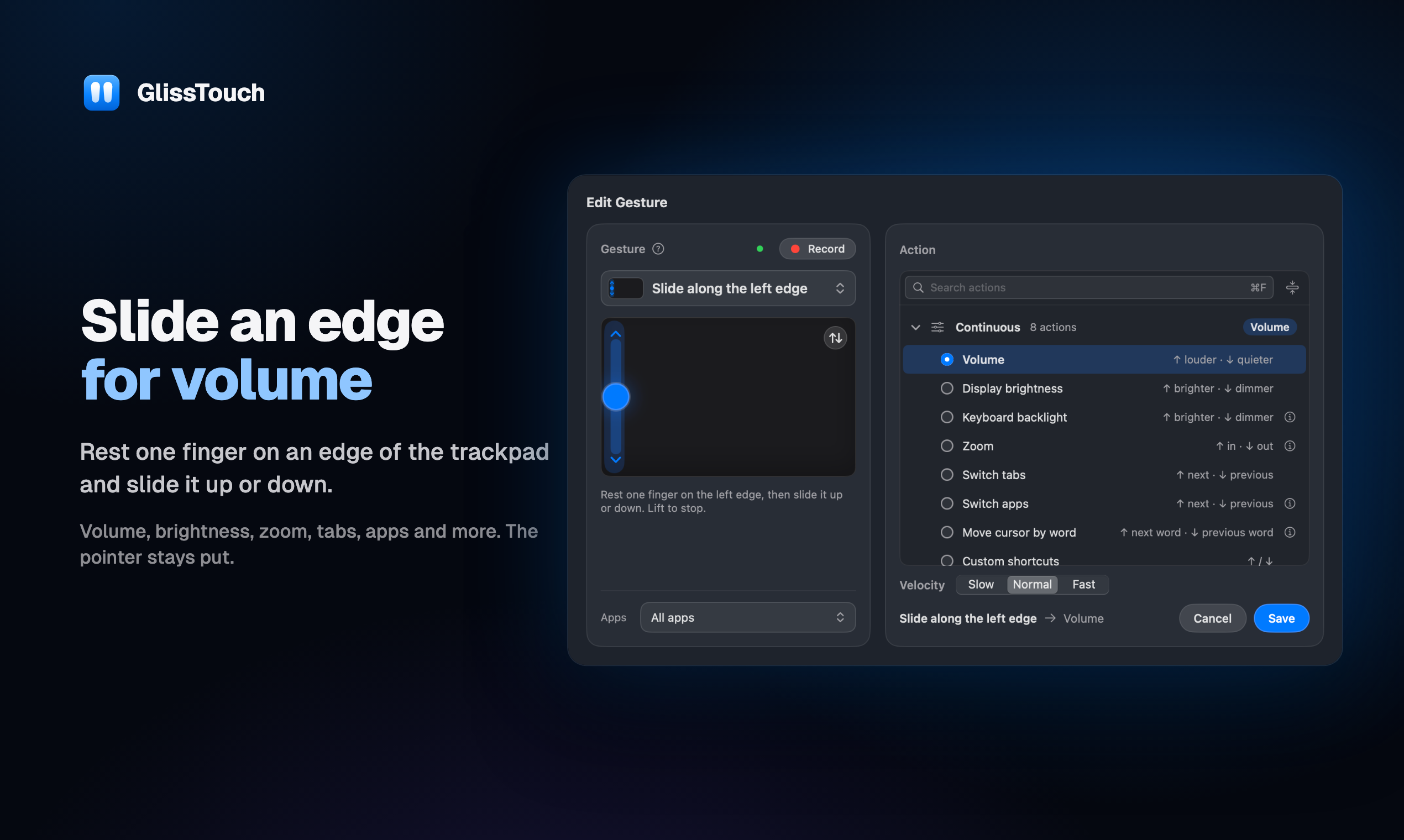
- Edge slides: slide one finger along an edge of the trackpad to change the volume or brightness, switch tabs or move the text cursor
- 120+ built-in actions plus any keyboard shortcut you record, and a gesture can run in one app only
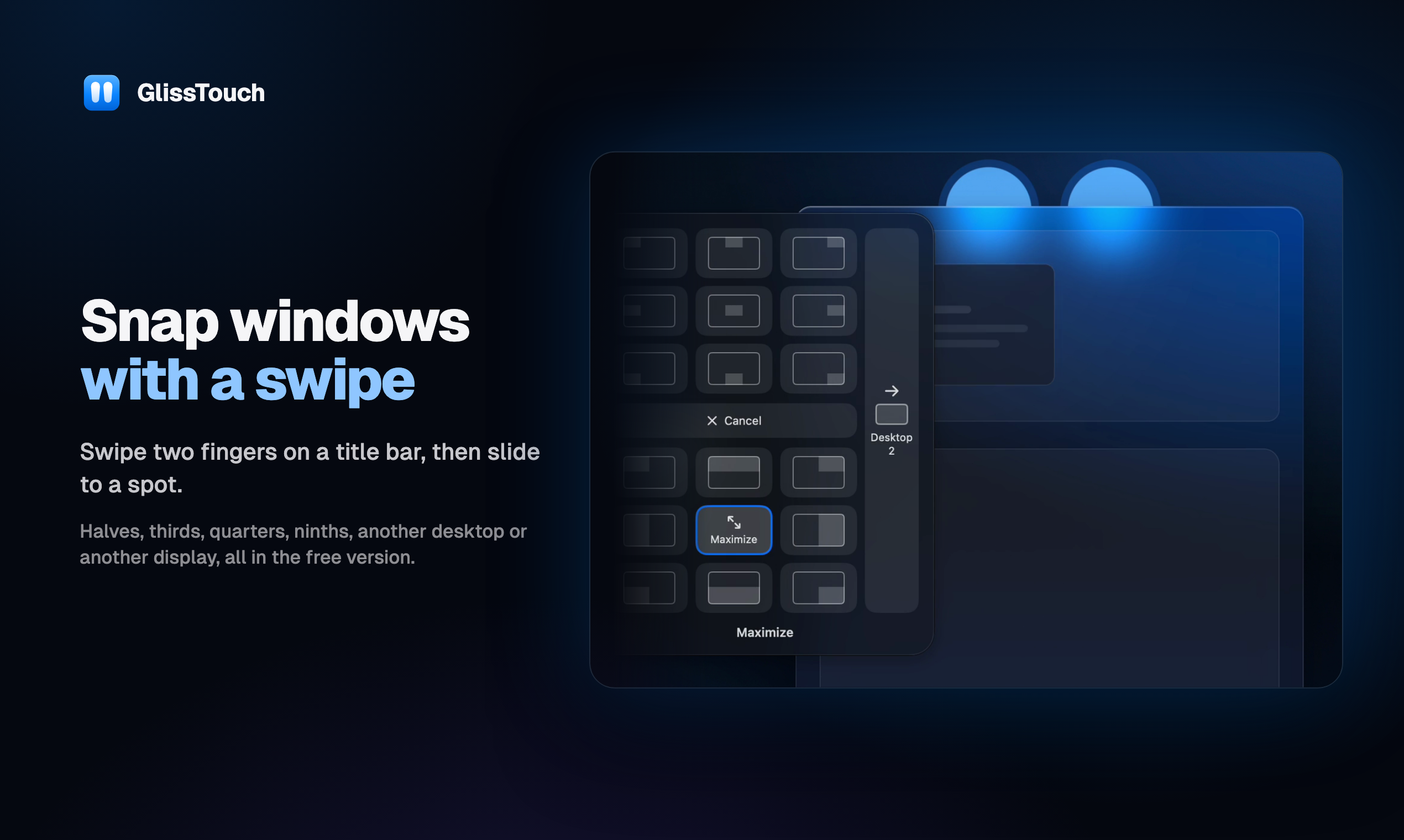
- Window snapping: swipe two fingers on a title bar and slide toward a half, a quarter, Maximize, the next desktop or another display
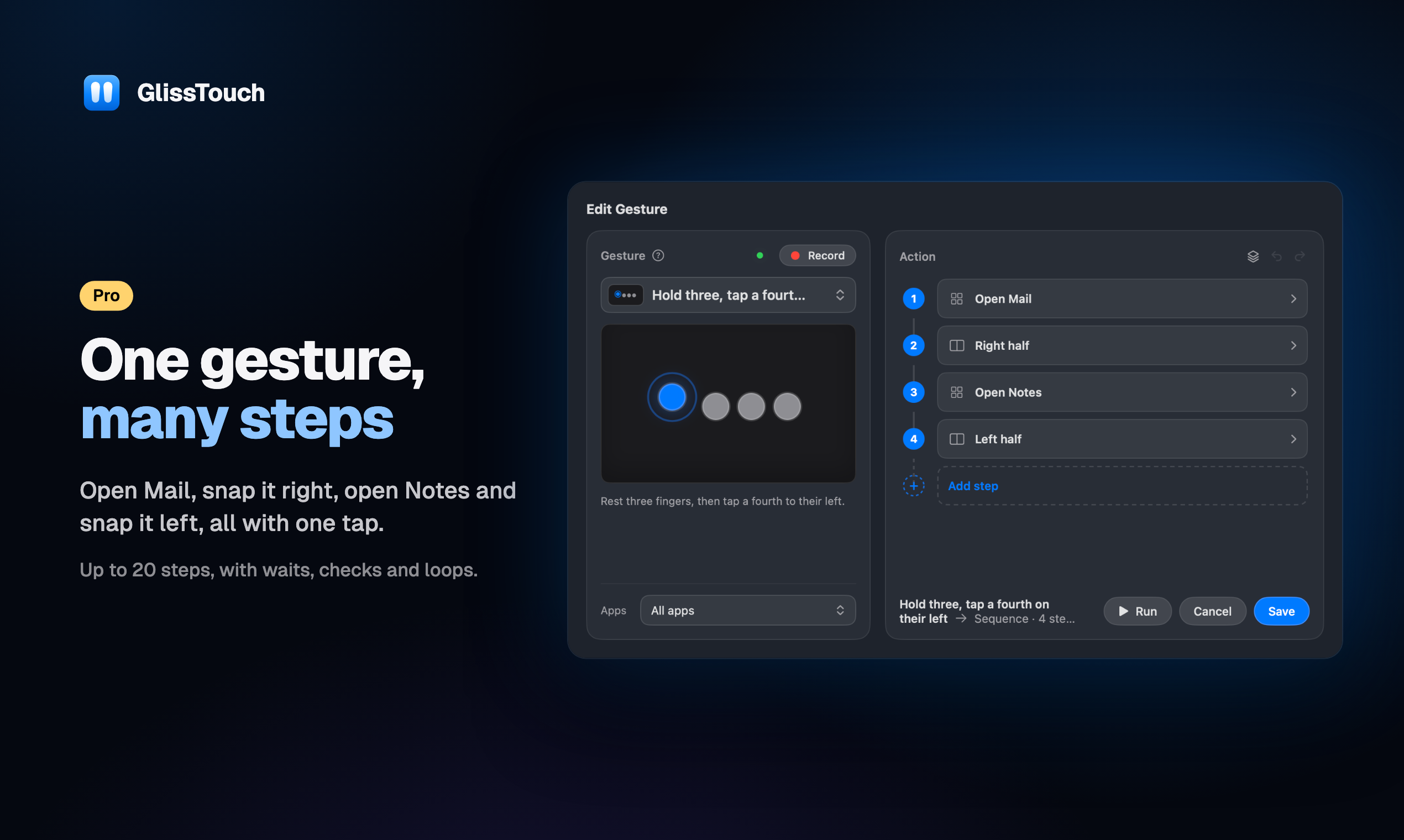
- Action sequences (Pro): one gesture runs up to 20 steps, with If, Else and Loop steps that check text on screen or the front app
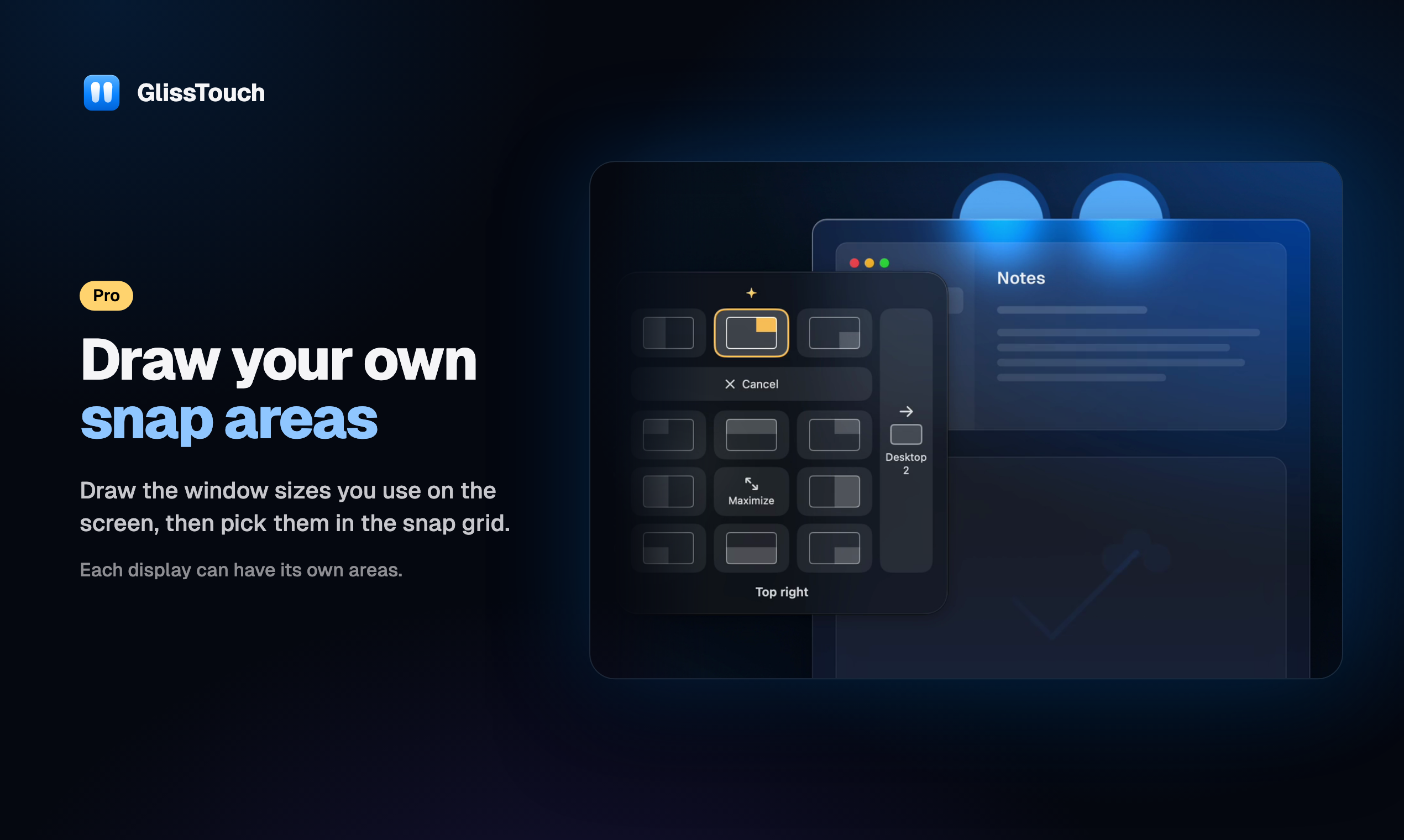
- Snap areas you draw yourself, with a set for each display (Pro)
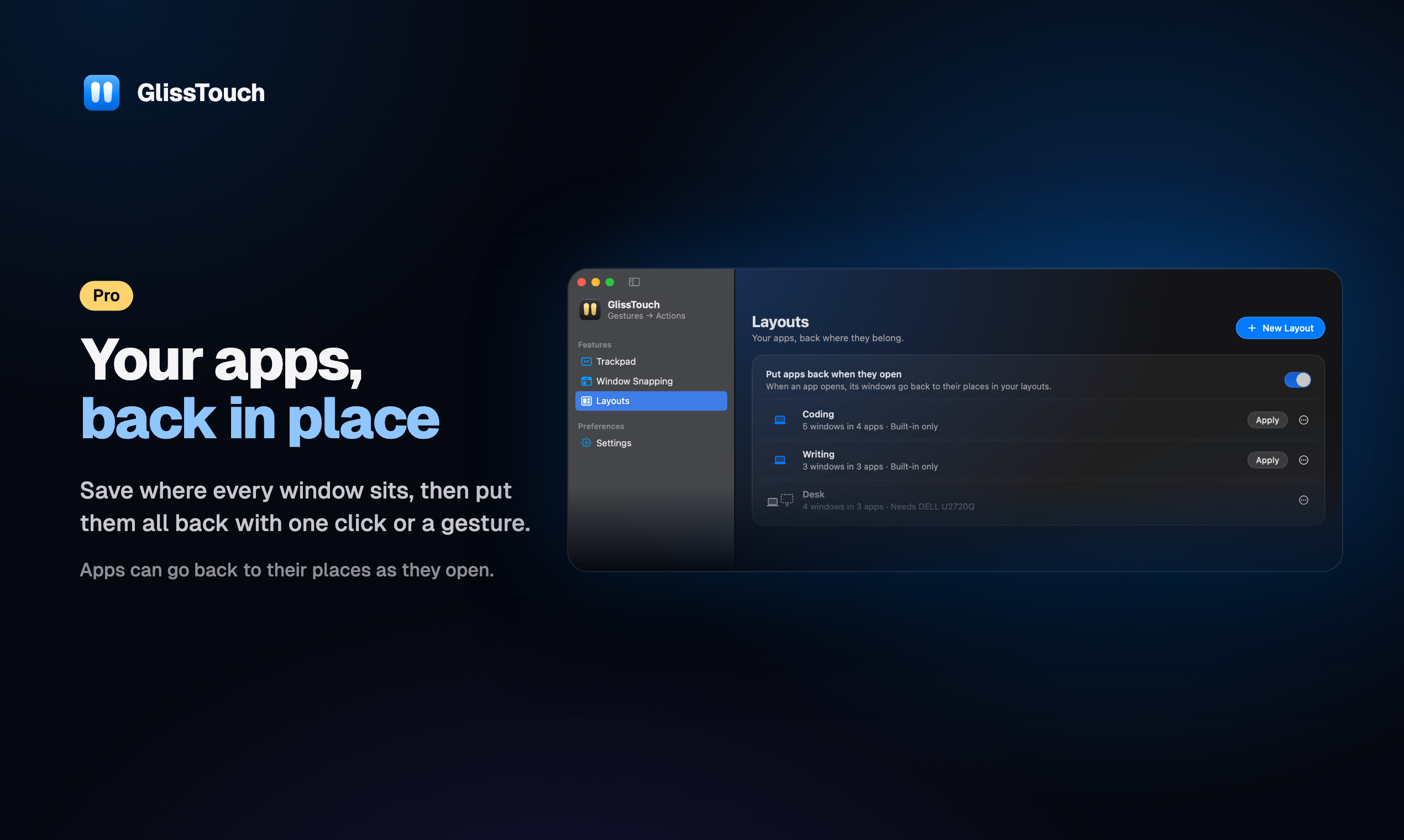
- Saved layouts (Pro): an app's windows go back where you saved them when it opens
- Free gesture packs for browsers and code editors, added in one click from the website
- Backup to a file, to move your setup to another Mac
Use Cases
- Go back a page, reopen a closed tab or switch tabs in Safari, Chrome, Firefox or Edge without reaching for the keyboard
- Snap two windows side by side on a laptop screen with one swipe
- Change the volume or screen brightness by sliding a finger along the edge of the trackpad
- Open the Command Palette or search all files in VS Code or Cursor with a gesture
- Open an app and snap it to half the screen with one gesture (Pro sequence)
- Put every running app's windows back in place with one gesture after you reconnect a display (Pro saved layouts)

Comments

Premium Products







































Sponsors
Buy
Makers

Makers
Comments
Premium Products
New to Fazier?

Find your next favorite product or submit your own. Made by @FalakDigital.
Copyright ©2026. All Rights Reserved