
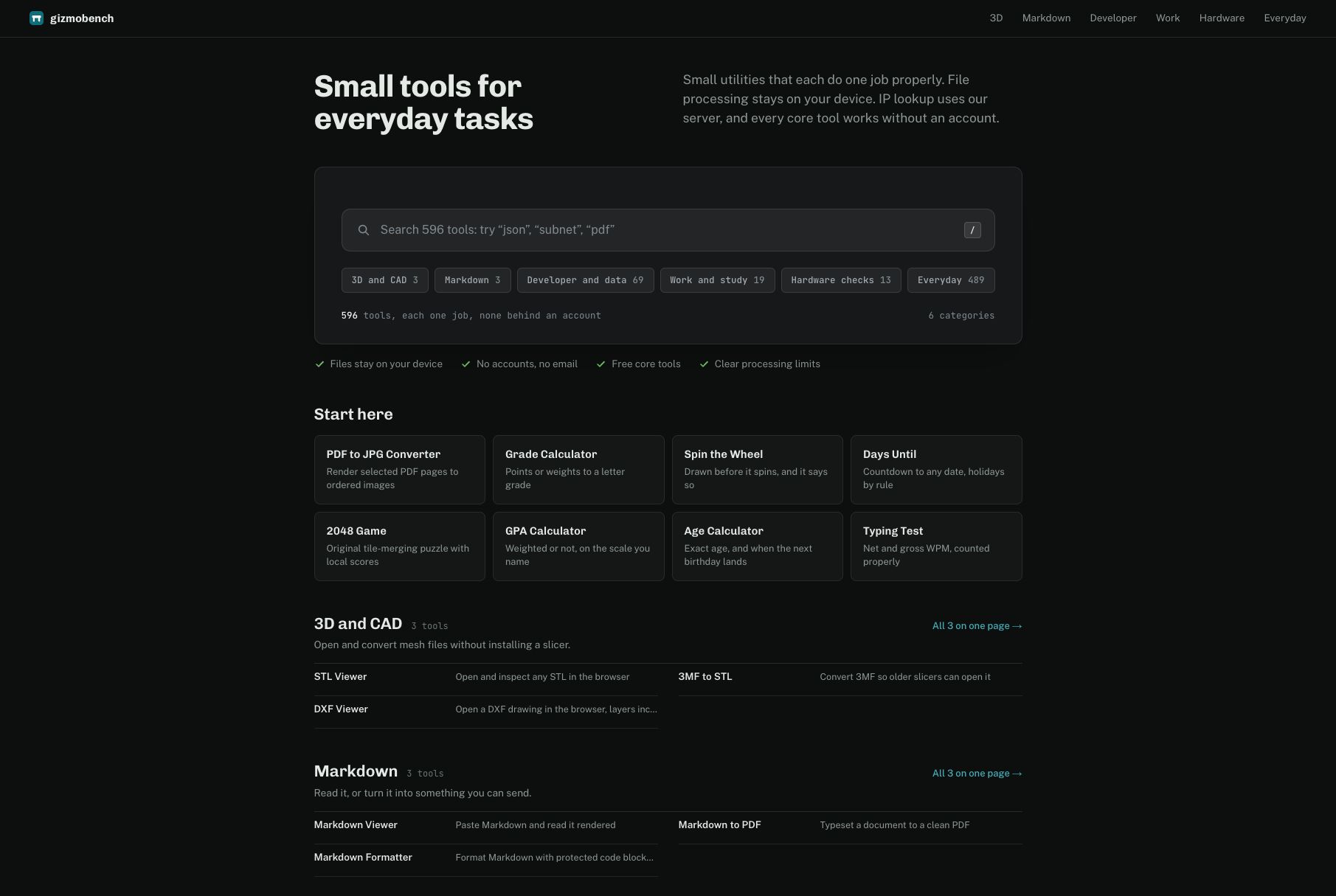
GizmoBench is a collection of 500+ practical browser tools for the small tasks that interrupt your day. Compare JSON, format code, convert files, calculate grades and dates, check hardware, or open 3D files—all from one searchable site.
The collection spans six categories: 3D and CAD, Markdown, developer and data, work and study, hardware checks, and everyday utilities. Every core tool is free and works without an account.
File processing stays on your device. IP lookup uses our server, and individual tools explain their processing limits. Start with the task you need to finish and use the tool directly.
Features
• 500+ searchable browser tools across six categories.
• Every core tool is free and works without an account.
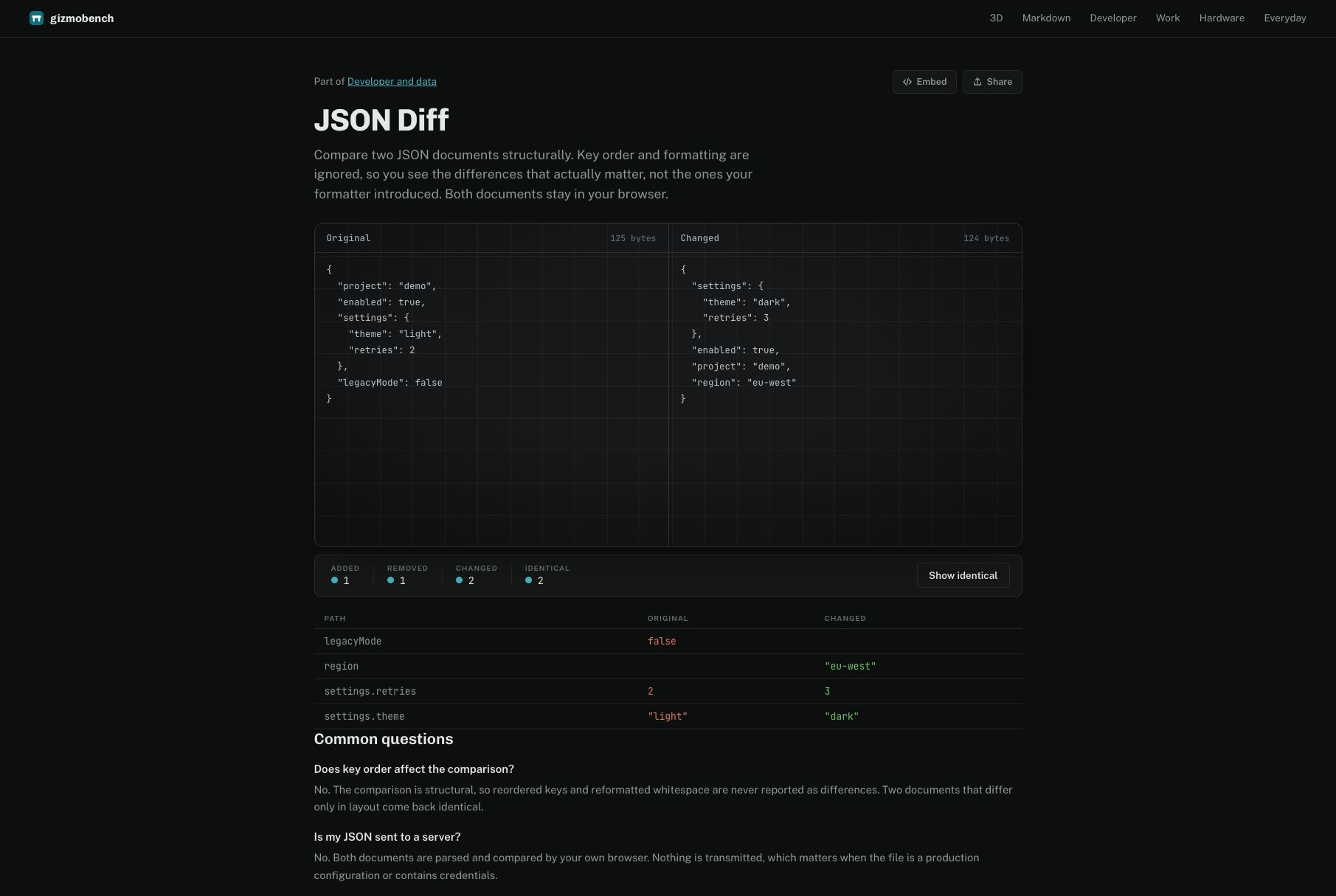
• Structural JSON comparison that ignores object-key order and whitespace.
• File conversion, code formatting, calculators, hardware checks, and 3D file viewers.
• On-device file processing, with processing limits explained by each tool.
Use Cases
• Developers can compare JSON responses and format code.
• Students can calculate grades and date intervals.
• Designers can inspect 3D and CAD files in the browser.
• Anyone can convert files, check hardware, and finish everyday utility tasks.

Comments




The fact that file processing stays on-device instead of round-tripping to a server is the detail that would get me to actually use this over one-off converter sites, most "free tool" collections quietly upload everything. Does the JSON diff tool handle large payloads client-side, or does performance drop off past a certain size?

The on-device file processing is the strongest part of this pitch for me — but the listing also notes that IP lookup uses your server. Which other tools, if any, need a server round-trip? A small per-tool privacy label (on-device vs server) would make the privacy story much easier to trust at a glance.
I like that the JSON comparison ignores key order and whitespace, that is the annoying part of most diff tools when you only care about the data difference. Keeping file processing on-device is the right call too, since many free converters quietly upload everything. Quick question: is there a file-size limit per tool, and do the 3D/CAD viewers handle larger assemblies locally without lag?

The six-category structure is what sells it for me. Having Markdown, developer/data, and hardware checks in one searchable place means I stop keeping ten single-purpose tabs open. The date and grade calculators are exactly the things I always end up googling mid-task. Do the hardware checks that read GPU or screen info work in Firefox too, or is it Chromium-only?


The on-device file processing is a smart default - most free-tools sites quietly upload everything to a server. And a JSON compare that ignores key order and whitespace is exactly the one I always need and never have bookmarked. 500+ tools with no account wall is rare. How do you decide which tools make the cut?

I've bookmarked a dozen of these single-tool sites over the years, and having 500+ searchable in one place solves my biggest frustration: remembering which tab had the JSON formatter. The structural JSON comparison that ignores key order is genuinely the feature I'd use weekly — diffing API responses where the keys shuffle between environments is a constant headache. One question: for the file conversion tools, is there a file-size ceiling where the browser starts to choke, and do the tools warn before attempting large files? Curious how you handle that gracefully.

The on-device file processing is the standout detail for me — so many free tool sites quietly upload your files to their servers, so keeping processing local (with each tool explaining what, if anything, leaves the device) builds real trust. The structural JSON comparison that ignores key order and whitespace is also exactly the right call; that's the part of diffing API responses that wastes the most time. With 500+ tools across six categories, my question for the maker: how do you keep quality consistent as the collection grows — is there a review process for new tools, or does the community flag broken ones?


GizmoBench looks genuinely useful for the kind of small tasks that usually force people to jump between multiple websites. The combination of developer tools, file utilities, hardware checks, and everyday calculators in one searchable place is practical, and keeping most file processing on-device is a strong privacy-friendly touch.


The on-device file processing is the detail that stands out most to me too — we ship a Chrome extension (Parla, a read-aloud tool) where keeping everything local was a similar trust decision, and it's clearly the right call once you see how many "free tool" sites quietly phone home. Curious about the 3D/CAD viewers specifically: do you set a hard file-size cap, or let the browser degrade gracefully past a certain complexity?
The on-device file processing is the detail that stands out most to me too - we ship a Chrome extension (a read-aloud tool) where keeping everything local was a similar trust decision, and it clearly pays off once you see how many "free tool" sites quietly phone home. Curious about the 3D/CAD viewers specifically: do you set a hard file-size cap, or let the browser degrade gracefully past a certain complexity?

Nice work consolidating all these utilities in one place. The on-device processing stance is exactly right — trust is the main currency for a tools site. One feature request that would make this sticky: recently-used / most-used tools on the homepage, so returning visitors skip search entirely. Also keyboard shortcuts (e.g. pressing a key per tool) would speed things up for power users. Keep going!

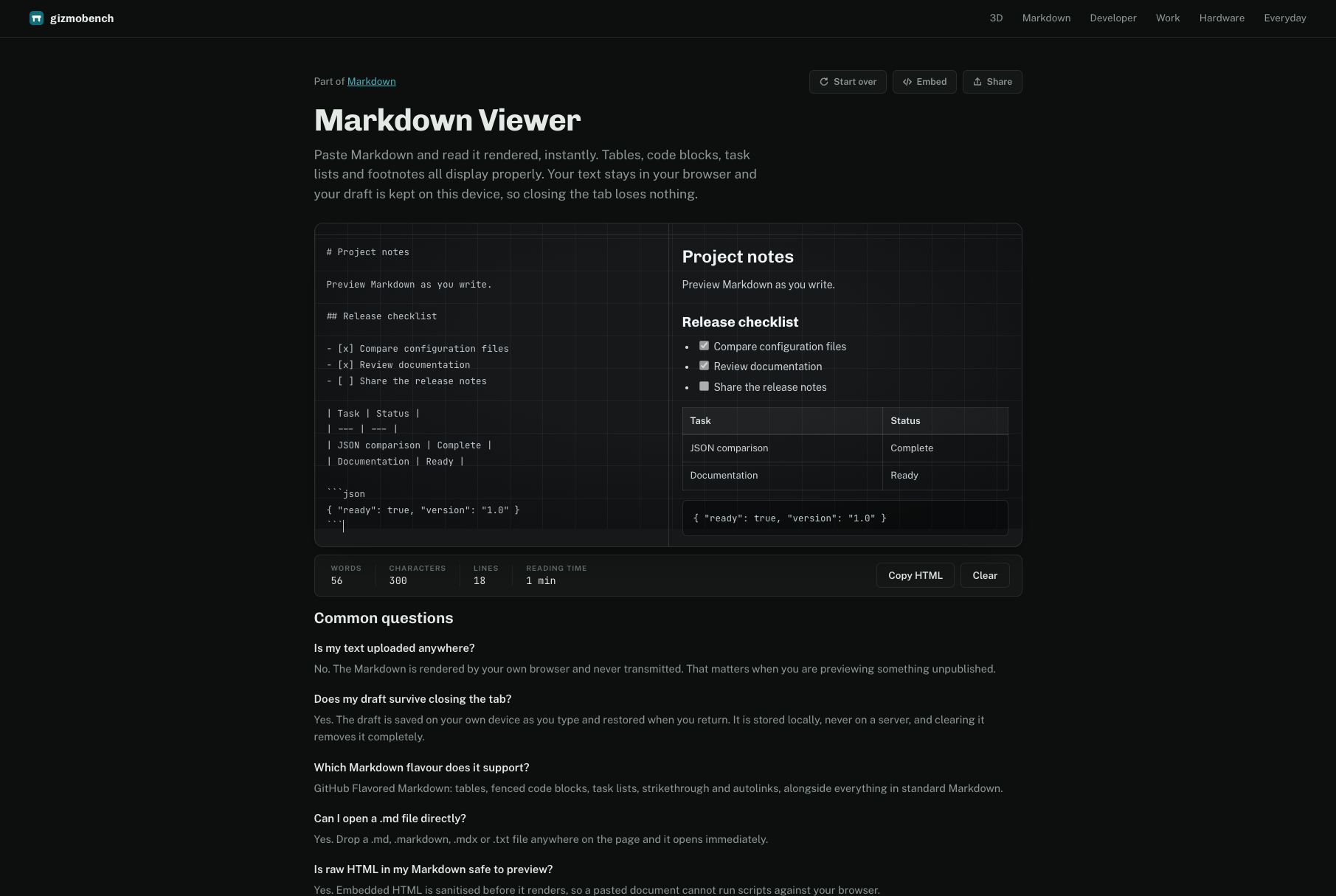
Hi everyone! GizmoBench brings 500+ practical tools into one searchable site. Every core tool is free and works without an account, and file processing stays on your device. Try JSON Diff for structural comparisons, Markdown Viewer for instant previews, or one of the everyday calculators. I’d love feedback on where the workflow could be clearer and which small task you would like a tool for next.

Structural JSON diff that ignores key order is the detail I'd actually come back for. Building UtilsDock (similar space, browser-only tools), so I'm curious how you handle the client-side compute budget for the 3D/CAD viewers specifically — do you cap file size or just let the browser choke past a point? That's the tradeoff we keep hitting with in-browser processing.
As someone building in the free-tools space too, I really appreciate the on-device processing commitment — it's the right call for user trust. The structural JSON diff ignoring key order is a standout; most comparators get that wrong. With 500+ tools, have you considered usage analytics to surface the most-loved ones on the homepage?

As someone who also builds free browser-based tools, I genuinely appreciate the on-device processing commitment — too many free utility sites quietly upload your files to a server. The six-category structure keeps 500+ tools from feeling overwhelming, and no-account access lowers the friction to zero. One suggestion: a recently-used or pinned-tools strip would make repeat visits much faster for power users.

Having structural JSON comparison that ignores key ordering in a zero-signup, client-side browser tool is a huge daily productivity saver. Most online diff tools send payloads to remote servers or choke on formatted whitespace. Quick question: is there keyboard shortcut support (e.g. Cmd+K) to quickly jump between utilities? Great work!


Premium Products






















































Sponsors
Buy

Awards
View all
Awards
View allMakers
Makers
Comments
The fact that file processing stays on-device instead of round-tripping to a server is the detail that would get me to actually use this over one-off converter sites, most "free tool" collections quietly upload everything. Does the JSON diff tool handle large payloads client-side, or does performance drop off past a certain size?
The on-device file processing is the strongest part of this pitch for me — but the listing also notes that IP lookup uses your server. Which other tools, if any, need a server round-trip? A small per-tool privacy label (on-device vs server) would make the privacy story much easier to trust at a glance.
I like that the JSON comparison ignores key order and whitespace, that is the annoying part of most diff tools when you only care about the data difference. Keeping file processing on-device is the right call too, since many free converters quietly upload everything. Quick question: is there a file-size limit per tool, and do the 3D/CAD viewers handle larger assemblies locally without lag?
The six-category structure is what sells it for me. Having Markdown, developer/data, and hardware checks in one searchable place means I stop keeping ten single-purpose tabs open. The date and grade calculators are exactly the things I always end up googling mid-task. Do the hardware checks that read GPU or screen info work in Firefox too, or is it Chromium-only?
The on-device file processing is a smart default - most free-tools sites quietly upload everything to a server. And a JSON compare that ignores key order and whitespace is exactly the one I always need and never have bookmarked. 500+ tools with no account wall is rare. How do you decide which tools make the cut?
I've bookmarked a dozen of these single-tool sites over the years, and having 500+ searchable in one place solves my biggest frustration: remembering which tab had the JSON formatter. The structural JSON comparison that ignores key order is genuinely the feature I'd use weekly — diffing API responses where the keys shuffle between environments is a constant headache. One question: for the file conversion tools, is there a file-size ceiling where the browser starts to choke, and do the tools warn before attempting large files? Curious how you handle that gracefully.
The on-device file processing is the standout detail for me — so many free tool sites quietly upload your files to their servers, so keeping processing local (with each tool explaining what, if anything, leaves the device) builds real trust. The structural JSON comparison that ignores key order and whitespace is also exactly the right call; that's the part of diffing API responses that wastes the most time. With 500+ tools across six categories, my question for the maker: how do you keep quality consistent as the collection grows — is there a review process for new tools, or does the community flag broken ones?
GizmoBench looks genuinely useful for the kind of small tasks that usually force people to jump between multiple websites. The combination of developer tools, file utilities, hardware checks, and everyday calculators in one searchable place is practical, and keeping most file processing on-device is a strong privacy-friendly touch.
The on-device file processing is the detail that stands out most to me too — we ship a Chrome extension (Parla, a read-aloud tool) where keeping everything local was a similar trust decision, and it's clearly the right call once you see how many "free tool" sites quietly phone home. Curious about the 3D/CAD viewers specifically: do you set a hard file-size cap, or let the browser degrade gracefully past a certain complexity?
The on-device file processing is the detail that stands out most to me too - we ship a Chrome extension (a read-aloud tool) where keeping everything local was a similar trust decision, and it clearly pays off once you see how many "free tool" sites quietly phone home. Curious about the 3D/CAD viewers specifically: do you set a hard file-size cap, or let the browser degrade gracefully past a certain complexity?
Nice work consolidating all these utilities in one place. The on-device processing stance is exactly right — trust is the main currency for a tools site. One feature request that would make this sticky: recently-used / most-used tools on the homepage, so returning visitors skip search entirely. Also keyboard shortcuts (e.g. pressing a key per tool) would speed things up for power users. Keep going!
Hi everyone! GizmoBench brings 500+ practical tools into one searchable site. Every core tool is free and works without an account, and file processing stays on your device. Try JSON Diff for structural comparisons, Markdown Viewer for instant previews, or one of the everyday calculators. I’d love feedback on where the workflow could be clearer and which small task you would like a tool for next.
Structural JSON diff that ignores key order is the detail I'd actually come back for. Building UtilsDock (similar space, browser-only tools), so I'm curious how you handle the client-side compute budget for the 3D/CAD viewers specifically — do you cap file size or just let the browser choke past a point? That's the tradeoff we keep hitting with in-browser processing.
As someone building in the free-tools space too, I really appreciate the on-device processing commitment — it's the right call for user trust. The structural JSON diff ignoring key order is a standout; most comparators get that wrong. With 500+ tools, have you considered usage analytics to surface the most-loved ones on the homepage?
As someone who also builds free browser-based tools, I genuinely appreciate the on-device processing commitment — too many free utility sites quietly upload your files to a server. The six-category structure keeps 500+ tools from feeling overwhelming, and no-account access lowers the friction to zero. One suggestion: a recently-used or pinned-tools strip would make repeat visits much faster for power users.
Having structural JSON comparison that ignores key ordering in a zero-signup, client-side browser tool is a huge daily productivity saver. Most online diff tools send payloads to remote servers or choke on formatted whitespace. Quick question: is there keyboard shortcut support (e.g. Cmd+K) to quickly jump between utilities? Great work!
Premium Products
New to Fazier?

Find your next favorite product or submit your own. Made by @FalakDigital.
Copyright ©2026. All Rights Reserved