
fruutium
Nutrition education kids love. Parents trust.
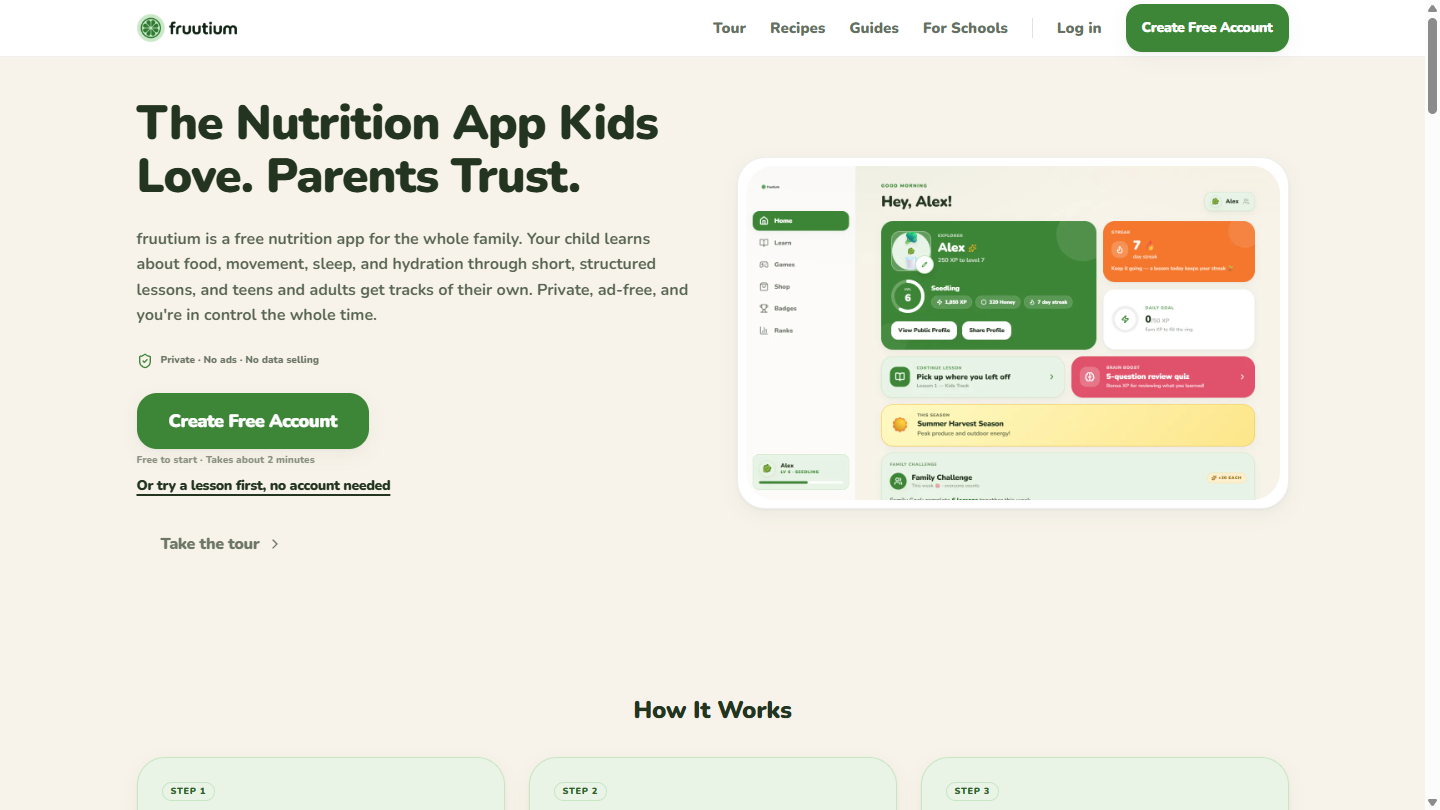
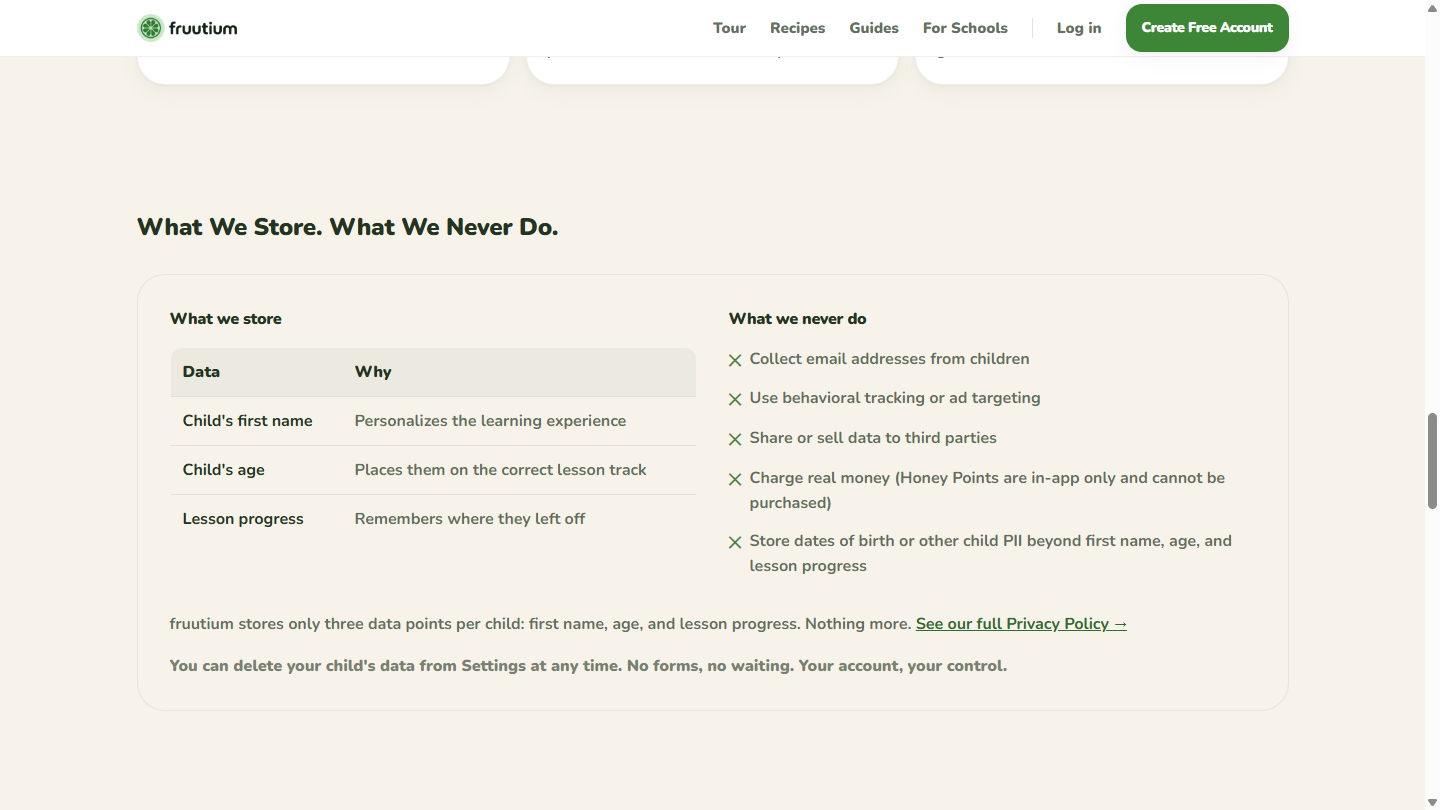
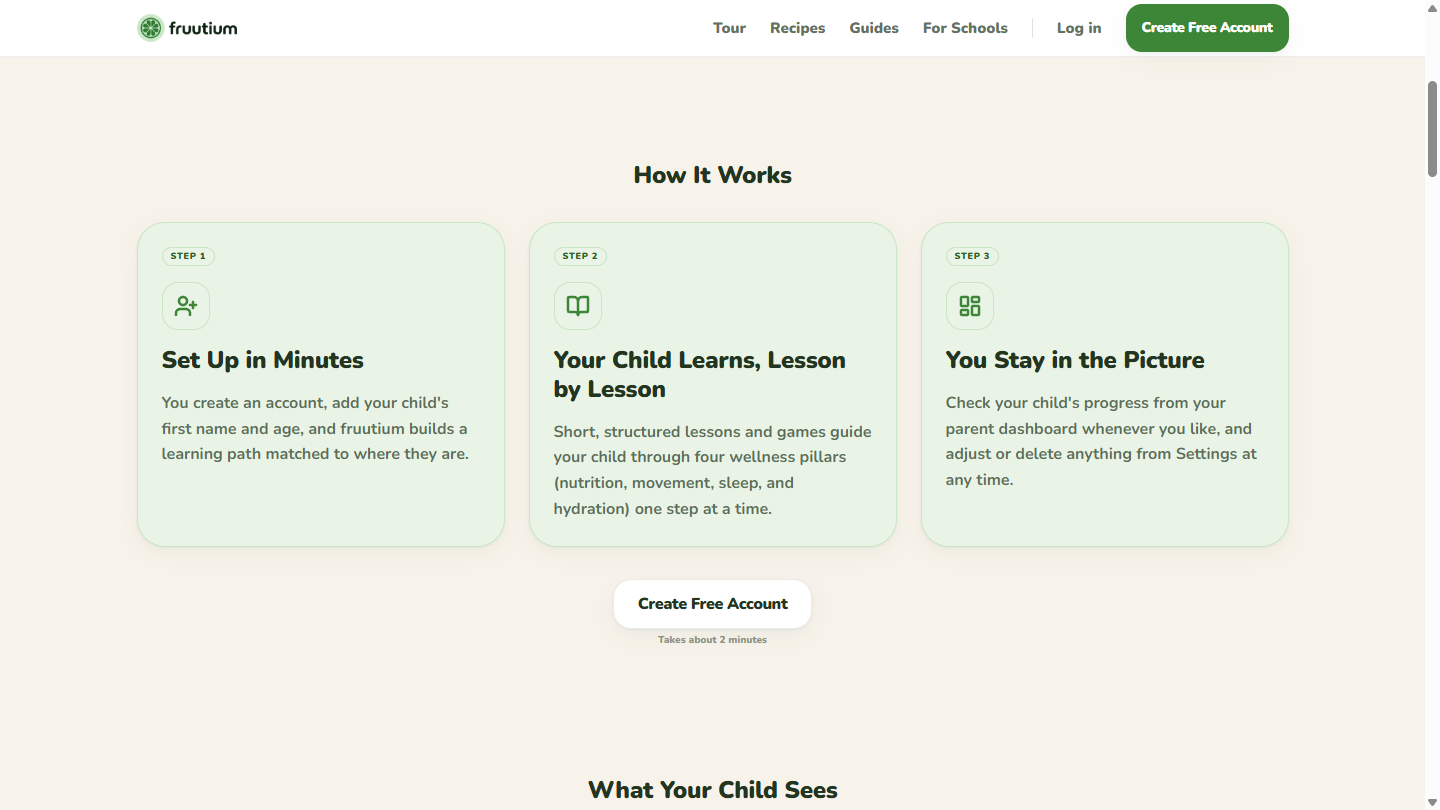
fruutium teaches kids about food, movement, sleep, and hydration through 188 short lessons, split into separate tracks for kids, teens, and adults so a five-year-old and a twelve-year-old get different material. Kids earn Honey Points for finishing lessons and spend them on in-app hats and backgrounds. Parents get a dashboard, a meal planner, and PIN-locked settings. There are no ads and no behavioral tracking anywhere in the app. We ask for a parent's consent before storing anything about a child, and a parent can delete all of it from Settings. Built by a small team of high schoolers.
Features
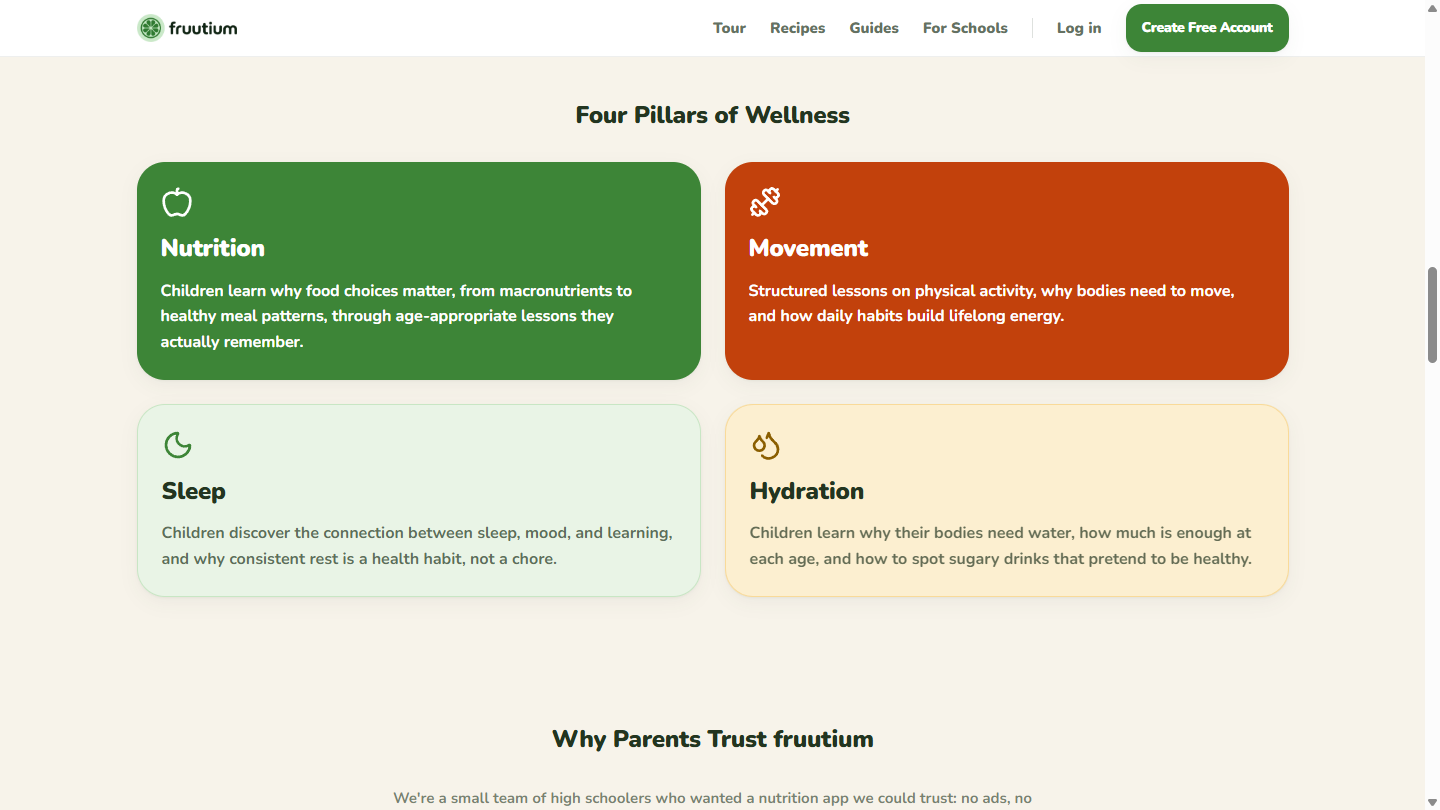
- 188 lessons across 32 units, covering four pillars: nutrition, movement, sleep, and hydration.
- Three age tracks. Kids, teens, and adults each get their own material, so the lessons match how the reader actually thinks.
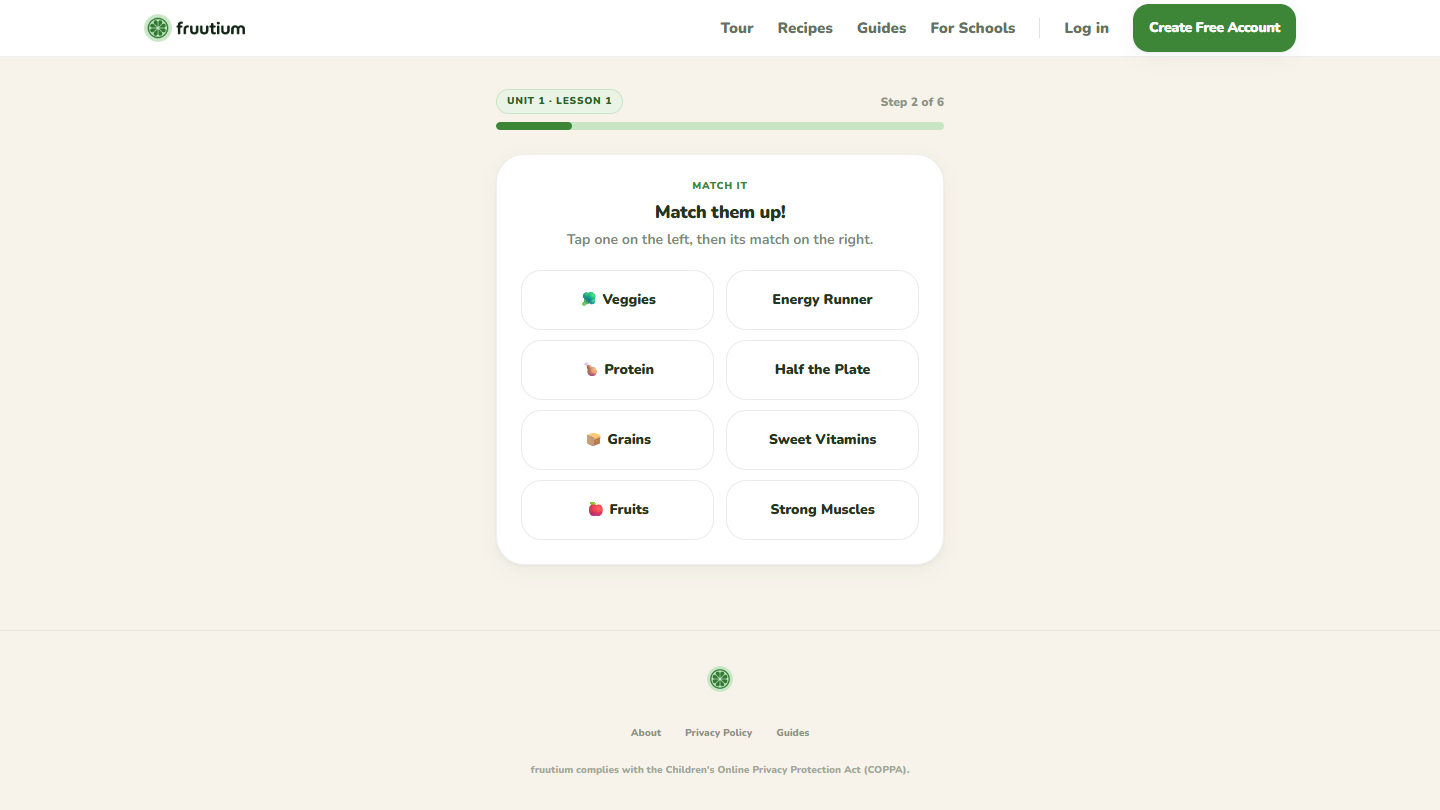
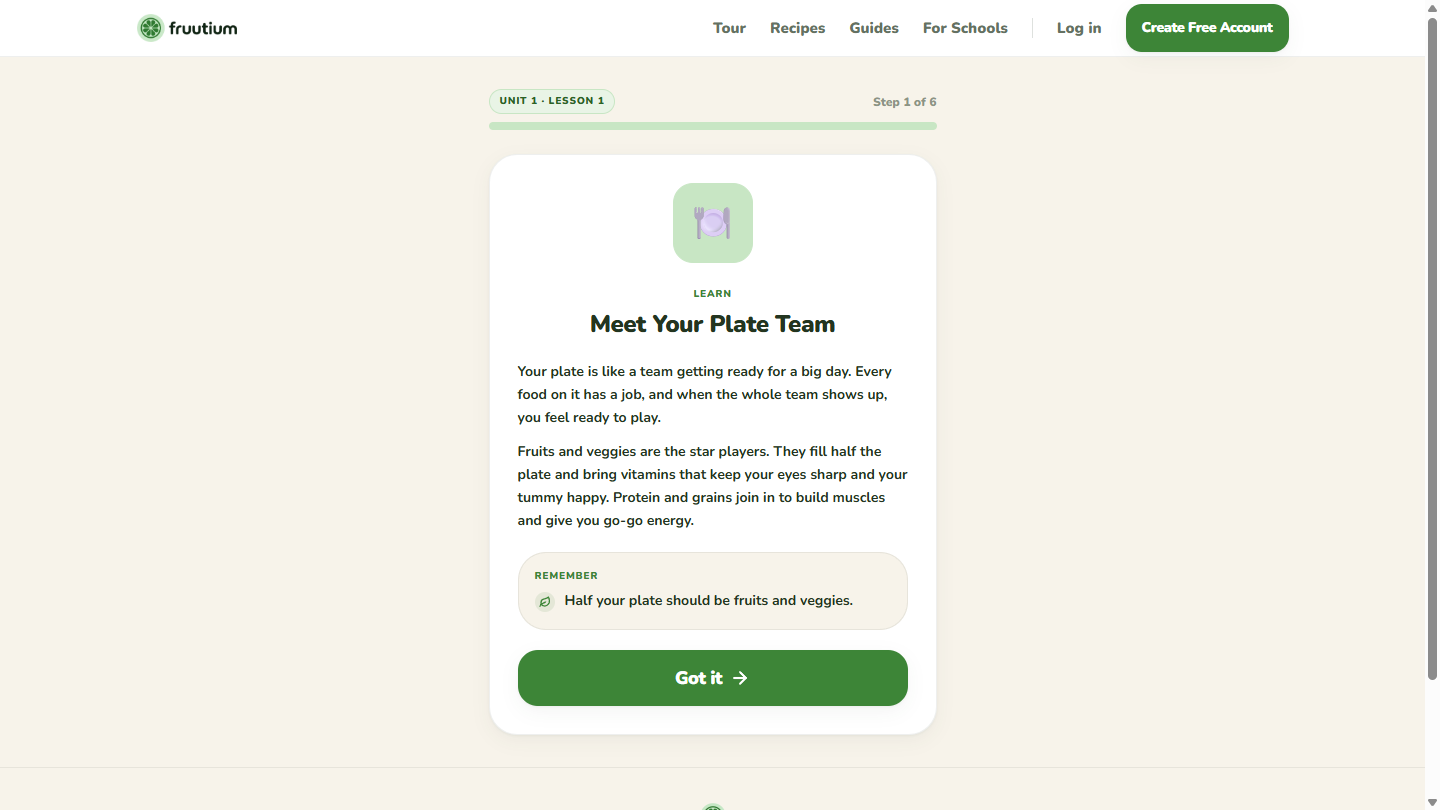
- Lessons that teach before they test. Each one opens with a teach card, then asks staged questions, and re-queues anything the child misses until they get it.
- 28 games, including Plate Builder, Sugar Shock, Label Reading Expert, and Restaurant Survival.
- Honey Points, an in-app currency earned by finishing lessons and spent on 26 hats, outfits, and backgrounds. No real money appears on any child screen.
- 29 achievements and a family leaderboard, so siblings have something to compete over.
- A parent dashboard behind a PIN, showing each child's progress without the child being able to reach the settings.
- A meal library of 22 recipes with a weekly planner, for the parent side of the app.
- One-click deletion. A parent can delete a child's profile or the entire account from Settings, without filing a support ticket or waiting.
- A full sample lesson at fruutium.web.app/sample-lesson that runs with no account and no signup.
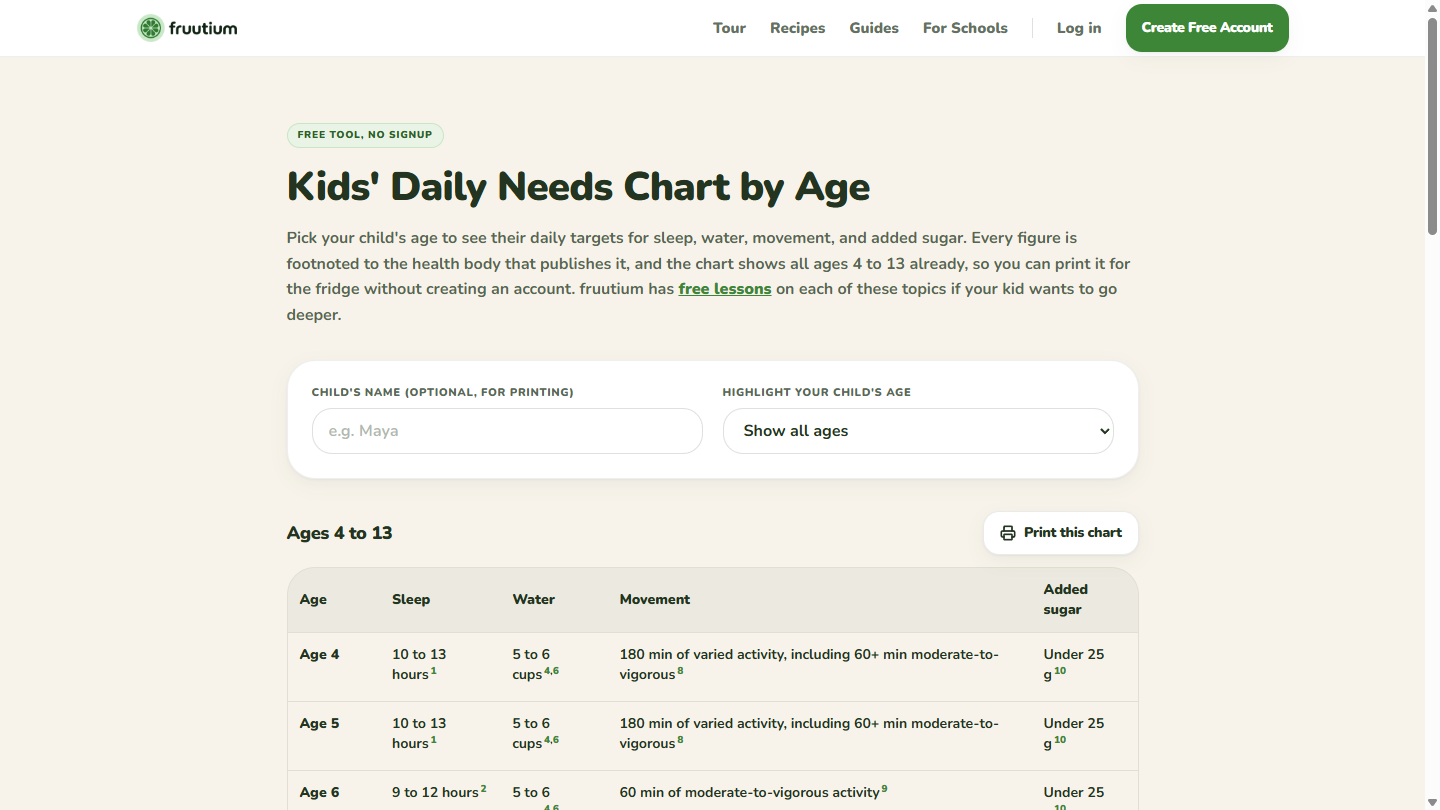
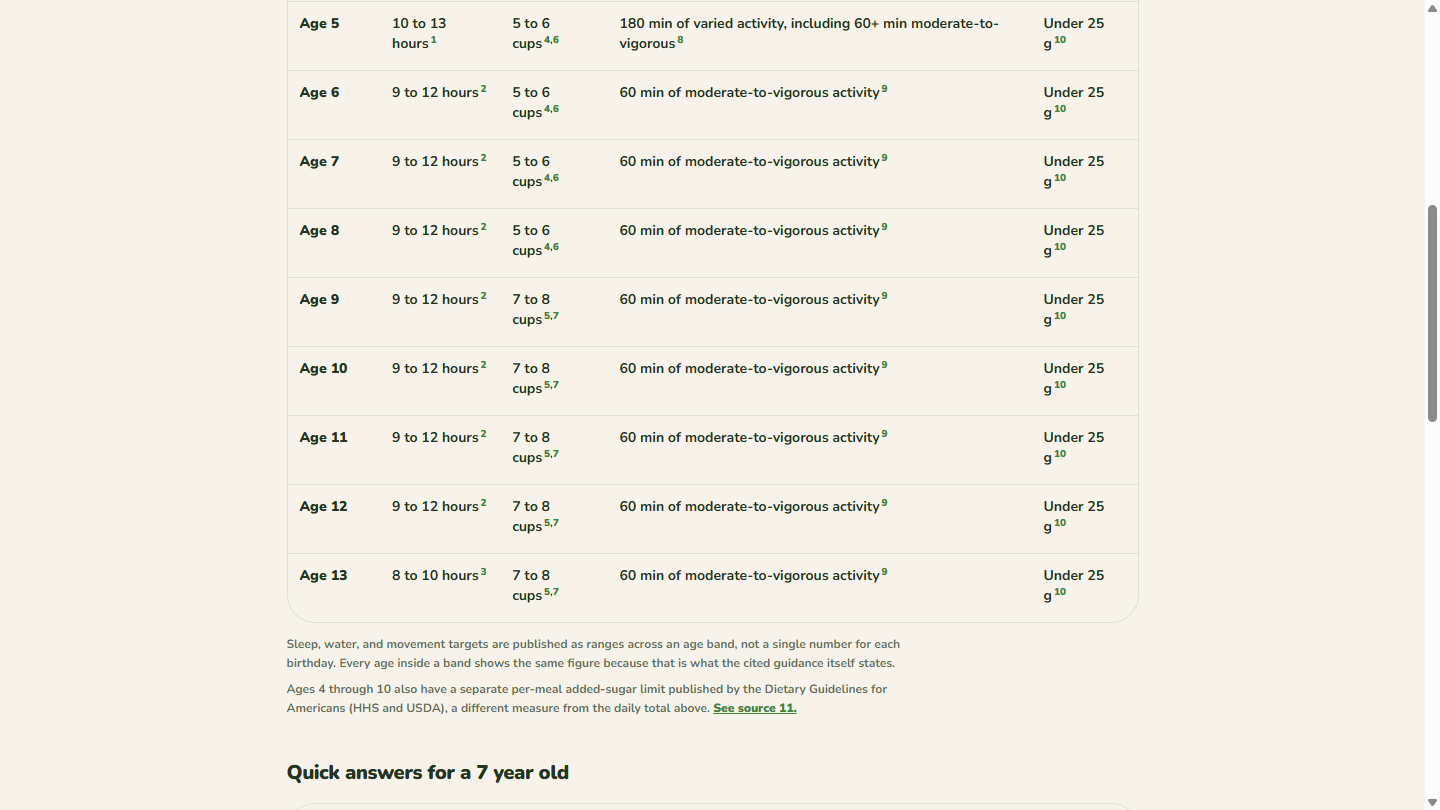
- A free printable daily needs chart at fruutium.web.app/tools/kids-daily-needs, with every number attributed to the body that publishes it.
Use Cases
- Parents who want the screen time their kid already has to teach something. The lessons are short enough to fit the gap where a game would otherwise go.
- Homeschool families running a health or nutrition unit. The 32 units are ordered, so they work as a curriculum rather than a pile of clips.
- Households dealing with picky eating, where the goal is the child understanding why a food matters instead of a sticker chart on the fridge.
- Parents leaving a kids' app over ads or data collection. There is no ad SDK, no behavioral tracking, and nothing to sell.
- Teens who want a track written for them rather than cartoon material aimed at six-year-olds. The teen track is 75 lessons on its own.
- Weeknight meal planning, using the recipe library and the planner on the parent side.

Comments


We're a small team of high schoolers. We wanted a nutrition app we'd be comfortable handing to a younger sibling, couldn't find one we trusted, and ended up building it. What surprised us most is how much the privacy rules shaped the product instead of sitting on top of it. Building for kids under 13 means the usual tools are off the table. We run no analytics on any child screen, so we can't watch session recordings to find where a lesson loses someone. We store a child's first name, age, and lesson progress, and that is the entire list. We pulled date of birth out of the app completely once we realized age alone was enough to pick the right learning track. We also rebuilt the lesson flow after the first version shipped. A lesson could ask a question before it had taught the thing, which is a fine way to make a seven-year-old feel stupid. Now every lesson opens with a teach card, then asks, and re-queues anything they miss until it sticks. All 188 lessons went back through that. You can run a full lesson at fruutium.web.app/sample-lesson with no account and no email. That page exists because we got tired of trying products we couldn't see until after we'd signed up. Happy to answer anything, especially from parents. The feedback we want most is where a lesson drags, or where the reading level is wrong for a particular age. That's the part we can't measure ourselves, for the reason above.




fruutium Your product has strong potential, but I found a few key improvements that could make it even better. I'd love to share my feedback and suggestions—please contact me at [email protected].

Premium Products



















































Sponsors
Buy

Makers
Makers
Comments
We're a small team of high schoolers. We wanted a nutrition app we'd be comfortable handing to a younger sibling, couldn't find one we trusted, and ended up building it. What surprised us most is how much the privacy rules shaped the product instead of sitting on top of it. Building for kids under 13 means the usual tools are off the table. We run no analytics on any child screen, so we can't watch session recordings to find where a lesson loses someone. We store a child's first name, age, and lesson progress, and that is the entire list. We pulled date of birth out of the app completely once we realized age alone was enough to pick the right learning track. We also rebuilt the lesson flow after the first version shipped. A lesson could ask a question before it had taught the thing, which is a fine way to make a seven-year-old feel stupid. Now every lesson opens with a teach card, then asks, and re-queues anything they miss until it sticks. All 188 lessons went back through that. You can run a full lesson at fruutium.web.app/sample-lesson with no account and no email. That page exists because we got tired of trying products we couldn't see until after we'd signed up. Happy to answer anything, especially from parents. The feedback we want most is where a lesson drags, or where the reading level is wrong for a particular age. That's the part we can't measure ourselves, for the reason above.
fruutium Your product has strong potential, but I found a few key improvements that could make it even better. I'd love to share my feedback and suggestions—please contact me at [email protected].
Premium Products
New to Fazier?

Find your next favorite product or submit your own. Made by @FalakDigital.
Copyright ©2026. All Rights Reserved