
FormFlux
Build forms. Share them. Get responses. That's it.
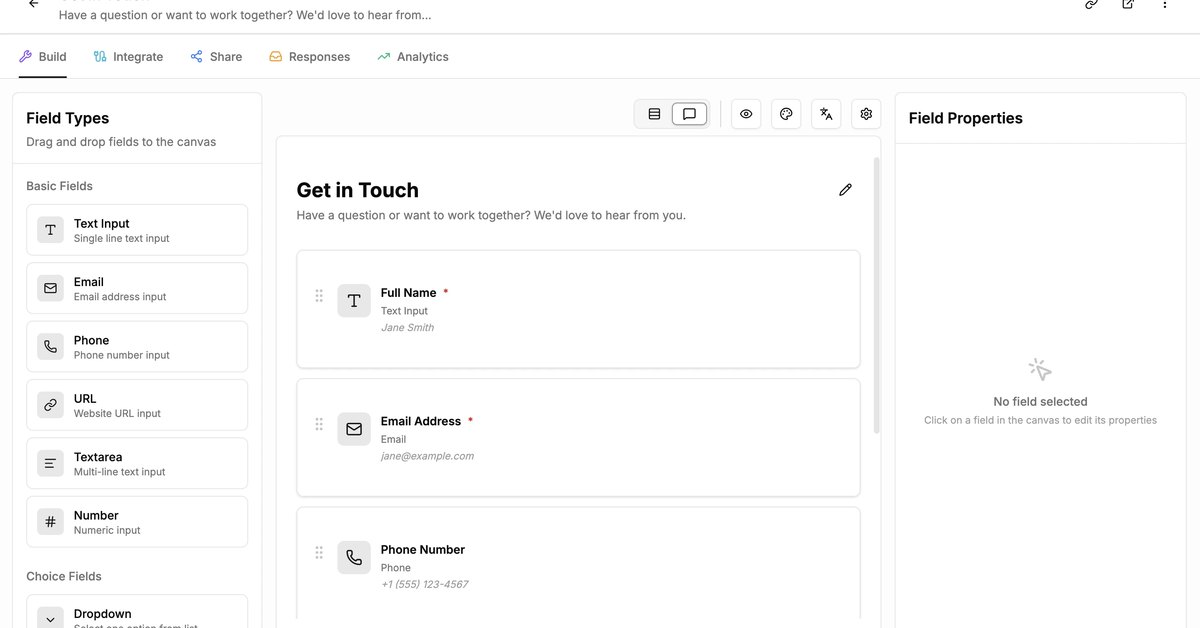
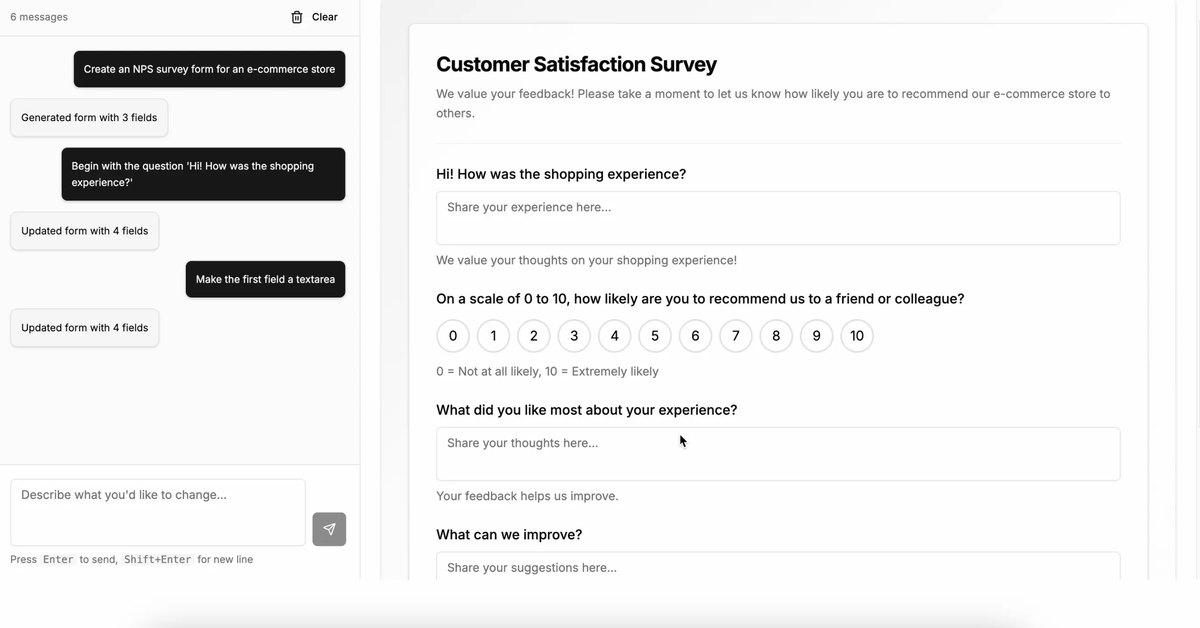
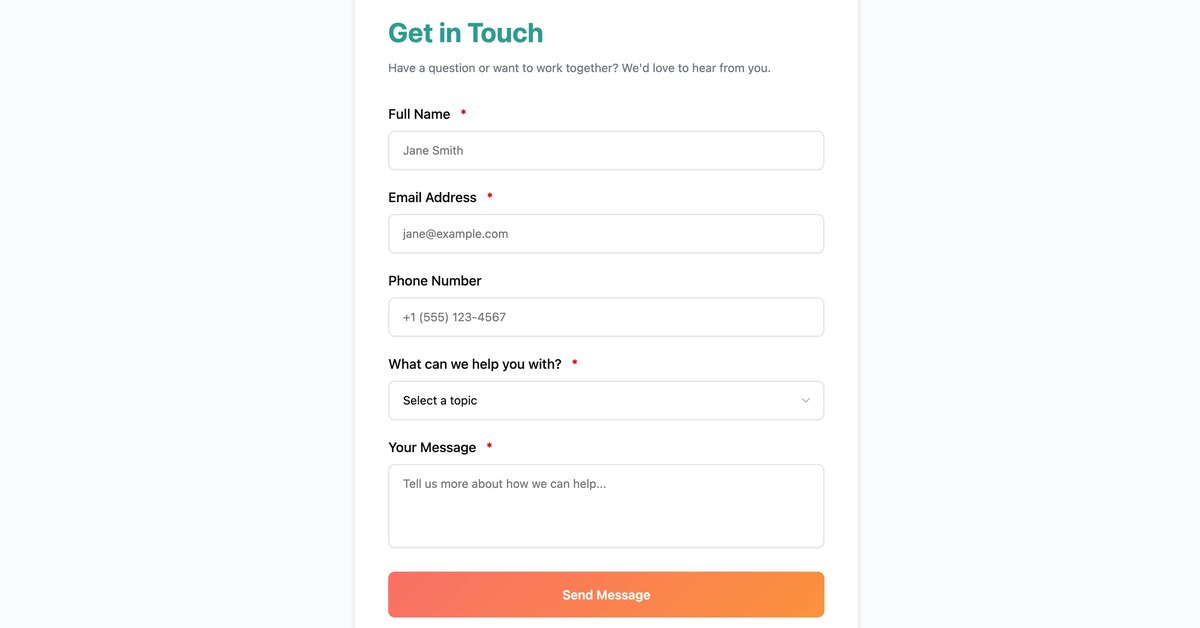
FormFlux is a simple form builder. You make a form, send it to people, they fill it out, and you get the data. It works on desktop and phone, with a standard one-page mode and a conversational one-question-at-a-time mode. Describe what you need and the AI form generator creates the fields, picks a theme, and lets you refine it in chat. The free plan includes unlimited forms and responses, link sharing, and CSV or JSON export. Paid plans add integrations, drop-off analytics, embeds, and more AI credits.
Features
Drag-and-drop builder with live preview, required fields, validation, and undo. Standard one-page mode and conversational one-question mode. AI form generator that creates fields from a description and can pull style cues from a URL. Share by link or QR, or embed as iframe, popup, or slider. Responses can be viewed, marked spam, and exported as CSV or JSON. Paid plans add Zapier, Google Sheets, Slack, webhooks, drop-off analytics, and more AI credits.
Use Cases
Contact, feedback, registration, and waitlist forms for teams that want the data without a funnel product. People switching from Typeform or Google Forms who need unlimited free responses plus an AI generator for the first draft. Sites that need an embeddable form with email alerts, CSV or JSON export, and later Slack or Sheets sync.

Comments

Hi, this is Formflux Support. FormFlux is a form builder that does one job: you build a form, share it, and collect the responses. The free plan includes unlimited forms and responses, CSV or JSON export, and both a standard one-page mode and a conversational one-question mode. Describe the form you need and the AI generator drafts the fields and a theme; you can then edit it by hand. If you are comparing it with Typeform or Google Forms, that split (unlimited free responses plus an AI first draft) is the part we want feedback on. Ask us about embeds, email alerts, or what stays free versus paid.
The part that would make me switch a waitlist off Google Forms is the free plan: unlimited forms and responses, plus CSV or JSON export, with an AI generator that drafts the fields and a theme from a plain description. Pairing a standard one-page form with a conversational one-question mode is a real Typeform alternative if drop-off is the issue. The maker's note asks for feedback on what stays free — email alerts on the free plan would be the deciding detail for me, since Slack and Sheets are already listed as paid. Embeds as iframe, popup, or slider also matter if the form has to live on an existing site rather than a shared link.


The conversational one-question mode plus drop-off analytics is a nice pairing, since that mode is where you most want to know which question loses people. Does the drop-off report work per question in both modes, and can partial responses be saved or exported? Also wondering if the AI generator supports conditional logic or only creates linear fields.


The conversational one-question-at-a-time mode next to the standard one-page layout is a nice choice, and the AI generator pulling style cues from a URL is a clever way to match a brand. Does the drop-off analytics on paid plans show per-question abandonment in the conversational mode? Also, conditional logic (skip questions based on earlier answers) would pair well with that mode.
The AI generator pulling style cues from a URL is the part that stands out next to a plain drag-and-drop builder. Unlimited free responses plus CSV or JSON export would be enough for me to try a waitlist here instead of Google Forms. Two things I would check before switching: whether the conversational one-question mode keeps required-field validation and a working back button per question, and whether both modes land in the same CSV. Conditional logic still looks like the gap versus Typeform if it is not on the free plan.
Premium Products
























































Sponsors
Buy

Awards
View all
Awards
View allMakers
Makers
Comments
Hi, this is Formflux Support. FormFlux is a form builder that does one job: you build a form, share it, and collect the responses. The free plan includes unlimited forms and responses, CSV or JSON export, and both a standard one-page mode and a conversational one-question mode. Describe the form you need and the AI generator drafts the fields and a theme; you can then edit it by hand. If you are comparing it with Typeform or Google Forms, that split (unlimited free responses plus an AI first draft) is the part we want feedback on. Ask us about embeds, email alerts, or what stays free versus paid.
The part that would make me switch a waitlist off Google Forms is the free plan: unlimited forms and responses, plus CSV or JSON export, with an AI generator that drafts the fields and a theme from a plain description. Pairing a standard one-page form with a conversational one-question mode is a real Typeform alternative if drop-off is the issue. The maker's note asks for feedback on what stays free — email alerts on the free plan would be the deciding detail for me, since Slack and Sheets are already listed as paid. Embeds as iframe, popup, or slider also matter if the form has to live on an existing site rather than a shared link.
The conversational one-question mode plus drop-off analytics is a nice pairing, since that mode is where you most want to know which question loses people. Does the drop-off report work per question in both modes, and can partial responses be saved or exported? Also wondering if the AI generator supports conditional logic or only creates linear fields.
The conversational one-question-at-a-time mode next to the standard one-page layout is a nice choice, and the AI generator pulling style cues from a URL is a clever way to match a brand. Does the drop-off analytics on paid plans show per-question abandonment in the conversational mode? Also, conditional logic (skip questions based on earlier answers) would pair well with that mode.
The AI generator pulling style cues from a URL is the part that stands out next to a plain drag-and-drop builder. Unlimited free responses plus CSV or JSON export would be enough for me to try a waitlist here instead of Google Forms. Two things I would check before switching: whether the conversational one-question mode keeps required-field validation and a working back button per question, and whether both modes land in the same CSV. Conditional logic still looks like the gap versus Typeform if it is not on the free plan.
Premium Products
New to Fazier?

Find your next favorite product or submit your own. Made by @FalakDigital.
Copyright ©2026. All Rights Reserved