Foldif
Folders, highlights & notes for ChatGPT, Claude and Gemini
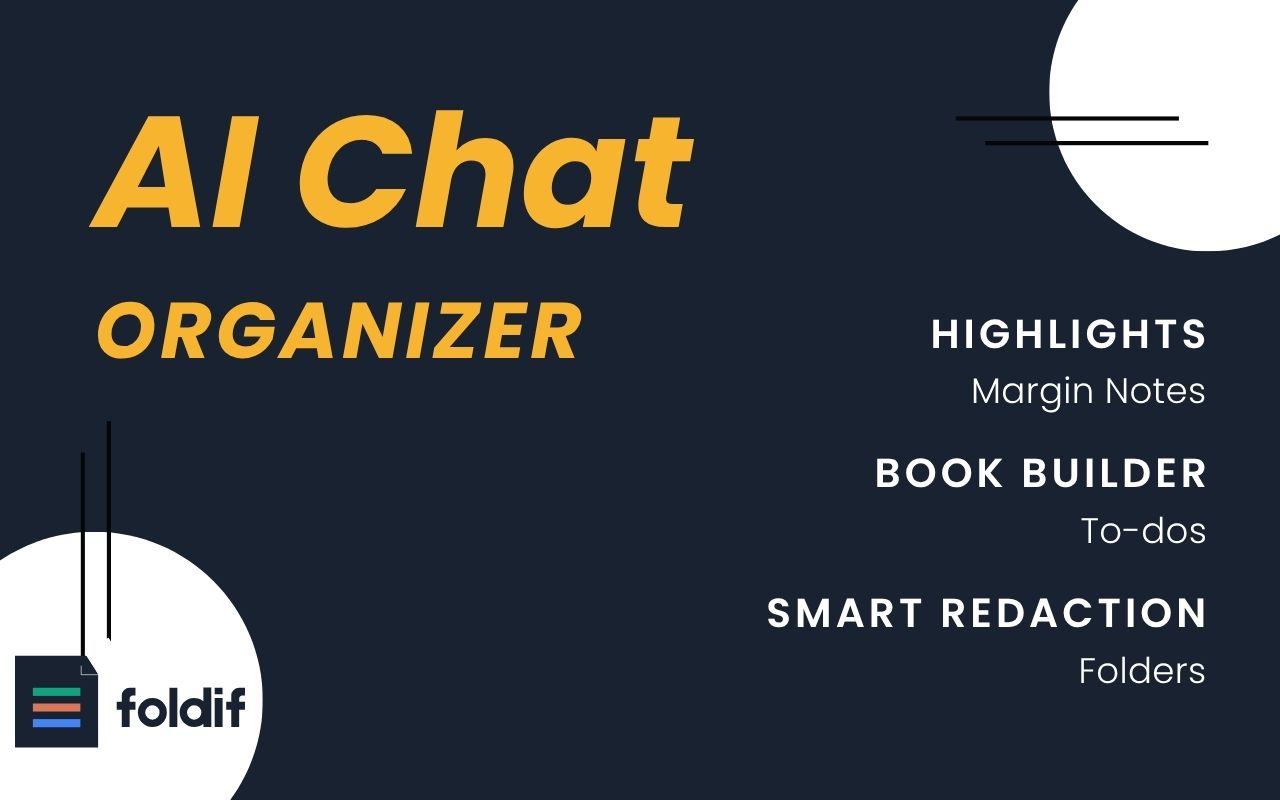
Your best AI answers are buried in hundreds of chats. Foldif is a Chrome extension that turns chat history from a feed into a library you own — one extension for ChatGPT, Claude, and Gemini. Organize conversations into folders, highlight what matters, add margin notes, and compile months of insights into a real, exportable book. Local-first and privacy-friendly: your conversations never leave your browser. No API key, no signup wall, free core features.
Features
ORGANIZE
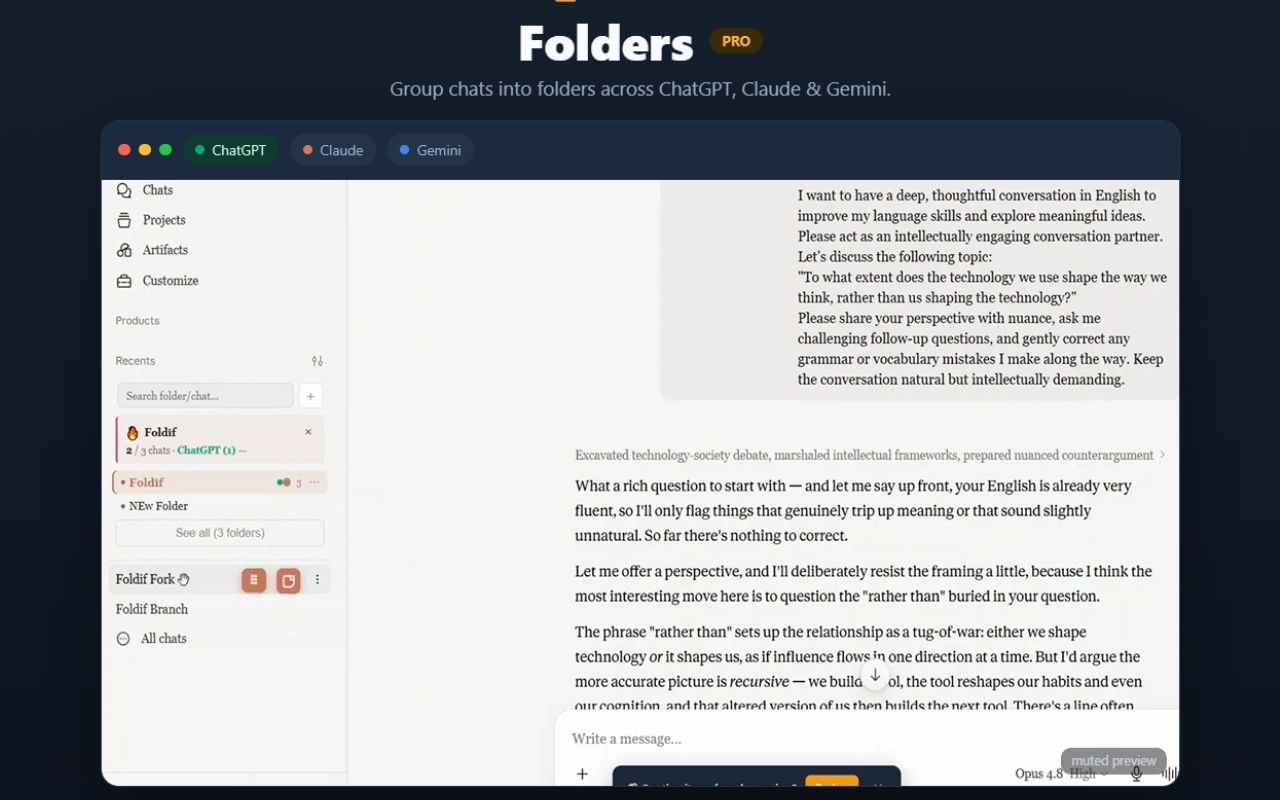
- Unlimited nested, color-coded folders across ChatGPT, Claude & Gemini — same tree everywhere
- Pinned messages + sticky pin bar with one-click jump and TODO counts
- Conversation notes: multi-note stack per chat, 5 colors, optional TTL (1h/24h/7d/never)
- Bookmarks for any message
- Full-text search across every conversation, note & prompt — operators (tag:, folder:) + command palette (Ctrl+Shift+K)
- Archive, tags, per-folder system prompts
KNOWLEDGE LOOP
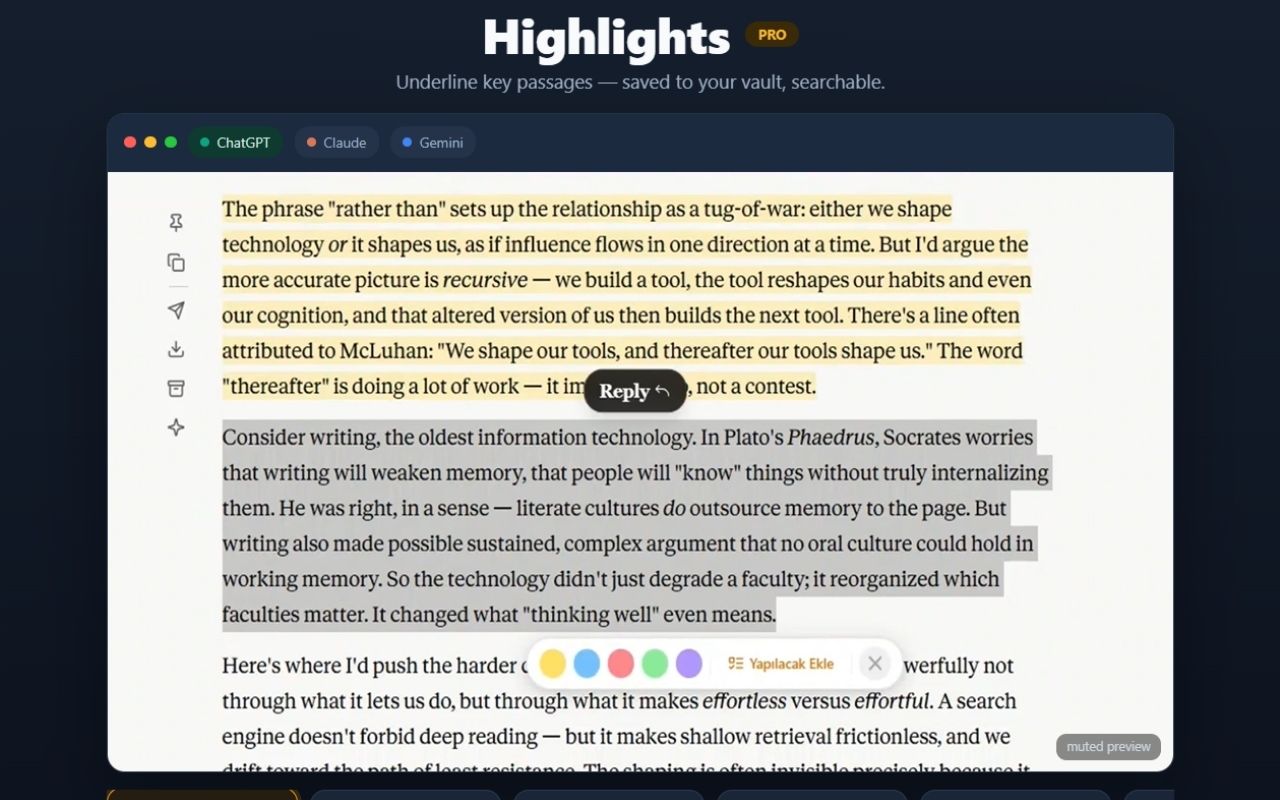
- Highlights: 5 colors, persist across reloads, one-key shortcut (H), searchable
- Margin notes: private per-highlight notes, like writing in a book (Ctrl+Enter to save)
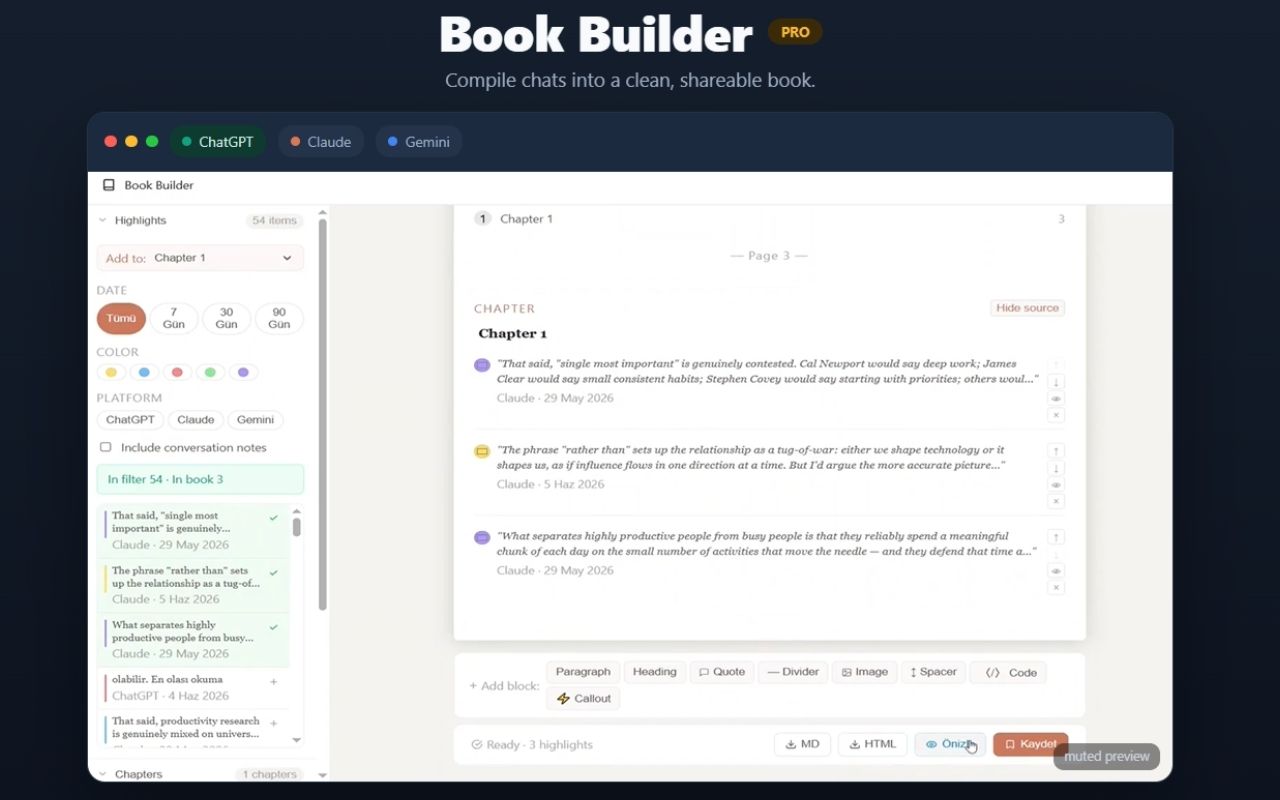
- Book Builder: compile highlights into a real exportable book — 11 block types (cover, TOC, chapter, quote, callout, code, image…), 5 cover themes, drag-drop reorder, undo/redo, 30s auto-save + 24h draft recovery, PDF/HTML export
- Flashcards: one-click spaced repetition (SM-2), due queue, sourced back to the original chat
- Citations extractor: auto-detects URLs, DOIs, arXiv IDs & ISBNs — BibTeX export
TODO SYSTEM
- Auto-detects action items, decisions, questions, reading-list entries & experiments in AI responses
- Works in 13 languages (EN, TR, DE, FR, ES, PT, RU, JA, KO, ZH, AR, HI, IT)
- Kanban board with due dates, priorities & project tagging; due-date inference from natural language
- Quick-add from any selection (T shortcut)
CROSS-AI WORKFLOW
- Context handoff: move a conversation to another AI with last 5/10/20/all turns, editable prompt
- Cross-AI re-ask: re-run the same question on a different AI in one click
- Fork & branch tree: split a chat at any message, continue elsewhere, visualize every branch
COMPOSER POWER
- Prompt library: 30+ built-in templates with {{placeholders}} + your own saved prompts; @ autocomplete, # to attach folder context
- Power actions: expand / shorten / simplify or custom prompts on any AI response
- 8 tone modes: formal, casual, concise, detailed, friendly, empathetic, sarcastic, default — custom tones supported
- Text macros: type a trigger (;sig), expand to full text
- Live character / word / token counter
SHARE & EXPORT
- Share hub: export as Markdown, PNG, PDF or public link — one click to WhatsApp, Email, Telegram, X, LinkedIn, Reddit
- Image gallery: every DALL-E / Imagen / Claude image you've generated in one browsable grid
- Code formatter: one-click Prettier on any code block, auto-detects language
- CodePen run: open any HTML/CSS/JS block in CodePen instantly
PRIVACY & CONTROL
- Local-first: conversation content never leaves your browser; zero conversation tracking
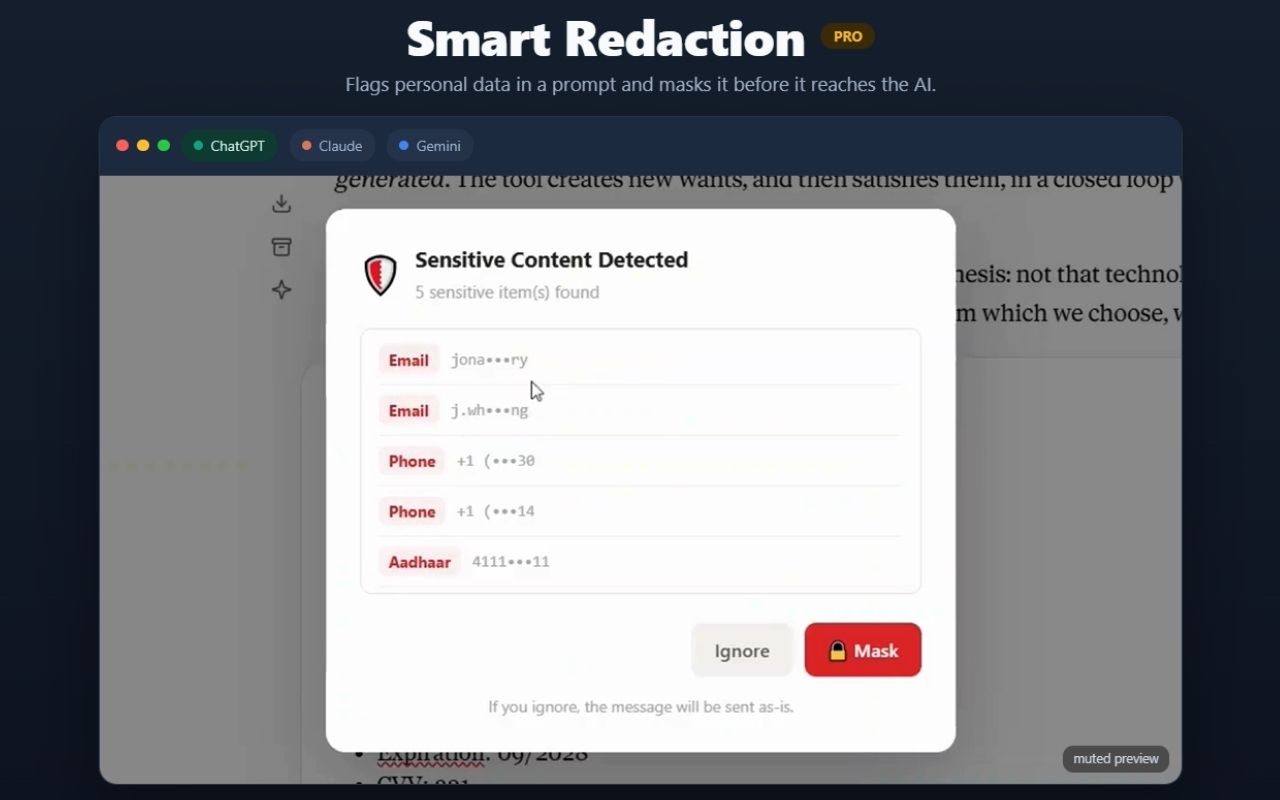
- Smart redaction: auto-detects emails, phone numbers, card numbers, SSN/IBAN before sending — mask with one click
- Privacy blur: Alt+Shift+B blurs all conversations on screen, hover to peek
- End-to-end encrypted cloud sync: AES-256-GCM with your own passphrase (opt-in)
- Auto-archive for idle folders, full local activity log
- Multi-profile: 9 color-coded isolated workspaces — separate work & personal
PLATFORM
- Works on ChatGPT, Claude & Gemini · Chrome, Edge, Brave, Arc
- No API key, no signup wall · 13-language UI with full RTL support
- Free plan + 5-day Pro trial on install · Founder Lifetime $79 (first 100)
Use Cases
- Developers keeping AI-generated solutions findable instead of re-asking solved problems
- Researchers and students turning AI explanations into structured study material and flashcards
- Writers and consultants compiling weeks of AI brainstorming into shareable documents
- Anyone running work and personal AI chats side by side who needs them separated and organized

Comments


Foldif solves a real problem for anyone who uses AI tools every day: good answers get lost too easily. I like the idea of turning ChatGPT, Claude, and Gemini history into something more organized, with folders, highlights, notes, and export options. The local-first approach is also a big plus for privacy. It does feel like there are a lot of features packed in, so the key will be keeping the experience simple and not overwhelming. Overall, a very useful productivity layer for heavy AI users.


The local-first privacy approach stands out most AI tools send everything to the cloud by default. The breadth of features is impressive but the real differentiator is keeping conversations in the browser with no signup. Curious whether the book builder works well for technical documentation or mainly narrative content.

this hits a real pain. i live across claude and chatgpt daily and my best answers are effectively write-only, i know i solved something three weeks ago but finding it means scrolling forever. highlights plus margin notes is the right model, treating chats like a library instead of a feed. the local-first choice is what actually sold me though, i would not install a chat-history extension that ships my conversations to someone's server. one question: when the ai vendors change their dom (which they do constantly), how fast do you typically push fixes? that's usually where extensions like this quietly die.



hi everyone, solo dev here 👋 after ~20 years in software this is my first chrome extension — and i built it out of my own frustration. i run everything through chatgpt/claude/gemini, and a few months in i had hundreds of chats with genuinely good answers buried in them. i kept re-asking things i'd already solved. chat history is a feed; i wanted a library. so foldif adds folders, persistent highlights, margin notes and a "book builder" that compiles months of highlights into an exportable pdf/html book. it also auto-catches the TODOs hiding in AI responses before they vanish into scroll history. everything is local-first — your conversations never touch my servers. no api key, no signup wall, free core features. i'm here all day — happy to answer anything, and brutal feedback is genuinely welcome. that's how the product got this far.








The highlighting feature was the first thing that caught my attention. Valuable insights from AI conversations often get buried in hundreds of messages, and being able to highlight key sections and revisit them later feels incredibly useful. For anyone using AI extensively for research, learning, or content creation, this can be a real productivity booster. The Book Builder is also a very compelling idea. Turning conversations into structured, shareable outputs has a lot of potential. One direction I’d love to see is expanding it with templates for different use cases, such as research reports, study notes, project documentation, or content drafts. Features like automatic chapter generation, multiple summary levels, collaborative editing, and integrations with platforms like Notion or Google Docs could make it even more powerful. I just discovered Foldi today, but it already feels like it’s addressing a real problem for heavy AI users. Looking forward to seeing how the product evolves and what new features the team brings next.

The book builder feature is genuinely clever — being able to compile months of AI conversations into an exportable document solves a real pain point. I use Claude daily for research and my history gets buried fast. One question: does Foldif support nested folder structures, or is it flat organization? Nested folders would be a game-changer for managing long-term projects across different topics.


This solves a real frustration — I've had dozens of useful AI conversations buried in scroll history with no way to find them again. The folder + highlight approach makes a lot of sense. The margin notes feature is particularly interesting; being able to annotate what was useful about a specific response rather than just saving the whole chat is a meaningful difference. Does it support export to markdown or PDF for offline reference?










This solves something I actually feel. My ChatGPT history is a total mess, full of good stuff I can never find again. Being able to highlight and save the useful bits would be a big help. The part about jumping between ChatGPT, Claude and Gemini without losing the thread is really smart, that's the main reason I stick to just one. The todo list thing is a nice bonus too, half the time the action items just get buried in the chat.


Foldif is a really interesting way to turn AI conversations into something you can actually organize and use later. The ability to highlight important parts, add notes, and turn them into an exportable book is a great idea. I also like that it works across ChatGPT, Claude, and Gemini instead of being tied to just one AI platform.

Organizing LLM prompts and historical conversations across multiple models like ChatGPT and Claude quickly becomes chaotic. The folder hierarchy and highlighting feature sounds like a huge workflow booster for research and development. Are folders synced across devices via cloud sync or kept locally in browser storage?

Premium Products













































Sponsors
Buy




Makers
Makers
Comments
Foldif solves a real problem for anyone who uses AI tools every day: good answers get lost too easily. I like the idea of turning ChatGPT, Claude, and Gemini history into something more organized, with folders, highlights, notes, and export options. The local-first approach is also a big plus for privacy. It does feel like there are a lot of features packed in, so the key will be keeping the experience simple and not overwhelming. Overall, a very useful productivity layer for heavy AI users.
The local-first privacy approach stands out most AI tools send everything to the cloud by default. The breadth of features is impressive but the real differentiator is keeping conversations in the browser with no signup. Curious whether the book builder works well for technical documentation or mainly narrative content.
this hits a real pain. i live across claude and chatgpt daily and my best answers are effectively write-only, i know i solved something three weeks ago but finding it means scrolling forever. highlights plus margin notes is the right model, treating chats like a library instead of a feed. the local-first choice is what actually sold me though, i would not install a chat-history extension that ships my conversations to someone's server. one question: when the ai vendors change their dom (which they do constantly), how fast do you typically push fixes? that's usually where extensions like this quietly die.
hi everyone, solo dev here 👋 after ~20 years in software this is my first chrome extension — and i built it out of my own frustration. i run everything through chatgpt/claude/gemini, and a few months in i had hundreds of chats with genuinely good answers buried in them. i kept re-asking things i'd already solved. chat history is a feed; i wanted a library. so foldif adds folders, persistent highlights, margin notes and a "book builder" that compiles months of highlights into an exportable pdf/html book. it also auto-catches the TODOs hiding in AI responses before they vanish into scroll history. everything is local-first — your conversations never touch my servers. no api key, no signup wall, free core features. i'm here all day — happy to answer anything, and brutal feedback is genuinely welcome. that's how the product got this far.
The highlighting feature was the first thing that caught my attention. Valuable insights from AI conversations often get buried in hundreds of messages, and being able to highlight key sections and revisit them later feels incredibly useful. For anyone using AI extensively for research, learning, or content creation, this can be a real productivity booster. The Book Builder is also a very compelling idea. Turning conversations into structured, shareable outputs has a lot of potential. One direction I’d love to see is expanding it with templates for different use cases, such as research reports, study notes, project documentation, or content drafts. Features like automatic chapter generation, multiple summary levels, collaborative editing, and integrations with platforms like Notion or Google Docs could make it even more powerful. I just discovered Foldi today, but it already feels like it’s addressing a real problem for heavy AI users. Looking forward to seeing how the product evolves and what new features the team brings next.
The book builder feature is genuinely clever — being able to compile months of AI conversations into an exportable document solves a real pain point. I use Claude daily for research and my history gets buried fast. One question: does Foldif support nested folder structures, or is it flat organization? Nested folders would be a game-changer for managing long-term projects across different topics.
This solves a real frustration — I've had dozens of useful AI conversations buried in scroll history with no way to find them again. The folder + highlight approach makes a lot of sense. The margin notes feature is particularly interesting; being able to annotate what was useful about a specific response rather than just saving the whole chat is a meaningful difference. Does it support export to markdown or PDF for offline reference?
This solves something I actually feel. My ChatGPT history is a total mess, full of good stuff I can never find again. Being able to highlight and save the useful bits would be a big help. The part about jumping between ChatGPT, Claude and Gemini without losing the thread is really smart, that's the main reason I stick to just one. The todo list thing is a nice bonus too, half the time the action items just get buried in the chat.
Foldif is a really interesting way to turn AI conversations into something you can actually organize and use later. The ability to highlight important parts, add notes, and turn them into an exportable book is a great idea. I also like that it works across ChatGPT, Claude, and Gemini instead of being tied to just one AI platform.
Organizing LLM prompts and historical conversations across multiple models like ChatGPT and Claude quickly becomes chaotic. The folder hierarchy and highlighting feature sounds like a huge workflow booster for research and development. Are folders synced across devices via cloud sync or kept locally in browser storage?
Premium Products
New to Fazier?

Find your next favorite product or submit your own. Made by @FalakDigital.
Copyright ©2026. All Rights Reserved