
Fizlog
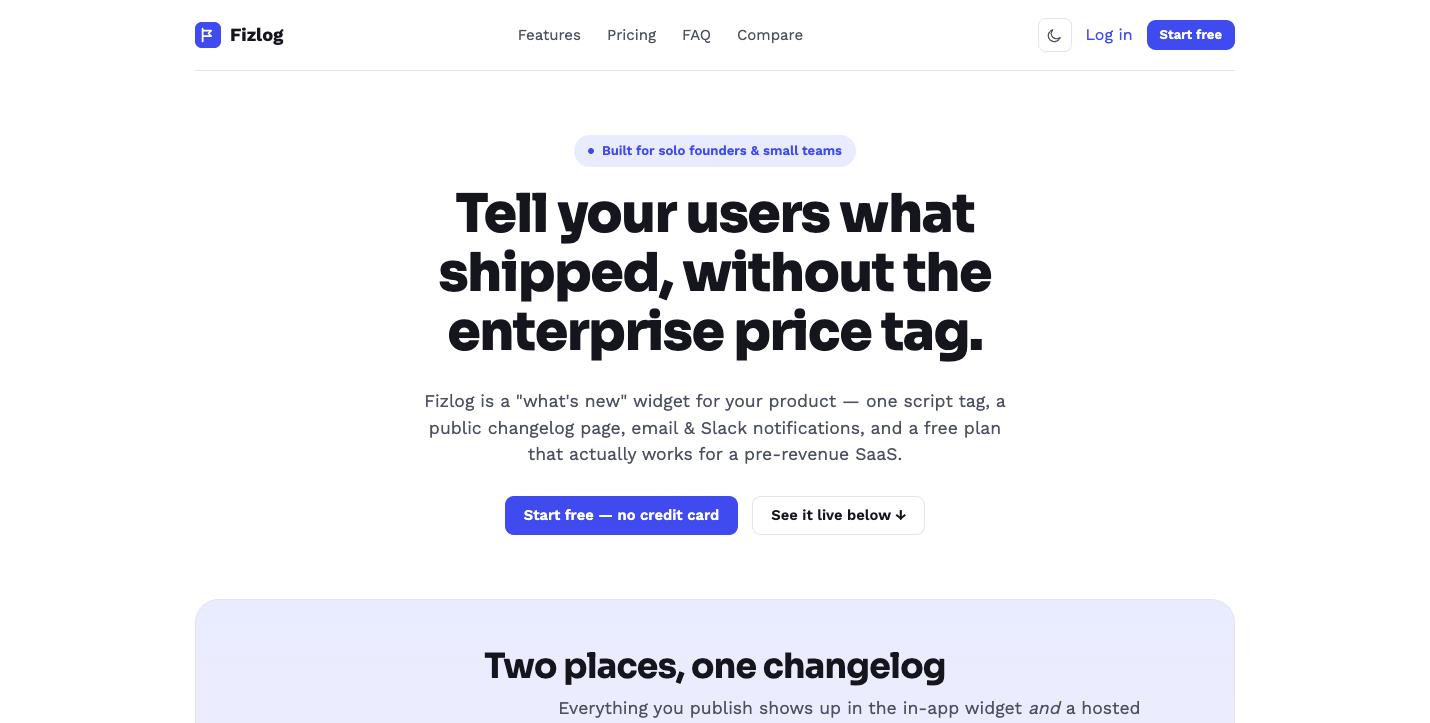
A changelog widget for indie SaaS
Features
One script tag, no SDK; Public changelog page + RSS feed; Slack/Discord alerts on publish; API to publish from CI or a script
Use Cases
Notify users of new features inside your app; Give customers a public roadmap history; Publish release notes from a deploy script

Comments


The pricing logic here is exactly right — changelog tools for indie projects shouldn't cost more than the hosting. One script tag with Slack alerts and a public page out of the box covers 90% of what solo builders actually need. Does the widget support custom styling to match the product's branding?






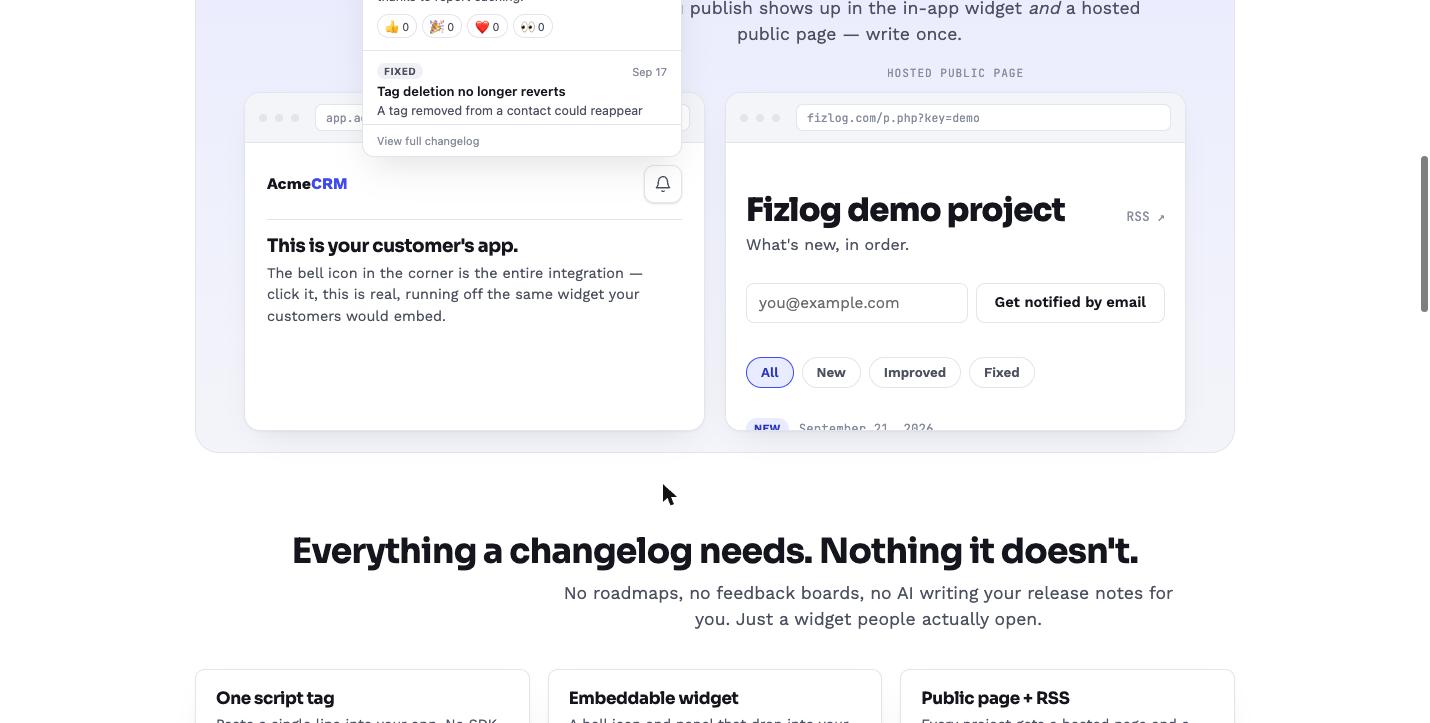
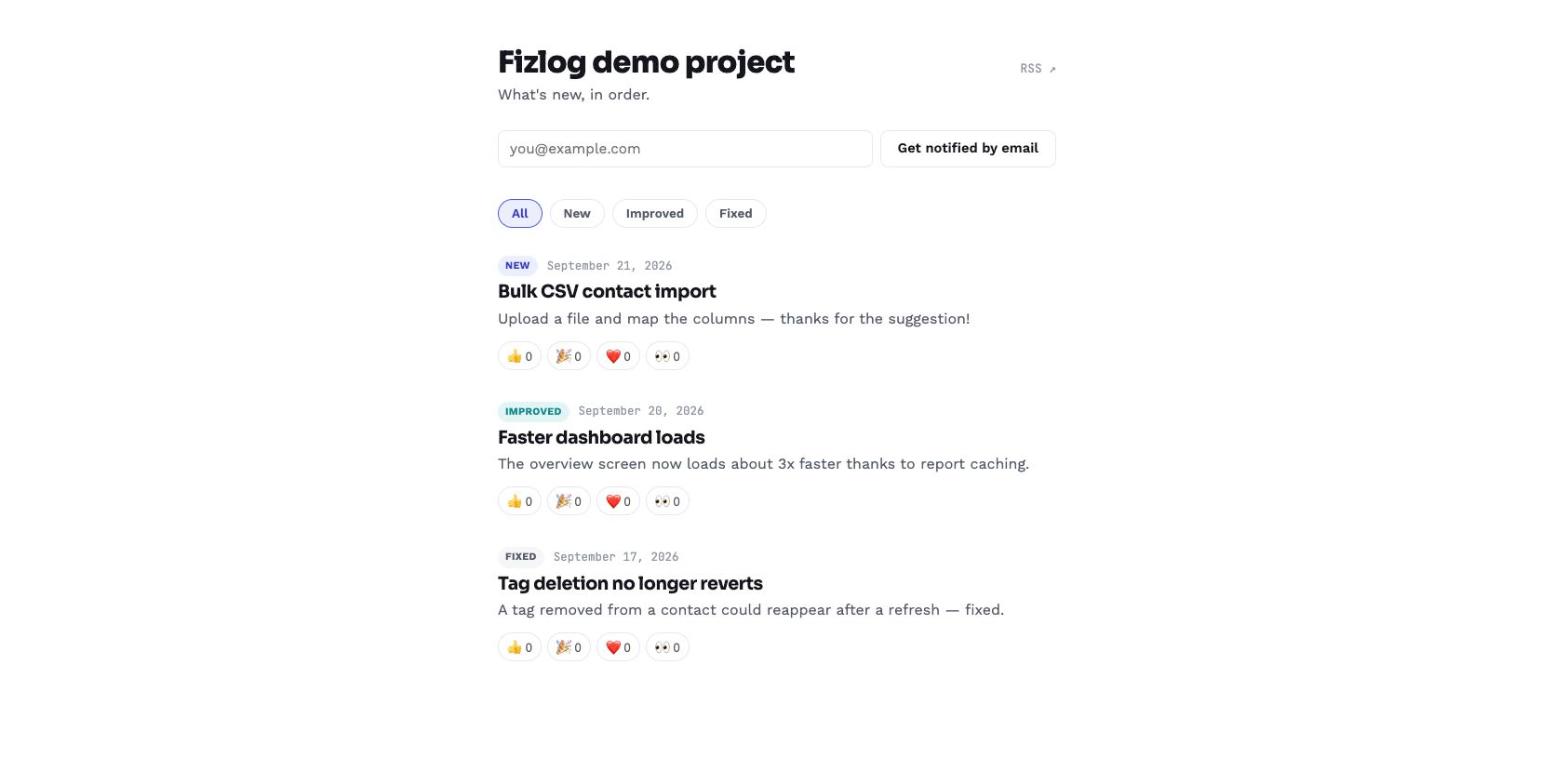
Played with the live demo on the landing page. The panel opens fast, the shadow DOM really does keep the host styles out, and the RSS feed is clean: one item per entry with the [New]/[Improved]/[Fixed] type in the title and a stable #entry anchor as the guid, so readers won't show duplicates. Small accessibility note from the demo: with the panel open, pressing Escape doesn't close it, and the bell button has no aria-expanded and the panel no dialog role, so a screen reader user doesn't hear that anything opened. Since it gets embedded into other people's apps, Esc-to-close plus those two attributes would save every customer from patching it themselves.

The deploy-script API is the standout for me — publishing release notes straight from CI means the changelog never goes stale, which is the failure mode of every changelog I have ever maintained. Curious whether entries can be scheduled ahead of a release or if they go live immediately on publish. The $0.99/mo pricing also makes this an easy yes for side projects.

Nice to see a widget that ships as one script tag. How does it behave on a site with a strict Content-Security-Policy? I just added a few third-party badges to my own site and learned the hard way that an asset host that redirects (say to www) gets blocked even when the original host is allowlisted. It would help to document the exact script-src / connect-src / img-src hosts the widget needs, and whether the shadow DOM styles are injected inline (which would need style-src 'unsafe-inline').
The hosted changelog page plus RSS is the part I would use most; the in-app widget is nice, but the public page is what you can link from an email or a Discord announcement. Practical question: does the script tag load the widget asynchronously and without blocking render? On a client-facing app the first paint matters more than the what's-new bubble, so a small deferred script with a cached JSON feed would be ideal. Also curious whether the widget shows an unread dot per user or just per browser.
Premium Products








































Sponsors
Buy

Makers
Makers
Comments
The pricing logic here is exactly right — changelog tools for indie projects shouldn't cost more than the hosting. One script tag with Slack alerts and a public page out of the box covers 90% of what solo builders actually need. Does the widget support custom styling to match the product's branding?
Played with the live demo on the landing page. The panel opens fast, the shadow DOM really does keep the host styles out, and the RSS feed is clean: one item per entry with the [New]/[Improved]/[Fixed] type in the title and a stable #entry anchor as the guid, so readers won't show duplicates. Small accessibility note from the demo: with the panel open, pressing Escape doesn't close it, and the bell button has no aria-expanded and the panel no dialog role, so a screen reader user doesn't hear that anything opened. Since it gets embedded into other people's apps, Esc-to-close plus those two attributes would save every customer from patching it themselves.
The deploy-script API is the standout for me — publishing release notes straight from CI means the changelog never goes stale, which is the failure mode of every changelog I have ever maintained. Curious whether entries can be scheduled ahead of a release or if they go live immediately on publish. The $0.99/mo pricing also makes this an easy yes for side projects.
Nice to see a widget that ships as one script tag. How does it behave on a site with a strict Content-Security-Policy? I just added a few third-party badges to my own site and learned the hard way that an asset host that redirects (say to www) gets blocked even when the original host is allowlisted. It would help to document the exact script-src / connect-src / img-src hosts the widget needs, and whether the shadow DOM styles are injected inline (which would need style-src 'unsafe-inline').
The hosted changelog page plus RSS is the part I would use most; the in-app widget is nice, but the public page is what you can link from an email or a Discord announcement. Practical question: does the script tag load the widget asynchronously and without blocking render? On a client-facing app the first paint matters more than the what's-new bubble, so a small deferred script with a cached JSON feed would be ideal. Also curious whether the widget shows an unread dot per user or just per browser.
Premium Products
New to Fazier?

Find your next favorite product or submit your own. Made by @FalakDigital.
Copyright ©2026. All Rights Reserved