
Fix Overexposed Photos
Balance bright photos and correct exposure with AI.
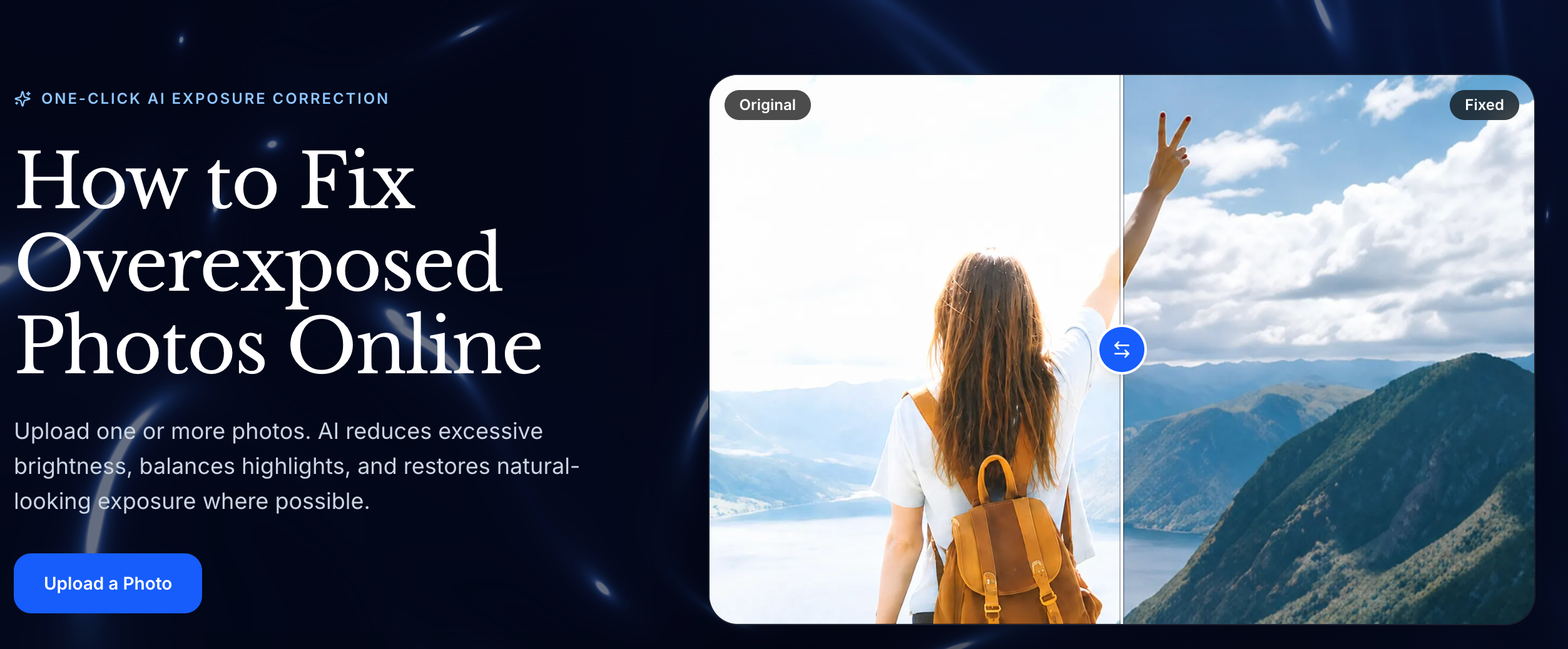
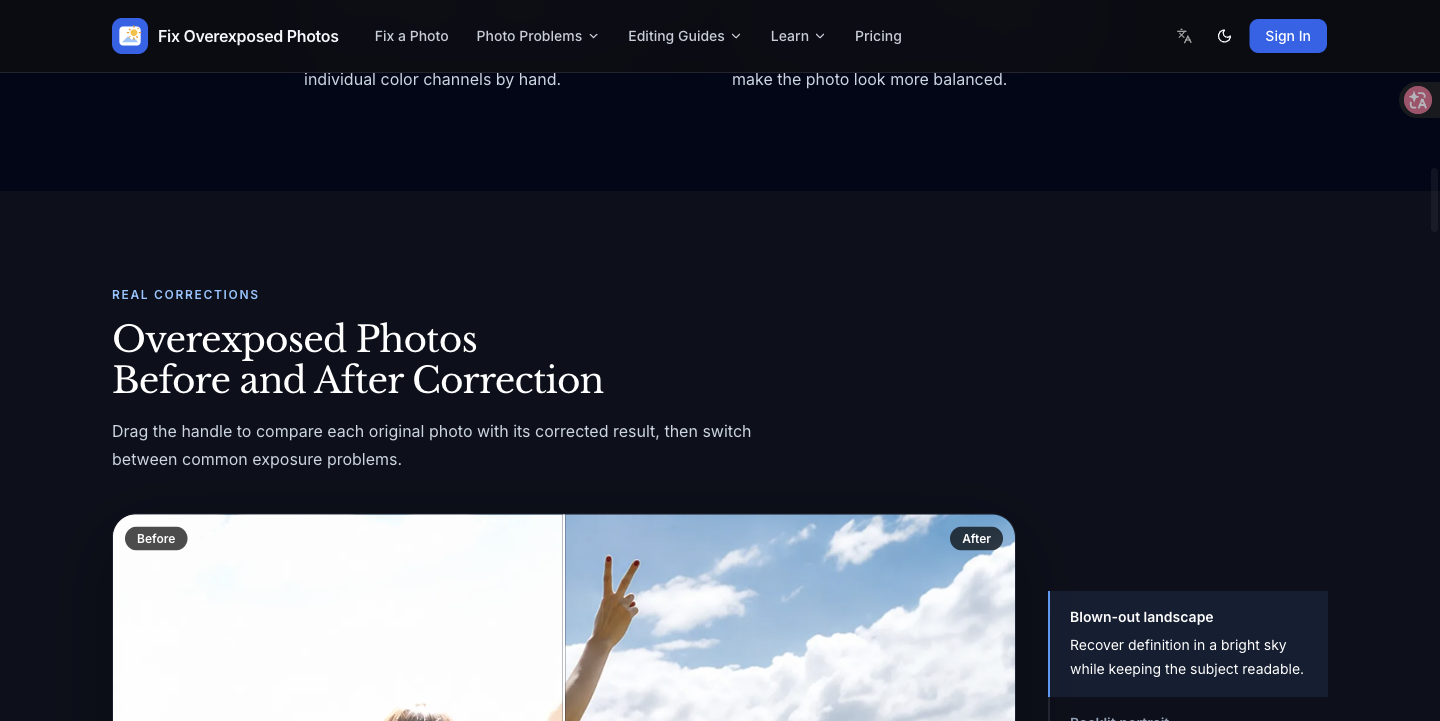
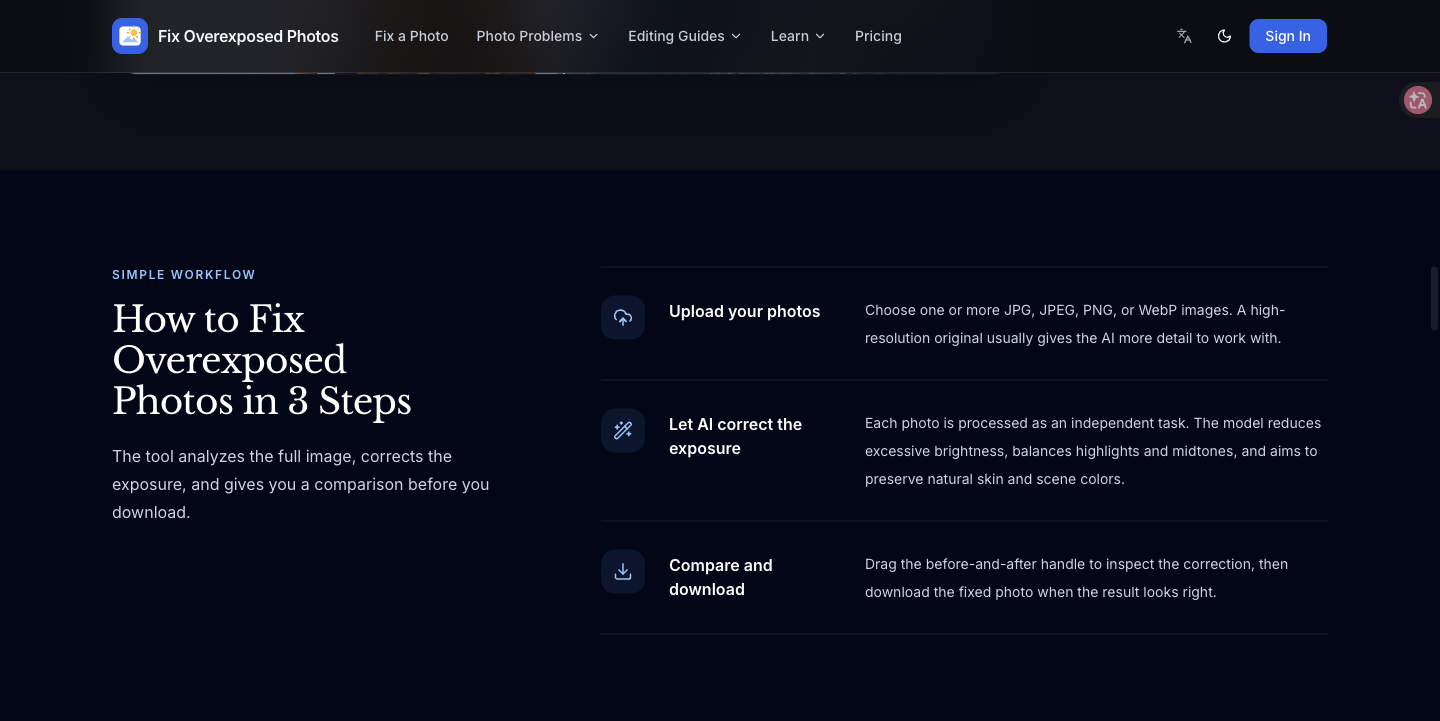
Fix Overexposed Photos adjusts overly bright images with AI, balancing highlights, midtones and overall exposure. Upload JPG, PNG or WebP photos, compare the correction with the original, and download the result. Fully clipped highlights may not contain recoverable original detail.
Features
AI exposure correction
Balance highlights and midtones
JPG, PNG, and WebP support
Compare original and corrected photos
Use Cases
Improve overly bright portraits
Balance outdoor and travel photos
Adjust exposure for product images

Comments

The honest note that fully clipped highlights cannot be recovered is the right expectation. Outdoor car and product shots often blow out the sky and the paint at the same time, so balancing midtones without inventing detail in the highlights matters more than a dramatic HDR look. The original-vs-corrected compare before download is what I would actually use. Does the correction keep color on metallic paint, or does it pull those highlights toward gray?




For the product-image use case, consistency across a set matters as much as the fix itself. If I upload 10 shots from the same shoot, does it apply the same correction to all of them, or adjust each photo separately? A "match the first photo" option would make it much more useful for store listings. Also curious whether the download keeps the original resolution.

Blown highlights are the usual failure when a photo was shot toward a window or a sunset. Balancing exposure without flattening the subject is the real test: can it recover detail in a white shirt or a bright sky while keeping skin tones from going gray? I would also check whether it preserves the original crop and resolution, or re-encodes everything to a smaller file.


Premium Products



















































Sponsors
Buy

Makers

Makers
Comments
The honest note that fully clipped highlights cannot be recovered is the right expectation. Outdoor car and product shots often blow out the sky and the paint at the same time, so balancing midtones without inventing detail in the highlights matters more than a dramatic HDR look. The original-vs-corrected compare before download is what I would actually use. Does the correction keep color on metallic paint, or does it pull those highlights toward gray?
For the product-image use case, consistency across a set matters as much as the fix itself. If I upload 10 shots from the same shoot, does it apply the same correction to all of them, or adjust each photo separately? A "match the first photo" option would make it much more useful for store listings. Also curious whether the download keeps the original resolution.
Blown highlights are the usual failure when a photo was shot toward a window or a sunset. Balancing exposure without flattening the subject is the real test: can it recover detail in a white shirt or a bright sky while keeping skin tones from going gray? I would also check whether it preserves the original crop and resolution, or re-encodes everything to a smaller file.
Premium Products
New to Fazier?

Find your next favorite product or submit your own. Made by @FalakDigital.
Copyright ©2026. All Rights Reserved