
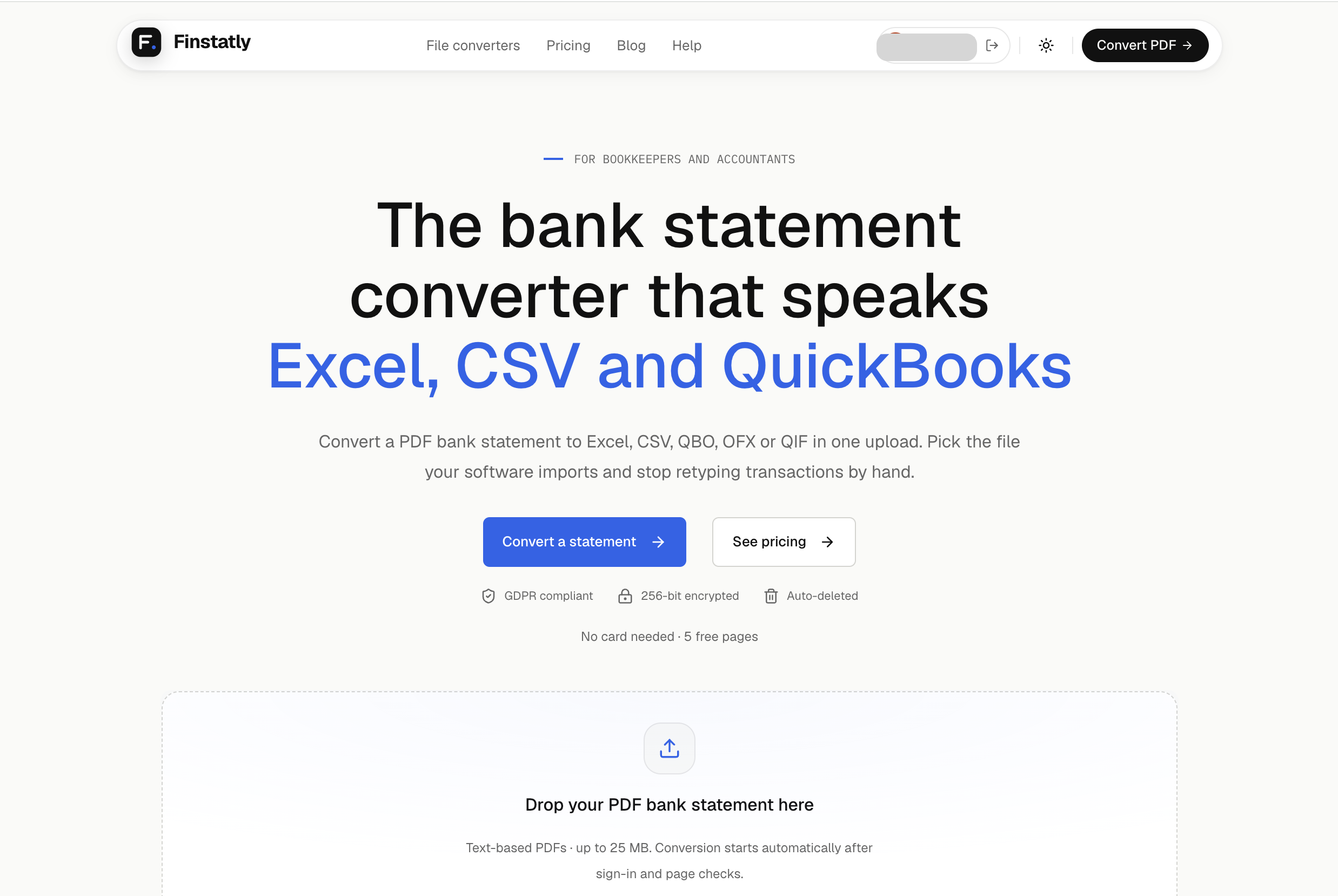
Finstatly is a bank statement converter built for bookkeepers and accountants. It turns PDF bank statements into Excel, CSV, QBO, OFX or QIF files in one upload, so you stop retyping transactions by hand.
Pick the file your software imports. Use Excel or CSV to review transactions before they reach the books, or download QBO for QuickBooks, OFX for Xero, Sage and MYOB, and QIF for Quicken. Every row keeps the date, description, amount and running balance from the statement.
Finstatly reads statements from 1,000+ banks across the US, UK, Europe and Australia, including Chase, Bank of America, Wells Fargo, HSBC and Barclays. It handles a steady monthly close as well as a catch-up client who drops a folder of PDFs on your desk.
Your clients' data is protected: uploads are encrypted with AES-256, deleted automatically after processing, never read by a person and never used to train AI. Finstatly follows GDPR for every user.
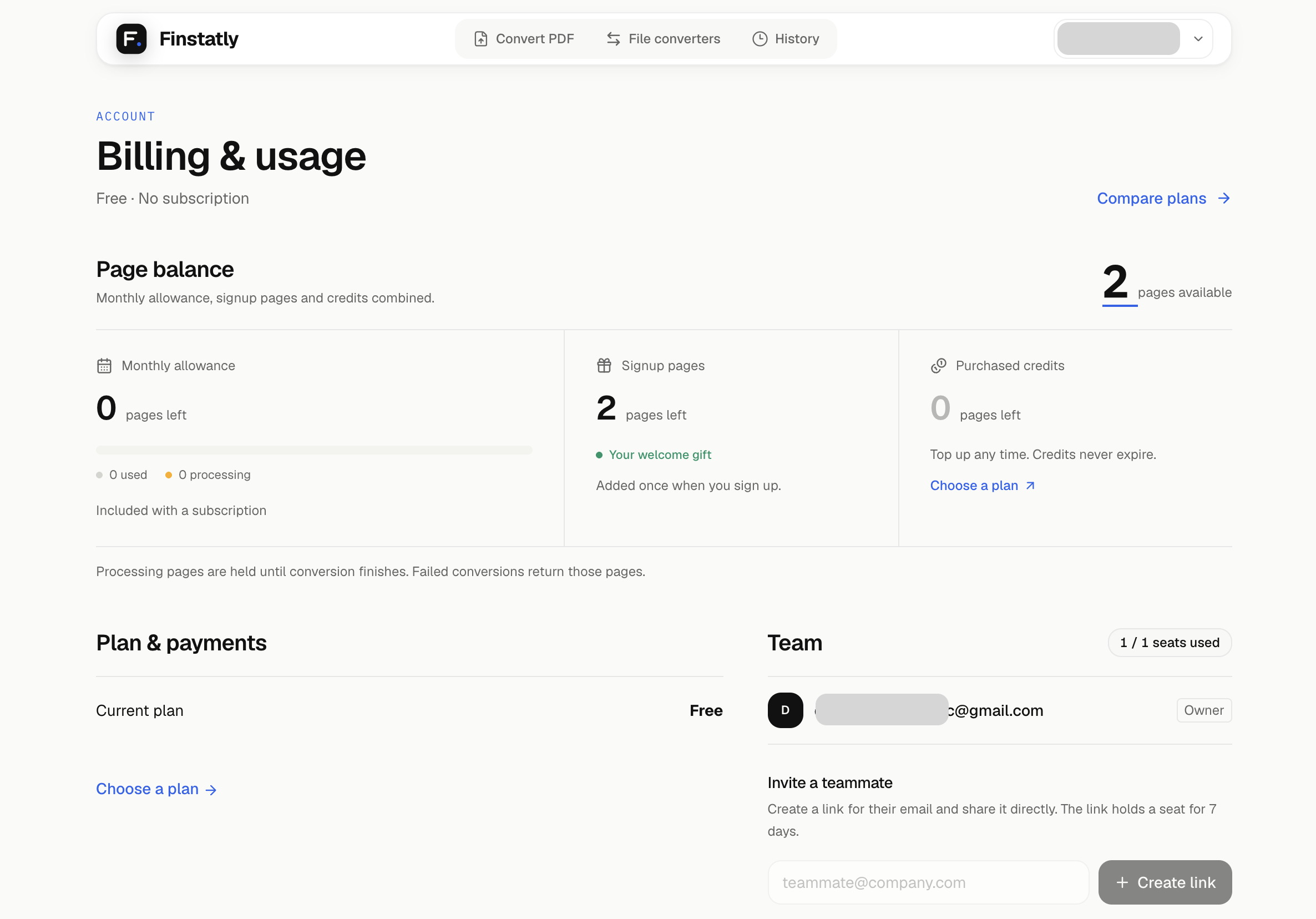
Start with 5 free pages, no card needed. Paid plans start at $25 a month with shared seats for teams, and extra page credits at $0.20 a page that never expire. File-to-file converters (QBO, QFX, OFX, CSV, QIF) are free with no signup.
Features
• Convert PDF bank statements to Excel, CSV, QBO, OFX or QIF in one upload
• QuickBooks-ready QBO files, not a CSV you have to fix first
• Imports into QuickBooks, Xero, Quicken, Sage and MYOB
• Reads statements from 1,000+ banks
• Every row keeps date, description, amount and running balance
• Shared seats for teams (Pro and Business)
• Page credits that never expire
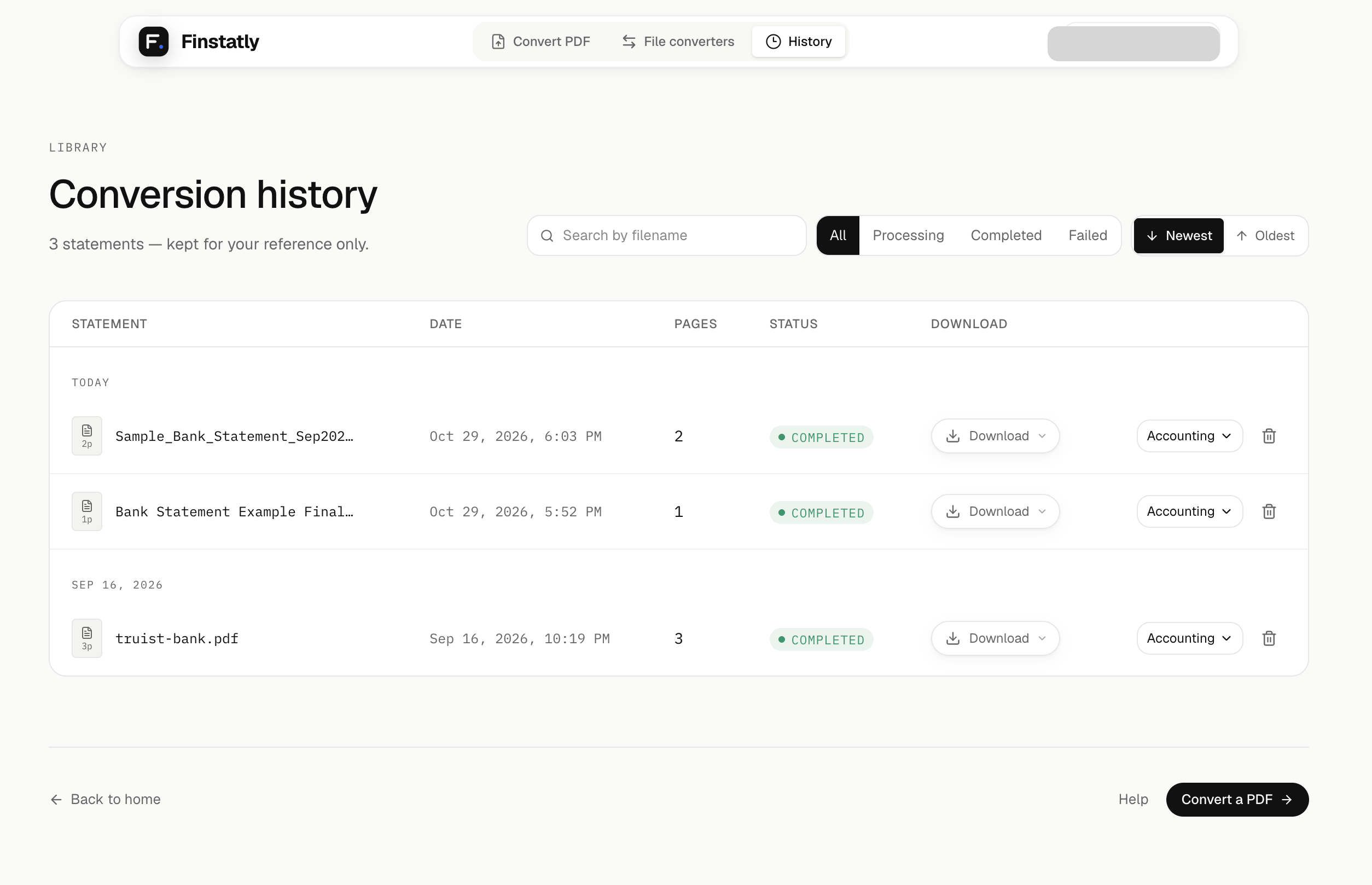
• Failed conversions return their pages to your balance
• Free file converters: QBO, QFX, OFX, CSV, QIF, no signup
Use Cases
Convert PDF bank statements to Excel, CSV, QBO, OFX or QIF formats
Fazier Deal

Comments


Hi Everyone 👋 We built Finstatly for bookkeepers and accountants who still retype bank statements by hand. Clients send PDF statements, but accounting software wants a file it can import. The usual fix is typing every transaction into a spreadsheet, or using a converter that only outputs CSV, which you then clean up before QuickBooks or Xero will accept it. Finstatly turns a PDF bank statement into the file your software actually imports, in one upload: • Excel or CSV to review transactions first • QBO for QuickBooks • OFX for Xero, Sage and MYOB • QIF for Quicken What we focused on: • Every row keeps the date, description, amount and running balance • Works with statements from 1,000+ banks (Chase, Bank of America, HSBC, Barclays and more) • Files are encrypted with AES-256, deleted after processing, and never used to train AI • If a conversion fails, its pages go back to your balance One limit to know: it reads text-based PDFs (the ones you download from online banking), not scanned paper statements. Try it: your first 5 pages are free, no card needed. Our file converters (QBO, QFX, OFX, CSV, QIF) are free with no signup at https://finstatly.com/convert Feedback that would help us most: 1. Did your bank's statement convert cleanly? If not, tell us the bank and what went wrong. 2. Which software do you import into, and did the file go in without fixes? 3. What would make this part of your monthly close? We're reading every comment and will reply here. Thanks for checking it out!
Premium Products


















































Fazier Deal
Sponsors
Buy

Makers
Makers
Comments
Hi Everyone 👋 We built Finstatly for bookkeepers and accountants who still retype bank statements by hand. Clients send PDF statements, but accounting software wants a file it can import. The usual fix is typing every transaction into a spreadsheet, or using a converter that only outputs CSV, which you then clean up before QuickBooks or Xero will accept it. Finstatly turns a PDF bank statement into the file your software actually imports, in one upload: • Excel or CSV to review transactions first • QBO for QuickBooks • OFX for Xero, Sage and MYOB • QIF for Quicken What we focused on: • Every row keeps the date, description, amount and running balance • Works with statements from 1,000+ banks (Chase, Bank of America, HSBC, Barclays and more) • Files are encrypted with AES-256, deleted after processing, and never used to train AI • If a conversion fails, its pages go back to your balance One limit to know: it reads text-based PDFs (the ones you download from online banking), not scanned paper statements. Try it: your first 5 pages are free, no card needed. Our file converters (QBO, QFX, OFX, CSV, QIF) are free with no signup at https://finstatly.com/convert Feedback that would help us most: 1. Did your bank's statement convert cleanly? If not, tell us the bank and what went wrong. 2. Which software do you import into, and did the file go in without fixes? 3. What would make this part of your monthly close? We're reading every comment and will reply here. Thanks for checking it out!
Premium Products
New to Fazier?

Find your next favorite product or submit your own. Made by @FalakDigital.
Copyright ©2026. All Rights Reserved