
FileButler
Organise your cloud files with Personalised AI
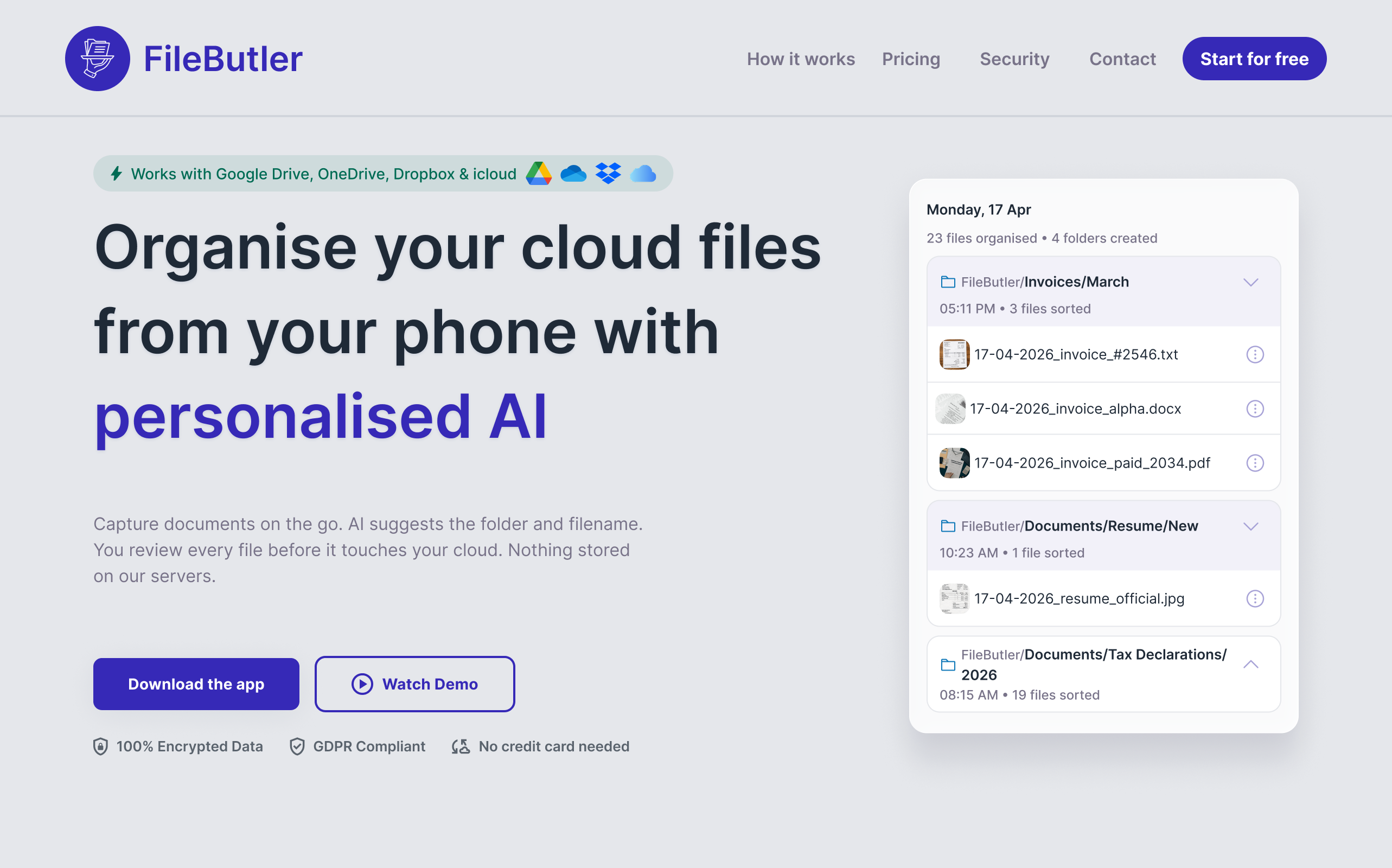
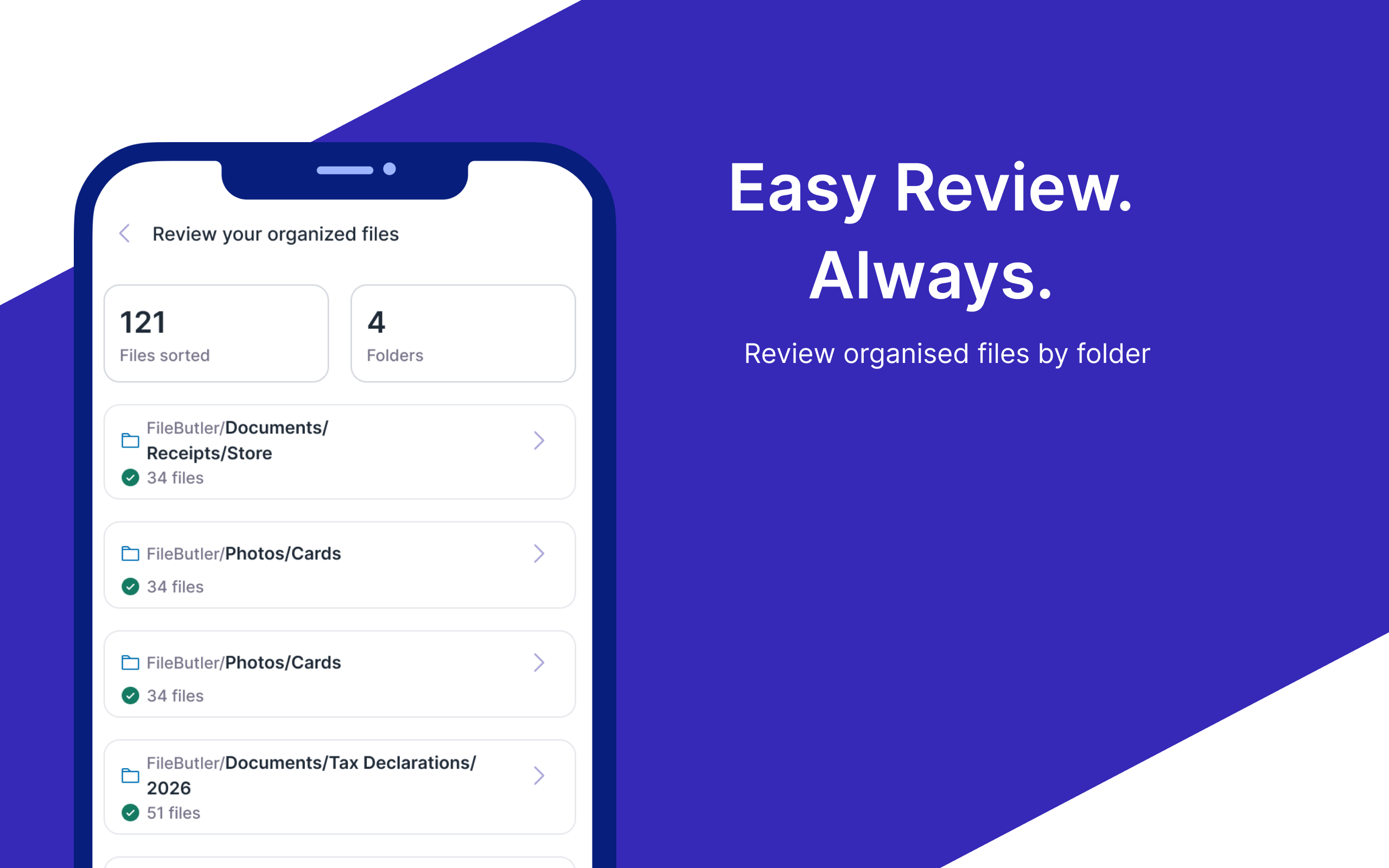
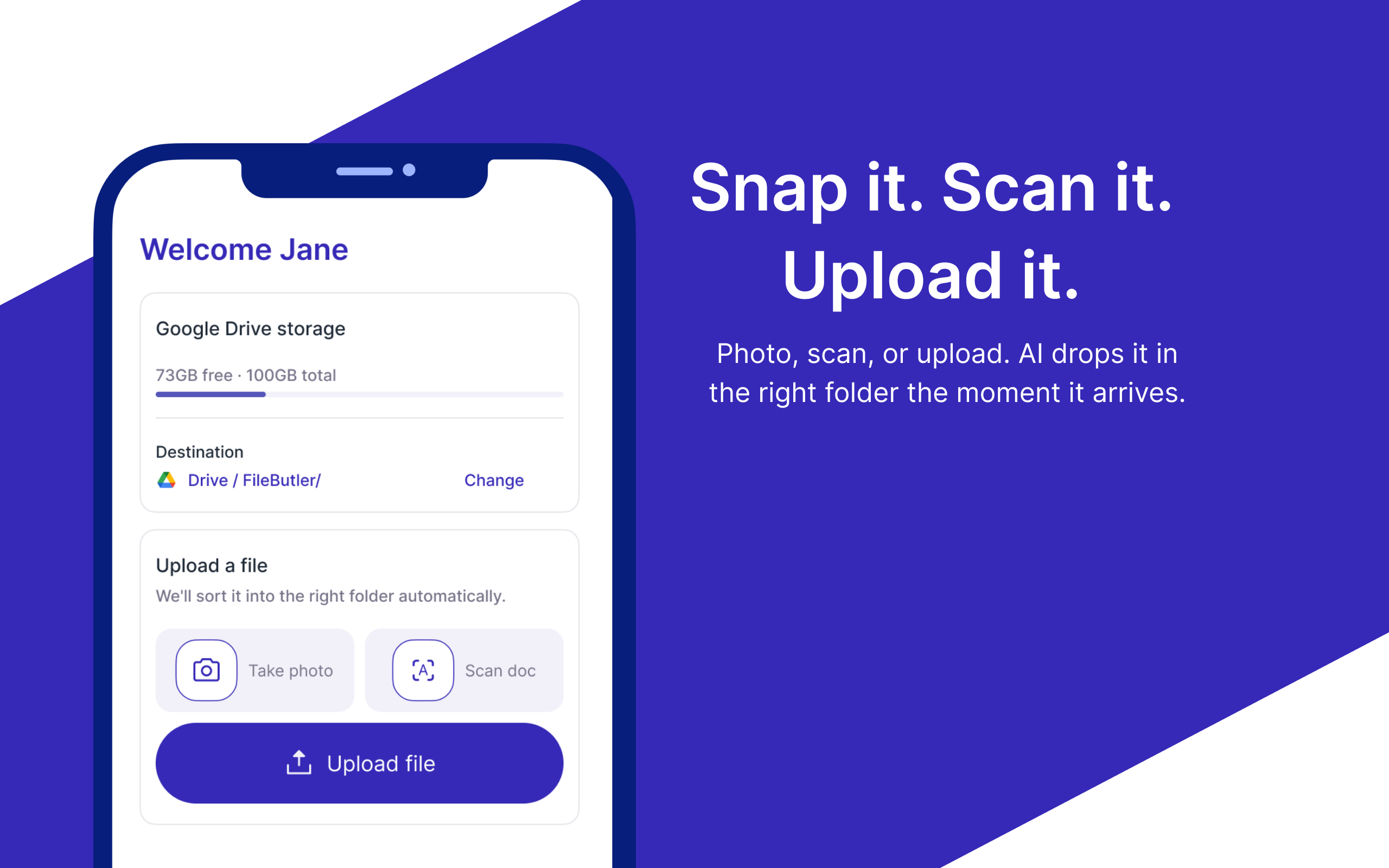
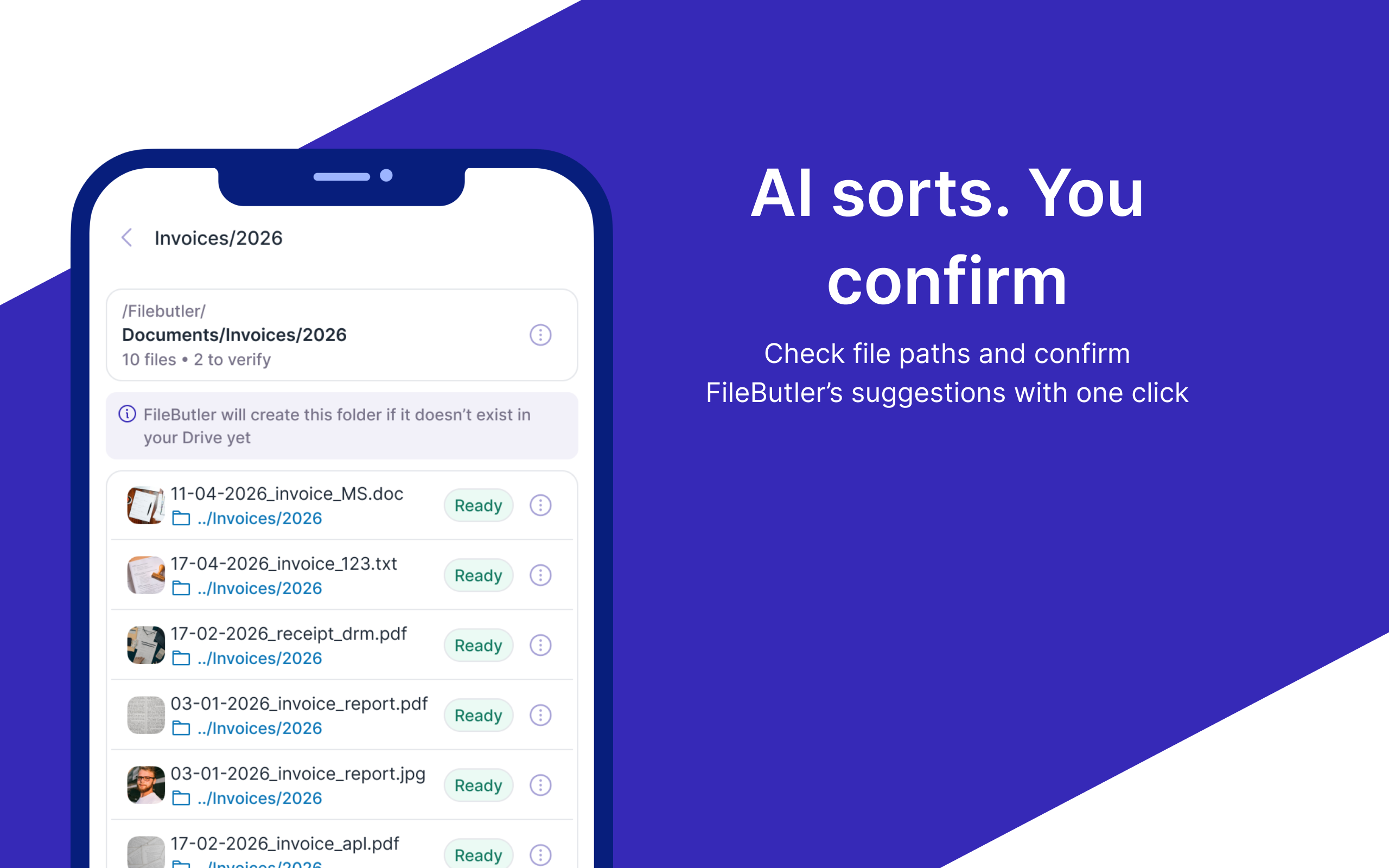
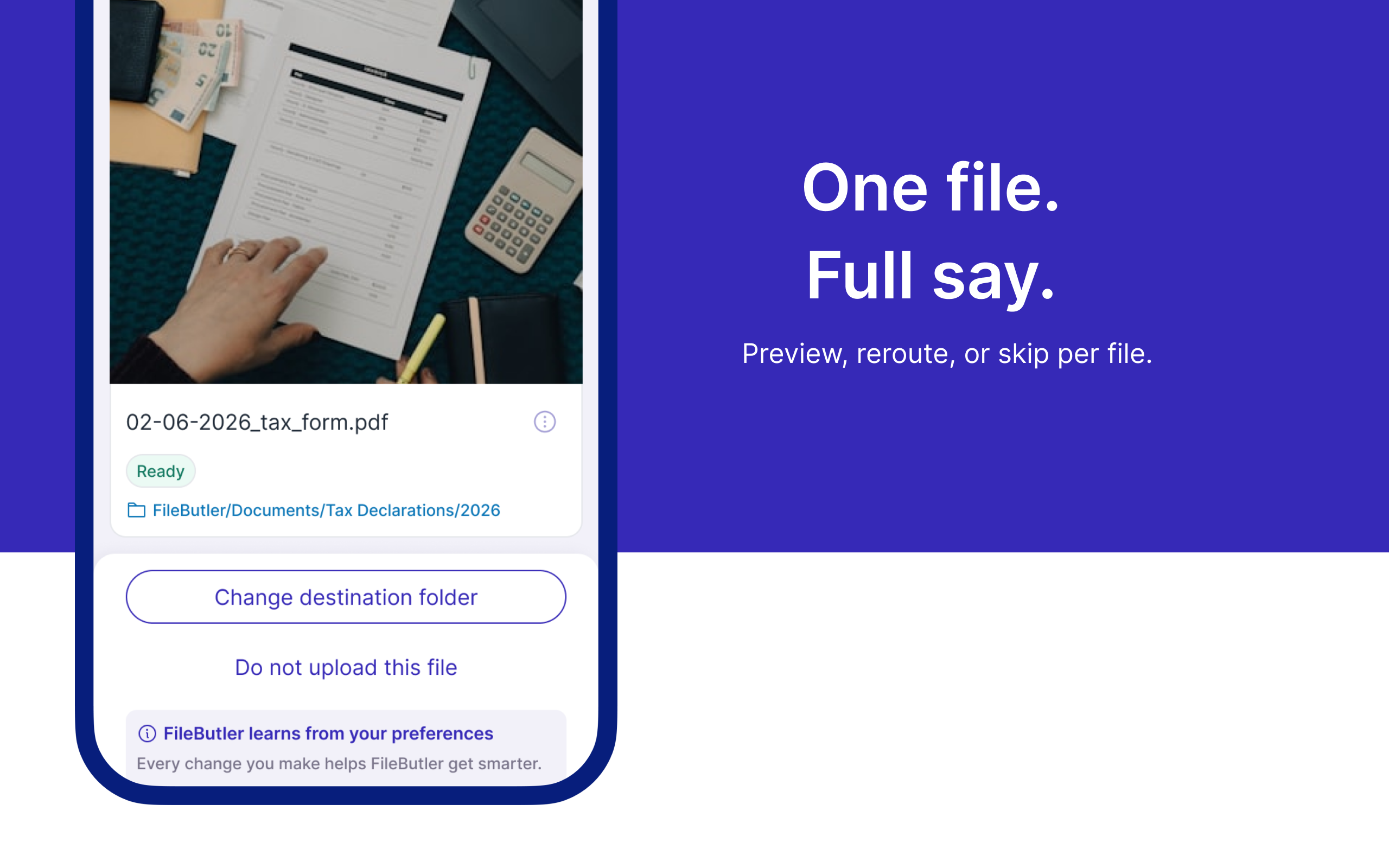
FileButler is a mobile app that organizes files in your existing Google Drive, Dropbox, OneDrive, or iCloud using personalized AI. Capture documents, scan with OCR, and get suggested folders and descriptive filenames based on content, then review before upload. It matches or creates subfolders, applies custom rules, and improves with every upload. Data stays in your cloud. Only metadata is retained. Professionals save hours keeping contracts, receipts, and reports tidy and searchable.
Features
- AI file classification with clear smart tagging for easy file searching
- Personalised AI that learns from your approvals and edits
- OCR scanner for paper documents
- Works inside Google Drive, Dropbox & OneDrive — no new storage
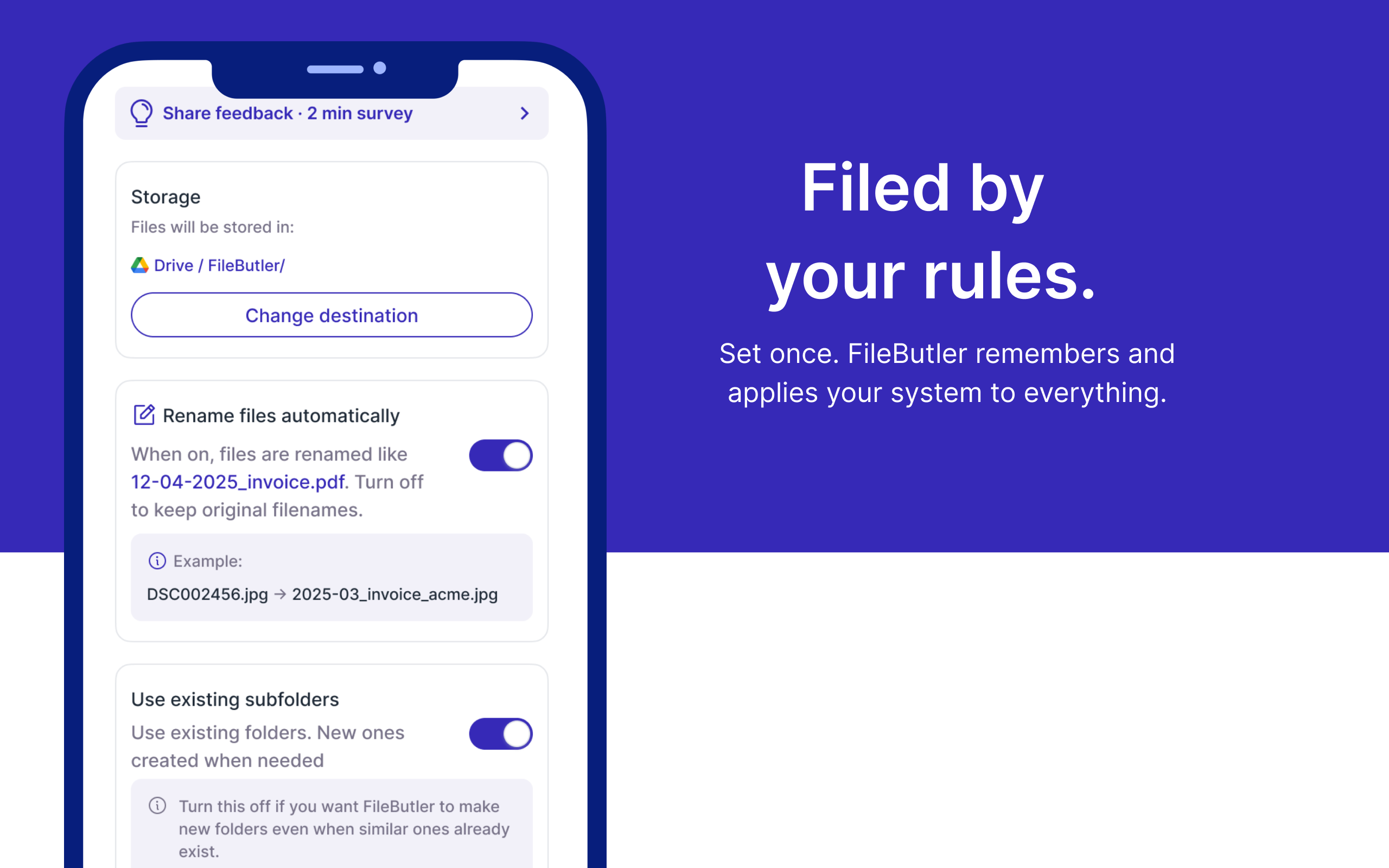
- Custom Instructions to organise files automatically
- Advanced and automated file renaming

Comments



A few months ago, I was sitting at my desk when my accountant called. He needed one specific document—a PDF invoice from six months prior—to finalize our yearly filing. I told him, "Give me two seconds." Two seconds turned into 45 minutes of complete panic. My Google Drive was an absolute mess. I was opening files named document(3).pdf, scan_4821.jpg, and final_v2_REAL.docx. I had files scattered across Google Drive, Dropbox, and random phone screenshots. I felt overwhelmed, unproductive, and frankly, embarrassed. When I looked for solutions, every app on the market told me the same thing: "Migrate all your files to our brand-new cloud platform!" But I didn't want another inbox or storage subscription. I liked Google Drive and Dropbox. I just hated how chaotic they had become. That night, my co-founders and I asked a simple question: What if an AI sat quietly inside the cloud storage you already use, learned how YOU like to group things, and automatically renamed and sorted them—without storing your actual data on external servers? That was the day FileButler was born. We built it because we were drowning in digital clutter, and we realized millions of freelancers, accountants, and busy teams were suffering from the exact same silent headache. We’re launching today not as a polished corporate entity, but as founders solving our own daily frustration. Would love for you to try it and tell us how your drive looks!
Premium Products










































Sponsors
Buy

Makers
Makers
Comments
A few months ago, I was sitting at my desk when my accountant called. He needed one specific document—a PDF invoice from six months prior—to finalize our yearly filing. I told him, "Give me two seconds." Two seconds turned into 45 minutes of complete panic. My Google Drive was an absolute mess. I was opening files named document(3).pdf, scan_4821.jpg, and final_v2_REAL.docx. I had files scattered across Google Drive, Dropbox, and random phone screenshots. I felt overwhelmed, unproductive, and frankly, embarrassed. When I looked for solutions, every app on the market told me the same thing: "Migrate all your files to our brand-new cloud platform!" But I didn't want another inbox or storage subscription. I liked Google Drive and Dropbox. I just hated how chaotic they had become. That night, my co-founders and I asked a simple question: What if an AI sat quietly inside the cloud storage you already use, learned how YOU like to group things, and automatically renamed and sorted them—without storing your actual data on external servers? That was the day FileButler was born. We built it because we were drowning in digital clutter, and we realized millions of freelancers, accountants, and busy teams were suffering from the exact same silent headache. We’re launching today not as a polished corporate entity, but as founders solving our own daily frustration. Would love for you to try it and tell us how your drive looks!
Premium Products
New to Fazier?

Find your next favorite product or submit your own. Made by @FalakDigital.
Copyright ©2026. All Rights Reserved