
Extract Text from Image
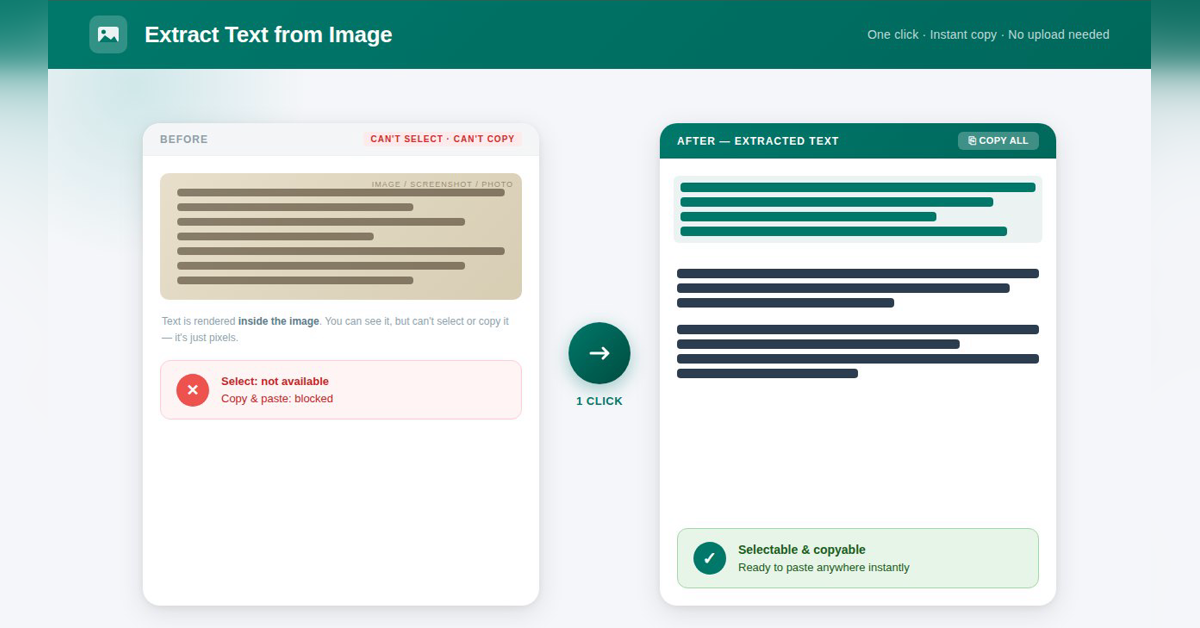
Copy text out of any screenshot or photo
A free Chrome extension that reads the text in an image, screenshot or photo so you can copy it or save it as TXT. Recognition runs on your own device, so images never leave your computer. Many languages, no account.

Features
Copy text from any image, screenshot or photo
OCR runs on your device, images are never uploaded
Upload a file or paste a picture with Ctrl+V
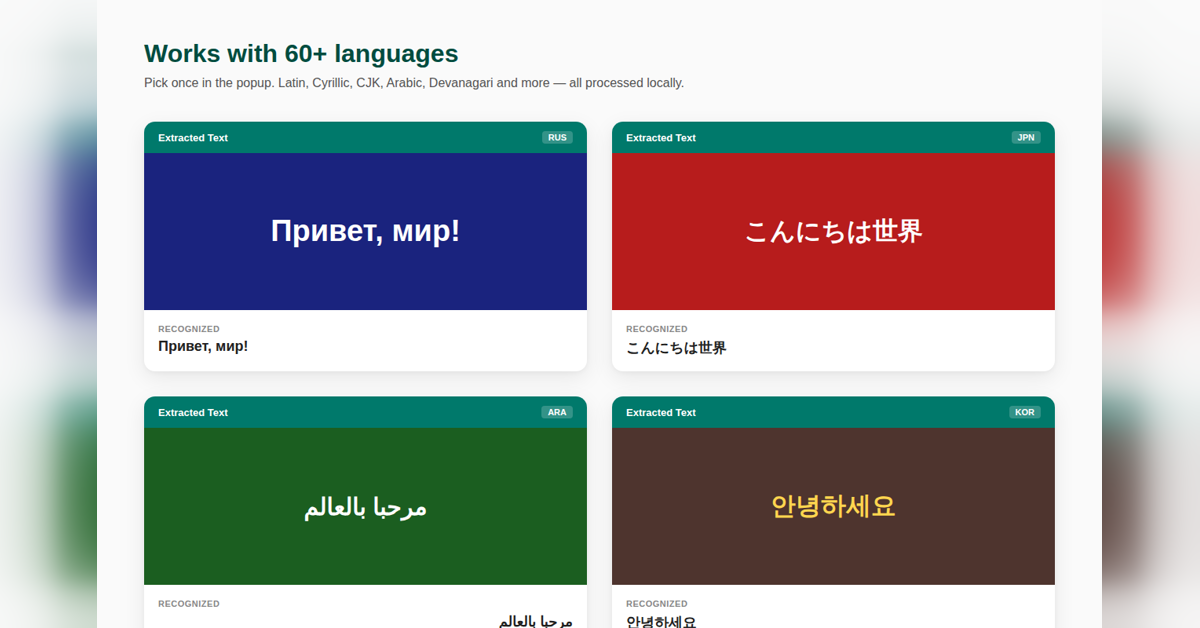
Dozens of languages: Latin, Cyrillic, Greek, Arabic, Hindi, Japanese, Korean, Thai and more
Copy all or download as .txt
Free, no account
Use Cases
Grabbing text from a screenshot of a chat, error message or slide
Copying numbers from a photo of a receipt or invoice
Pulling quotes out of infographics and scanned pages
Working with private documents you do not want to upload anywhere

Comments


Makers comment: Hi Fazier! You know that moment when the text is right there on the screen but you cannot select it? That is what this fixes. Paste or upload an image and get copyable text in a second. The part I cared about most: recognition runs in your browser, so screenshots of private chats or documents never go to a server. It is free with no account. Tell me which language it reads worst for you, that is what I am tuning next.
Premium Products


































Sponsors
Buy

Makers
Makers
Comments
Makers comment: Hi Fazier! You know that moment when the text is right there on the screen but you cannot select it? That is what this fixes. Paste or upload an image and get copyable text in a second. The part I cared about most: recognition runs in your browser, so screenshots of private chats or documents never go to a server. It is free with no account. Tell me which language it reads worst for you, that is what I am tuning next.
Premium Products
New to Fazier?

Find your next favorite product or submit your own. Made by @FalakDigital.
Copyright ©2026. All Rights Reserved