ExtraBar is a macOS productivity app that turns your menu bar into a customizable command center for quick actions.
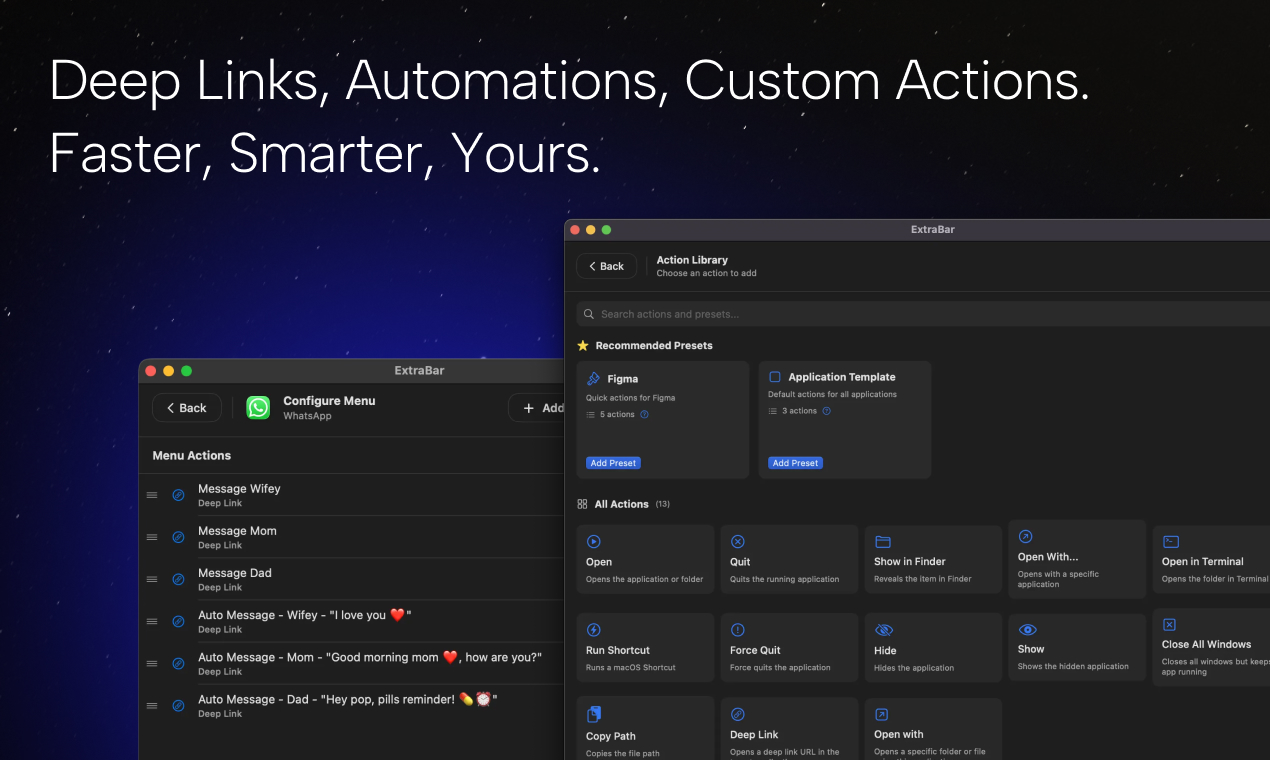
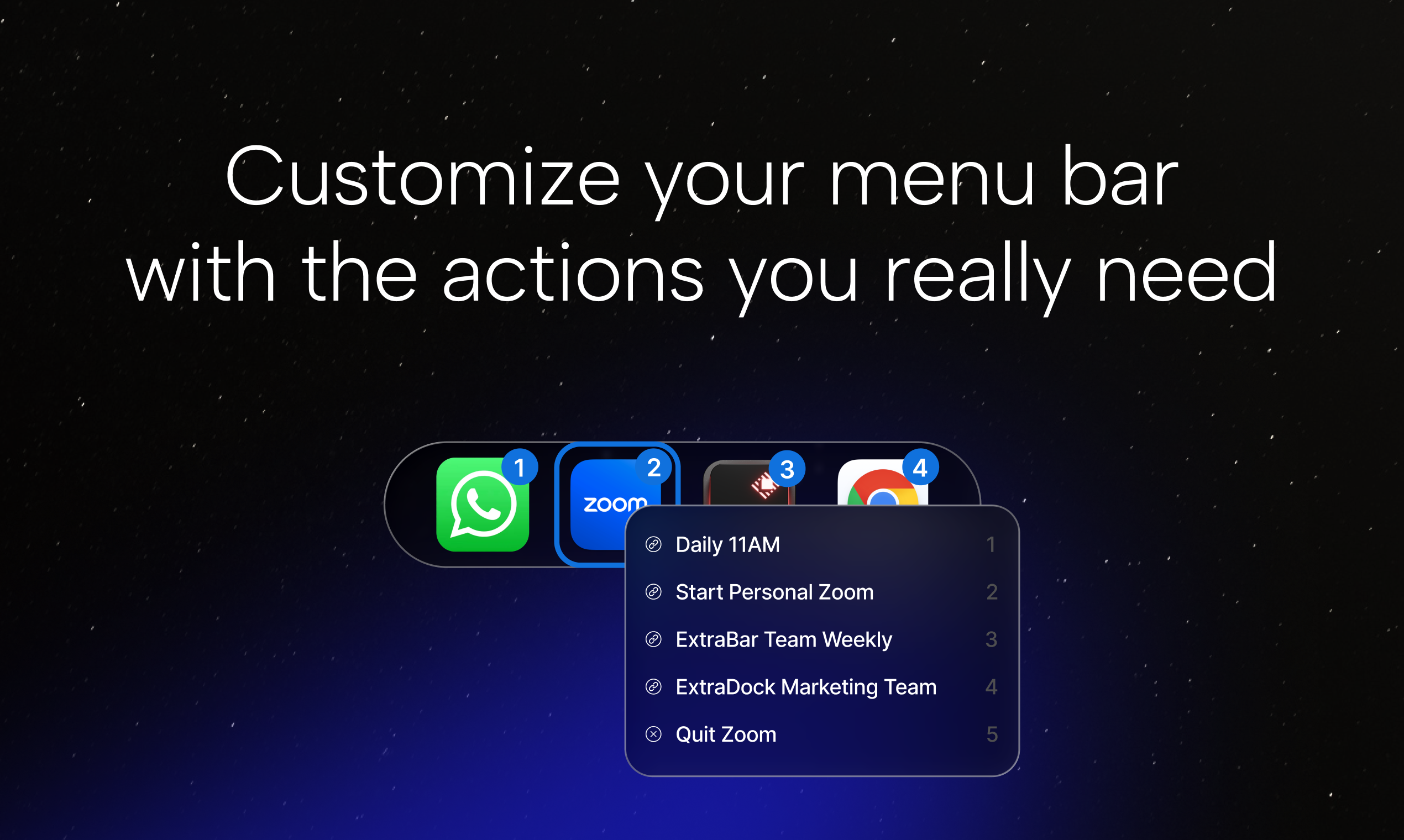
You create action lists that live in your menu bar. Each action can be a deep link, an Apple Shortcut, or even trigger Keyboard Maestro or Raycast macros. Choose apps to open with, or open specific folders paths.
Built native for macOS. No permissions required. Compatible with macOS 12.4+, including macOS 26 (Tahoe).
Use cases vary by workflow. Developers use ExtraBar to jump directly to specific IDE projects, Designers use deep links to specific Figma files or Notion docs. Team leads create actions that open specific Slack channels or project dashboards. Power users use ExtraBar to gap the bridge between management and hundreds of automation created by tools like Raycast, BetterTouchTool or Keyboard Maestro.
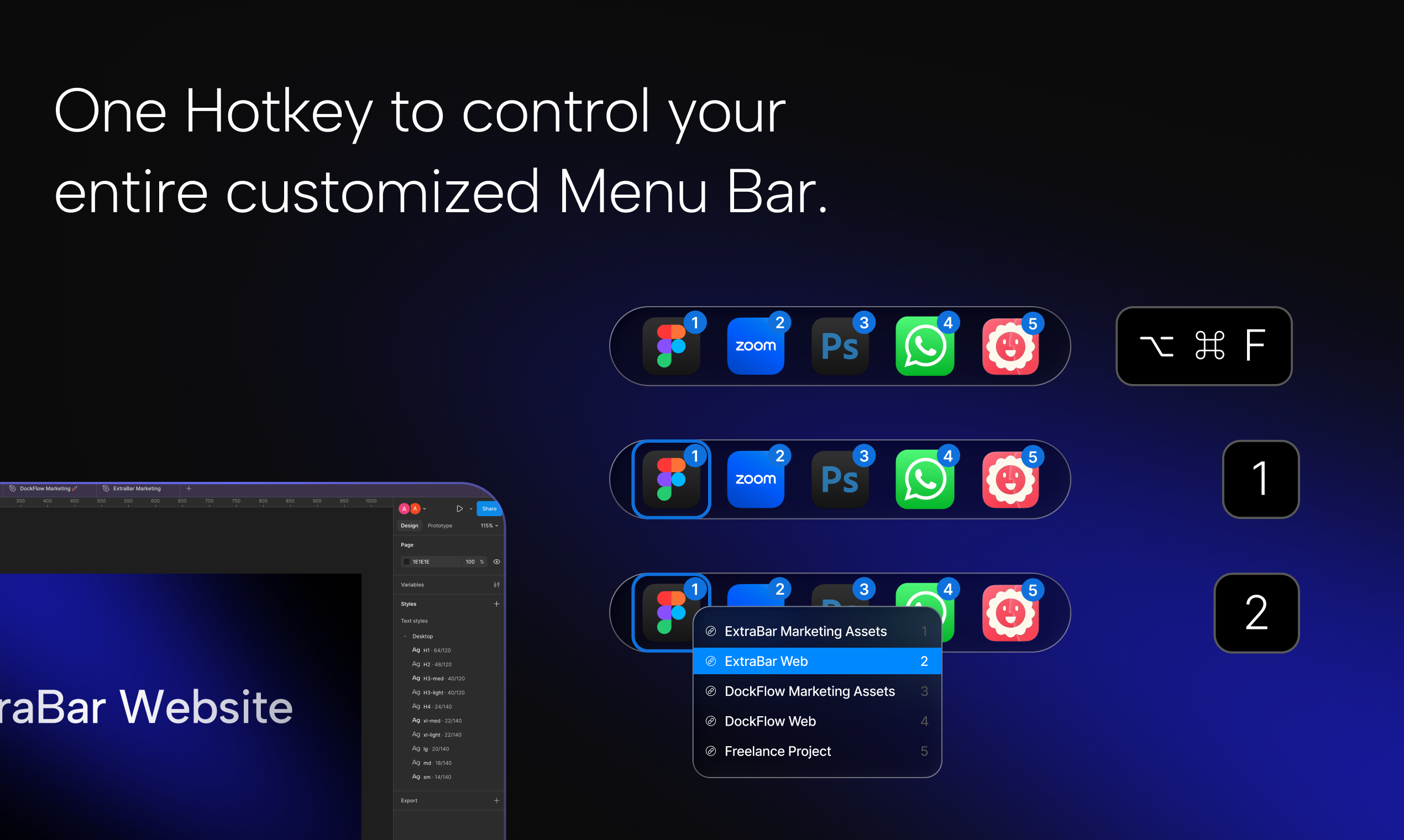
You can create multiple action lists organized however you prefer — by project, by app category, by client, or by context. Actions can be reordered, grouped, and customized. The app supports both inline mode (adds apps to the macOS menu bar) and floating bar mode (separate floating bar). Menu Mode allows users to have everything under a single icon for a cleaner workspace. Configurations can be exported and imported, making it easy to sync setups across machines or share workflows with teammates.
ExtraBar can stay hidden or visible, whatever works for you. Call it with an hotkey, or keep it handy as a floating bar or at the menu bar. Users with macOS 26 (Tahoe) can benefit from added functionality of holding Cmd and dragging away apps from the menu bar, and manage them through ExtraBar, with the custom actions they actually need.
Features
- Create unlimited action lists with deep links, Shortcuts, and macros.
- Trigger Keyboard Maestro, Raycast, or Shortcuts automations directly.
- Three display modes: Inline (menu bar), Floating bar, or Menu (single icon).
- Assign keyboard shortcuts to any action for instant access.
- Export and import configurations to sync across machines or share with teams. No permissions required — works out of the box on macOS 12.4+, including Tahoe.
Use Cases
- Create a control center for all your automations, actions and macros.
- Navigate your workspace with deep links. For example open a specific Notion page, open a specific Figma project, Connect to a specific country in your VPN.
- Create a customized menu for the most powerful tools such as Raycast, BetterTouchTool and Keyboard Maestro.
- Automating daily activities in order to save time.

Comments


Hey everybody, ExtraBar is my third macOS app after DockFlow and ExtraDock. After two dock apps I decided to take on the mess that is the menu bar. ExtraBar was in development for several months before it was released in December 29th of 2025. I set a goal to launch it before 2026 and I succeeded, together with my small team of indie devs. Since launch ExtraBar is already serving more than 300 users, all of whom are very happy. Ranging between super casual users with super simple requests, to really advanced users with very complicated feature requests. Two weeks after the launch, we were already at our 7th update. Multiple reddit posts praised ExtraBar and provided insight on how to use it. As well as Youtube videos coverage and even 2 big newsletters. I promise to keep improving ExtraBar and to make it the best productivity tool that'll serve you. Best, Asaf


Premium Products




































Makers
Makers
Comments
Hey everybody, ExtraBar is my third macOS app after DockFlow and ExtraDock. After two dock apps I decided to take on the mess that is the menu bar. ExtraBar was in development for several months before it was released in December 29th of 2025. I set a goal to launch it before 2026 and I succeeded, together with my small team of indie devs. Since launch ExtraBar is already serving more than 300 users, all of whom are very happy. Ranging between super casual users with super simple requests, to really advanced users with very complicated feature requests. Two weeks after the launch, we were already at our 7th update. Multiple reddit posts praised ExtraBar and provided insight on how to use it. As well as Youtube videos coverage and even 2 big newsletters. I promise to keep improving ExtraBar and to make it the best productivity tool that'll serve you. Best, Asaf
Premium Products
New to Fazier?

Find your next favorite product or submit your own. Made by @FalakDigital.
Copyright ©2026. All Rights Reserved