
EditCanvas
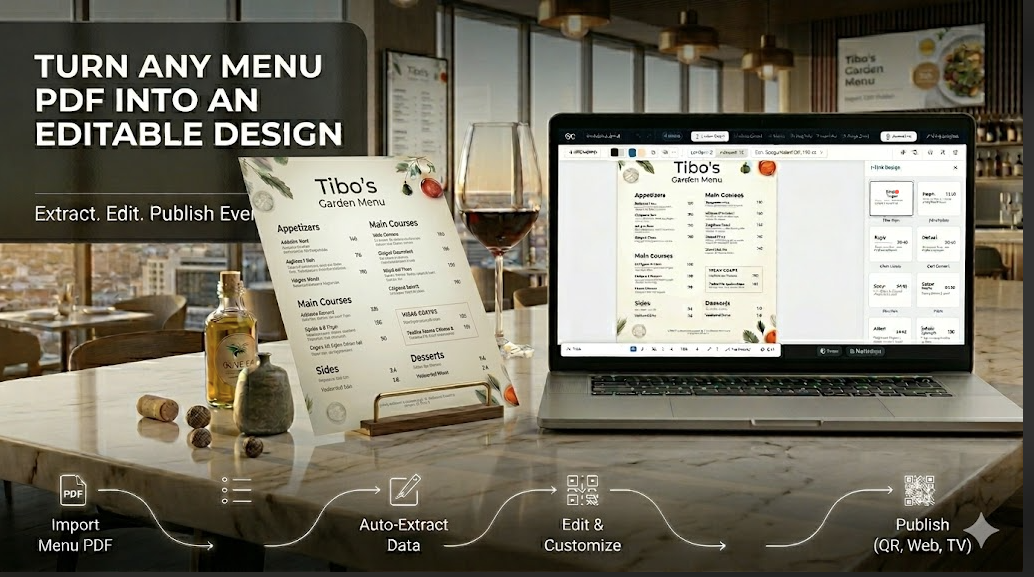
Turn Any Menu or PDF Into an Editable Design
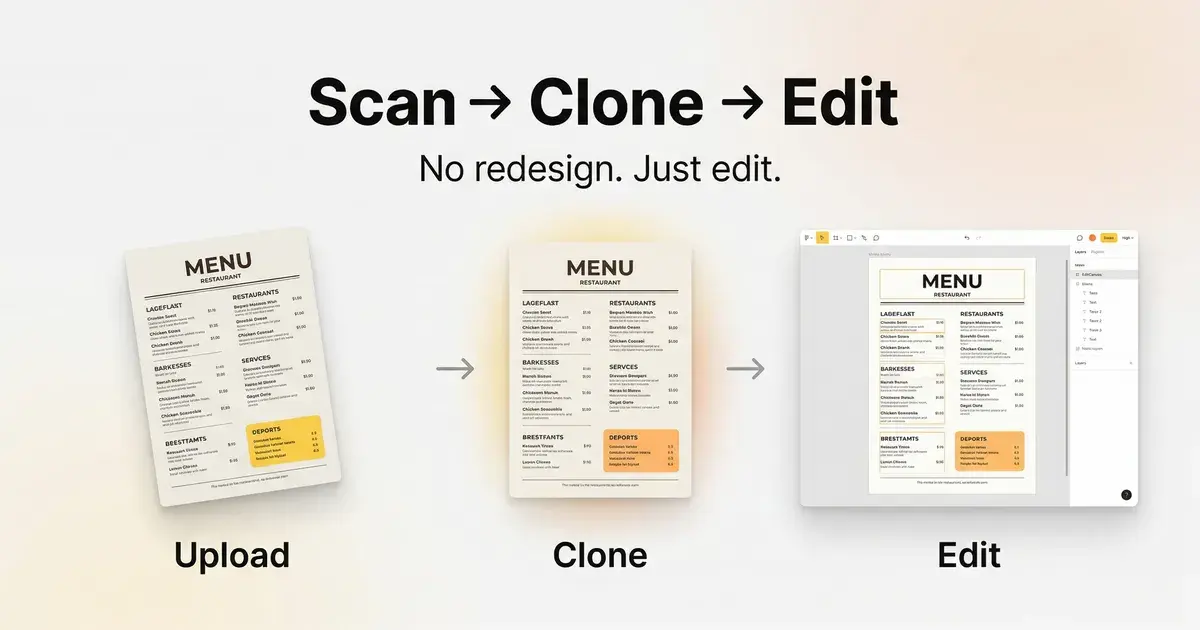
EditCanvas helps restaurants transform menu PDFs, images, and existing menu designs into editable menu data and fully customizable designs.
Instead of rebuilding menus from scratch every time prices change, simply upload an existing menu and EditCanvas automatically extracts menu items, descriptions, prices, and categories.
The content can then be customized using a Canva-like editor and published across QR menus, web menus, digital signage, and print-ready PDFs from one platform.
From PDF → Menu Data → Editable Design → Live Publishing.
Features
- Import menu PDFs, images, and existing menu designs
- Automatically extract menu items, prices, and categories
- Convert menus into fully editable designs
- Canva-like drag-and-drop editor
- QR menu publishing
- Web menu publishing
- Digital signage url
- Multi-location menu management
- POS integrations
- Team collaboration
Use Cases
- Restaurants managing menu updates
- Cafés and coffee shops
- Food trucks and pop-up kitchens
- Restaurant franchises
- Hospitality groups
- Digital menu boards and signage
- QR menu experiences
- Restaurant agencies and designers

Comments




The auto-extract step is where this lives or dies. Menu PDFs are a nightmare of inconsistent layouts (two columns, nested modifiers, "+$2 add egg"), and if I have to re-fix every price after import, the Canva-style editor doesn't actually save me time. The publish-from-one-source to QR, web, and digital signage is the real hook though, most restaurants quietly keep three out-of-sync versions of the same menu. With POS integration in the mix, how do you handle re-import when the owner edits the original PDF: does it diff against my customizations or overwrite them?

Love how EditCanvas removes the hassle of rebuilding menus from scratch. The ability to turn PDFs and images into editable menu data and publish updates across multiple channels from one place is a huge time-saver for restaurants. Just one question can EditCanvas automatically sync menu updates from POS systems to keep prices and items consistent across all published menus?

Nice touch letting the editor load before signup — saw value before any wall. Spun up a quick Lastest (visual-regression) baseline of the canvas editor and composed a sample design while I was in there: https://app.lastest.cloud/r/WbeUIaXsQftiDrJ6a-NReQ
Yupcha is an AI-powered interview platform that helps companies screen and evaluate candidates automatically. Instead of spending hours on repetitive first-round interviews, recruiters can let AI conduct structured interviews, assess responses, detect suspicious behavior, and identify the most qualified candidates. This helps teams hire faster, reduce screening workload, and provide every applicant with a consistent interview experience.

Premium Products



































Sponsors
Buy

Awards
View all
Awards
View allMakers

Makers
Comments
The auto-extract step is where this lives or dies. Menu PDFs are a nightmare of inconsistent layouts (two columns, nested modifiers, "+$2 add egg"), and if I have to re-fix every price after import, the Canva-style editor doesn't actually save me time. The publish-from-one-source to QR, web, and digital signage is the real hook though, most restaurants quietly keep three out-of-sync versions of the same menu. With POS integration in the mix, how do you handle re-import when the owner edits the original PDF: does it diff against my customizations or overwrite them?
Love how EditCanvas removes the hassle of rebuilding menus from scratch. The ability to turn PDFs and images into editable menu data and publish updates across multiple channels from one place is a huge time-saver for restaurants. Just one question can EditCanvas automatically sync menu updates from POS systems to keep prices and items consistent across all published menus?
Nice touch letting the editor load before signup — saw value before any wall. Spun up a quick Lastest (visual-regression) baseline of the canvas editor and composed a sample design while I was in there: https://app.lastest.cloud/r/WbeUIaXsQftiDrJ6a-NReQ
Yupcha is an AI-powered interview platform that helps companies screen and evaluate candidates automatically. Instead of spending hours on repetitive first-round interviews, recruiters can let AI conduct structured interviews, assess responses, detect suspicious behavior, and identify the most qualified candidates. This helps teams hire faster, reduce screening workload, and provide every applicant with a consistent interview experience.
Premium Products
New to Fazier?

Find your next favorite product or submit your own. Made by @FalakDigital.
Copyright ©2026. All Rights Reserved