EdgeBar
Control your Mac's volume and brightness from the trackpad
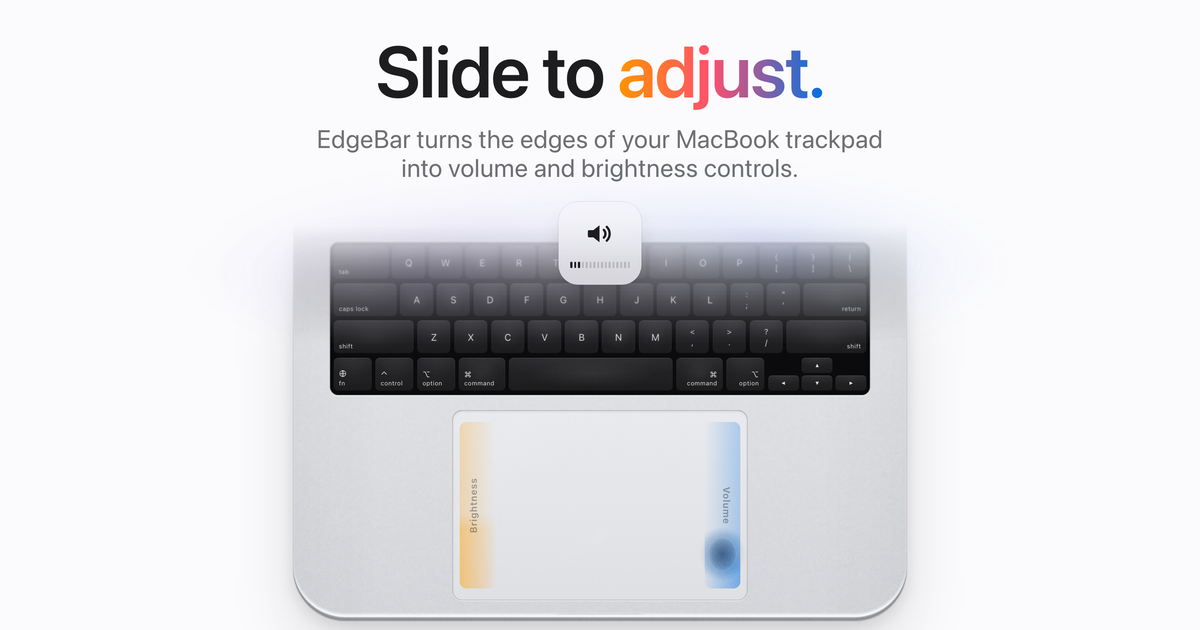
EdgeBar turns the edges of your MacBook trackpad into volume and brightness controls. Slide up or down along one edge for brightness and the other for volume. A light haptic tick follows your finger, and your pointer stays put while you slide. It lives in the menu bar with no Dock icon and almost no CPU use. Requires macOS 13 Ventura or later. One-time purchase, no subscription.
Features
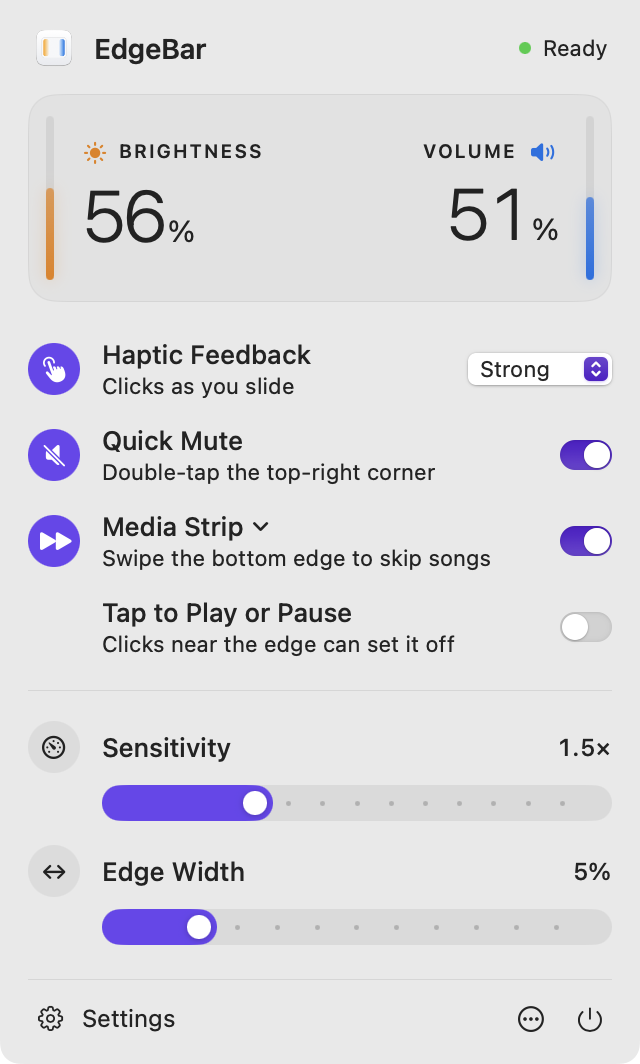
Quick Mute: double-tap the top-right corner. Media Strip: swipe the bottom edge to skip tracks, tap to play or pause. Haptic feedback as you slide. Fine control: hold Shift-Option for quarter steps. Cursor freeze while you slide. Swap sides if you prefer brightness on the right.
Use Cases
Change volume or brightness without reaching for the keyboard row. Adjust the volume mid-call without opening a menu. Skip tracks from the trackpad while you work.

Comments


Hi Fazier, I'm Shashank, the maker of EdgeBar. I got tired of reaching for the keyboard row just to change volume or brightness on my MacBook, so I made the trackpad edges do it: slide up or down along an edge and a small HUD follows your finger. It sits in the menu bar, has no Dock icon and uses almost no CPU. It's a one-time purchase with no subscription, and it's $9 right now as an early-bird price. I'd love to hear what you'd want it to do next, and I'll answer every question here.
Premium Products











































Sponsors
Buy
Makers
Makers
Comments
Hi Fazier, I'm Shashank, the maker of EdgeBar. I got tired of reaching for the keyboard row just to change volume or brightness on my MacBook, so I made the trackpad edges do it: slide up or down along an edge and a small HUD follows your finger. It sits in the menu bar, has no Dock icon and uses almost no CPU. It's a one-time purchase with no subscription, and it's $9 right now as an early-bird price. I'd love to hear what you'd want it to do next, and I'll answer every question here.
Premium Products
New to Fazier?

Find your next favorite product or submit your own. Made by @FalakDigital.
Copyright ©2026. All Rights Reserved