
EarDub
Hear any video in your language, in sync with the speaker
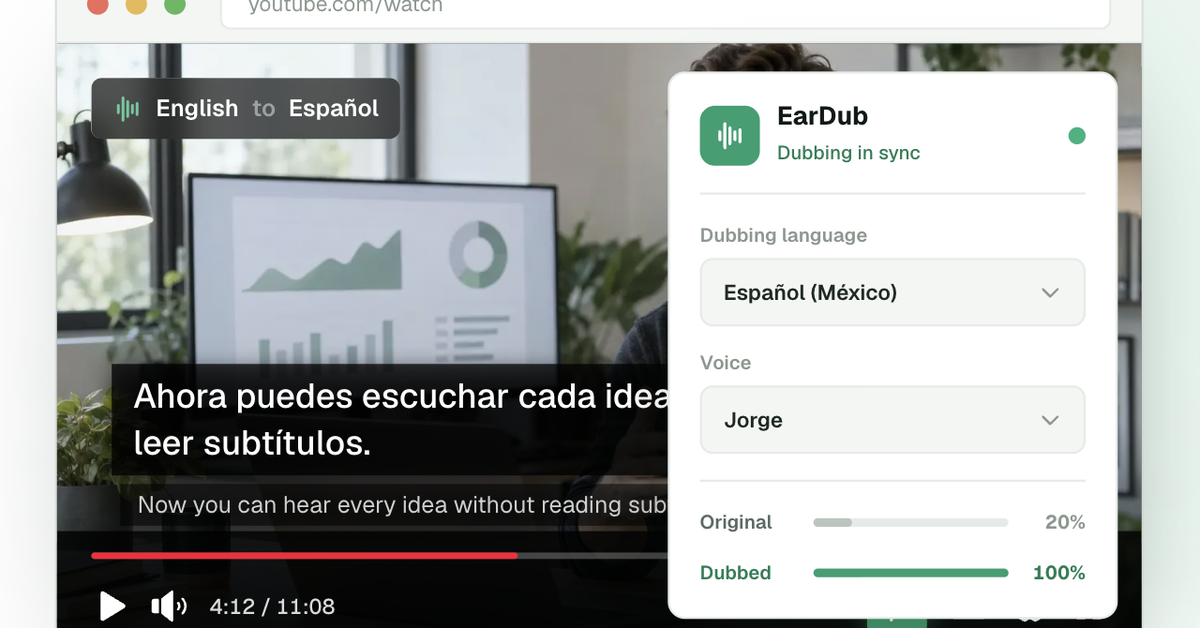
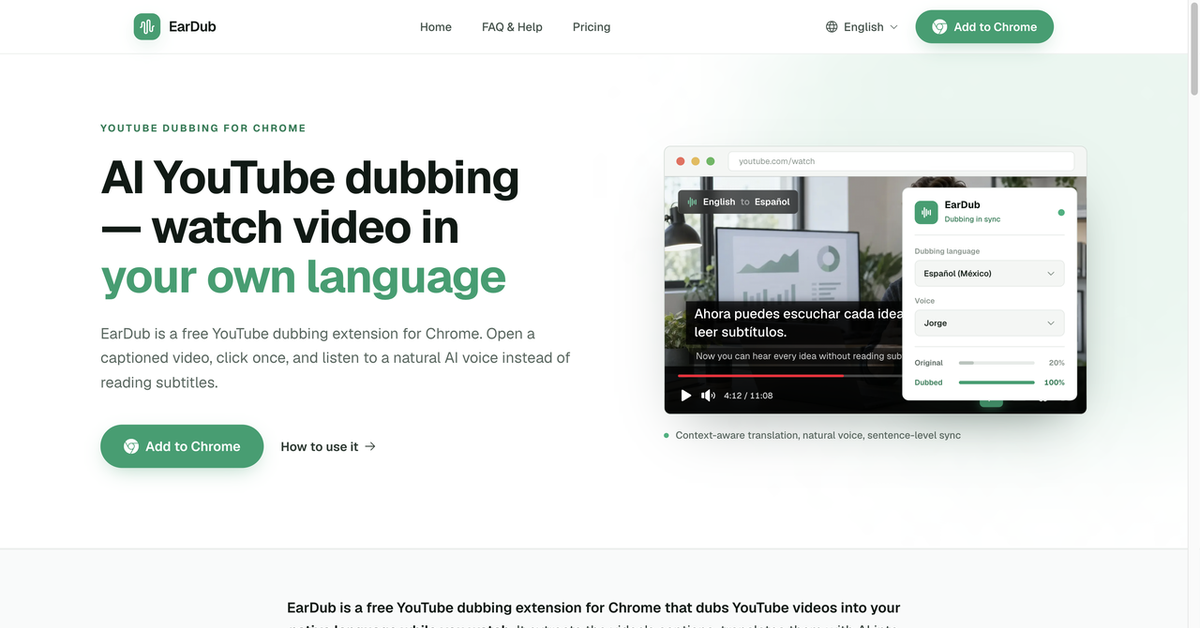
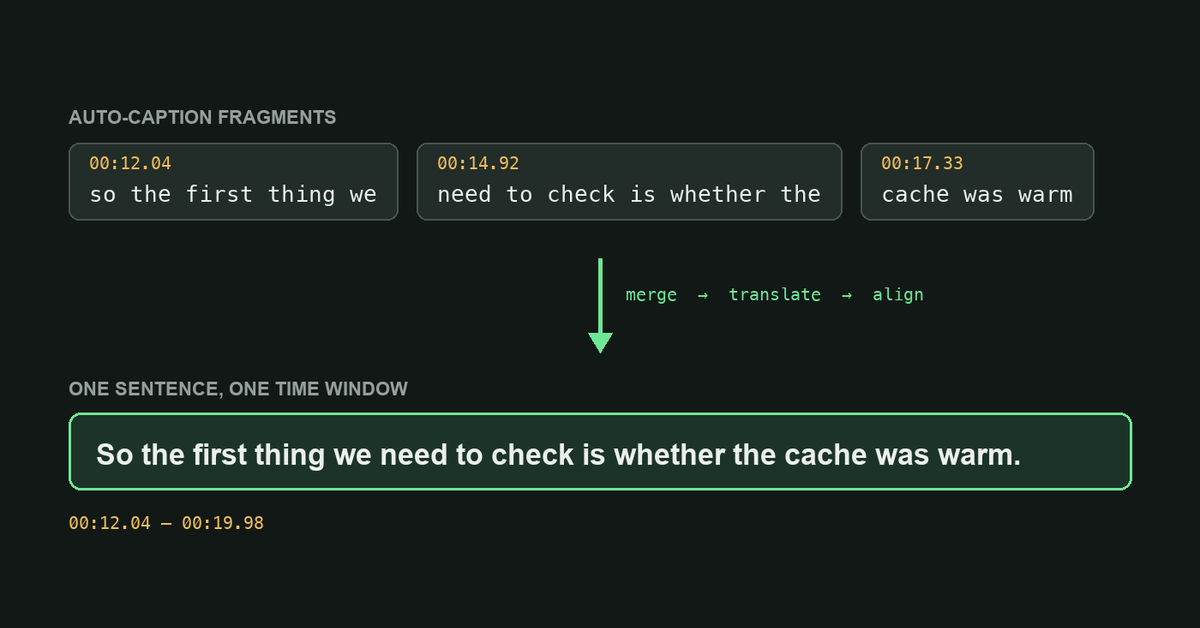
EarDub is a Chrome extension for people who would rather listen to a foreign-language YouTube video than read subtitles for the whole thing. It uses the captions the video already has (auto-generated ones work too), joins the short caption fragments back into complete sentences, translates them with context, and plays a neural voice-over in your language that stays in sync with the video.
The original audio keeps playing quietly underneath, so you still hear the speaker's tone and pauses. Free with an account for 30 minutes of dubbing a day; paid plans start at $9.99/month. It runs on youtube.com in desktop Chrome, and a video needs captions to be dubbed.

Comments


Hi Fazier, I'm the product manager at EarDub. EarDub is for the moment you find the perfect YouTube talk or tutorial, but it's in a language you'd have to read subtitles for the whole time. It takes the captions the video already has, merges the short caption fragments into full sentences, translates them with context, and plays a synced AI voice-over in your language, with the original audio kept quietly underneath. Honest limits: it needs captions to work, and it runs on youtube.com in desktop Chrome for now. I'd really like feedback on how the timing feels in your language, especially on fast speakers, and which videos break it.
Keeping the original audio quietly underneath is a smart choice — full dubbing tends to flatten the speaker's tone and timing. Thirty minutes a day free is enough to test it on a lecture or two. Does it work on embedded players like Vimeo or course platforms, or only where captions are exposed in the page?



Joining caption fragments into full sentences before translating is the smart part. Translating 2–3 word caption chunks is where most auto-dubbing sounds wrong. Does it support Urdu as a target language? Many of the gadget reviews our team in Lahore watches are in Chinese or Korean, and an Urdu voice-over would stand out.


Joining caption fragments back into full sentences before translating is the right call — auto captions split mid-clause and that's where most dubbing tools sound robotic. How do you handle timing when the translated sentence runs longer than the original, e.g. English to German? Do you speed up the voice or let it drift and resync at the next sentence?

Premium Products














































Awards
View all
Awards
View allMakers
Makers
Comments
Hi Fazier, I'm the product manager at EarDub. EarDub is for the moment you find the perfect YouTube talk or tutorial, but it's in a language you'd have to read subtitles for the whole time. It takes the captions the video already has, merges the short caption fragments into full sentences, translates them with context, and plays a synced AI voice-over in your language, with the original audio kept quietly underneath. Honest limits: it needs captions to work, and it runs on youtube.com in desktop Chrome for now. I'd really like feedback on how the timing feels in your language, especially on fast speakers, and which videos break it.
Keeping the original audio quietly underneath is a smart choice — full dubbing tends to flatten the speaker's tone and timing. Thirty minutes a day free is enough to test it on a lecture or two. Does it work on embedded players like Vimeo or course platforms, or only where captions are exposed in the page?
Joining caption fragments into full sentences before translating is the smart part. Translating 2–3 word caption chunks is where most auto-dubbing sounds wrong. Does it support Urdu as a target language? Many of the gadget reviews our team in Lahore watches are in Chinese or Korean, and an Urdu voice-over would stand out.
Joining caption fragments back into full sentences before translating is the right call — auto captions split mid-clause and that's where most dubbing tools sound robotic. How do you handle timing when the translated sentence runs longer than the original, e.g. English to German? Do you speed up the voice or let it drift and resync at the next sentence?
Premium Products
New to Fazier?

Find your next favorite product or submit your own. Made by @FalakDigital.
Copyright ©2026. All Rights Reserved