
Duply
Native Mac cleaner that shows every file before it deletes
I got tired of paying a yearly subscription just to clear caches on a 256GB MacBook, so I built Duply.
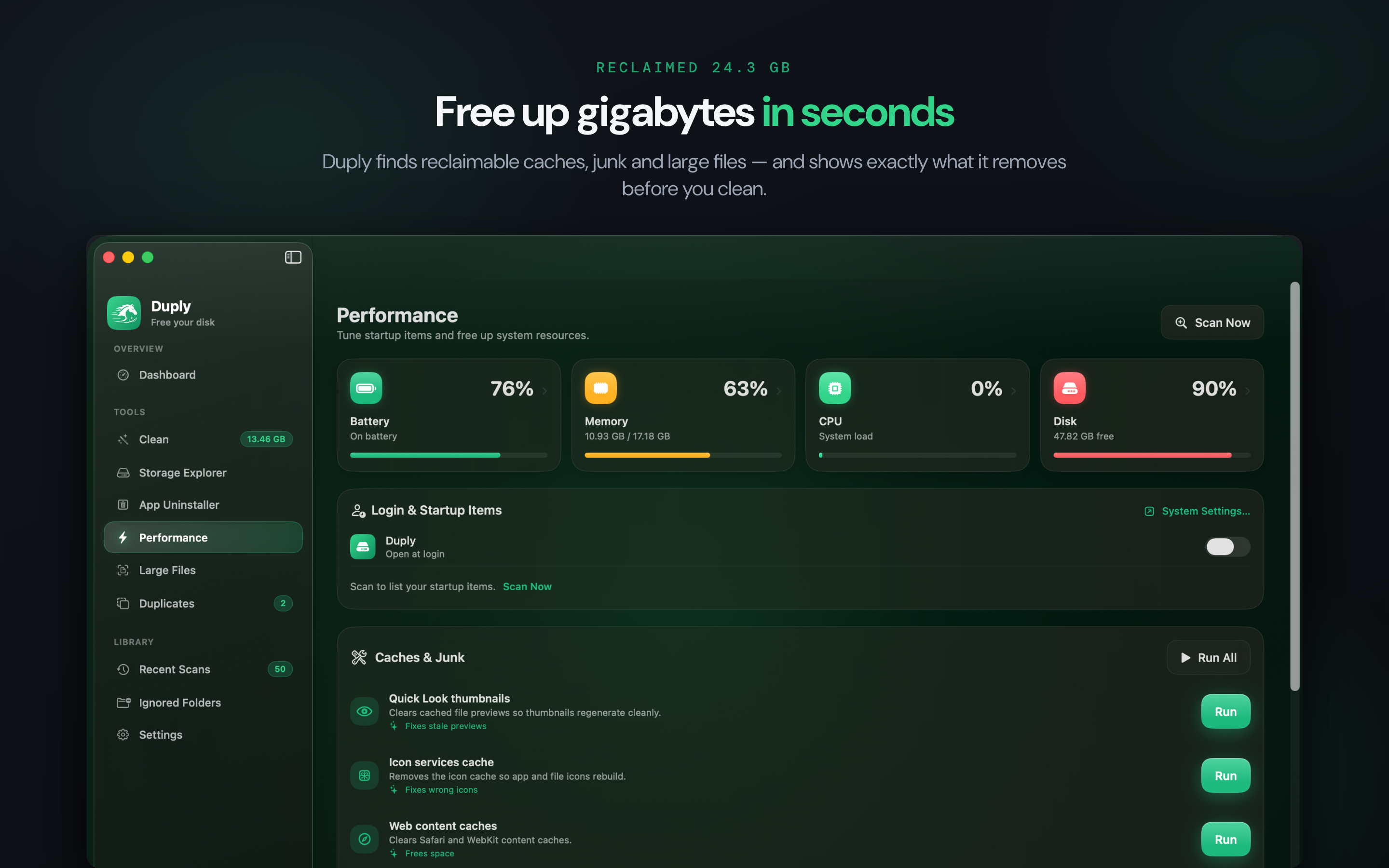
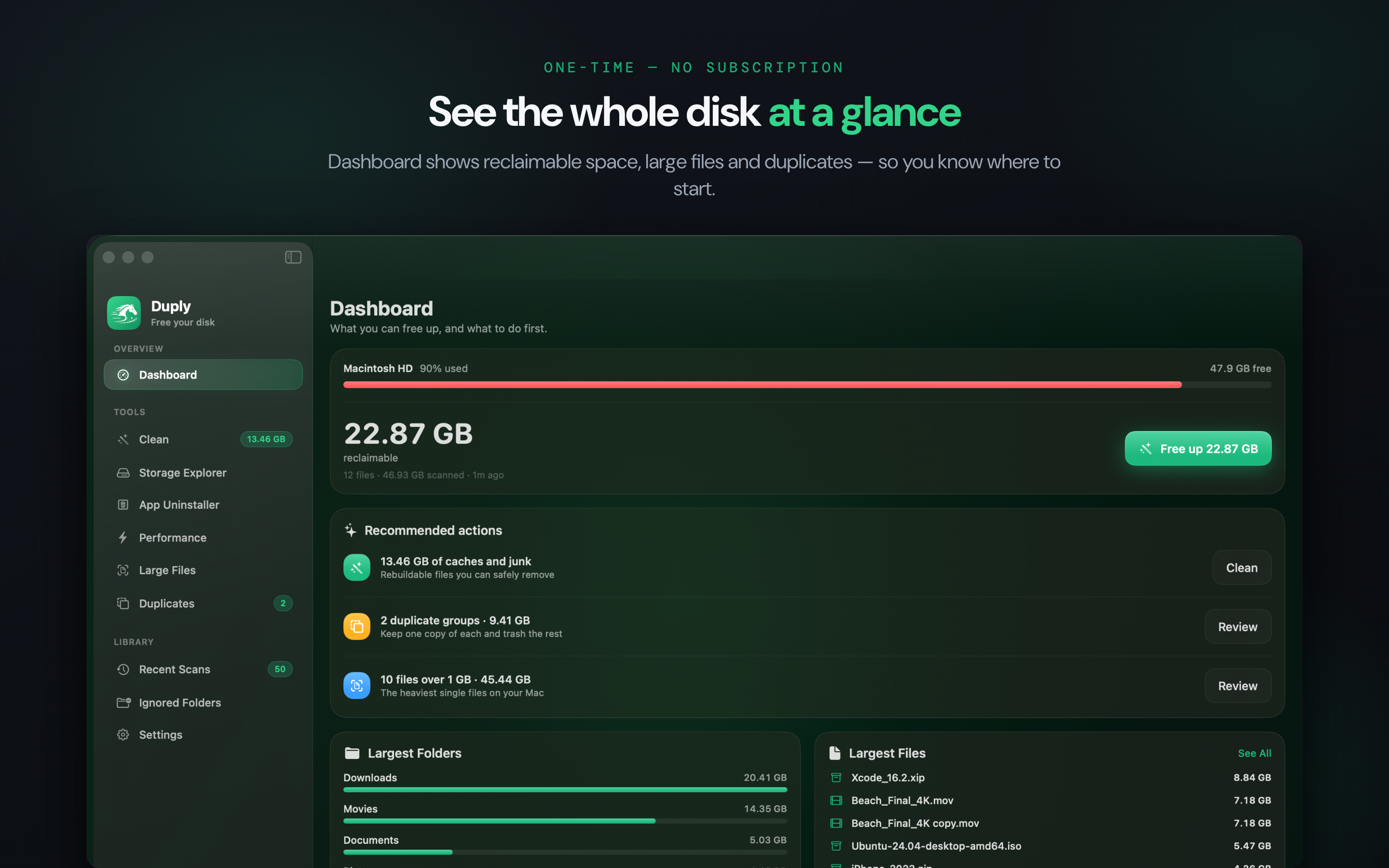
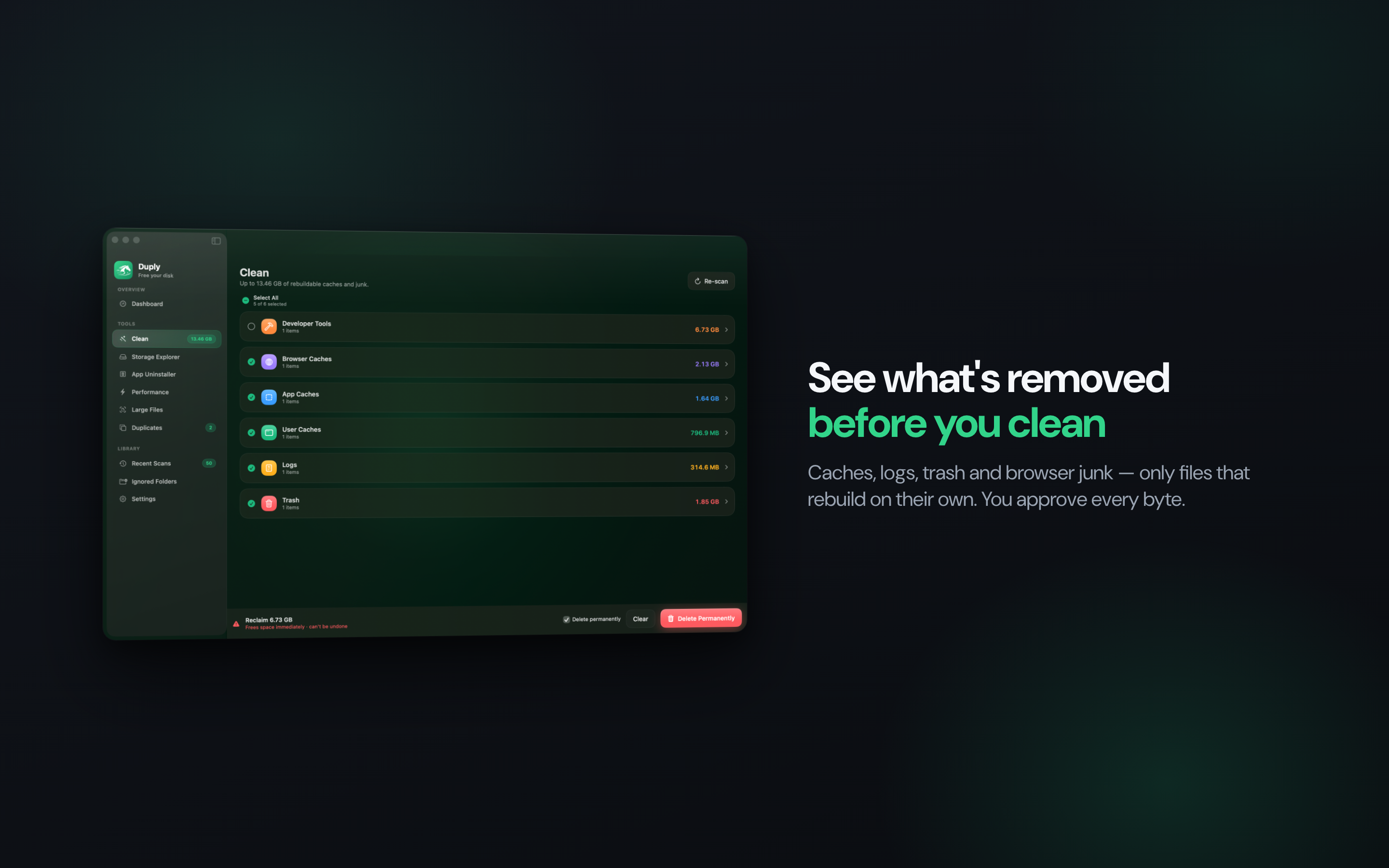
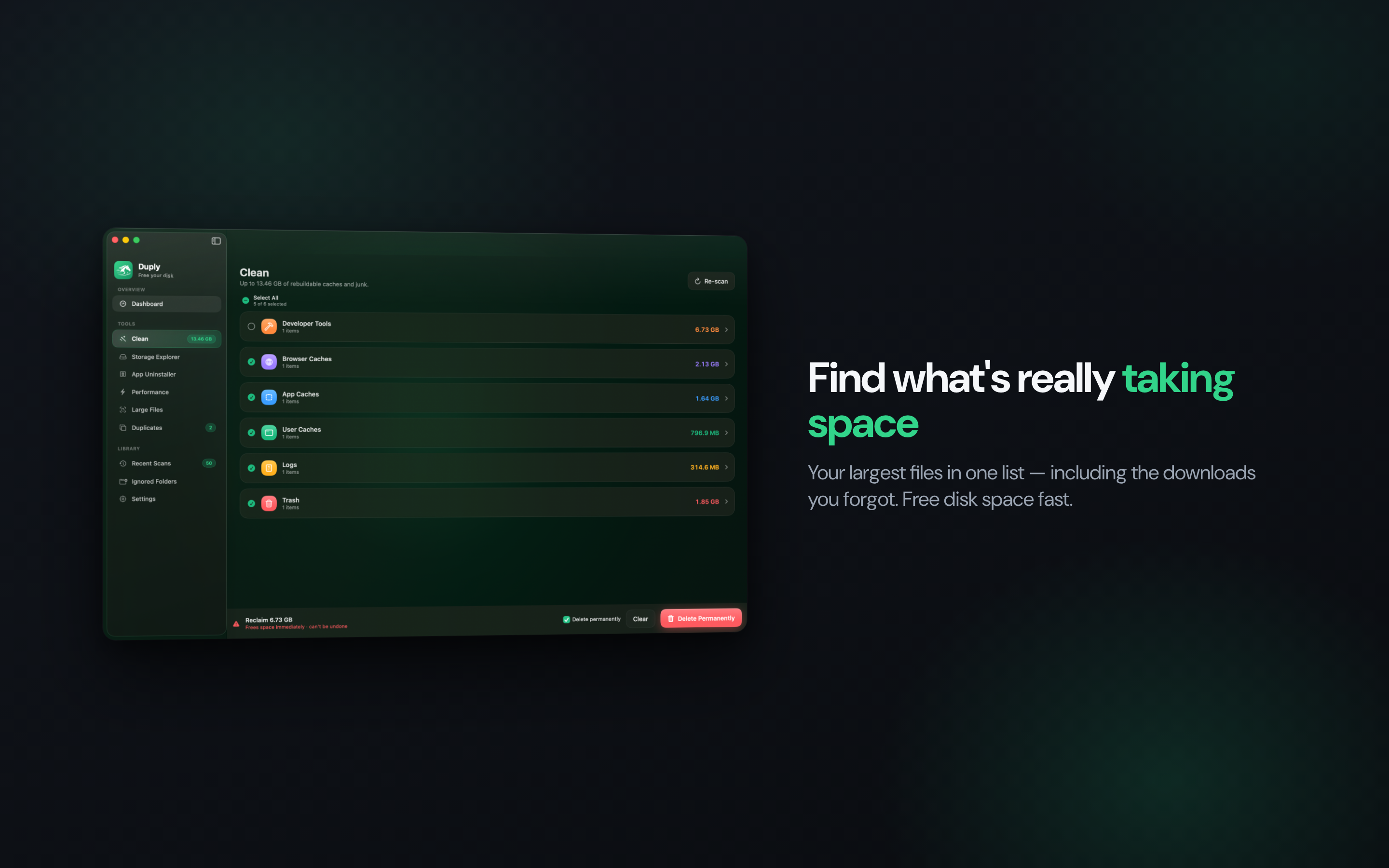
It scans the folders you grant it and sorts what it finds into three piles: junk and caches that rebuild themselves, duplicates matched by content hash rather than filename, and the biggest files on disk. Nothing is deleted until you've seen it — every file is listed, you tick what goes, and you pick the Trash or a permanent delete.
If you develop on a Mac, the usual suspects turn up fast: Xcode DerivedData, simulator images, old node_modules folders.
Built with Swift and SwiftUI, fully sandboxed. No account, no network access, no telemetry — nothing leaves the machine.
$4.99 once on the Mac App Store, macOS 14 or later.
Features
Preview before delete — every file is listed and approved by you before anything is removed
Content-hash duplicate detection — catches renamed copies, not just same-name files
Large file finder and folder-level storage overview
App uninstaller that clears leftover support files
Move to Trash or delete permanently — your choice
Fully sandboxed: no account, no network, no telemetry
Use Cases
Free up space on a MacBook that's always full
Clean a development Mac — Xcode DerivedData, simulator images, node_modules
Find and remove duplicate downloads and photos
Check what's actually eating your disk before deleting anything

Comments


Hey everyone 👋 I built Duply because I got tired of paying a yearly subscription just to clear caches on a 256GB MacBook — and because most cleaners either look sketchy or hide what they're actually deleting. The one rule I wouldn't bend: Duply shows you every file before it removes anything. Junk, caches, content-hash duplicates, big files — all listed, and you tick what goes. Nothing leaves your Mac; it's fully sandboxed with no account and no telemetry. It's a one-time $4.99 on the Mac App Store, no subscription. Happy to answer anything — especially curious what you'd want a cleaner to never touch.
Premium Products






















































Sponsors
Buy

Makers
Makers
Comments
Hey everyone 👋 I built Duply because I got tired of paying a yearly subscription just to clear caches on a 256GB MacBook — and because most cleaners either look sketchy or hide what they're actually deleting. The one rule I wouldn't bend: Duply shows you every file before it removes anything. Junk, caches, content-hash duplicates, big files — all listed, and you tick what goes. Nothing leaves your Mac; it's fully sandboxed with no account and no telemetry. It's a one-time $4.99 on the Mac App Store, no subscription. Happy to answer anything — especially curious what you'd want a cleaner to never touch.
Premium Products
New to Fazier?

Find your next favorite product or submit your own. Made by @FalakDigital.
Copyright ©2026. All Rights Reserved