
DropText
Share text or code with a link and a QR code. No ads.
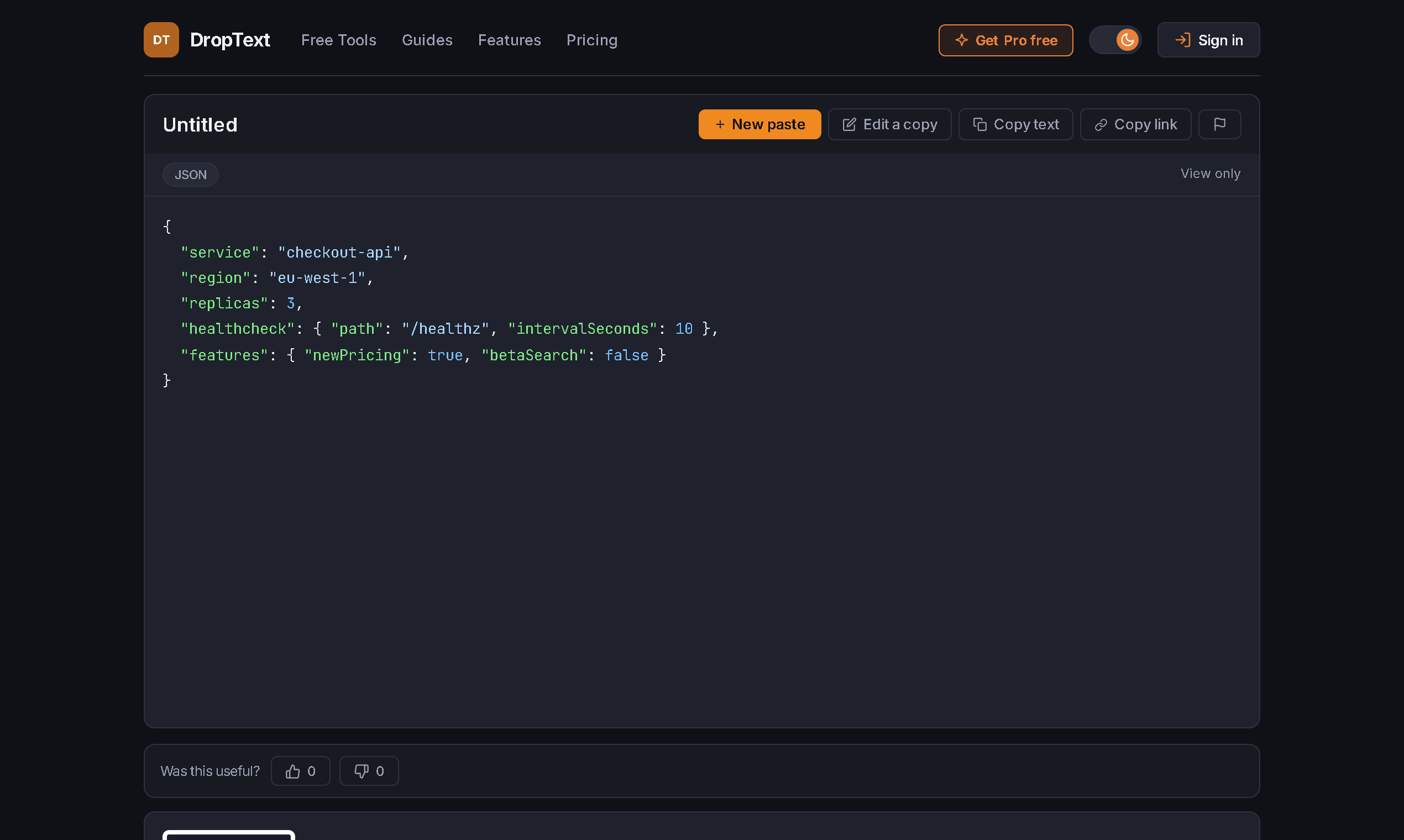
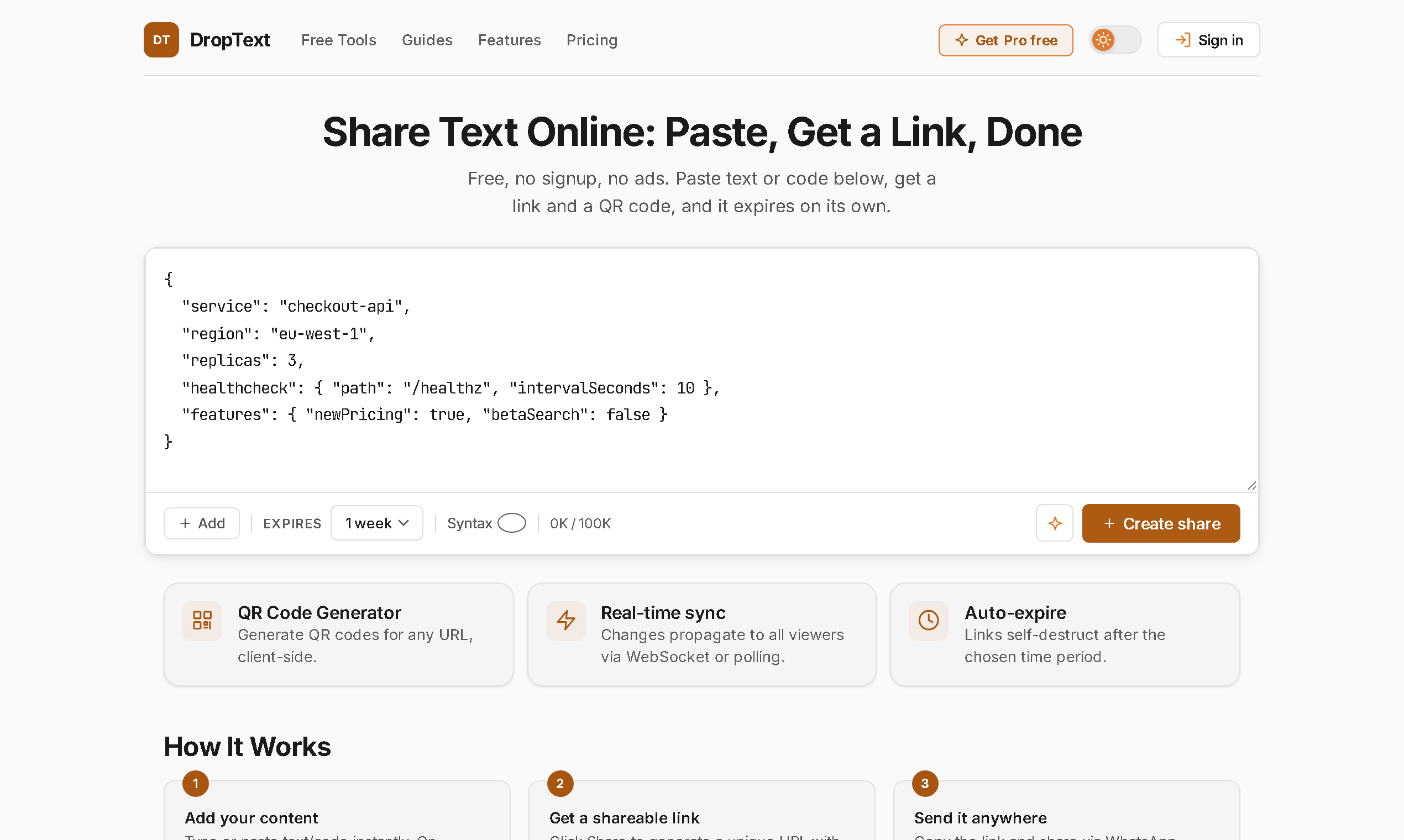
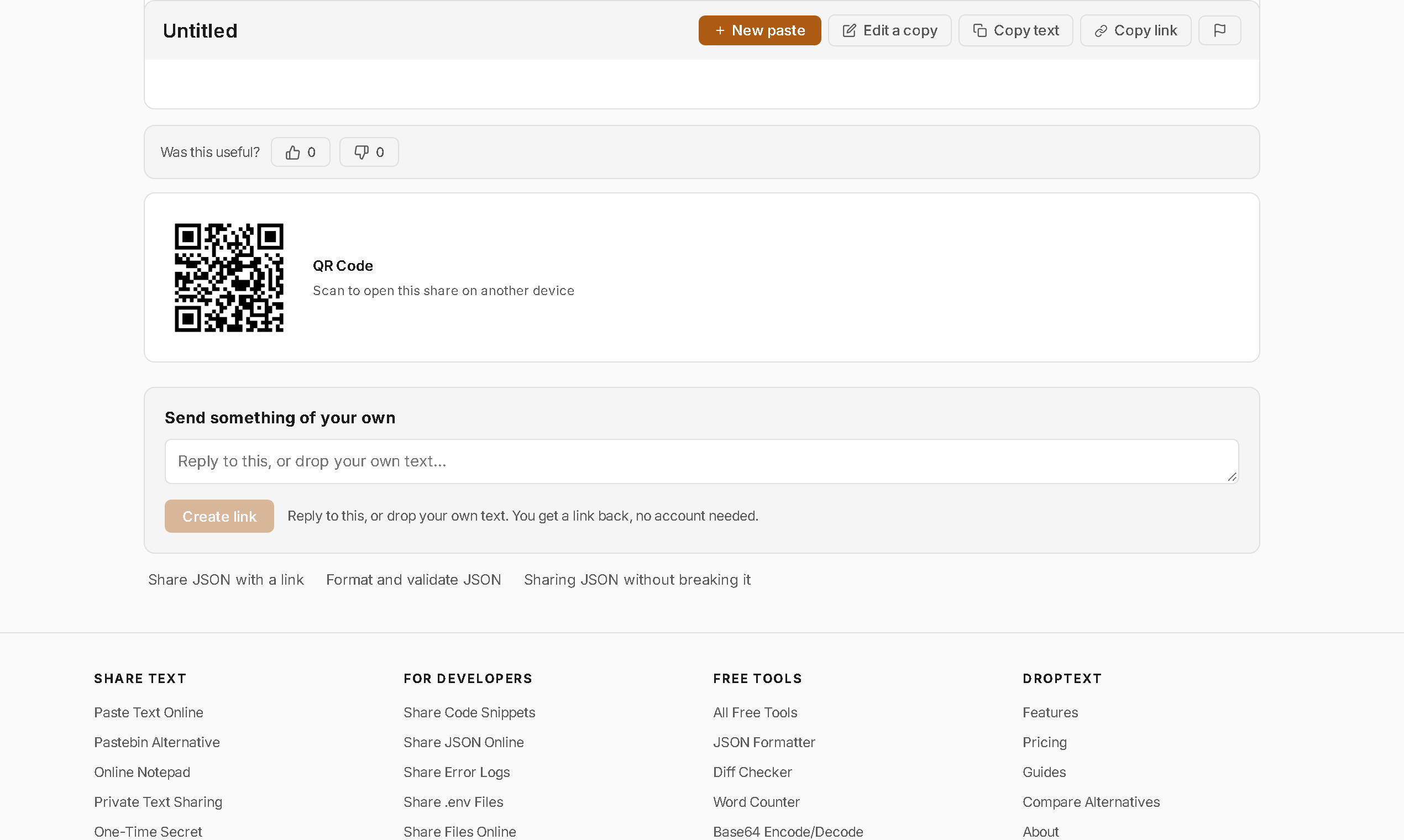
DropText turns anything you paste into a shareable link and a QR code. No account is needed and there are no ads on any plan.
It's built for the small handoffs: a config, a log, an error message, an address. Code is highlighted automatically, viewers see your edits live, and links expire on a schedule you choose. One-time links open with a click, so Slack, iMessage or an email scanner previewing the link can't burn it before your recipient opens it.
Pro adds password protection, burn-after-read, optional in-browser encryption, custom URLs and file uploads. For the launch, Pro and Elite are free until 31 Dec 2026 (card required, nothing charged until 1 Jan, cancel anytime).
Features
- Paste text or code, get a link and a QR code in one step
- No signup and no ads on any plan
- Automatic syntax highlighting for 30+ languages
- Viewers see your edits live
- Links expire on their own
- One-time links that chat previews and email scanners can't burn
- Pro: passwords, burn-after-read, optional in-browser encryption, custom URLs, file uploads
Use Cases
- Send a config file, log or stack trace to a teammate without leaving it in chat history
- Move text from your laptop to your phone by scanning the QR code
- Share a code snippet that reads properly, with highlighting, in any browser
- Send a password or key as a one-time link that disappears after it is opened (Pro)
- Share a quick note that cleans itself up when the link expires
Fazier Deal

Comments


Hi Fazier 👋 I built DropText because every way of moving a bit of text (a config, a log, an address) was either an ad-covered paste site or a chat app that keeps it forever. DropText is paste, link, done. No account needed. The link can expire in an hour, the viewer sees your edits live, code is highlighted automatically, and you can scan a QR code to get it onto your phone. One thing I'm proud of: one-time links open with a click, so Slack, iMessage or an email scanner previewing the link can't use it up before your recipient opens it. For the launch, Pro and Elite are free until 31 Dec 2026 (card required, nothing charged until 1 Jan, cancel anytime). I'd love your feedback: what would make you switch from what you use today?
The 'one-time links open with a click so Slack/iMessage previews can't burn them' detail is what made me read twice - that preview-eats-the-link problem is exactly why I stopped sending one-shot links for API keys and config snippets. Two questions: are the live edits versioned at all, or does a viewer just see the latest paste? And do expired links 404 or show a clear 'this expired' page?
I like that you can paste a log or config, get a shareable link plus a QR code, and have the link expire without creating an account. Automatic highlighting for 30+ languages is useful when the recipient is not in the same editor. Does the QR code point at the same expiring URL, or is it a separate short-lived token when the original link is long?

The one-time link design that chat previews and email scanners cannot burn is the detail that makes this genuinely useful for sharing secrets — most pastebins get burned the moment you drop the link in Slack. Nice that viewers see edits live too. One question: for a shared config that teammates keep updating, can you extend the expiry after sharing, or do you have to create a new link? Congrats on the launch!

The one-time link protection against chat previews and email scanners burning the link is genuinely clever — that is the exact failure mode that makes sharing a secret or a config over Slack painful. I also like the live-edit view and the QR code for moving text from laptop to phone. Do the expiring links have a default lifetime, or do you set it per paste?

Really useful for the small handoffs you mentioned — sharing a config or log without leaving it in chat history. The one-time link that chat previews can't burn is the detail that makes it trustworthy for sensitive snippets, and the QR code for moving text to a phone is a nice touch. No signup and no ads make it easy to recommend to teammates.



The use case of sending a config or stack trace without leaving it in chat history is a good one, since that’s how credentials and logs end up sitting in Slack for years. Syntax highlighting for 30+ languages with no signup also lowers the friction a lot. Do the one-time links work on the free plan too, or only on Pro?

The detail worth calling out is that one-time links open behind a click instead of on load. Almost every ephemeral-link tool gets this wrong: Slack, iMessage and corporate mail scanners fetch the URL the moment it is pasted, so the link is already burnt before the recipient ever sees it, and the sender concludes the tool is broken. Requiring an explicit click is the unglamorous fix that actually holds. What I would test next is expiry on that same class of client: when a preview bot fetches a link, does that fetch count against a view limit or start the expiry clock? That is where the remaining corner cases live, and it is the difference between a link that survives an email relay and one that quietly dies in transit.





The detail that one-time links survive Slack and iMessage previews is the part that sold me; I've had burn-after-read links killed by an unfurl bot before. Question: when a link has expired, does the viewer see a clear 'this expired on' page, or a plain 404? A clear message would save some confused back-and-forth with whoever sent it.

The one-time link protection against Slack and email previews burning the link is the detail that makes this genuinely useful for sharing secrets and configs. Live editing plus QR handoff to a phone is also a neat combination. Does the in-browser encryption in Pro mean even you cannot read the pasted text?
Live edits for viewers is handy when debugging over chat: paste the log once and keep fixing it while the other person watches. People will inevitably paste secrets, like a .env line or an API token. Is there a burn-after-reading option, and is the text encrypted in the browser so the server never sees it? That would make it safe to recommend for those handoffs too.

Question about live edits: if I share a config and then fix a typo, does someone who already opened a one-time link see the update, or is that view a frozen snapshot? Also curious whether there is a CLI, something like cat error.log | droptext, since sharing straight from the terminal is where I would use this most.


Pasting a long stack trace and then telling someone "look at line 240" is always clumsy. Can a viewer link to a specific line or highlight a range, like GitHub does with #L240-L255? Combined with the auto highlighting, that would make it great for debugging over chat. Also curious what the max paste size is on the free plan.



Link plus QR code is exactly what I need when moving a snippet from my laptop to my phone without logging into anything. Two questions: do shared texts expire automatically, and can I set a password or one-time view for anything sensitive? Keeping it ad-free is a nice touch for something this simple.

The one-time link behavior that ignores Slack and email link previews addresses a subtle but real failure mode for short-lived handoffs. For config or log sharing, could the creator preview the exact expiry and whether the link is one-time before copying it? That small confirmation would help avoid sending something that vanishes before a teammate sees it.

The QR code handoff is the part I would actually use daily — pasting a log or a config on my laptop and scanning it onto my phone beats messaging it to myself. The one-time links that Slack and email previews can't burn is a clever fix for a real failure mode I have hit before. Two questions: can I choose the expiry myself (say 1 hour versus 1 day), and does scanning the QR code burn a one-time link the same way opening the link does?
Premium Products








































Fazier Deal
Sponsors
Buy
Awards
View all
Awards
View allMakers
Makers
Comments
Hi Fazier 👋 I built DropText because every way of moving a bit of text (a config, a log, an address) was either an ad-covered paste site or a chat app that keeps it forever. DropText is paste, link, done. No account needed. The link can expire in an hour, the viewer sees your edits live, code is highlighted automatically, and you can scan a QR code to get it onto your phone. One thing I'm proud of: one-time links open with a click, so Slack, iMessage or an email scanner previewing the link can't use it up before your recipient opens it. For the launch, Pro and Elite are free until 31 Dec 2026 (card required, nothing charged until 1 Jan, cancel anytime). I'd love your feedback: what would make you switch from what you use today?
The 'one-time links open with a click so Slack/iMessage previews can't burn them' detail is what made me read twice - that preview-eats-the-link problem is exactly why I stopped sending one-shot links for API keys and config snippets. Two questions: are the live edits versioned at all, or does a viewer just see the latest paste? And do expired links 404 or show a clear 'this expired' page?
I like that you can paste a log or config, get a shareable link plus a QR code, and have the link expire without creating an account. Automatic highlighting for 30+ languages is useful when the recipient is not in the same editor. Does the QR code point at the same expiring URL, or is it a separate short-lived token when the original link is long?
The one-time link design that chat previews and email scanners cannot burn is the detail that makes this genuinely useful for sharing secrets — most pastebins get burned the moment you drop the link in Slack. Nice that viewers see edits live too. One question: for a shared config that teammates keep updating, can you extend the expiry after sharing, or do you have to create a new link? Congrats on the launch!
The one-time link protection against chat previews and email scanners burning the link is genuinely clever — that is the exact failure mode that makes sharing a secret or a config over Slack painful. I also like the live-edit view and the QR code for moving text from laptop to phone. Do the expiring links have a default lifetime, or do you set it per paste?
Really useful for the small handoffs you mentioned — sharing a config or log without leaving it in chat history. The one-time link that chat previews can't burn is the detail that makes it trustworthy for sensitive snippets, and the QR code for moving text to a phone is a nice touch. No signup and no ads make it easy to recommend to teammates.
The use case of sending a config or stack trace without leaving it in chat history is a good one, since that’s how credentials and logs end up sitting in Slack for years. Syntax highlighting for 30+ languages with no signup also lowers the friction a lot. Do the one-time links work on the free plan too, or only on Pro?
The detail worth calling out is that one-time links open behind a click instead of on load. Almost every ephemeral-link tool gets this wrong: Slack, iMessage and corporate mail scanners fetch the URL the moment it is pasted, so the link is already burnt before the recipient ever sees it, and the sender concludes the tool is broken. Requiring an explicit click is the unglamorous fix that actually holds. What I would test next is expiry on that same class of client: when a preview bot fetches a link, does that fetch count against a view limit or start the expiry clock? That is where the remaining corner cases live, and it is the difference between a link that survives an email relay and one that quietly dies in transit.
The detail that one-time links survive Slack and iMessage previews is the part that sold me; I've had burn-after-read links killed by an unfurl bot before. Question: when a link has expired, does the viewer see a clear 'this expired on' page, or a plain 404? A clear message would save some confused back-and-forth with whoever sent it.
The one-time link protection against Slack and email previews burning the link is the detail that makes this genuinely useful for sharing secrets and configs. Live editing plus QR handoff to a phone is also a neat combination. Does the in-browser encryption in Pro mean even you cannot read the pasted text?
Live edits for viewers is handy when debugging over chat: paste the log once and keep fixing it while the other person watches. People will inevitably paste secrets, like a .env line or an API token. Is there a burn-after-reading option, and is the text encrypted in the browser so the server never sees it? That would make it safe to recommend for those handoffs too.
Question about live edits: if I share a config and then fix a typo, does someone who already opened a one-time link see the update, or is that view a frozen snapshot? Also curious whether there is a CLI, something like cat error.log | droptext, since sharing straight from the terminal is where I would use this most.
Pasting a long stack trace and then telling someone "look at line 240" is always clumsy. Can a viewer link to a specific line or highlight a range, like GitHub does with #L240-L255? Combined with the auto highlighting, that would make it great for debugging over chat. Also curious what the max paste size is on the free plan.
Link plus QR code is exactly what I need when moving a snippet from my laptop to my phone without logging into anything. Two questions: do shared texts expire automatically, and can I set a password or one-time view for anything sensitive? Keeping it ad-free is a nice touch for something this simple.
The one-time link behavior that ignores Slack and email link previews addresses a subtle but real failure mode for short-lived handoffs. For config or log sharing, could the creator preview the exact expiry and whether the link is one-time before copying it? That small confirmation would help avoid sending something that vanishes before a teammate sees it.
The QR code handoff is the part I would actually use daily — pasting a log or a config on my laptop and scanning it onto my phone beats messaging it to myself. The one-time links that Slack and email previews can't burn is a clever fix for a real failure mode I have hit before. Two questions: can I choose the expiry myself (say 1 hour versus 1 day), and does scanning the QR code burn a one-time link the same way opening the link does?
Premium Products
New to Fazier?

Find your next favorite product or submit your own. Made by @FalakDigital.
Copyright ©2026. All Rights Reserved