
Drobber
Pin client feedback on websites, PDFs, images and video
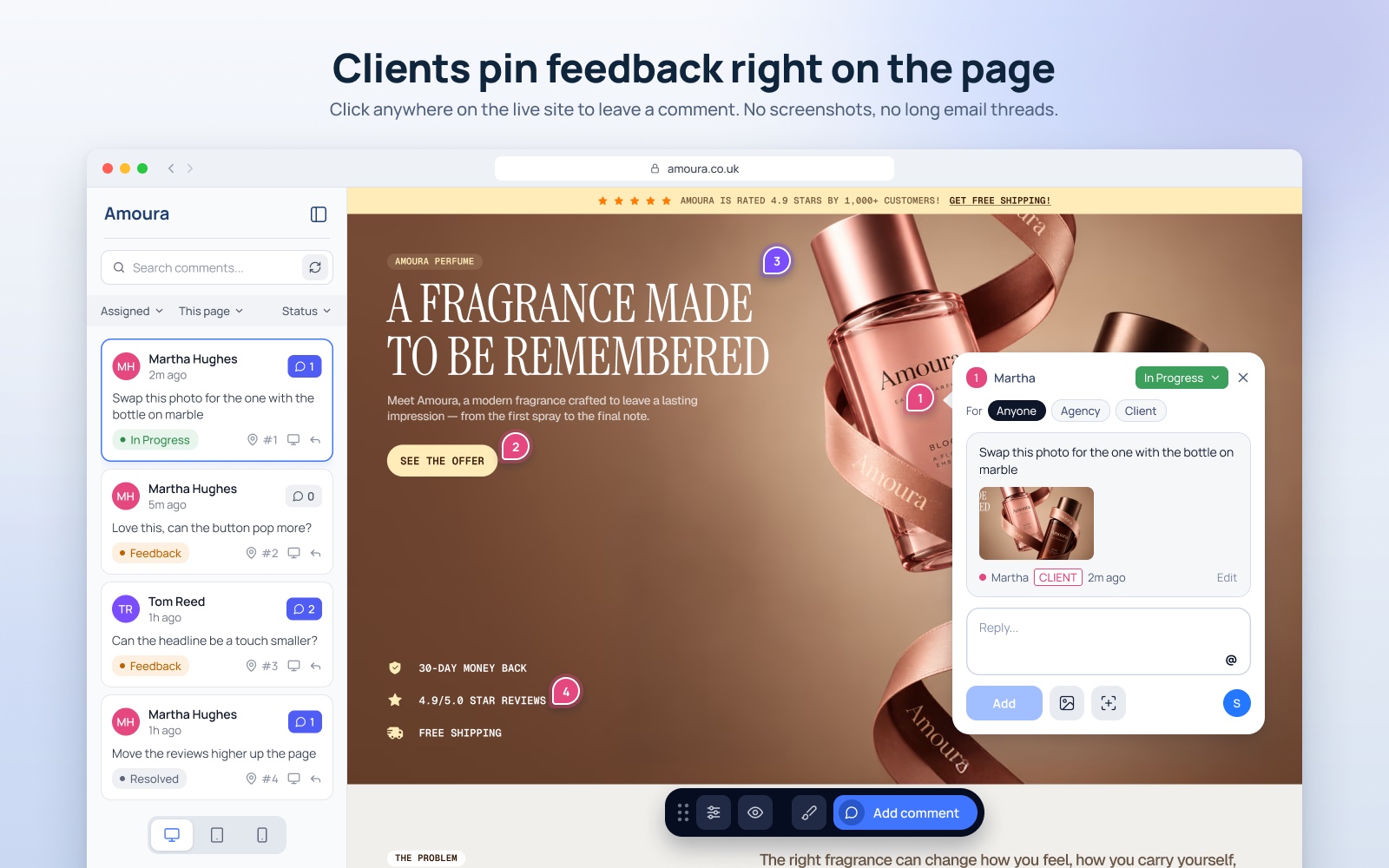
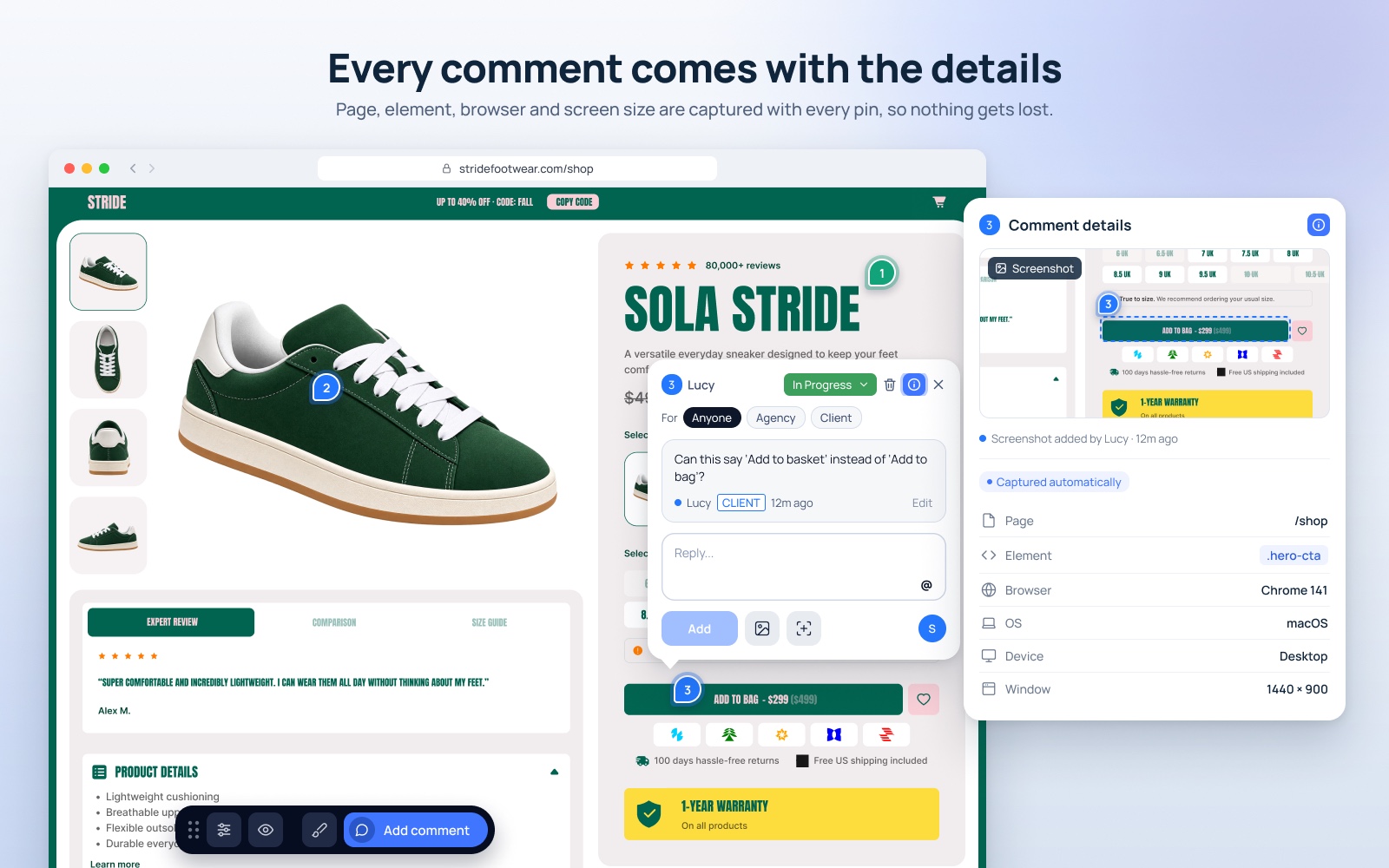
Drobber is a visual feedback tool for agencies and freelancers. Clients click on a live or staging website, or on a PDF, image or video, and pin a comment exactly where they mean, without needing an account. Every comment arrives with the page, element, browser, device and window size, so there's no more guessing which button they meant. Your whole team works through feedback in revision rounds, and one price covers everyone: $30 a month or $180 a year, with a 14-day free trial.
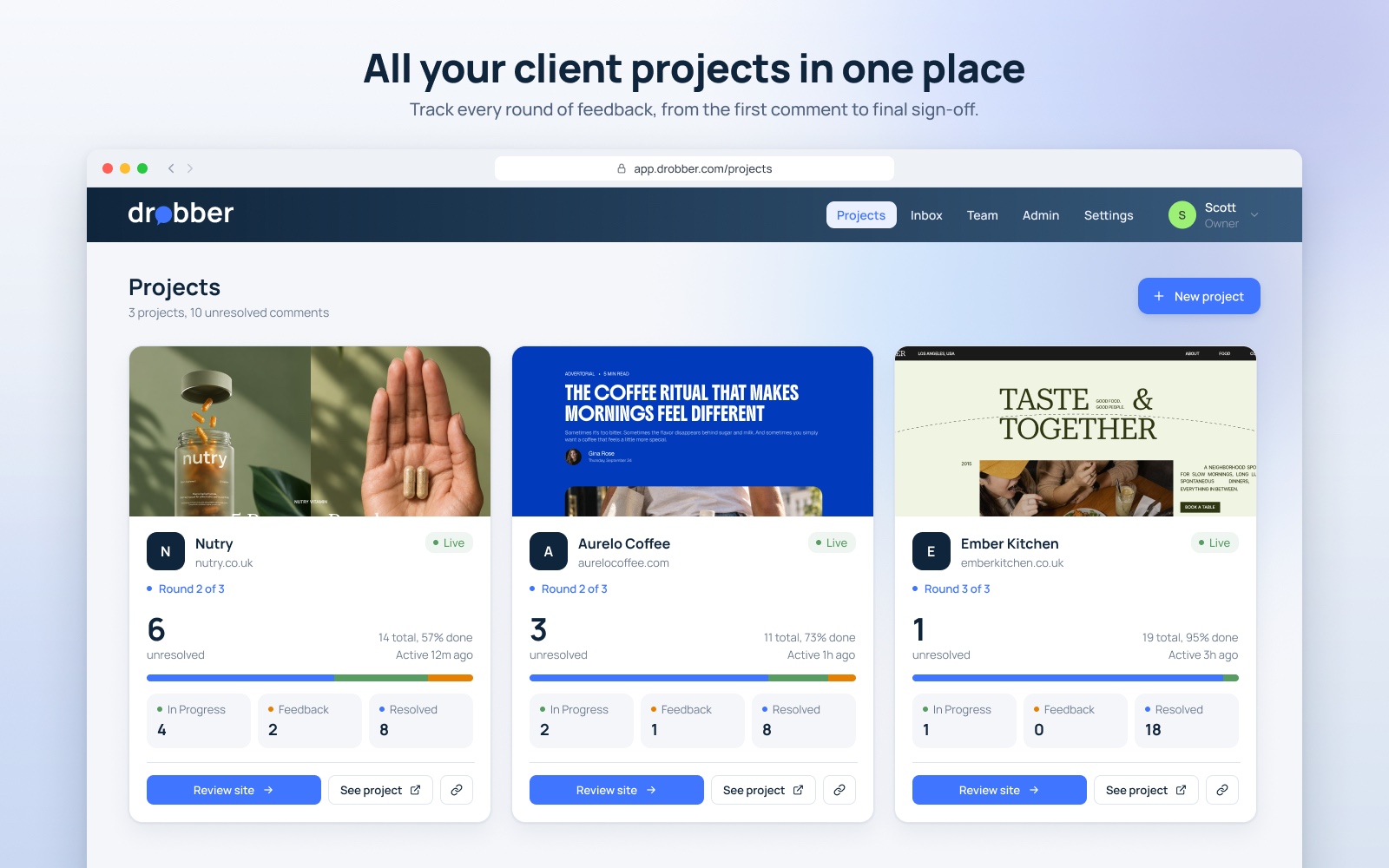
Features
- Pinned comments on live and staging websites, PDFs, images and video
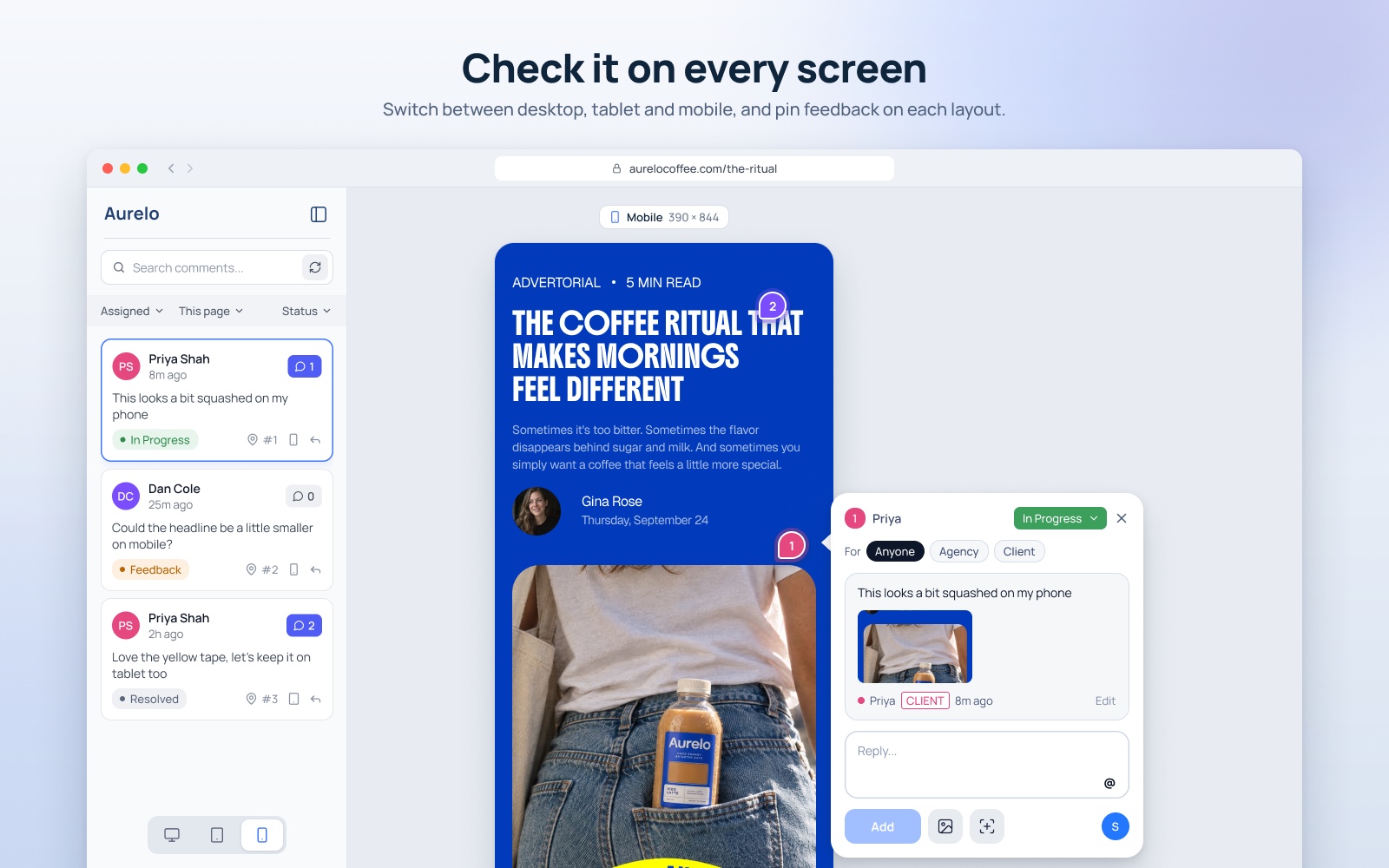
- Page, element, browser, OS, device and window size recorded on every comment
- Reviewers comment without creating an account
- Revision rounds and comment statuses: In Progress, Feedback, Resolved
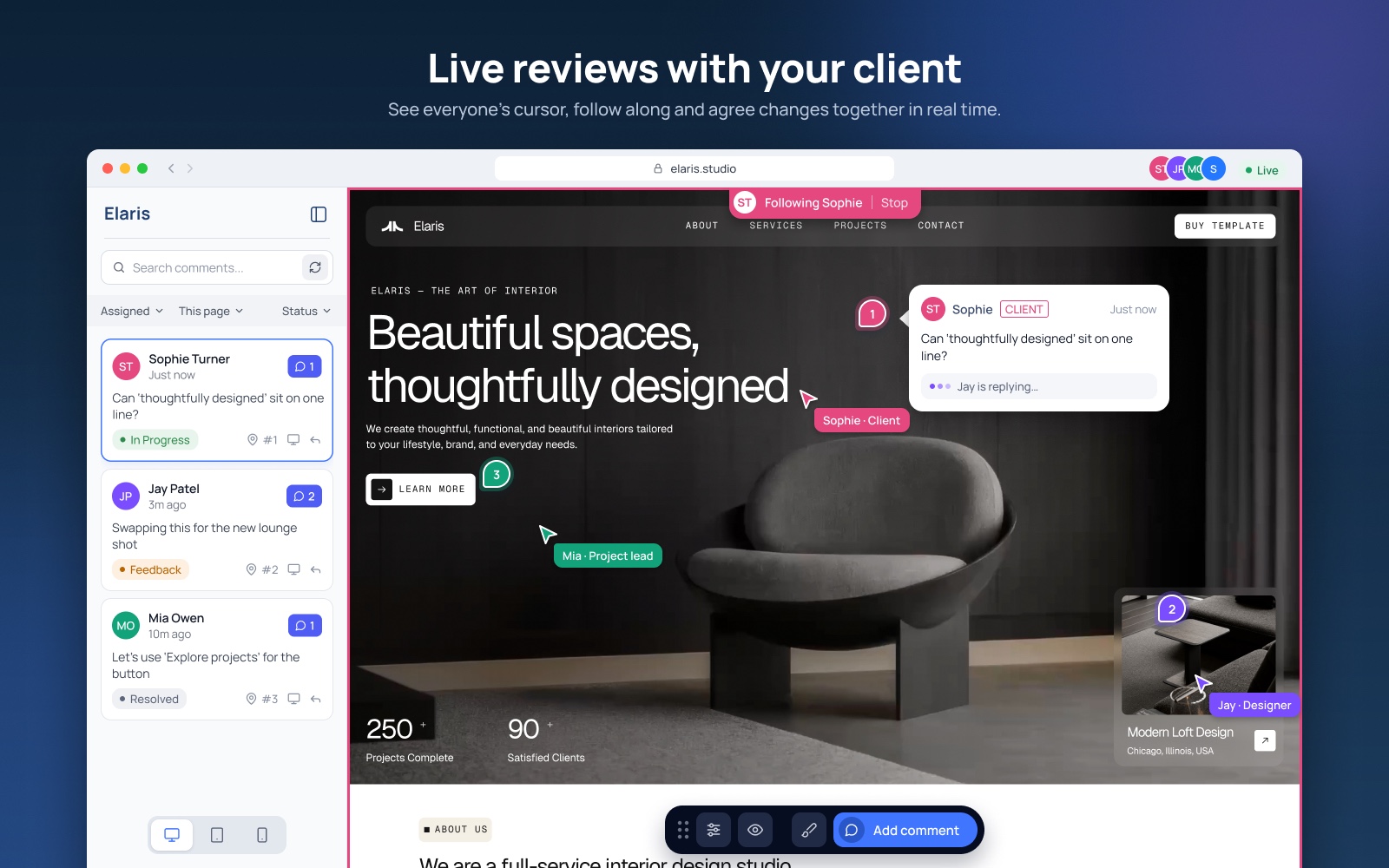
- Live cursors and follow mode for guided reviews with clients
- Sync with Jira, Linear, GitHub, ClickUp, Trello, Asana, monday.com and Notion
- Claude MCP server so Claude can read and fix comments
- One flat price for the whole team, no per-seat fees
Use Cases
- Web design agencies getting client sign-off on new websites
- Freelance designers reviewing PDFs, brochures and artwork with clients
- Video and creative teams gathering timestamped feedback
- Developers turning client comments into Jira, Linear or GitHub issues
- QA and UAT testing before a site goes live

Comments



Pinning without an account, and saving the browser, device, and window size with each pin, is what would stop the usual "which button on the contact page" thread. The use cases mention timestamped feedback on video. If a client pins a note on a review video, does that pin store a timestamp and open the player on that frame, or is it only a position on the frame with no time attached?

Letting clients pin feedback on a live site without making an account removes the step where feedback usually falls back to an email full of screenshots. Recording browser, OS and window size with every pin should also kill a lot of "it looks fine on my end" back-and-forth. Can one revision round cover several assets, say a site page plus a PDF brochure, so a client signs off on everything at once?

Hi Fazier, I'm Scott, a web designer in the UK. For years client feedback kept arriving in multiple emails, PowerPoints, marked-up PDFs and text messages. Half of it said "the button on the contact page" with no clue which button, which browser or which screen size. I wanted to change that with Drobber. Clients click on the live or staging site and leave a pinned comment. Each one arrives with the page, the element, browser, device and window size, so you can fix it without a back-and-forth. It works on PDFs, images and video too, and clients don't need an account. It's one flat price for the whole team, with a 14-day free trial. It also connects to Slack, Jira, Linear, Asana, ClickUp and Claude. I'd love your honest feedback, especially on what would make you switch from how you collect feedback now.
Premium Products














































Makers
Makers
Comments
Pinning without an account, and saving the browser, device, and window size with each pin, is what would stop the usual "which button on the contact page" thread. The use cases mention timestamped feedback on video. If a client pins a note on a review video, does that pin store a timestamp and open the player on that frame, or is it only a position on the frame with no time attached?
Letting clients pin feedback on a live site without making an account removes the step where feedback usually falls back to an email full of screenshots. Recording browser, OS and window size with every pin should also kill a lot of "it looks fine on my end" back-and-forth. Can one revision round cover several assets, say a site page plus a PDF brochure, so a client signs off on everything at once?
Hi Fazier, I'm Scott, a web designer in the UK. For years client feedback kept arriving in multiple emails, PowerPoints, marked-up PDFs and text messages. Half of it said "the button on the contact page" with no clue which button, which browser or which screen size. I wanted to change that with Drobber. Clients click on the live or staging site and leave a pinned comment. Each one arrives with the page, the element, browser, device and window size, so you can fix it without a back-and-forth. It works on PDFs, images and video too, and clients don't need an account. It's one flat price for the whole team, with a 14-day free trial. It also connects to Slack, Jira, Linear, Asana, ClickUp and Claude. I'd love your honest feedback, especially on what would make you switch from how you collect feedback now.
Premium Products
New to Fazier?

Find your next favorite product or submit your own. Made by @FalakDigital.
Copyright ©2026. All Rights Reserved