
DrawPic - Edit Text in Image
Box the words in any image, type new ones, keep the rest
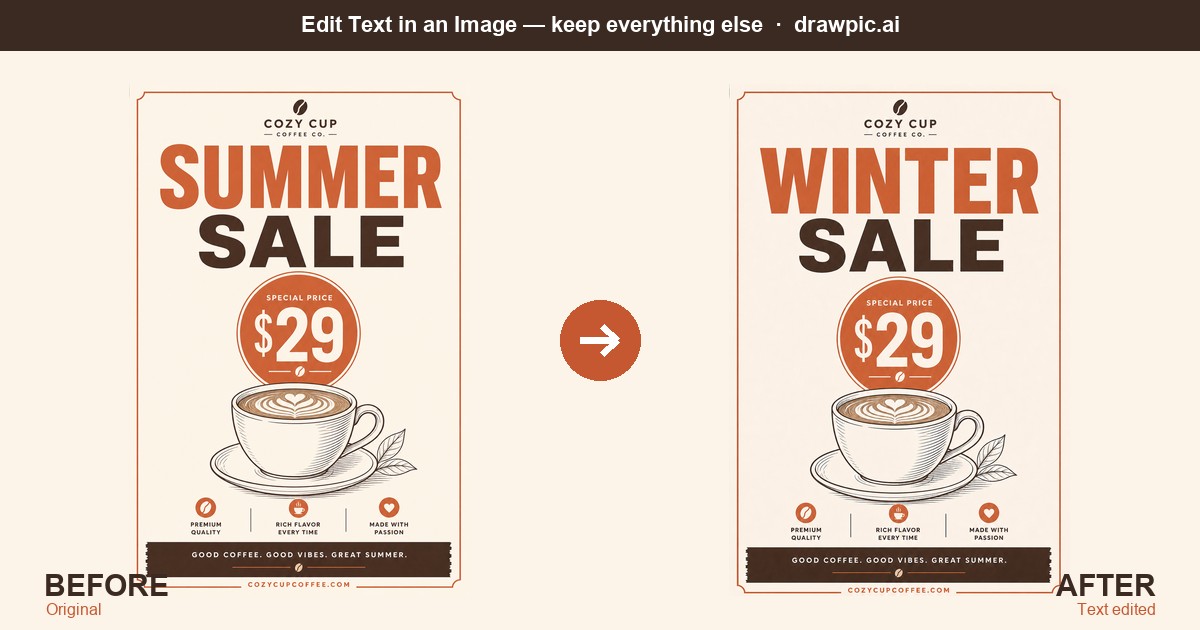
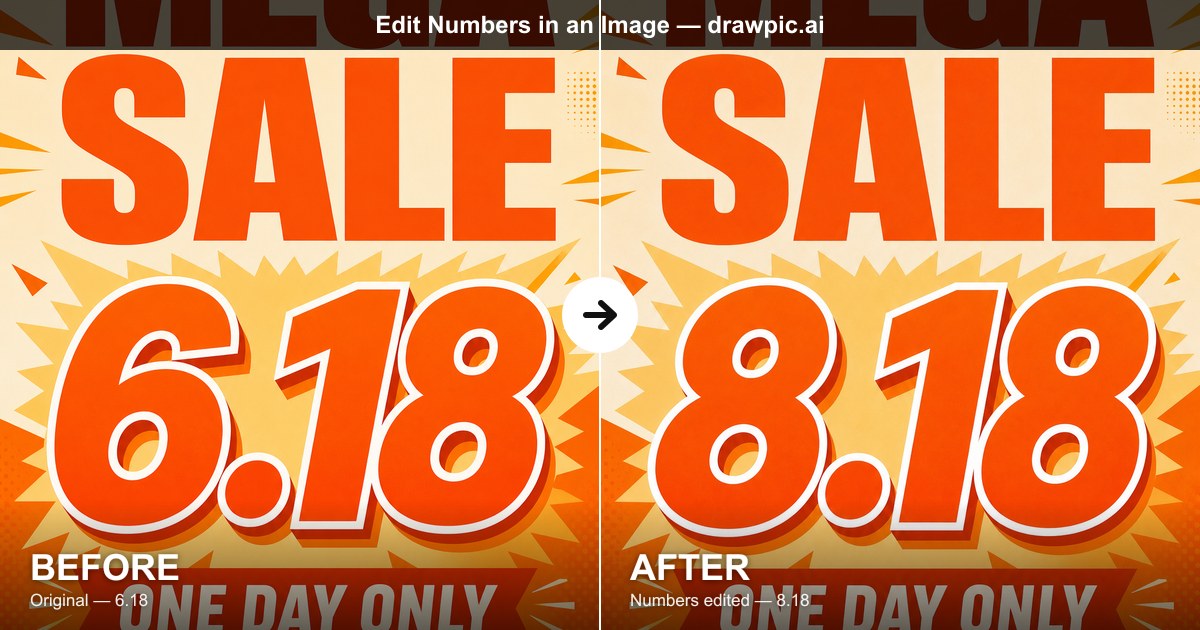
DrawPic Edit Text in Image changes the words in a finished image without the original design file. Box the text, type what it should say, and the AI rewrites only that area while matching the original font, color and layout. Everything outside the box stays as it was. Free to try after signing up, then pay-as-you-go credits that never expire. No subscription.
Features
Box-select editing: only the boxed text changes, everything else stays as it was
Matches the original font, weight, color and layout
Works on photos too: signs and packaging keep their perspective and lighting
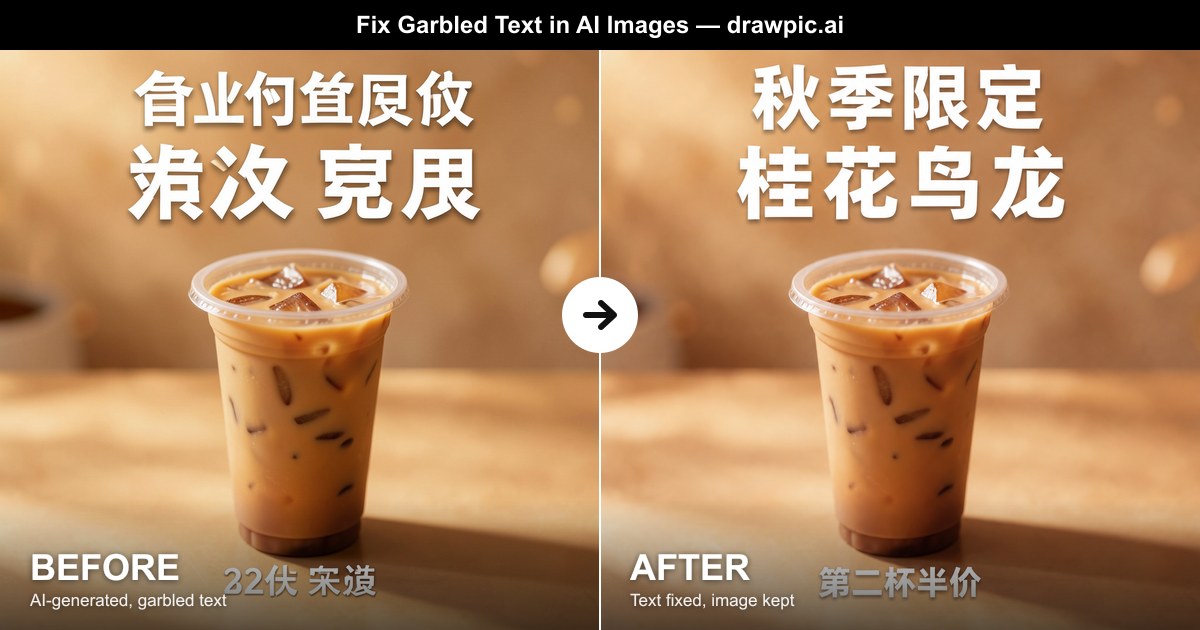
Fix garbled or misspelled text in AI-generated images without regenerating
No height limit for tall images and scrolling screenshots
Use Cases
Fix a typo on a finished flyer or poster
Update prices, dates and headlines on menus and ads
Localize a marketing visual into another language
Correct broken text in images from Midjourney, Stable Diffusion or Flux

Comments


Hi Fazier 👋 I built DrawPic after watching friends who run small shops and social accounts get stuck on a tiny problem: the poster is finished, then the price or a word needs to change, and the source file is gone. Regenerating with a chat AI changes the whole picture, so I made a tool that only rewrites the text you box — font, color and everything else stay the same. It also fixes the garbled text AI image generators often produce. I'd love your feedback, especially on cases where it doesn't get the font right.


This solves a real pain point — fixing a typo on a finished flyer without the original design file. The box-select approach and matching the original font, weight and layout is the key detail for me. If it also preserves perspective and lighting on photos as described, that would be especially useful for menus and signs. One thing I would love to see is a before-and-after example on a photo with angled text, so I can judge how well the perspective holds.

Fixing garbled text in AI-generated images without regenerating the whole thing is a real pain point. Re-rolling a Midjourney image to fix one word usually changes everything else too. How does it handle text on curved or very small surfaces, like a label on a bottle or fine print in a footer? And when it matches the font, does it pick from a known font library or redraw the glyphs?

Premium Products












































Sponsors
Buy
Makers
Makers
Comments
Hi Fazier 👋 I built DrawPic after watching friends who run small shops and social accounts get stuck on a tiny problem: the poster is finished, then the price or a word needs to change, and the source file is gone. Regenerating with a chat AI changes the whole picture, so I made a tool that only rewrites the text you box — font, color and everything else stay the same. It also fixes the garbled text AI image generators often produce. I'd love your feedback, especially on cases where it doesn't get the font right.
This solves a real pain point — fixing a typo on a finished flyer without the original design file. The box-select approach and matching the original font, weight and layout is the key detail for me. If it also preserves perspective and lighting on photos as described, that would be especially useful for menus and signs. One thing I would love to see is a before-and-after example on a photo with angled text, so I can judge how well the perspective holds.
Fixing garbled text in AI-generated images without regenerating the whole thing is a real pain point. Re-rolling a Midjourney image to fix one word usually changes everything else too. How does it handle text on curved or very small surfaces, like a label on a bottle or fine print in a footer? And when it matches the font, does it pick from a known font library or redraw the glyphs?
Premium Products
New to Fazier?

Find your next favorite product or submit your own. Made by @FalakDigital.
Copyright ©2026. All Rights Reserved