DoCube
Local-first reader + knowledge base for deep reading
DoCube is a local-first multi-format reader and personal knowledge base for deep reading. Import PDFs (including scanned docs with on-device OCR), EPUBs, web pages, Markdown and lecture videos; highlight in context; search notes with BM25 + vectors; and make AI answers cite the exact page or timestamp. Free for 5 documents; Pro is a one-time purchase. Mac, iPhone, iPad.
Features
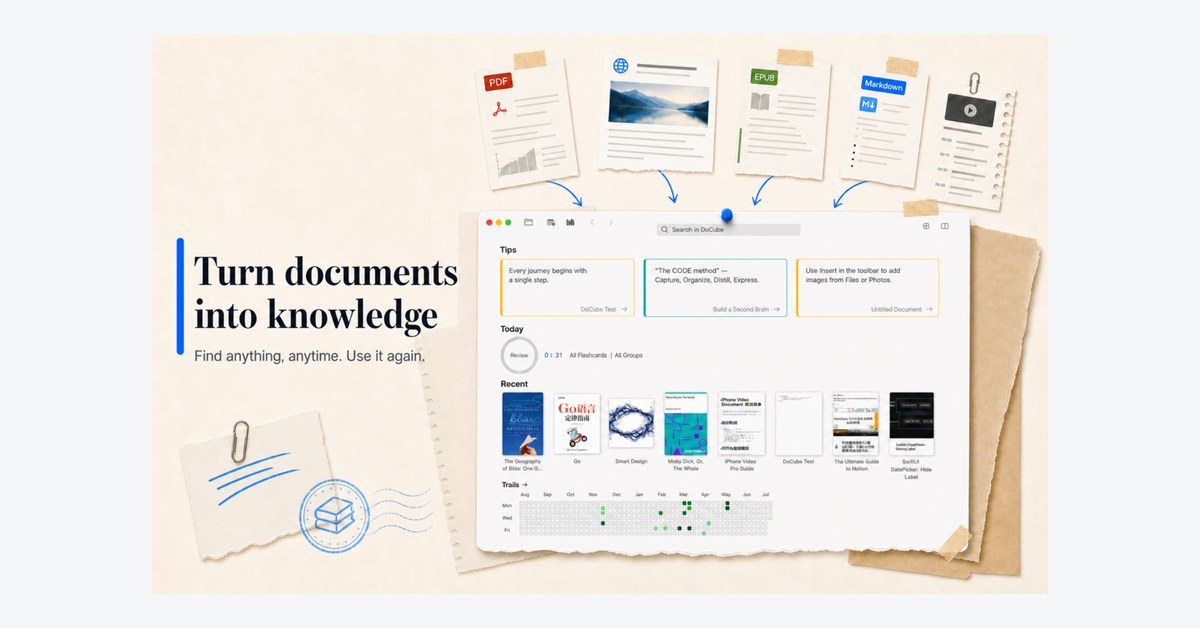
- Multi-format library: PDFs with on-device OCR for scans, EPUBs, web pages, Markdown, and lecture videos
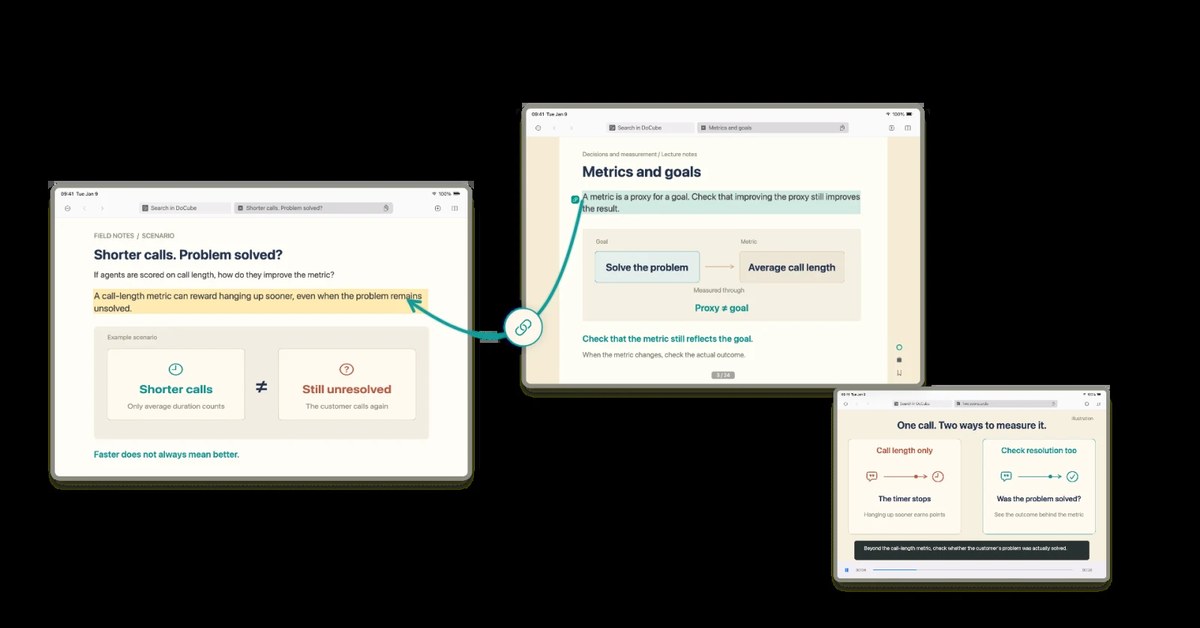
- Highlights stay attached to the source so you can jump back to the exact page or timestamp
- Search notes with BM25 plus vectors
- AI answers cite the passage, page, or timestamp they came from
- Local-first on Mac, iPhone, and iPad; free for 5 documents, Pro is a one-time purchase
Use Cases
- Work through a long PDF or EPUB and return later to the highlighted page
- Annotate a lecture video and reopen the exact timestamp from a note
- Search web clippings and Markdown together in one private library
- OCR a scanned document on device and quote the right page in an answer

Comments

DoCube keeps reading local: PDFs (including scans with on-device OCR), EPUBs, web pages, Markdown, and lecture videos live in one library on Mac, iPhone, and iPad. Highlights stay on the source so you can jump back to the exact page or timestamp, notes are searchable with BM25 plus vectors, and AI answers cite that spot. Free for 5 documents; Pro is a one-time purchase. If you read long sources and hate losing the page you meant, I would like to hear what you use today.

DoCube is a local-first reading app for Mac, iPhone, and iPad that keeps PDFs, scanned documents, EPUBs, web pages, Markdown files, and lecture videos organized in one library. It lets you save highlights, revisit exact pages or timestamps, search notes with BM25 and vector search, and get AI answers with source citations. Start free with 5 documents, then upgrade to Pro with a one-time purchase. What tools do you currently use to manage your reading and notes
DoCube is a local-first reading app for Mac, iPhone, and iPad that keeps PDFs, scanned documents, EPUBs, web pages, Markdown files, and lecture videos organized in one library. It lets you save highlights, revisit exact pages or timestamps, search notes with BM25 and vector search, and get AI answers with source citations. Start free with 5 documents, then upgrade to Pro with a one-time purchase. What tools do you currently use to manage your reading and notes
DoCube is a local-first reading app for Mac, iPhone, and iPad that keeps PDFs, scanned documents, EPUBs, web pages, Markdown files, and lecture videos organized in one library. It lets you save highlights, revisit exact pages or timestamps, search notes with BM25 and vector search, and get AI answers with source citations. Start free with 5 documents, then upgrade to Pro with a one-time purchase. What tools do you currently use to manage your reading and notes
DoCube is a local-first reading app for Mac, iPhone, and iPad that keeps PDFs, scanned documents, EPUBs, web pages, Markdown files, and lecture videos organized in one library. It lets you save highlights, revisit exact pages or timestamps, search notes with BM25 and vector search, and get AI answers with source citations. Start free with 5 documents, then upgrade to Pro with a one-time purchase. What tools do you currently use to manage your reading and notes
DoCube is a local-first reading app for Mac, iPhone, and iPad that keeps PDFs, scanned documents, EPUBs, web pages, Markdown files, and lecture videos organized in one library. It lets you save highlights, revisit exact pages or timestamps, search notes with BM25 and vector search, and get AI answers with source citations. Start free with 5 documents, then upgrade to Pro with a one-time purchase. What tools do you currently use to manage your reading and notes?



Local-first plus on-device OCR is the right call for scanned lecture PDFs — cloud readers tend to fall over exactly there. Two things I'd want spelled out on the page: how OCR is batched on a 300–400 page scan (does the import block while it runs?), and whether the one-time Pro purchase covers future major versions. And it would be worth showing an export sample — anyone with a few years of highlights will ask how they get them out as plain Markdown with the sources intact.
Premium Products












































Sponsors
Buy

Makers
Makers
Comments
DoCube keeps reading local: PDFs (including scans with on-device OCR), EPUBs, web pages, Markdown, and lecture videos live in one library on Mac, iPhone, and iPad. Highlights stay on the source so you can jump back to the exact page or timestamp, notes are searchable with BM25 plus vectors, and AI answers cite that spot. Free for 5 documents; Pro is a one-time purchase. If you read long sources and hate losing the page you meant, I would like to hear what you use today.
DoCube is a local-first reading app for Mac, iPhone, and iPad that keeps PDFs, scanned documents, EPUBs, web pages, Markdown files, and lecture videos organized in one library. It lets you save highlights, revisit exact pages or timestamps, search notes with BM25 and vector search, and get AI answers with source citations. Start free with 5 documents, then upgrade to Pro with a one-time purchase. What tools do you currently use to manage your reading and notes
DoCube is a local-first reading app for Mac, iPhone, and iPad that keeps PDFs, scanned documents, EPUBs, web pages, Markdown files, and lecture videos organized in one library. It lets you save highlights, revisit exact pages or timestamps, search notes with BM25 and vector search, and get AI answers with source citations. Start free with 5 documents, then upgrade to Pro with a one-time purchase. What tools do you currently use to manage your reading and notes
DoCube is a local-first reading app for Mac, iPhone, and iPad that keeps PDFs, scanned documents, EPUBs, web pages, Markdown files, and lecture videos organized in one library. It lets you save highlights, revisit exact pages or timestamps, search notes with BM25 and vector search, and get AI answers with source citations. Start free with 5 documents, then upgrade to Pro with a one-time purchase. What tools do you currently use to manage your reading and notes
DoCube is a local-first reading app for Mac, iPhone, and iPad that keeps PDFs, scanned documents, EPUBs, web pages, Markdown files, and lecture videos organized in one library. It lets you save highlights, revisit exact pages or timestamps, search notes with BM25 and vector search, and get AI answers with source citations. Start free with 5 documents, then upgrade to Pro with a one-time purchase. What tools do you currently use to manage your reading and notes
DoCube is a local-first reading app for Mac, iPhone, and iPad that keeps PDFs, scanned documents, EPUBs, web pages, Markdown files, and lecture videos organized in one library. It lets you save highlights, revisit exact pages or timestamps, search notes with BM25 and vector search, and get AI answers with source citations. Start free with 5 documents, then upgrade to Pro with a one-time purchase. What tools do you currently use to manage your reading and notes?
Local-first plus on-device OCR is the right call for scanned lecture PDFs — cloud readers tend to fall over exactly there. Two things I'd want spelled out on the page: how OCR is batched on a 300–400 page scan (does the import block while it runs?), and whether the one-time Pro purchase covers future major versions. And it would be worth showing an export sample — anyone with a few years of highlights will ask how they get them out as plain Markdown with the sources intact.
Premium Products
New to Fazier?

Find your next favorite product or submit your own. Made by @FalakDigital.
Copyright ©2026. All Rights Reserved