
Diurnal
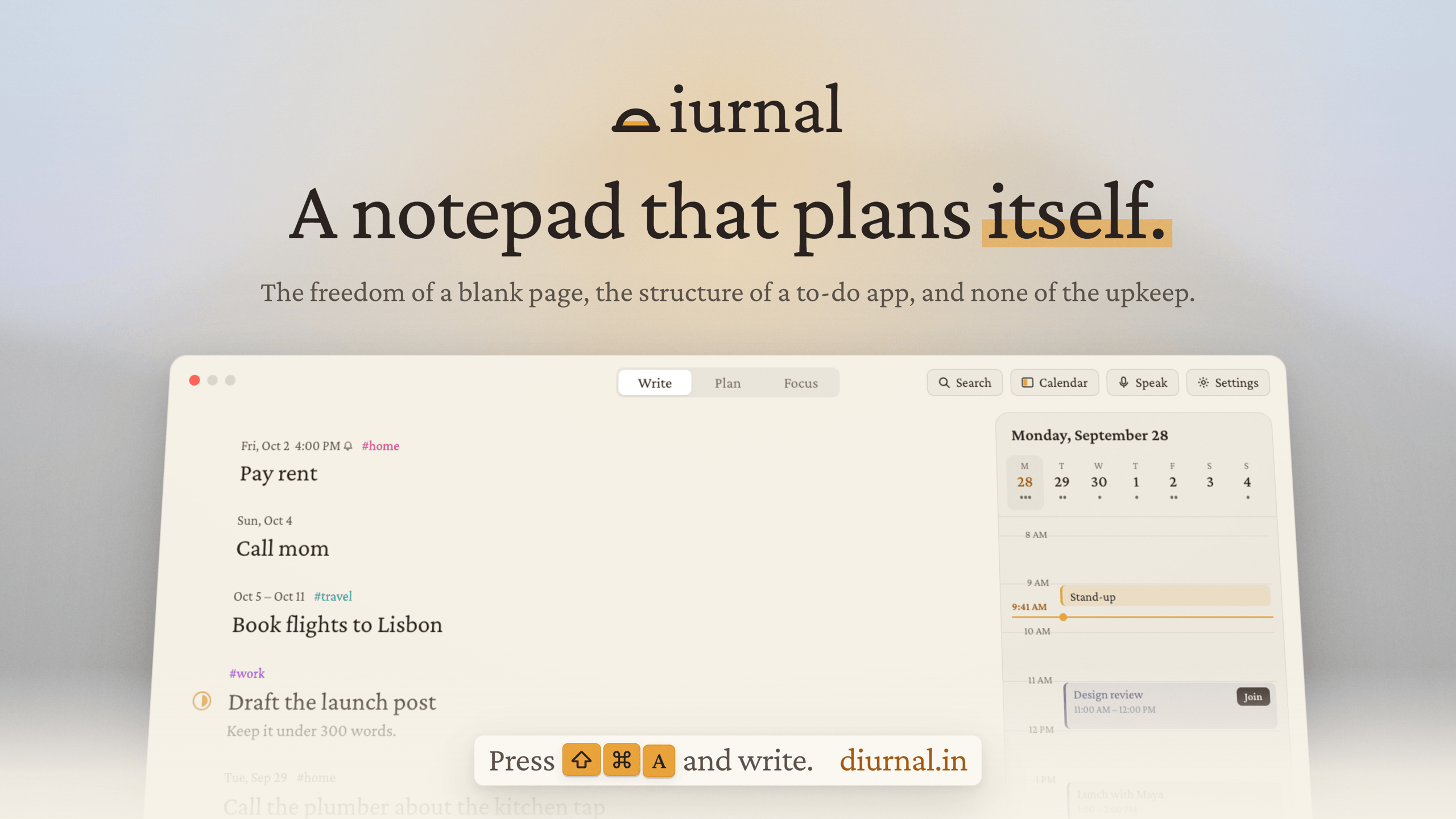
A notepad that plans itself.
Diurnal is a native macOS app designed to streamline task management without the friction of traditional to-do apps. Every piece of text you write automatically becomes a task -- no need to create separate items or add due dates. The app takes care of organization by automatically tidying up tasks you stop interacting with, keeping your focus on what matters now.
Perfect for users who want to capture ideas and tasks in natural writing without switching between apps or managing complex task structures.
Features
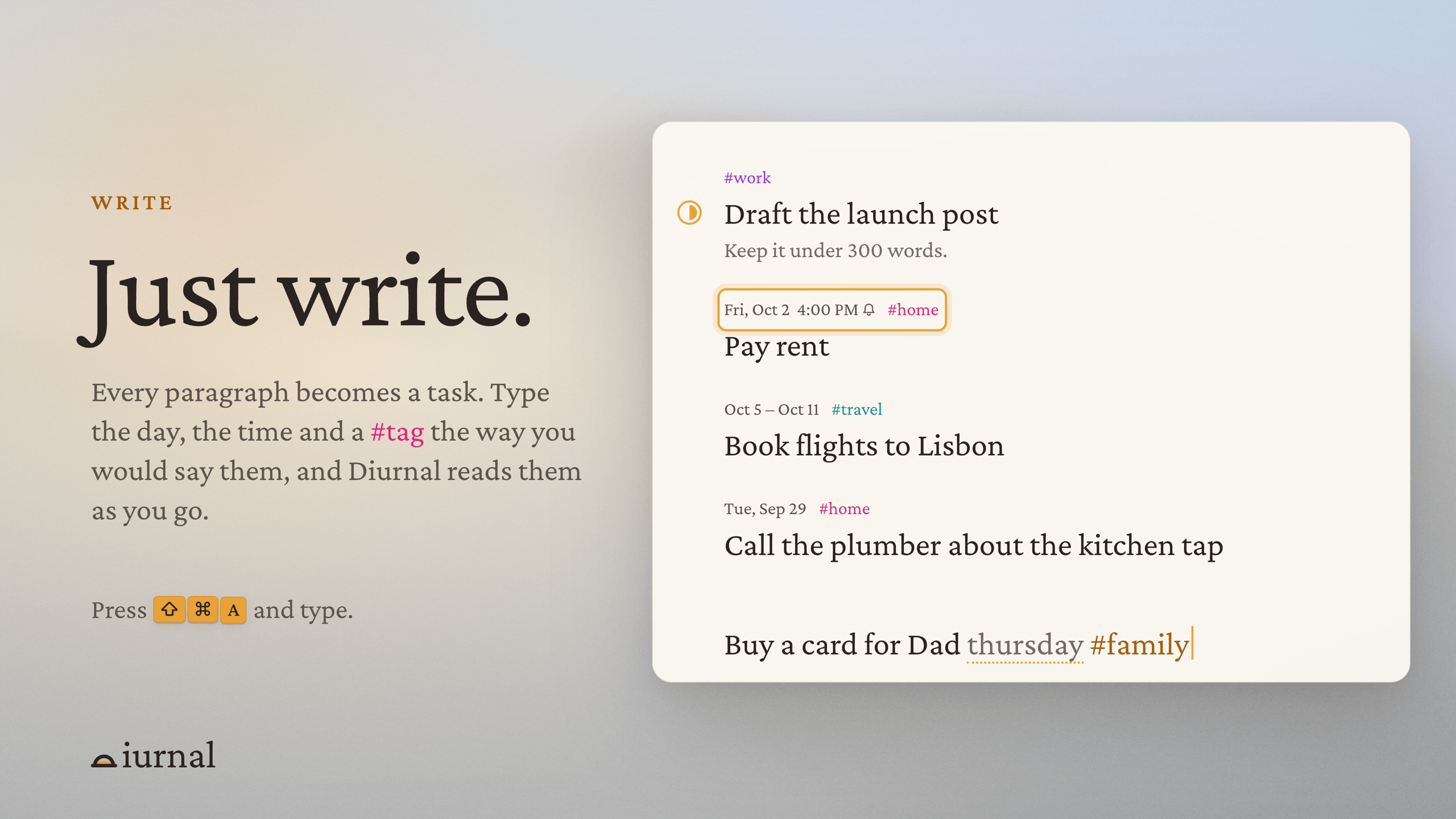
- Pad: write freely, and every paragraph becomes a task.
- Natural dates: "pay rent friday 4pm #home" sets the day, reminder and tag as you type.
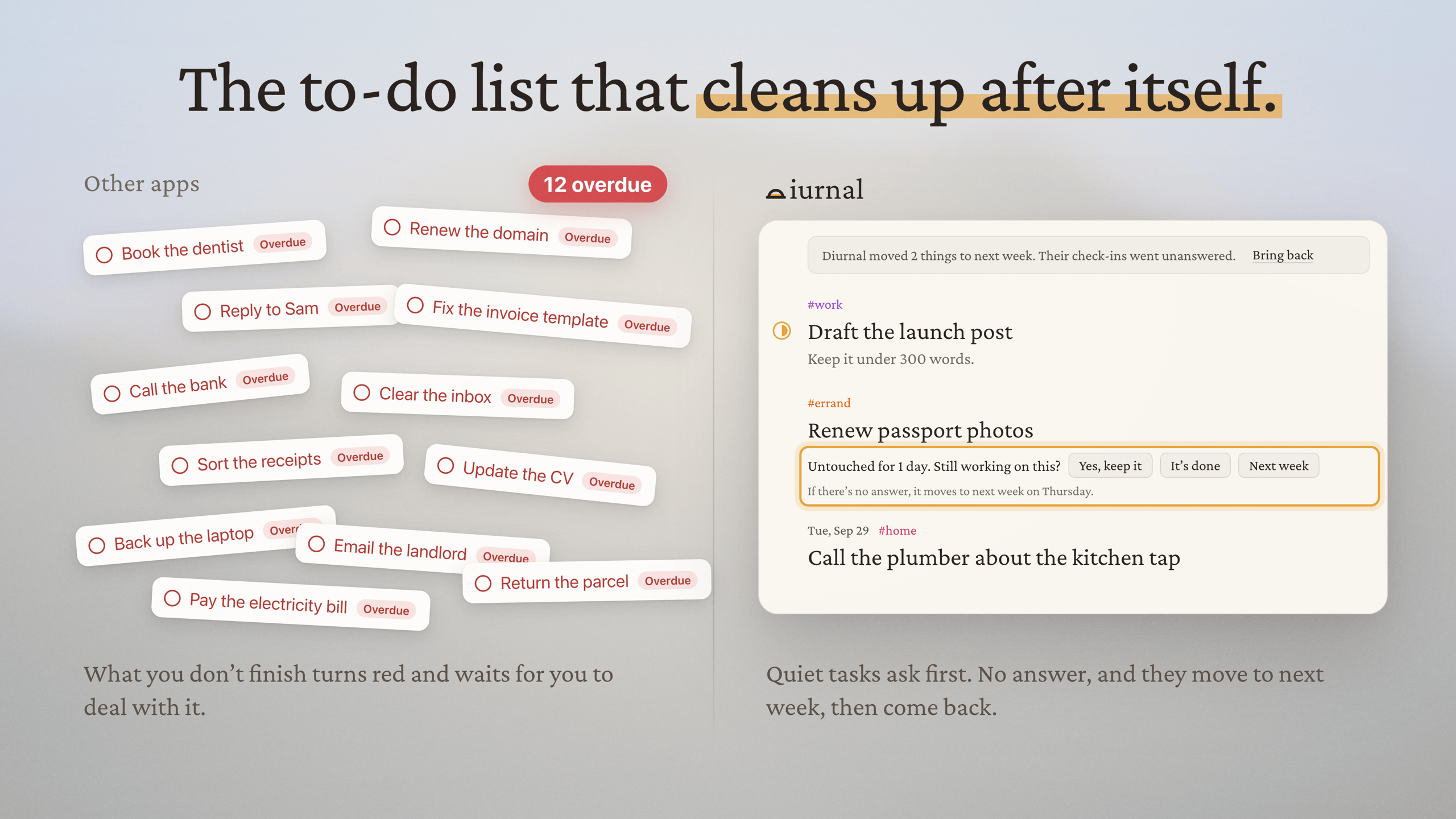
- Auto-clean: tasks you haven't touched ask about themselves, then move to next week on their own.
- No overdue pile: nothing turns red or stacks up.
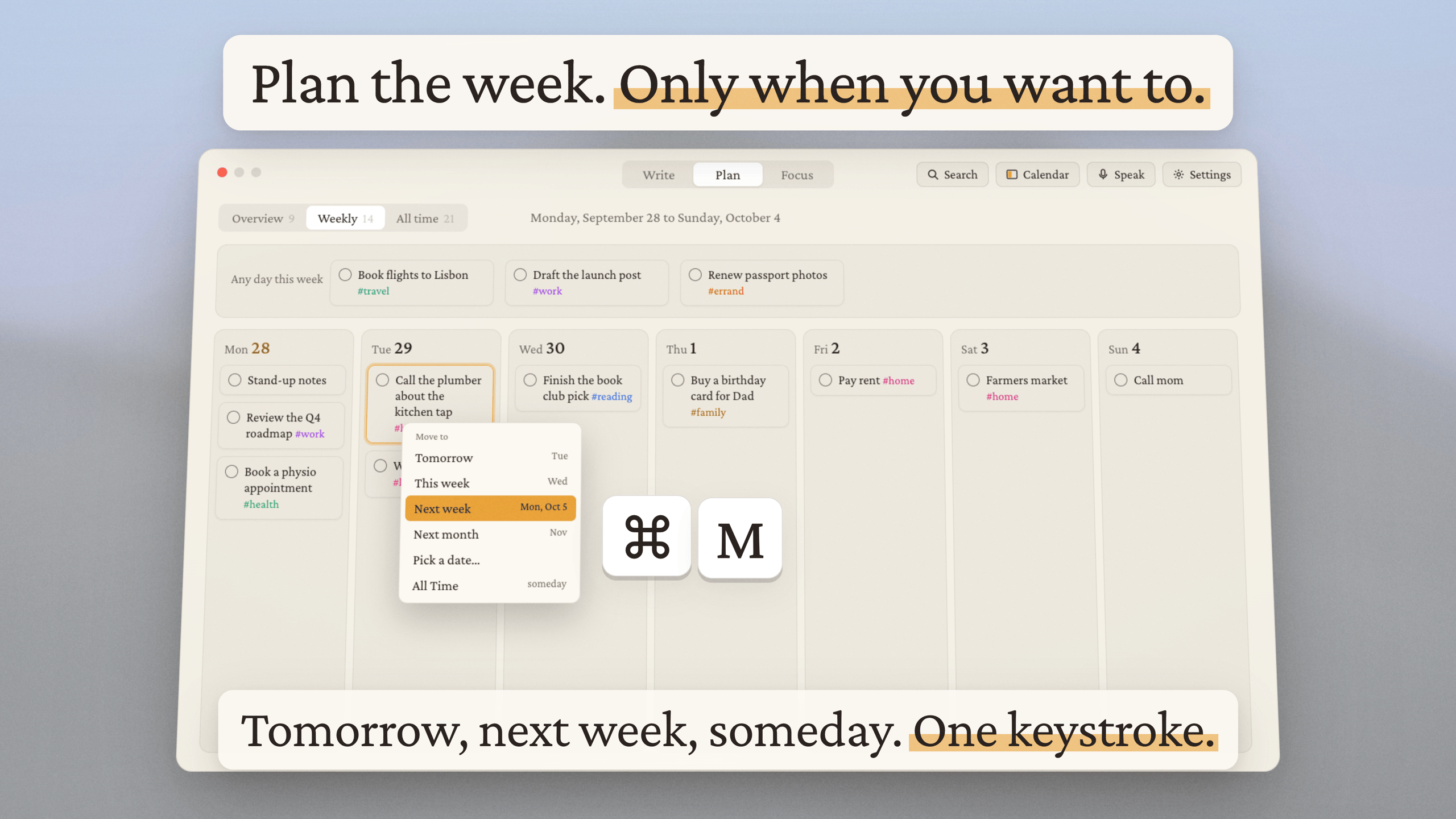
- Plan: today next to your calendar, plus a 7-day board you can drag tasks across.
- Done: what you finished, grouped by the day you finished it.
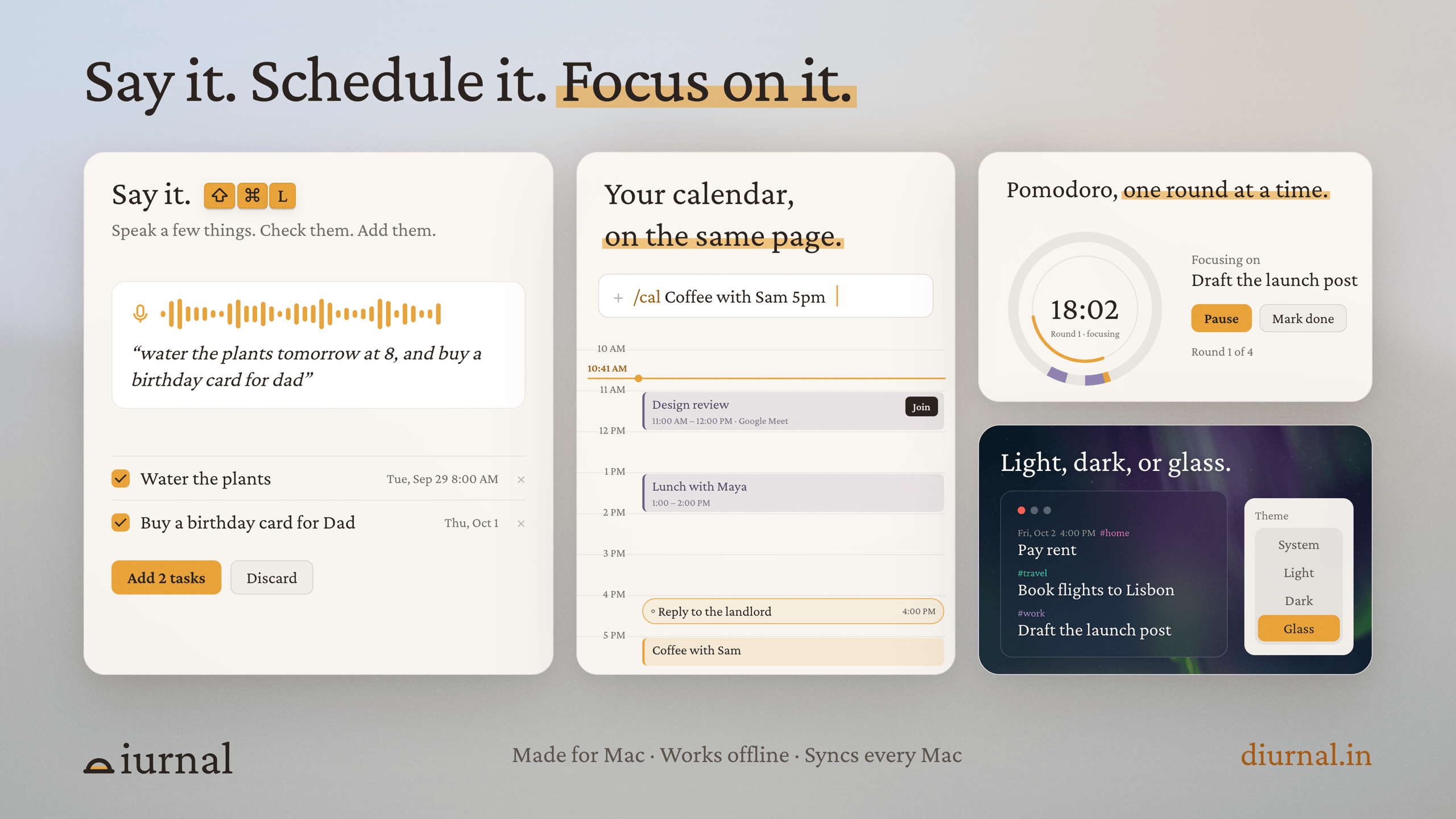
- Voice capture: hold ⇧⌘L and speak several tasks at once.
- Google Calendar: meetings on a timeline, one-click Join, book new ones with /cal.
- Reminders: a time on a task rings with the tone you pick.
- Pomodoro: 15, 25 or 50 minute rounds with breaks.
- Keyboard first: ⌘1–⌘3 switch between Write, Plan and Focus.
- Offline and synced: works without internet and syncs across your Macs.
Use Cases
- Get a thought down fast, without filling in a form.
- Plan your week on Monday without having to maintain it by Friday.
- Come back after days away without a backlog to clean up.
- Keep your tasks and your meetings in one window.
- Turn a messy brain dump into a to-do list.
- Add tasks by voice while your hands are busy.
- Run focused work sessions with Pomodoro.
- Look back at what you actually got done each day.

Comments


Hey everyone 👋 I built Diurnal because I kept giving up on to-do apps. It always went the same way. I'd plan 6 tasks for the day and finish 3, because life happens. The next morning those 3 leftovers were waiting for me: overdue, red, asking to be rescheduled. After a few weeks I was spending more time keeping the app tidy than doing the work, so I went back to a notepad. That was easy to write in, but it had no reminders, no plan and no calendar. The first version of Diurnal just made adding a task faster, with a hotkey from anywhere on my Mac. Then I noticed that capturing was never my real problem. Upkeep was. So Diurnal works the other way round: You just write. Every paragraph becomes a task, and nothing needs a date. If a task sits untouched, Diurnal asks whether you're still on it. If you don't answer, it moves the task to next week for you. The planning is still there when you want it: a week board, your Google Calendar, reminders, voice capture and a Pomodoro timer. My guiding idea: when you stop maintaining Diurnal, Diurnal maintains itself. It's a native Mac app and I'm building it solo, so all feedback helps, blunt feedback most of all. I'd love to know: what made you quit your last to-do app? Thanks for checking it out 🙏






“No overdue pile” is the feature that sold me. The red backlog is exactly why I abandon most to-do apps after a week. When a task gets auto-moved to next week, can I still see where it came from, or a count of how many times it’s been pushed? That would be a gentle hint that I should either do it or delete it.
Premium Products


















































Sponsors
Buy

Makers
Makers
Comments
Hey everyone 👋 I built Diurnal because I kept giving up on to-do apps. It always went the same way. I'd plan 6 tasks for the day and finish 3, because life happens. The next morning those 3 leftovers were waiting for me: overdue, red, asking to be rescheduled. After a few weeks I was spending more time keeping the app tidy than doing the work, so I went back to a notepad. That was easy to write in, but it had no reminders, no plan and no calendar. The first version of Diurnal just made adding a task faster, with a hotkey from anywhere on my Mac. Then I noticed that capturing was never my real problem. Upkeep was. So Diurnal works the other way round: You just write. Every paragraph becomes a task, and nothing needs a date. If a task sits untouched, Diurnal asks whether you're still on it. If you don't answer, it moves the task to next week for you. The planning is still there when you want it: a week board, your Google Calendar, reminders, voice capture and a Pomodoro timer. My guiding idea: when you stop maintaining Diurnal, Diurnal maintains itself. It's a native Mac app and I'm building it solo, so all feedback helps, blunt feedback most of all. I'd love to know: what made you quit your last to-do app? Thanks for checking it out 🙏
“No overdue pile” is the feature that sold me. The red backlog is exactly why I abandon most to-do apps after a week. When a task gets auto-moved to next week, can I still see where it came from, or a count of how many times it’s been pushed? That would be a gentle hint that I should either do it or delete it.
Premium Products
New to Fazier?

Find your next favorite product or submit your own. Made by @FalakDigital.
Copyright ©2026. All Rights Reserved