
DiskInsight
See exactly what is eating your Mac disk — free. Clean it on
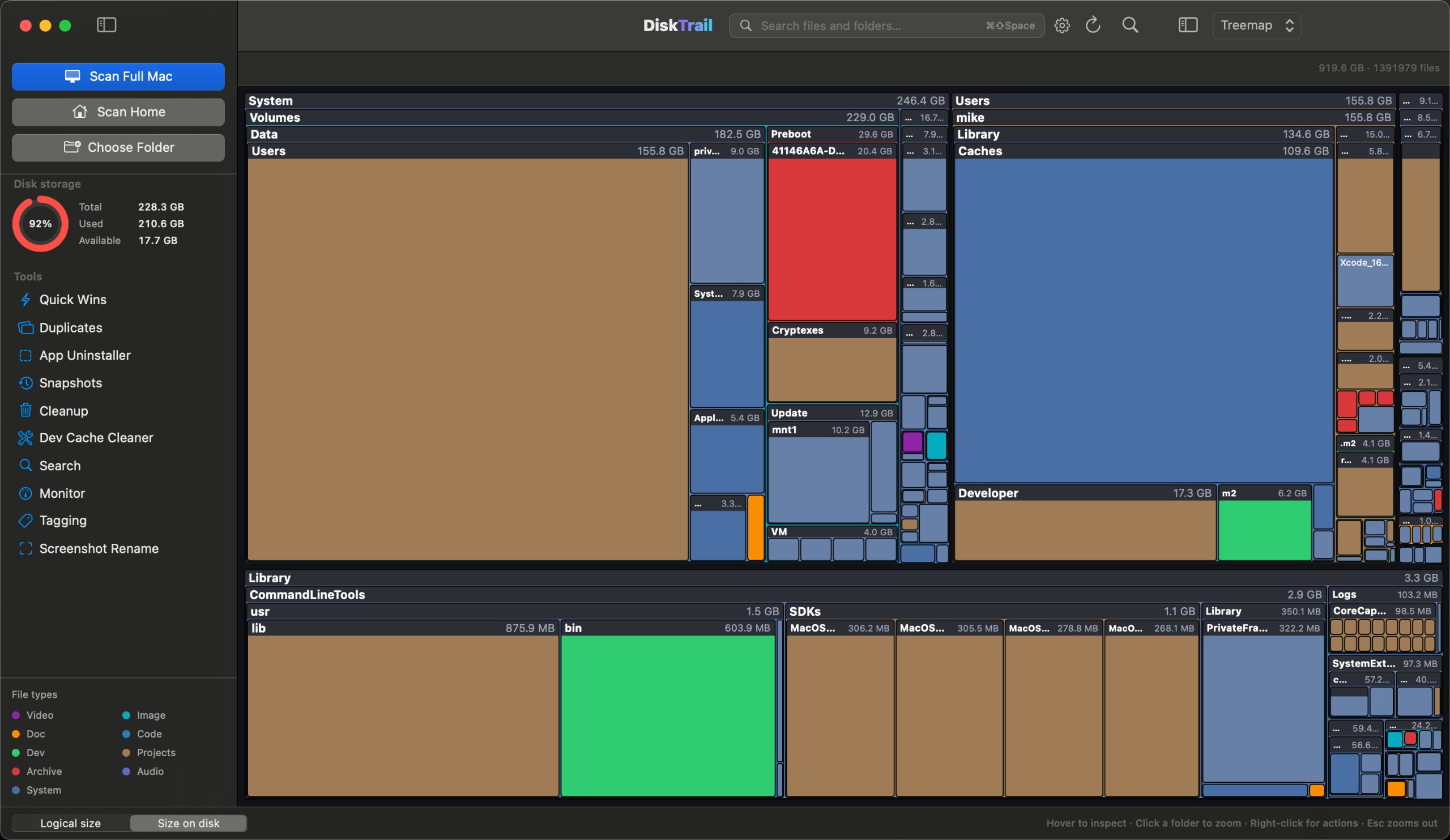
DiskInsight is a 100% local macOS disk analyzer. Point it at any drive and instantly see where your space went across nine visualizers — treemap, sunburst, flame graph, bubbles, mind map, age map, top sizes, list and folders — with instant search and large-file lists. Nothing is uploaded, no account is needed, and there is no telemetry. Scanning is free forever; a one-time Pro unlock adds duplicate cleanup by content hash, a developer cache cleaner (Xcode DerivedData, npm, CocoaPods, Gradle) and a full app uninstaller.
Features
- Nine visualizers: treemap, sunburst, flame graph, bubbles, mind map, age map, top sizes, list and folders
- Instant search across every file and folder
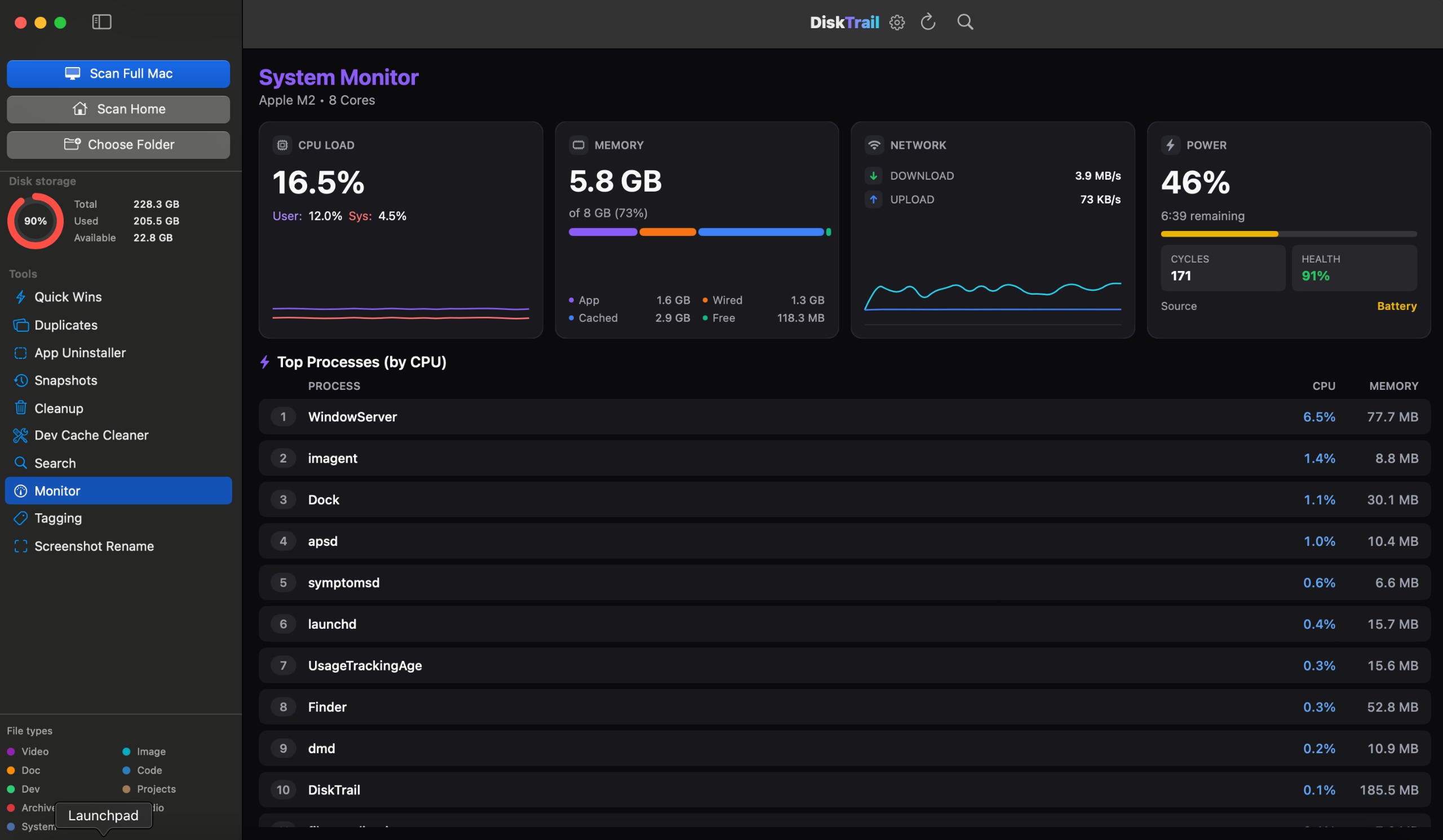
- Large-file lists and a live system monitor
- Content-hash duplicate detection (Pro)
- Dev Cache Cleaner for Xcode DerivedData, npm, CocoaPods and Gradle (Pro)
- Full app uninstaller (Pro)
- Runs 100% on-device — no uploads, no accounts, no telemetry
- Free to scan forever; Pro is a one-time unlock, never a subscription
Use Cases
- Reclaim space when your Mac is almost full and clean tools won't say why
- Find the single folder or app eating hundreds of GB in seconds
- Clear developer caches safely (Xcode DerivedData, npm, CocoaPods, Gradle)
- Remove duplicate files by content, not just name
- Uninstall apps completely, including their leftover support files
- Audit a drive before a backup or migration

Comments


The age map and large-file lists look more useful than a plain folder tree when a Mac is full and you can't tell why. One thing Storage settings often hides is APFS snapshots and iCloud files that have been evicted from the disk but still look like they're taking space. Does DiskInsight tell those apart from files that are actually sitting on the drive? A clear "safe to remove" vs "system-protected" mark on the big items would make the cleanup step a lot less nerve-racking.
Premium Products











































Sponsors
Buy
Makers

Makers
Comments
The age map and large-file lists look more useful than a plain folder tree when a Mac is full and you can't tell why. One thing Storage settings often hides is APFS snapshots and iCloud files that have been evicted from the disk but still look like they're taking space. Does DiskInsight tell those apart from files that are actually sitting on the drive? A clear "safe to remove" vs "system-protected" mark on the big items would make the cleanup step a lot less nerve-racking.
Premium Products
New to Fazier?

Find your next favorite product or submit your own. Made by @FalakDigital.
Copyright ©2026. All Rights Reserved