
Diskfern
See. Understand. Clean with confidence.
Diskfern helps you understand what's consuming storage on your Mac, find unnecessary files, and reclaim space without guessing.
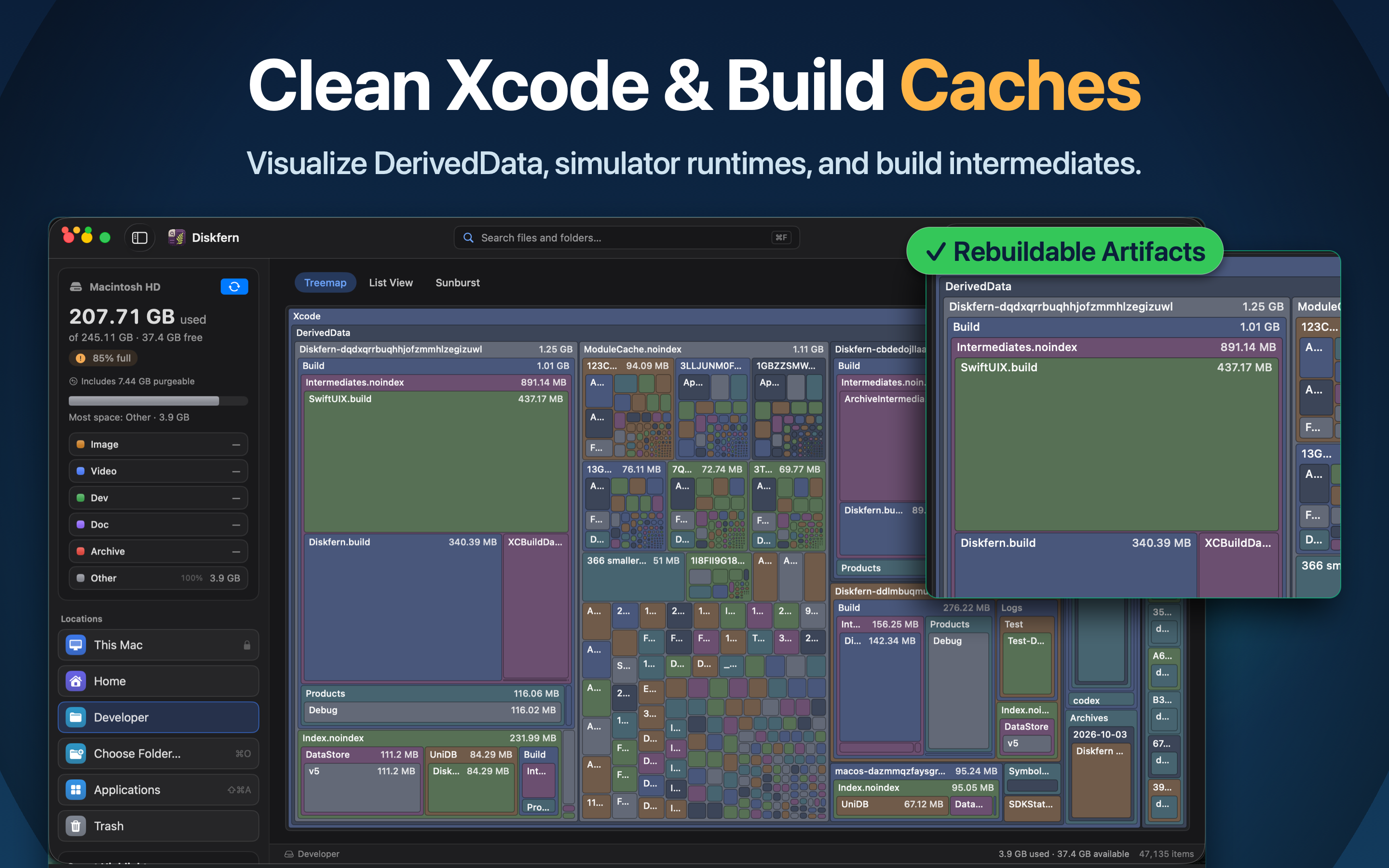
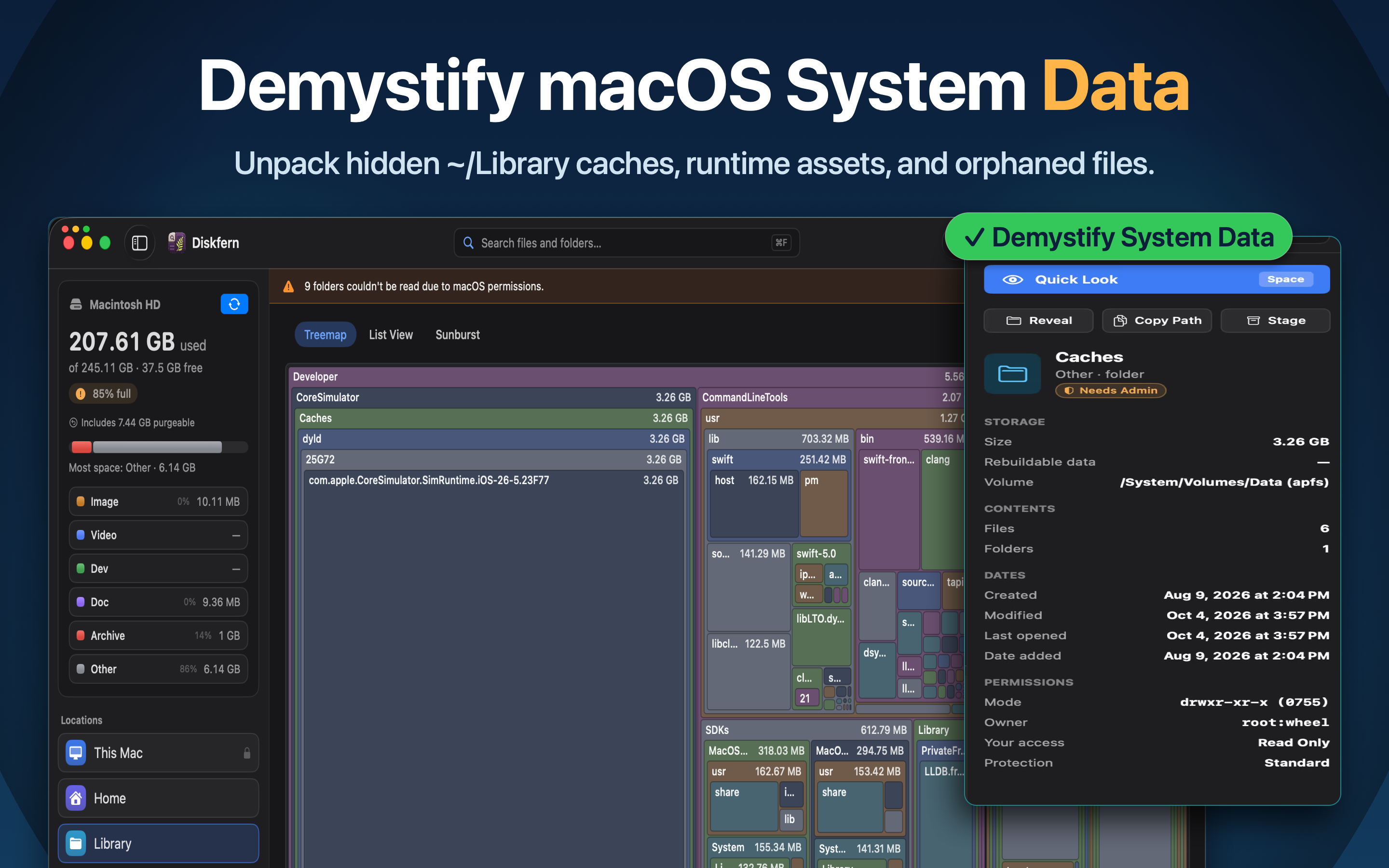
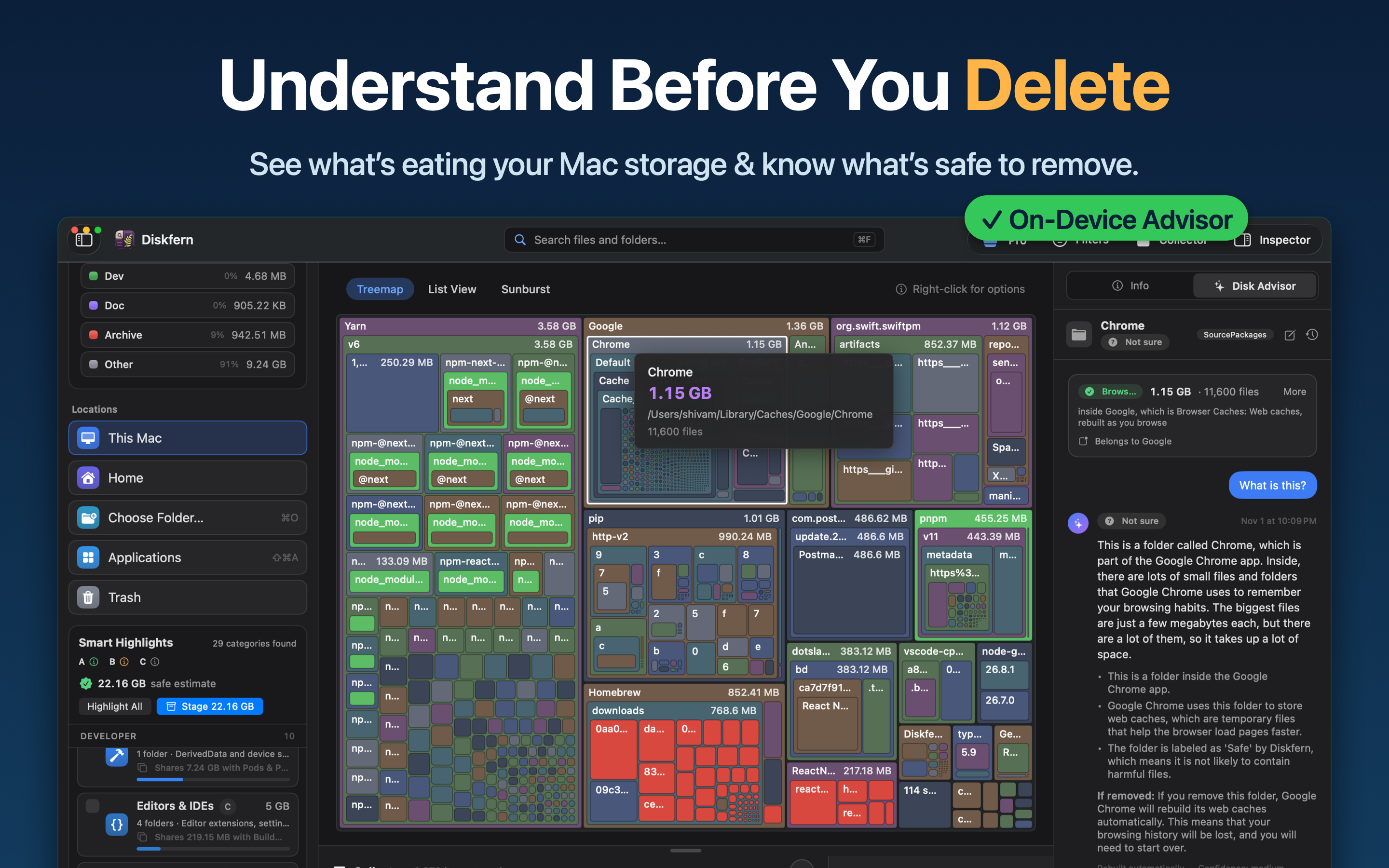
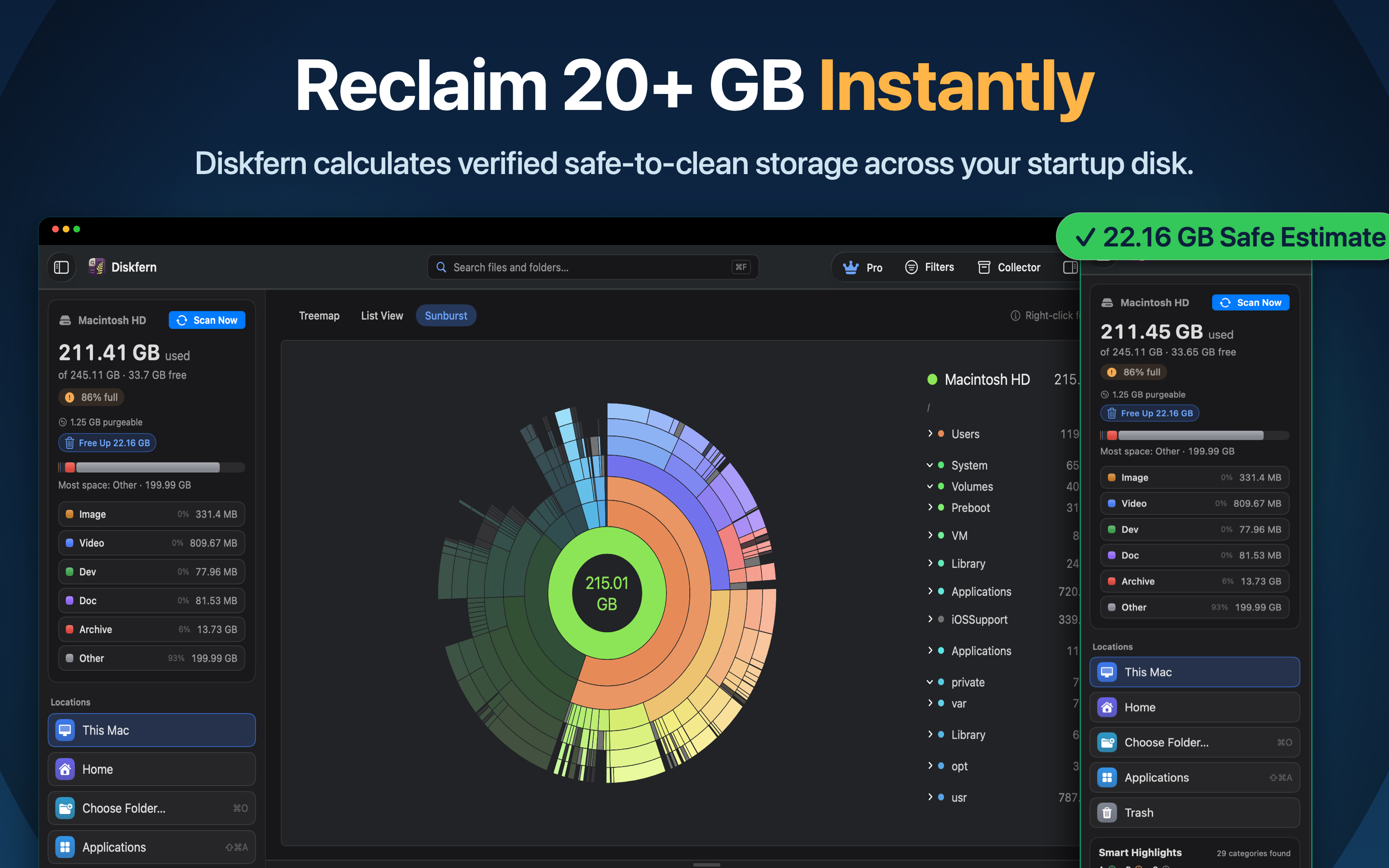
Explore your disk through three visualization modes: Treemap, Sunburst, and List. Find large files, investigate System Data, and identify storage consumed by developer tools, Xcode, Docker, caches, build artifacts, and local AI models.
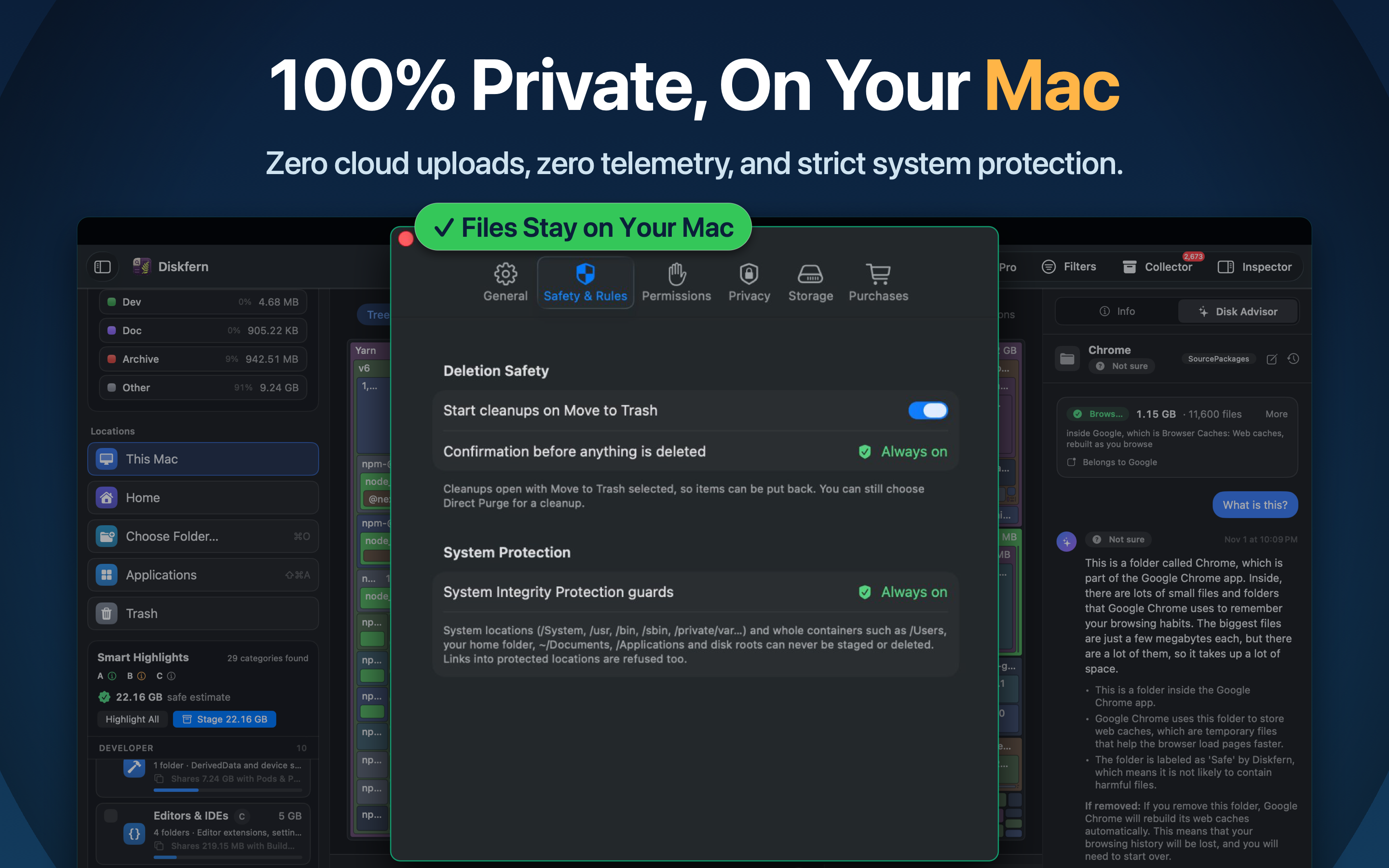
Diskfern performs scanning and analysis locally. Your files and scan results stay on your Mac. Nothing is removed without your approval.
Performance
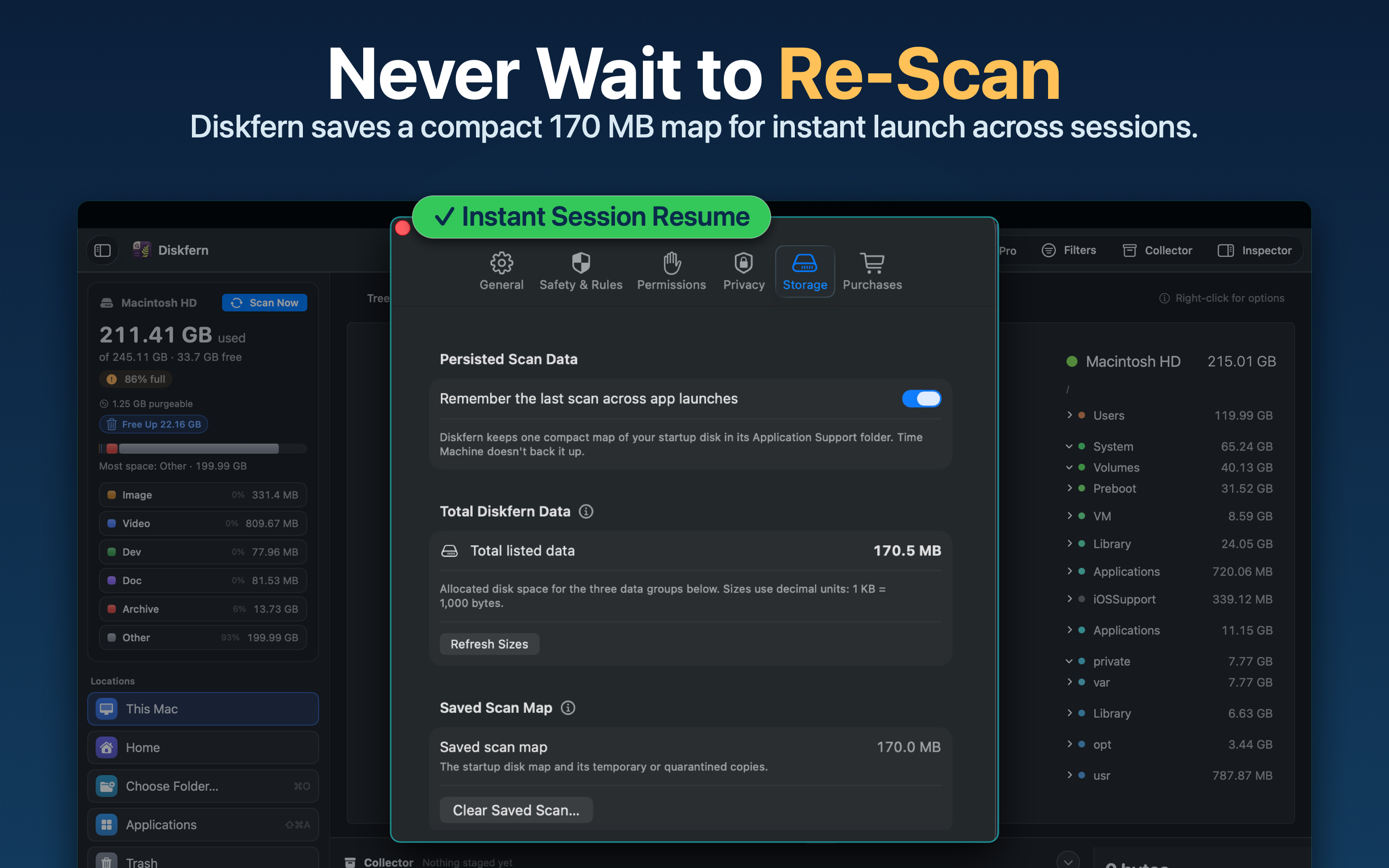
Tested on an Apple M4 MacBook Air with 16 GB memory, Diskfern scanned 2.886 million files in 16.055 seconds. See the full benchmark methodology and results at https://www.diskfern.com/benchmarks.
Pricing
Free unlimited scanning and storage exploration. Pro and Family offer advanced cleanup features through one-time purchases, with no recurring subscriptions.
Requirements
- macOS 14 Sonoma or later
- Apple silicon and Intel Macs
- Disk Advisor requires macOS 26 and Apple Intelligence.
Features
- Three Storage Views: Explore disk usage through Treemap, Sunburst, and List.
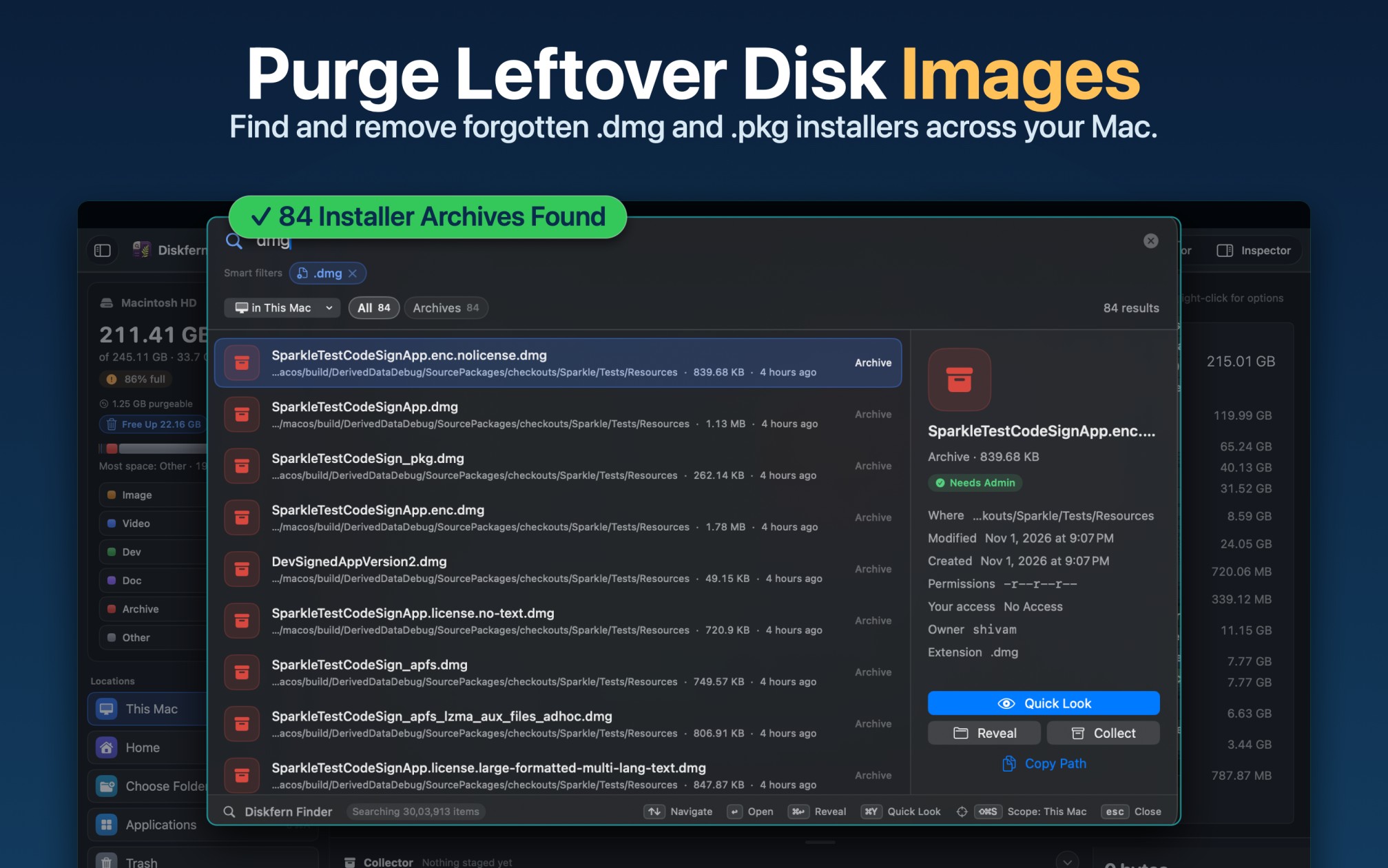
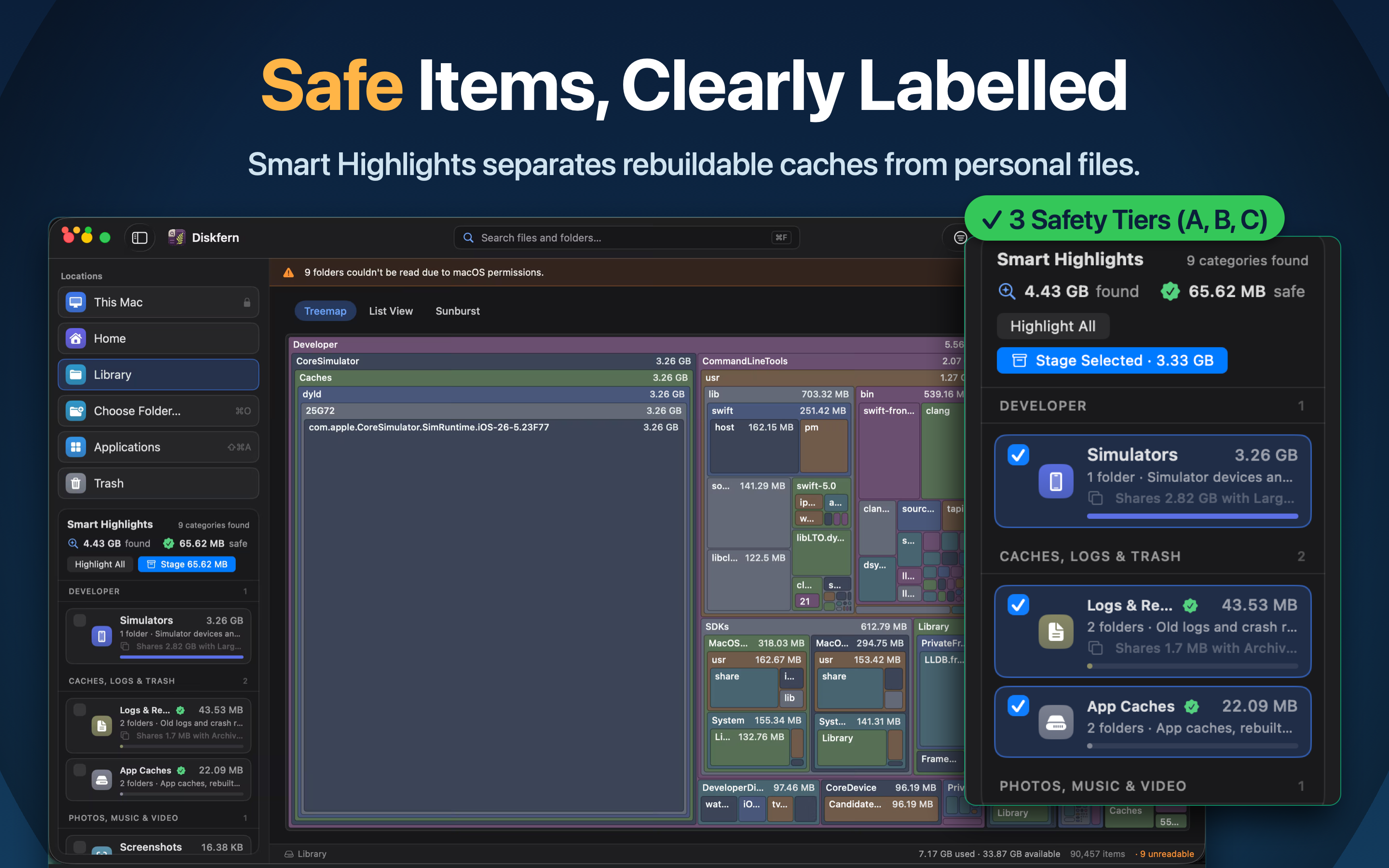
- 44 Smart Highlight Categories: Find developer caches, build artifacts, logs, temporary files, and other storage clutter.
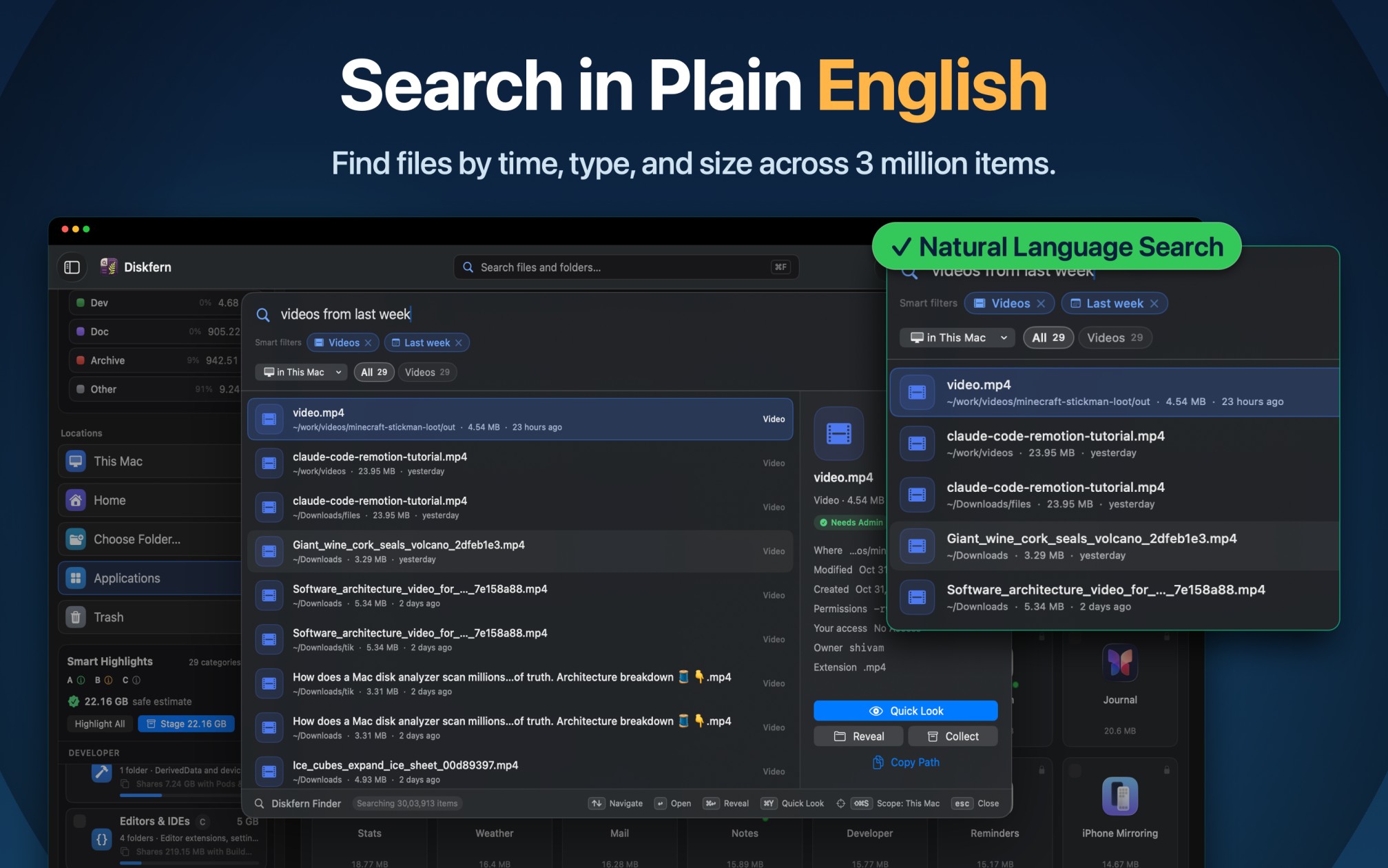
- Natural-Language Finder: Search using everyday queries such as "videos larger than 1 GB" or "PDFs from this month".
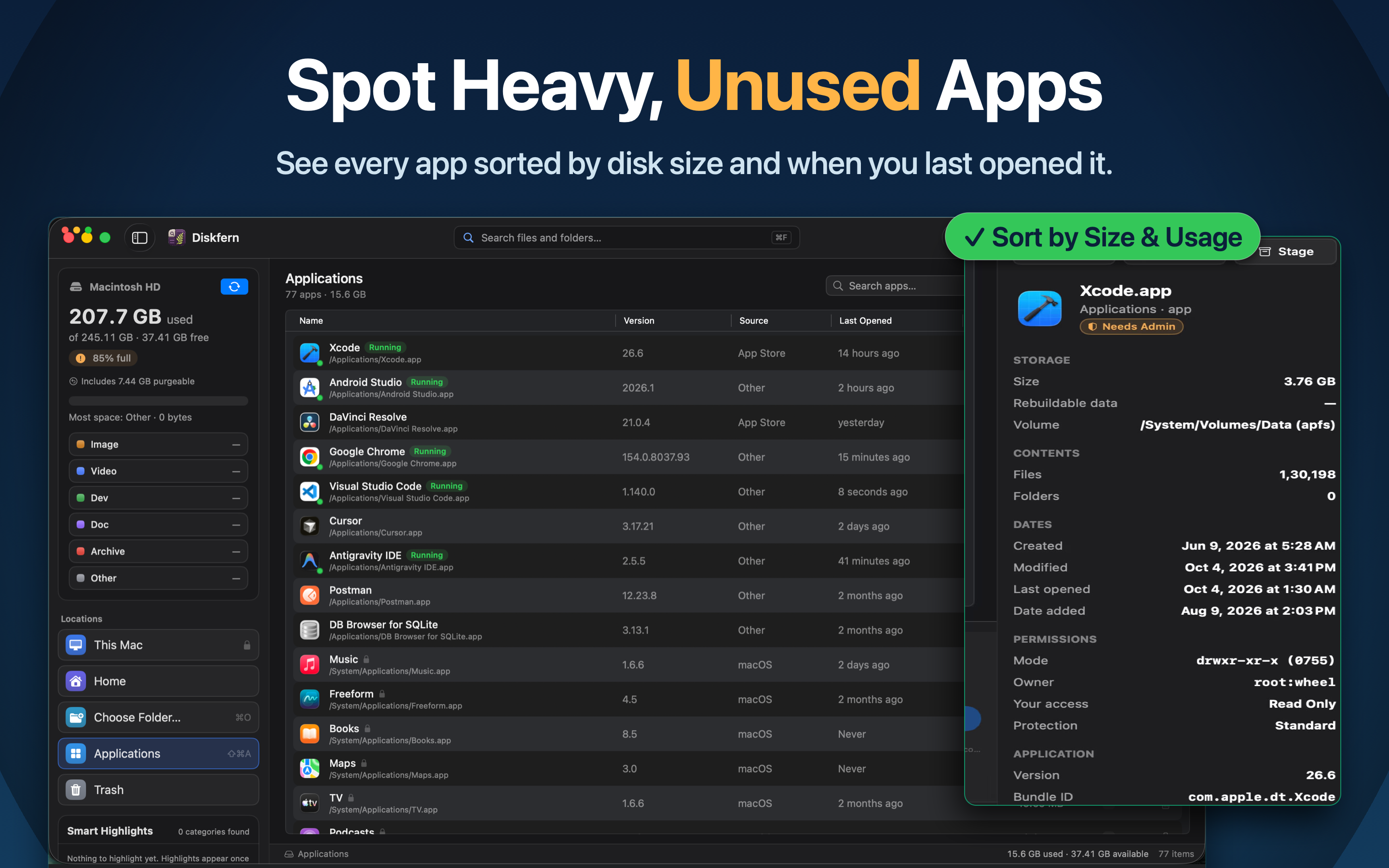
- File Inspector: View file sizes, locations, permissions, and Quick Look previews.
- Disk Advisor: Get on-device explanations of unfamiliar files and cleanup candidates using Apple Intelligence on supported Macs.
- Guided Cleanup: Review candidates using Safe, Review First, and Protected classifications before moving approved files to Trash.
- Collector: Gather and review cleanup candidates together.
Use Cases
Use Cases
- Free Up Mac Storage: Find large files, old downloads, temporary files, and unnecessary data taking up disk space.
- Manage Developer Storage: Locate Xcode DerivedData, simulator data, build archives, Docker files, Node.js dependencies, and development caches.
- Investigate System Data: Explore storage that macOS groups under System Data and identify the folders and files contributing to it.
- Manage Local AI Models: Find locally stored AI models, datasets, and related development files consuming significant disk space.
- Find Large Files Quickly: Search for videos, archives, documents, and other files using natural-language queries and size filters.
- Understand Disk Usage: Use Treemap, Sunburst, and List views to see how storage is distributed across files and folders.
- Review Before Cleaning: Identify cleanup candidates, understand their risk classifications, and move only approved files to Trash.
- Maintain Storage Across Projects: Keep track of accumulated build artifacts, caches, logs, and temporary files from multiple development projects.
- Investigate Unfamiliar Files: Use Disk Advisor on supported Macs to get on-device explanations of unfamiliar files and potential cleanup candidates.

Comments


Hey everyone, I built Diskfern after repeatedly running into storage problems while working across multiple development projects. Even with newer Macs, storage can fill up quickly with Xcode archives, simulator data, Docker files, build artifacts, caches, and other large files. Finding what was safe to remove often meant manually digging through folders. I wanted to build a native Mac app that makes this process easier to understand. Diskfern brings together disk visualization, developer-focused storage discovery, natural-language search, and guided cleanup. You can explore your storage, investigate unfamiliar files, and review cleanup candidates before removing anything. I’d love to hear your feedback, especially from Mac developers and anyone who regularly struggles with limited storage. Thanks for checking out Diskfern!
Premium Products




















































Sponsors
Buy

Makers
Makers
Comments
Hey everyone, I built Diskfern after repeatedly running into storage problems while working across multiple development projects. Even with newer Macs, storage can fill up quickly with Xcode archives, simulator data, Docker files, build artifacts, caches, and other large files. Finding what was safe to remove often meant manually digging through folders. I wanted to build a native Mac app that makes this process easier to understand. Diskfern brings together disk visualization, developer-focused storage discovery, natural-language search, and guided cleanup. You can explore your storage, investigate unfamiliar files, and review cleanup candidates before removing anything. I’d love to hear your feedback, especially from Mac developers and anyone who regularly struggles with limited storage. Thanks for checking out Diskfern!
Premium Products
New to Fazier?

Find your next favorite product or submit your own. Made by @FalakDigital.
Copyright ©2026. All Rights Reserved