DevMotion — AI Video Editor
After Effects-grade videos, prompted. Free to start
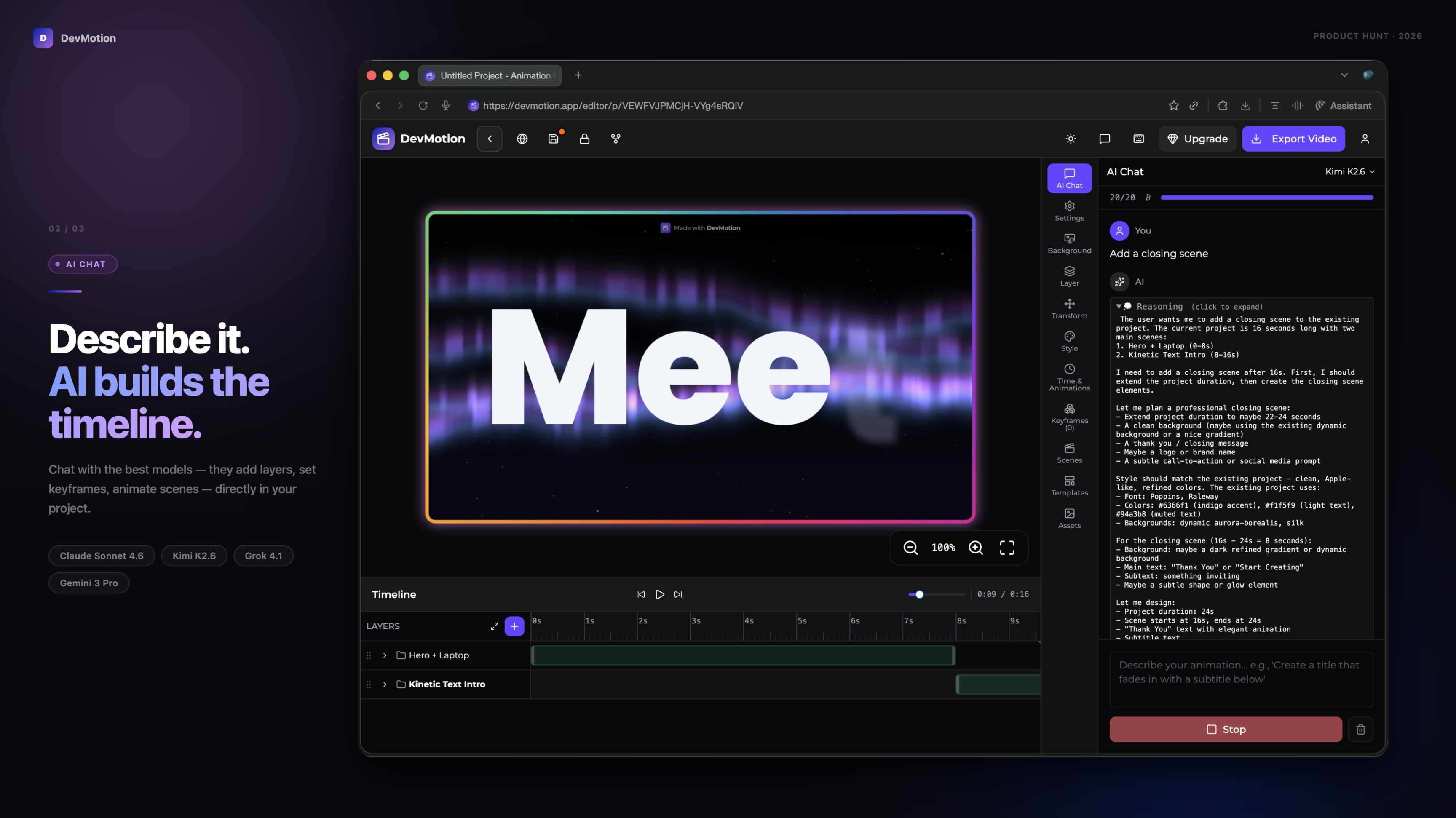
DevMotion turns prompts into motion-designed videos. Open the editor in your browser, chat with Claude/Gemini/Kimi/Grok, and it builds the timeline — layers, keyframes, captions, backgrounds, 3D mockups. Or drive it from your IDE via the MCP server.
Record your screen + cam, auto-caption and auto-dub in any language, generate B-roll with Seedance 2.0, and export once — DevMotion re-lays out for 16:9, 9:16 and 1:1 up to 4K.
Free plan, no install, no credit card.
Features
What's actually in the box:
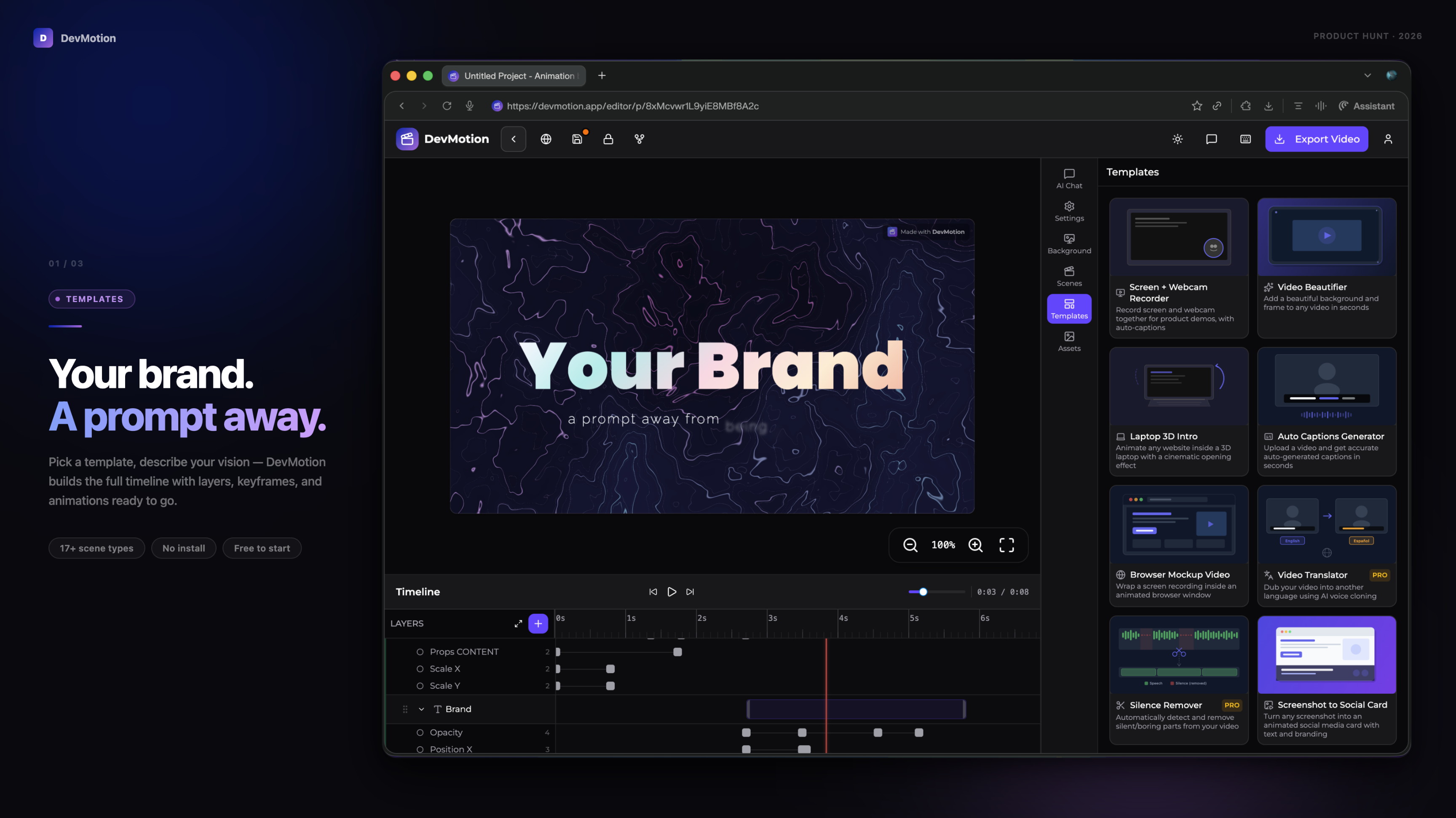
- 🎬 Full timeline + keyframe editor in the browser (no install, no Adobe)
- 💬 Chat with Kimi K2.6, Claude Sonnet 4.6, Grok 4.1, Gemini 3 Pro — they edit the timeline directly
- 🎥 Seedance 2.0 video generation (text-to-video with synced audio)
- 🎤 Screen + camera recording, AI auto-captions with word-level timing, AI dubbing with voice cloning
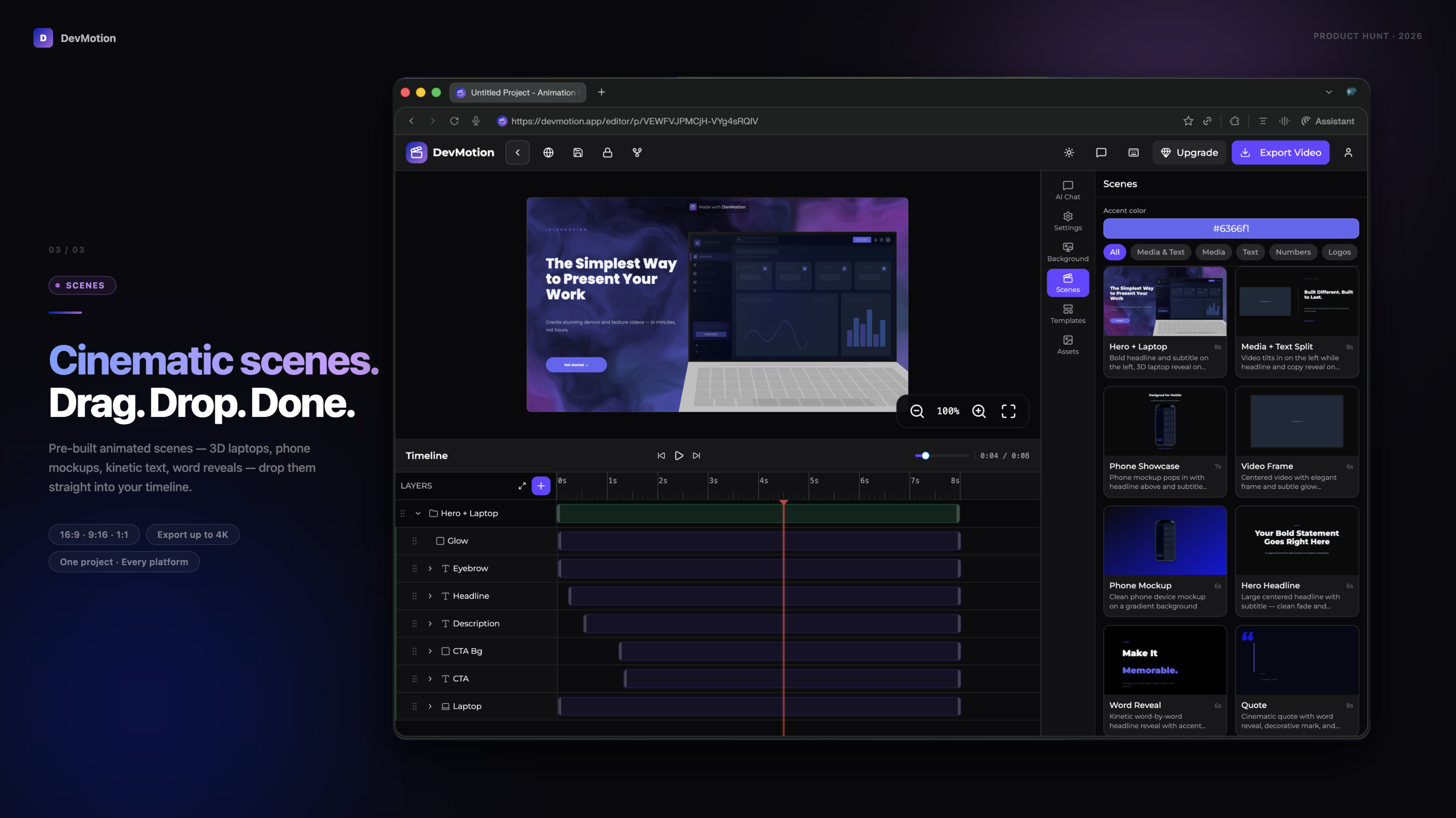
- 🧩 17+ layer types: browser mockups, 3D laptops, phones, code blocks, terminals
- 📐 One project → every platform: 16:9, 9:16, 1:1, up to 4K
- 🤖 MCP server so Claude/Cursor can drive the editor autonomously (claude mcp add --transport http devmotion https://devmotion.app/mcp)
- 🔌 REST API + webhooks for programmatic/batch rendering
Use Cases
Why I built this. Every time I wanted a decent demo video for a product, I hit the same wall: After Effects is a cliff, CapCut is fine for TikTok but weak for software demos, and the AI tools either generate clips you can't edit or edit videos you can't generate. I wanted one place where I could prompt a motion-designed scene, drop in a screen recording, auto-caption it, dub it into three languages, and export one project to every aspect ratio. That didn't exist. So here we are.

Comments





Hey Fazier 👋 I'm Emanuele — AI engineer, 15+ years in, dad of two, building DevMotion on nights and weekends. Why I built this. Every time I wanted a decent demo video for a product, I hit the same wall: After Effects is a cliff, CapCut is fine for TikTok but weak for software demos, and the AI tools either generate clips you can't edit or edit videos you can't generate. I wanted one place where I could prompt a motion-designed scene, drop in a screen recording, auto-caption it, dub it into three languages, and export one project to every aspect ratio. That didn't exist. So here we are. What's actually in the box: 🎬 Full timeline + keyframe editor in the browser (no install, no Adobe) 💬 Chat with Kimi K2.6, Claude Sonnet 4.6, Grok 4.1, Gemini 3 Pro — they edit the timeline directly 🎥 Seedance 2.0 video generation (text-to-video with synced audio) 🎤 Screen + camera recording, AI auto-captions with word-level timing, AI dubbing with voice cloning 🧩 17+ layer types: browser mockups, 3D laptops, phones, code blocks, terminals 📐 One project → every platform: 16:9, 9:16, 1:1, up to 4K 🤖 MCP server so Claude/Cursor can drive the editor autonomously (claude mcp add --transport http devmotion https://devmotion.app/mcp) 🔌 REST API + webhooks for programmatic/batch rendering Pricing: Free plan is genuinely usable (full editor, 20 AI credits, 5 exports/month, MCP access). Creator is $9/mo, Pro is $29/mo. Manual timeline editing is free forever for everyone. What I'd love from you today: Break it. Tell me where it's janky — I'll be in the comments all day. If you try it and have thoughts, I'd honestly love to hear them live — book 30 min with me. Feature requests go here so they don't get lost: devmotion.canny.io Thanks for looking. Upvotes help, but honest feedback helps more. — Ema

Premium Products









































Sponsors
Buy

Makers
Makers
Comments
Hey Fazier 👋 I'm Emanuele — AI engineer, 15+ years in, dad of two, building DevMotion on nights and weekends. Why I built this. Every time I wanted a decent demo video for a product, I hit the same wall: After Effects is a cliff, CapCut is fine for TikTok but weak for software demos, and the AI tools either generate clips you can't edit or edit videos you can't generate. I wanted one place where I could prompt a motion-designed scene, drop in a screen recording, auto-caption it, dub it into three languages, and export one project to every aspect ratio. That didn't exist. So here we are. What's actually in the box: 🎬 Full timeline + keyframe editor in the browser (no install, no Adobe) 💬 Chat with Kimi K2.6, Claude Sonnet 4.6, Grok 4.1, Gemini 3 Pro — they edit the timeline directly 🎥 Seedance 2.0 video generation (text-to-video with synced audio) 🎤 Screen + camera recording, AI auto-captions with word-level timing, AI dubbing with voice cloning 🧩 17+ layer types: browser mockups, 3D laptops, phones, code blocks, terminals 📐 One project → every platform: 16:9, 9:16, 1:1, up to 4K 🤖 MCP server so Claude/Cursor can drive the editor autonomously (claude mcp add --transport http devmotion https://devmotion.app/mcp) 🔌 REST API + webhooks for programmatic/batch rendering Pricing: Free plan is genuinely usable (full editor, 20 AI credits, 5 exports/month, MCP access). Creator is $9/mo, Pro is $29/mo. Manual timeline editing is free forever for everyone. What I'd love from you today: Break it. Tell me where it's janky — I'll be in the comments all day. If you try it and have thoughts, I'd honestly love to hear them live — book 30 min with me. Feature requests go here so they don't get lost: devmotion.canny.io Thanks for looking. Upvotes help, but honest feedback helps more. — Ema
Premium Products
New to Fazier?

Find your next favorite product or submit your own. Made by @FalakDigital.
Copyright ©2026. All Rights Reserved