
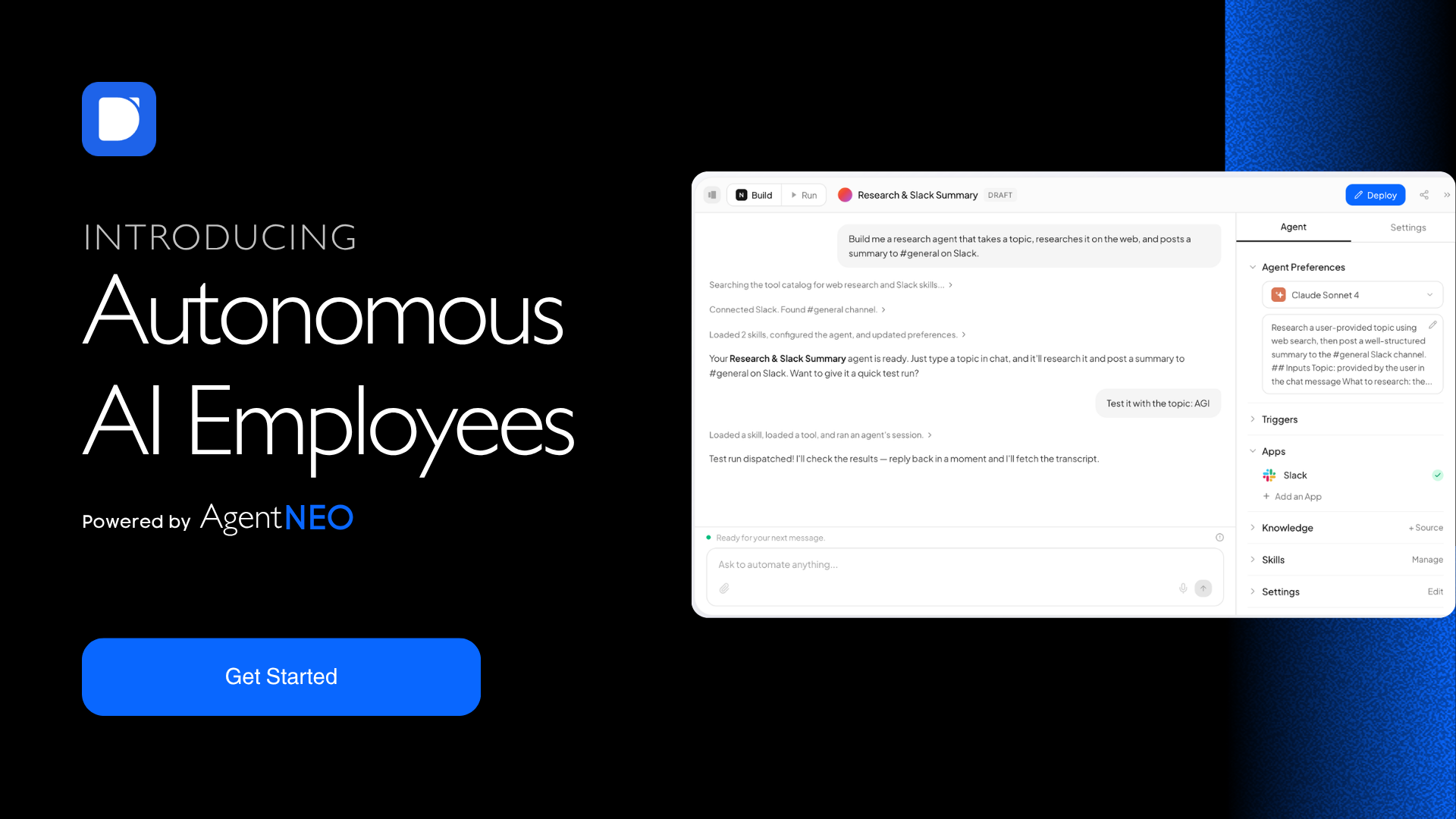
DeskFerry is a no-code AI workforce platform. Instead of wiring up triggers and steps, you describe the job you want done in plain English — "qualify inbound leads from HubSpot, enrich them, and route hot ones to Slack" — and DeskFerry builds the agent, connects the tools, and runs it.
The difference from rule-based automation is autonomy. A Zap fires and moves data. A DeskFerry agent reasons about the task, decides which of its tools to use, and executes multi-step work end to end. It runs on a schedule or an event trigger, remembers past runs so you're not re-explaining context, and pauses for your approval before anything irreversible — sending an email, updating a record, issuing a refund.
Agents connect natively to 1,500+ apps including Slack, Gmail, HubSpot, Salesforce, Notion, Stripe, Zendesk and Jira. You can point them at your own knowledge — PDFs, help centre URLs, databases — and teach them custom skills like your brand voice or your reporting format, then share those skills across the team. Models from OpenAI, Anthropic, Google, xAI, Mistral and DeepSeek are all built in; no API keys to manage.
Once an agent works, you can run it from anywhere: a chat widget on your site, a Slack channel, an inbound email, or the API.
Plans start at $49/month with unlimited agents, and every plan starts with a free trial that never auto-converts.
Features
- Build by describing — Explain the job in plain English; DeskFerry assembles the agent, picks the tools, and deploys it. No canvas, no step-by-step builder.
- 1,500+ native integrations — Gmail, Slack, HubSpot, Salesforce, Notion, Stripe, Zendesk, Jira, Asana, Calendly, Box, Dropbox and more. Custom connections on request.
- Any model, no API keys — OpenAI, Anthropic, Google, xAI, Mistral, DeepSeek and open models. Switch per task.
- Human-in-the-loop approvals — Require a click before any critical action. You see exactly what the agent wants to do before it does it.
- Scheduling and triggers — Hourly, daily, weekly, or fired by an event in a connected app.
- Memory — Agents carry context across runs and learn preferences, so you stop re-briefing them.
- Knowledge base — Upload docs, paste URLs, connect databases; agents use them as grounding for every task.
- Custom skills — Teach brand voice, output formats, and filing conventions once, then share them across the workspace.
- Run it anywhere — Website chat embed, Slack, email trigger, or REST API.
- Agent marketplace — Ready-made agents for sales, support, ops and back office if you'd rather not start from a blank page.
Use Cases
Sales
- Qualify and score inbound leads, enrich them, update the CRM, and route hot prospects to a rep in Slack
- Research accounts before a call and drop a briefing into the calendar invite
- Follow up on stalled deals on a schedule until someone replies
Customer support
- Answer tier-1 tickets instantly from your help centre and product docs; escalate anything ambiguous
- Tag, prioritise and route incoming tickets by topic and sentiment
- Draft replies for an agent to approve rather than sending blind
Operations
- Turn raw data into a formatted weekly ops report and post it to Slack every Monday
- Data entry and reconciliation between tools that don't talk to each other
- Onboarding checklists that chase the humans who haven't finished their steps
Finance / back office
- Invoice follow-ups and payment chasing
- Expense and receipt triage into the right categories
- Month-end data pulls assembled into one document
Agencies
- A separate workspace per client, with the same agent templates deployed across all of them
- Reporting agents that pull each client's numbers and produce a branded deliverable
Solo founders
- One agent on the single workflow currently eating four hours a day

Comments


The real breakthrough here is removing the workflow configuration barrier. Most teams have dozens of things they'd automate if they didn't need an engineer - lead qualification workflows that route to the right sales rep, support ticket auto-categorization, expense reconciliation, invoice follow-ups. DeskFerry's "describe in English" interface means ops teams can actually build these themselves instead of waiting on technical resources or settling for incomplete Zaps. The agent marketplace angle is smart too - for companies that want pre-built agents for their specific workflows, that saves months of custom development. For a growing company managing multiple departments, having one system that handles sales automation, support automation, and ops automation in the same way is a massive simplification vs juggling separate tools.
Premium Products

































Sponsors
Buy


Comments
The real breakthrough here is removing the workflow configuration barrier. Most teams have dozens of things they'd automate if they didn't need an engineer - lead qualification workflows that route to the right sales rep, support ticket auto-categorization, expense reconciliation, invoice follow-ups. DeskFerry's "describe in English" interface means ops teams can actually build these themselves instead of waiting on technical resources or settling for incomplete Zaps. The agent marketplace angle is smart too - for companies that want pre-built agents for their specific workflows, that saves months of custom development. For a growing company managing multiple departments, having one system that handles sales automation, support automation, and ops automation in the same way is a massive simplification vs juggling separate tools.
Premium Products
New to Fazier?

Find your next favorite product or submit your own. Made by @FalakDigital.
Copyright ©2026. All Rights Reserved