DermInk
AI tattoo generator for turning ideas, photos & sketches int
DermInk gives shape to the tattoo idea in your head. Start with a few words, a reference photo, or a rough sketch, then develop it into a clear visual concept before committing it to skin.
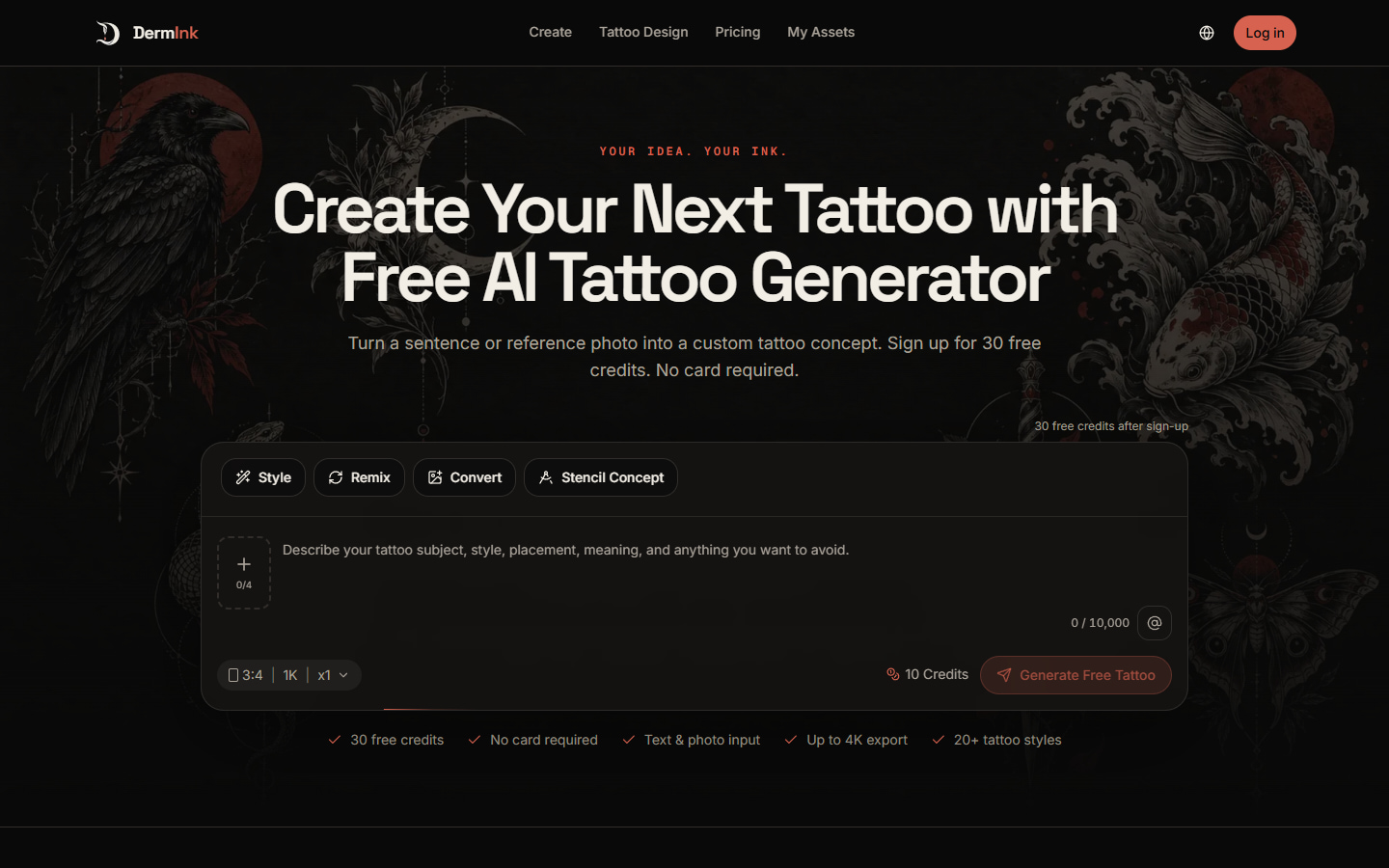
The experience is built around the choices that define a tattoo: subject, meaning, style, placement, composition, linework, color, and negative space. Users can explore more than 20 tattoo styles, generate up to four directions at once, and compare the results before refining a favorite.
DermInk also supports reference-based workflows. Rework an existing tattoo or sketch, turn a meaningful photo into a tattoo concept, or simplify artwork into clean stencil-style linework. The dedicated tattoo design generator offers guided prompts for developing a more complete design brief. Images can be generated at 1K, 2K, or 4K resolution in a range of aspect ratios.
Every DermInk result is a starting point for a better conversation with a tattoo artist. It is not tattoo-ready artwork or a calibrated transfer stencil. The final design should be adapted by a professional for the body, placement, scale, line weight, contrast, and long-term readability.
Features
- Tattoo Design Generator :Create complete tattoo concepts from a written idea, photo, or sketch. The guided tool helps users define the subject, style, body placement, composition, linework, color, and details to keep or avoid.
- Text-to-tattoo generation: Describe the subject, style, placement, composition, color, and key details.
- Reference-image editing: Upload a photo, sketch, tattoo image, or previous result and explain what should stay or change.
- Photo-to-tattoo conversion: Turn a pet, flower, object, illustration, or other visual reference into a standalone tattoo concept.
- Tattoo remixing: Rework an existing tattoo or sketch while preserving the strongest elements.
- Stencil-style concepts: Simplify a design into clean, high-contrast linework for artist review.
- More than 20 tattoo styles: Explore fine line, blackwork, traditional, Japanese-inspired, realism, geometric, ornamental, watercolor, dotwork, neo-traditional, and other styles.
- Multiple design options: Generate one to four images in a single request and compare different directions.
- Flexible output settings: Choose from several aspect ratios and export at 1K, 2K, or 4K resolution.
- Placement-aware prompts: Develop compositions for areas such as the forearm, upper arm, shoulder, back, thigh, calf, or wrist.
- Saved design history: View, rename, download, reuse, and delete completed designs from a private workspace.
- English and Chinese support: Use DermInk in English or Chinese.
Use Cases
- Creating a custom tattoo concept from text
- Exploring tattoo ideas before booking an appointment
- Converting pet photos into memorial tattoo concepts
- Turning flowers, objects, and illustrations into tattoo designs
- Developing concepts from rough sketches
- Remixing an existing tattoo direction
- Comparing several styles for the same subject
- Planning compositions for specific body placements
- Exploring sleeve and larger tattoo layouts
- Creating stencil-style linework for artist review
- Preparing visual references for tattoo consultations
- Comparing multiple concepts with a client
- Refining a previous AI-generated result
- Producing high-resolution tattoo concept images

Comments

The reference-photo and sketch workflow is what stood out to me, especially the option to simplify artwork into clean stencil-style linework. I also appreciate the honest note that results are a starting point for a conversation with a tattoo artist rather than tattoo-ready art. Have you thought about letting users export a side-by-side board of the four generated directions to bring to a studio consultation?
The stencil-style output and the keep-or-avoid fields are the useful part for someone walking into a shop: a high-contrast line version plus an explicit list of what should stay. I would want the export to label which style and placement were used, because a 4K image without that prompt context is hard for an artist to revise.

The placement-aware prompts and stencil-style simplification stand out most to me, because those are exactly what help a consultation: seeing how a design sits on a forearm versus a shoulder, and having clean linework an artist can actually adapt. How does DermInk handle designs that need to age well on skin, for example fine-line details that might blur over time? That guidance would make the jump from concept to artist-ready brief much stronger.


Positioning this as a pre-commitment tool rather than a tattoo generator is the smart bit - the real pain isn't coming up with an idea, it's the gap between the idea in your head and what a specific artist can actually execute on skin. Does the output give any hint of how a design ages, or how it reads at different line weights? That's usually where reference images fall apart during a consultation.

DermInk looks like a really useful tool for anyone planning a tattoo. I like how you can explore different styles and turn simple ideas or photos into creative designs. The option to compare multiple designs is a nice touch. It would be even better with a realistic tattoo preview on different body parts.

The AI tattoo generator for turning ideas angle here feels practical, with It is not tattoo-ready artwork or a calibrated transfer stencil keeping it from sounding templated. <a href="https://kinpict.com/">family photo editing</a> is easy enough to come back to later.
The way AI tattoo generator for turning ideas is explained here feels pretty natural, and Users can explore more than 20 tattoo styles, generate up to four directions at once makes it feel less generic. When I circle back, <a href="https://vidextend.com/">ai video expand</a> will be easy to grab.



Being able to start from a rough sketch feels useful for people who know what they want but struggle to describe it. Can users keep one part of a concept fixed while exploring changes elsewhere—for example, preserving a flower’s shape while changing the surrounding composition? That would make it easier to refine a favorite without losing the detail that made it personal.

Congrats on the launch! The positioning is really clean - there are a lot of tools in the ink/tattoo space but very few that take a data driven approach to the business side of it. The booking and client management angle is smart, especially for independent artists who are managing everything themselves without a dedicated ops person. Would be curious to know how you are handling the appointment no show problem that seems to be the biggest operational headache for tattoo studios from what I have seen. Is there any automated reminder or deposit flow built in? Good luck with the launch 🚀
The mode that simplifies a photo or artwork into clean stencil-style linework is the part I'd test hardest. I work on photo-to-line-art for kids' coloring pages, and our hard cases are hair and darker skin, where models love to fill big areas solid black and the detail disappears. Can you steer line weight or keep large areas open, or is that left to the artist? Also glad you say plainly that a result is a starting point, not a transfer stencil.

Premium Products














































Sponsors
Buy

Awards
View all
Awards
View allMakers

Makers
Comments
The reference-photo and sketch workflow is what stood out to me, especially the option to simplify artwork into clean stencil-style linework. I also appreciate the honest note that results are a starting point for a conversation with a tattoo artist rather than tattoo-ready art. Have you thought about letting users export a side-by-side board of the four generated directions to bring to a studio consultation?
The stencil-style output and the keep-or-avoid fields are the useful part for someone walking into a shop: a high-contrast line version plus an explicit list of what should stay. I would want the export to label which style and placement were used, because a 4K image without that prompt context is hard for an artist to revise.
The placement-aware prompts and stencil-style simplification stand out most to me, because those are exactly what help a consultation: seeing how a design sits on a forearm versus a shoulder, and having clean linework an artist can actually adapt. How does DermInk handle designs that need to age well on skin, for example fine-line details that might blur over time? That guidance would make the jump from concept to artist-ready brief much stronger.
Positioning this as a pre-commitment tool rather than a tattoo generator is the smart bit - the real pain isn't coming up with an idea, it's the gap between the idea in your head and what a specific artist can actually execute on skin. Does the output give any hint of how a design ages, or how it reads at different line weights? That's usually where reference images fall apart during a consultation.
DermInk looks like a really useful tool for anyone planning a tattoo. I like how you can explore different styles and turn simple ideas or photos into creative designs. The option to compare multiple designs is a nice touch. It would be even better with a realistic tattoo preview on different body parts.
The AI tattoo generator for turning ideas angle here feels practical, with It is not tattoo-ready artwork or a calibrated transfer stencil keeping it from sounding templated. <a href="https://kinpict.com/">family photo editing</a> is easy enough to come back to later.
The way AI tattoo generator for turning ideas is explained here feels pretty natural, and Users can explore more than 20 tattoo styles, generate up to four directions at once makes it feel less generic. When I circle back, <a href="https://vidextend.com/">ai video expand</a> will be easy to grab.
Being able to start from a rough sketch feels useful for people who know what they want but struggle to describe it. Can users keep one part of a concept fixed while exploring changes elsewhere—for example, preserving a flower’s shape while changing the surrounding composition? That would make it easier to refine a favorite without losing the detail that made it personal.
Congrats on the launch! The positioning is really clean - there are a lot of tools in the ink/tattoo space but very few that take a data driven approach to the business side of it. The booking and client management angle is smart, especially for independent artists who are managing everything themselves without a dedicated ops person. Would be curious to know how you are handling the appointment no show problem that seems to be the biggest operational headache for tattoo studios from what I have seen. Is there any automated reminder or deposit flow built in? Good luck with the launch 🚀
The mode that simplifies a photo or artwork into clean stencil-style linework is the part I'd test hardest. I work on photo-to-line-art for kids' coloring pages, and our hard cases are hair and darker skin, where models love to fill big areas solid black and the detail disappears. Can you steer line weight or keep large areas open, or is that left to the artist? Also glad you say plainly that a result is a starting point, not a transfer stencil.
Premium Products
New to Fazier?

Find your next favorite product or submit your own. Made by @FalakDigital.
Copyright ©2026. All Rights Reserved