
Demoly
Instant AI searchable web demos and walkthroughs
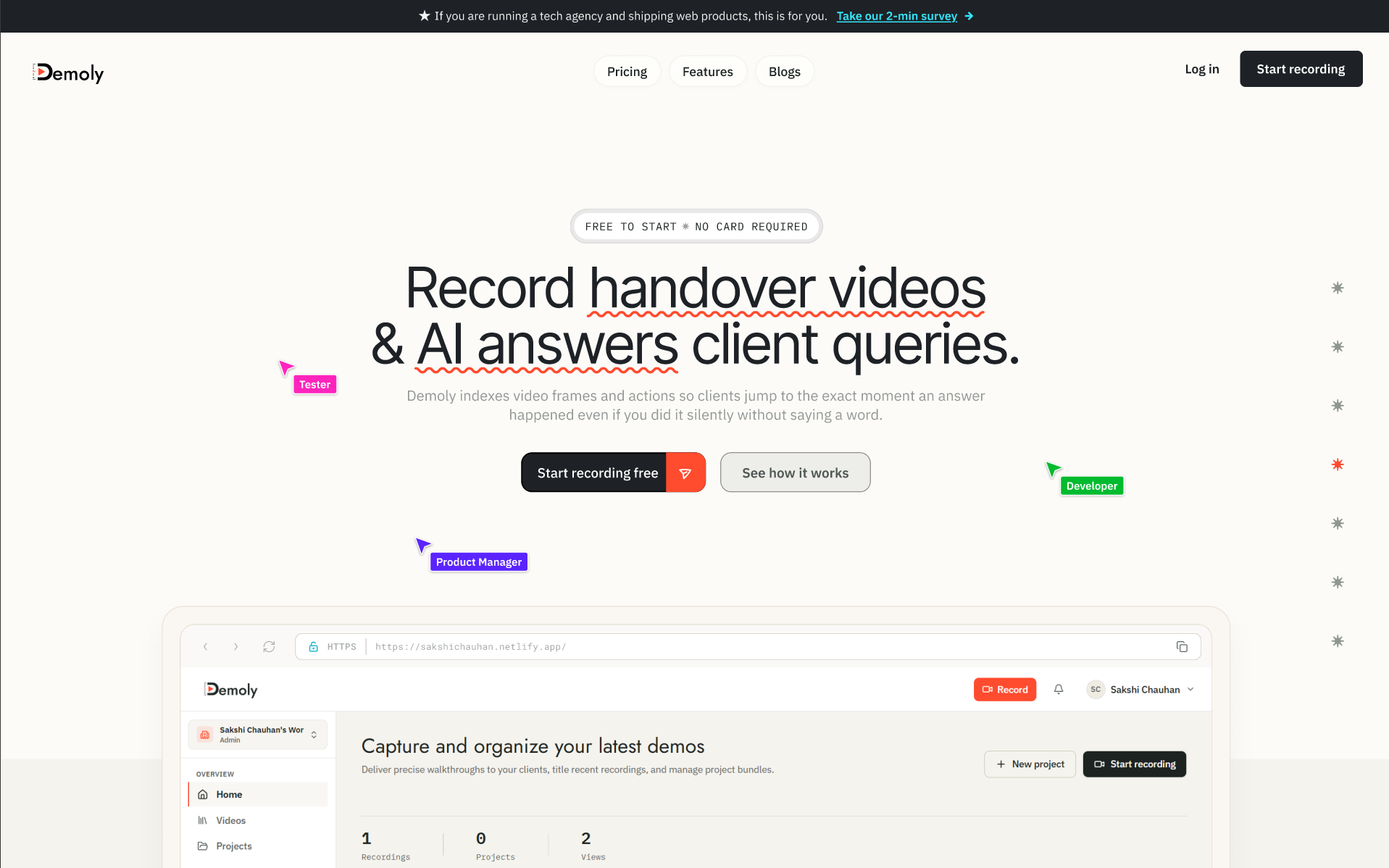
Demoly transforms screen recordings into interactive, AI-searchable product walkthroughs.
Instead of traditional, flat video files that force viewers to scrub through timelines, Demoly indexes both voice narration and on-screen actions. Viewers can ask questions in natural language and immediately jump to the exact second, step, and UI element where the answer appears. It replaces repetitive handover meetings, lengthy sync calls, and dense documentation with an intuitive, self-serve video workspace.
Features
- Multimodal Visual & Audio Search
- Indexes voice narration alongside silent on-screen UI actions (button clicks, form inputs, navigation paths, and DOM elements).
- Natural-language query bar lets viewers ask questions (e.g., "How do I generate an API key?") to receive step-by-step instructions and clickable timestamps.
- Accurately pinpoints silent clicks and configurations even if you never mentioned them out loud.
- Permanent Canvas-Level Redaction
- Built-in blur and redaction brushes to mask client details, API tokens, passwords, and sensitive production data.
- Content is permanently scrubbed directly at the video frame layer, not just hidden behind client-side CSS overlays.
- Non-Destructive In-Browser Editing
- Trim dead air, remove mistakes, or cut out unwanted sections directly inside your browser.
- Non-destructive timeline preserves the original capture, so you never have to re-record a full session over a minor error.
- Interactive Video Player & Extraction
- Select, copy, and paste code snippets, error logs, and text straight out of recorded video frames.
- Direct tab links allow viewers to open URLs displayed on screen in one click.
- Pin comments directly to specific interface elements for precise context.
- AI Voiceovers & Global Translation
- Create polished product walkthroughs using automated AI voice generation.
- Transcripts translate into 30+ languages, making product walkthroughs accessible to international clients and distributed teams.
- Structured Team Workspaces & Collections
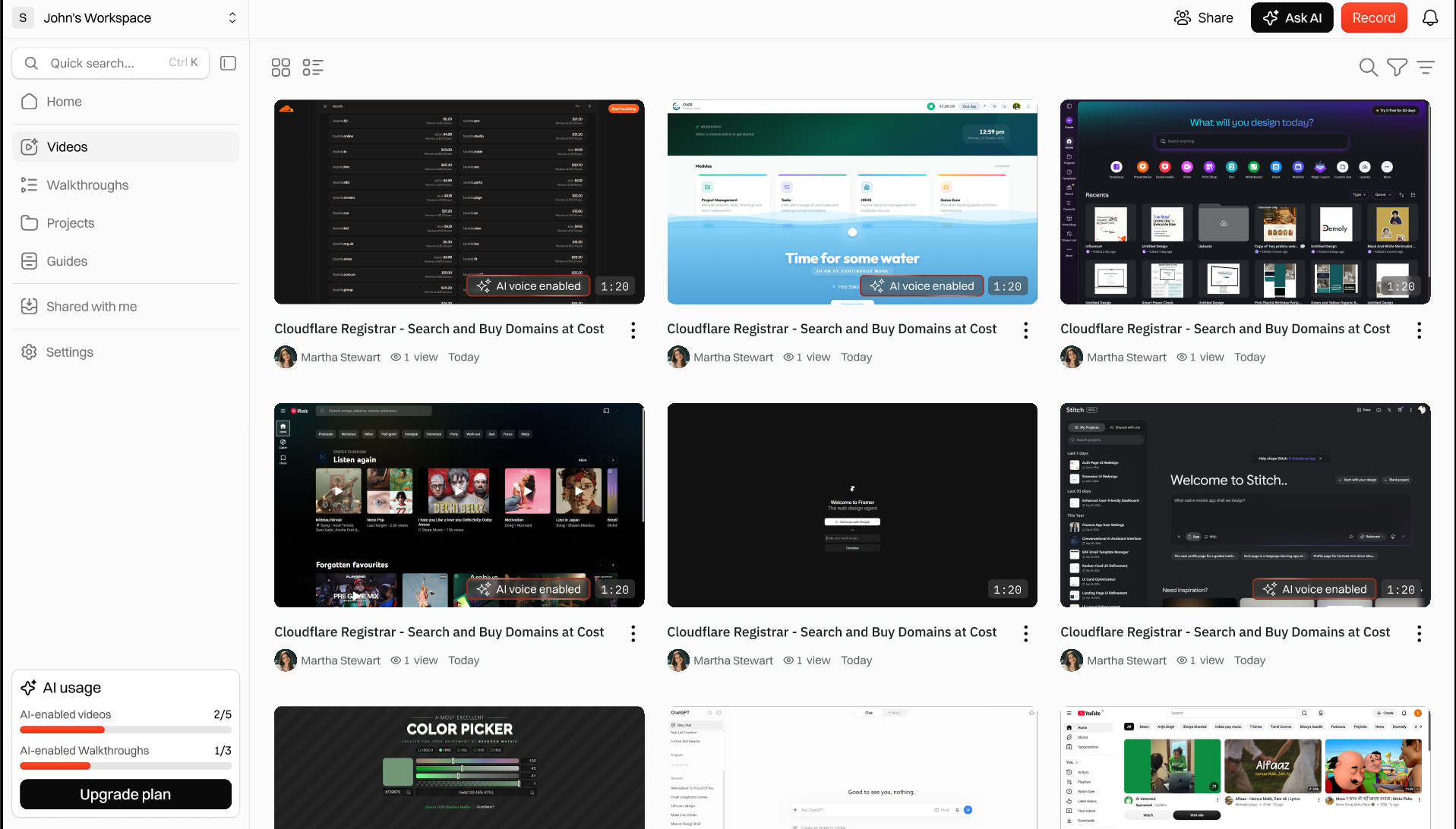
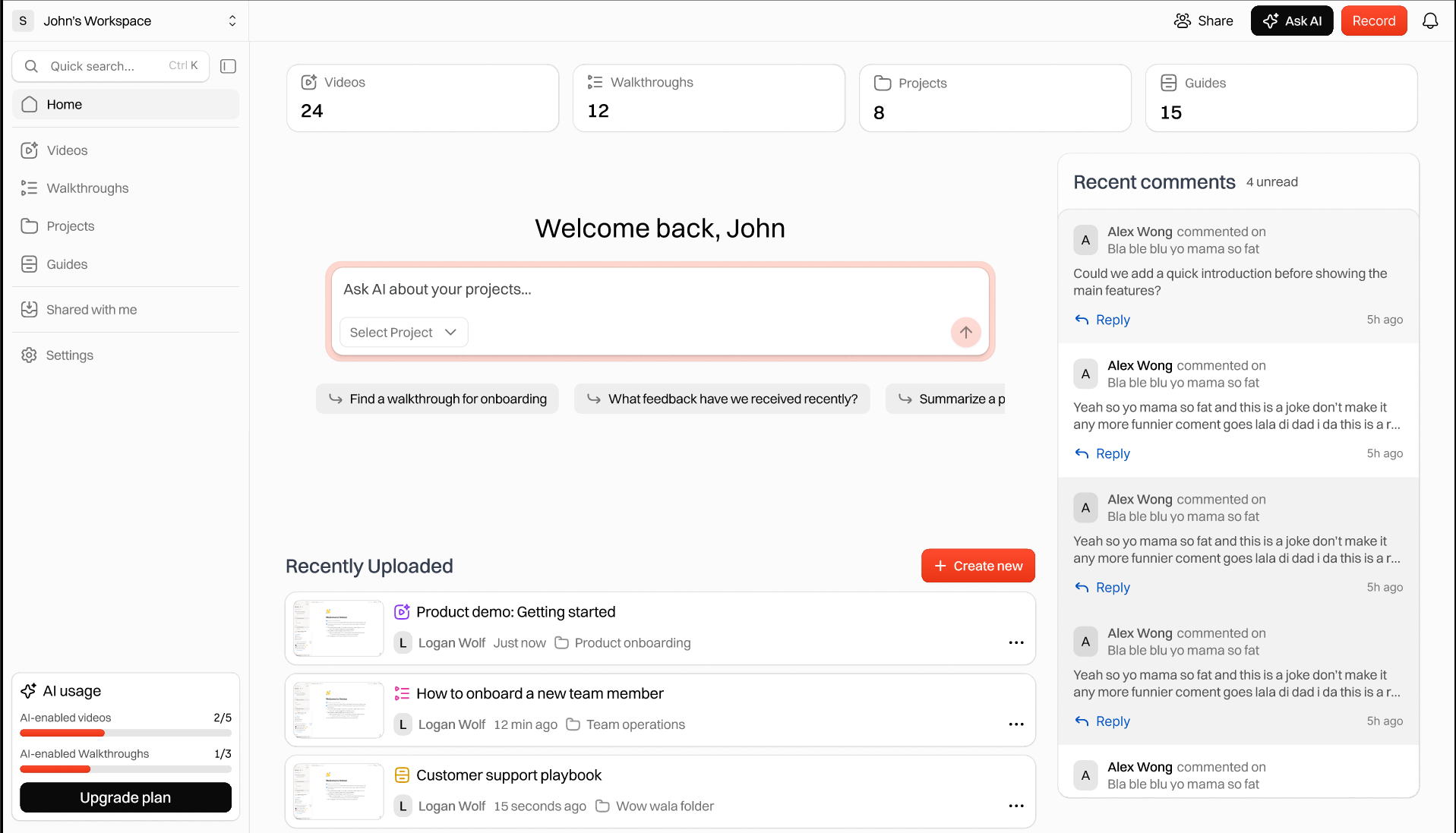
- Organize assets into Videos, Walkthroughs, Projects, and Guides within a unified dashboard.
- Package multiple walkthroughs into branded client hubs with custom domains and white-labeling options.
- Frictionless Web-Based Sharing
- Share any walkthrough via a web link. Viewers can watch, interact, and search across any desktop or mobile browser with zero downloads, browser extensions, or account sign-ups required.
Use Cases
- Asynchronous Client Project Handovers
- Who uses it: Digital agencies, web dev shops, and design studios delivering custom software or web platforms.
- The workflow: Instead of scheduling multiple post-launch training calls, agencies deliver an interactive Demoly collection. Clients use Demoly AI to self-serve answers regarding dashboard settings, CMS management, and administrative configurations on demand.
- Self-Serve Customer Onboarding & Product Tours
- Who uses it: SaaS founders, Product Marketers, and Customer Success managers.
- The workflow: Replace walls of static text and long demo videos with searchable product tours. New users can ask targeted questions about specific workflows and jump straight to relevant feature steps.
- Internal SOPs & Knowledge Base Documentation
- Who uses it: Operations leads, engineering managers, and technical leads.
- The workflow: Record setup instructions, tool configurations, and internal operations once. Teammates can search the walkthrough library to locate exact steps without pulling senior colleagues into ad-hoc troubleshooting calls.
- Asynchronous Product Updates & Stakeholder Reviews
- Who uses it: Product managers, UI/UX designers, and tech leads working across time zones.
- The workflow: Share detailed walkthroughs of new feature releases or design flows. Stakeholders leave element-specific comments directly inside the video flow, cutting down on unnecessary status meetings.
Fazier Deal

Comments

Hello Fazier community! 👋 This is Maker of demly.dev. We all know how frustrating it is to loose a potential user because your landing page doesn’t quickly show that your product in action. Standard video demos consume a lot time to produce, get outdated fast, and nobody wants to watch a 5 minute Youtube video just to see how a Tool works. I built demoly.dev to let founders and agency owners create Product tour demos for your website and handover videos for your clients in minutes. You can guide visitors through your app’s best features step by step, giving them that “aha”! moment before they even sign up. For agency owners and product teams, handover videos that avoids clients to scrap entire video and allows you to talk to video through AI indexing without even saying a single word and jumps your timestamp to the exact moment where you asked for when talking to a video. Key features we have shipped: 1. Interactive handover videos: It let you talk to your video and takes your timestamp to the exact moment you asked your doubt on. 2. No-code recording: Capture your app’s workflow seamlessly. 3. Interactive steps: Let’s users click through live mockups rather than just watching a video. We are actively building our product roadmap and would love to hear your feedback. What features you wish having in your tech stack? I’ll be answering your questions! Thanks for checking us out! 🚀


The search-by-UI-action part is what sets this apart from a Loom link. My worry with any recorded walkthrough is drift: we ship a UI change, the button moves or gets renamed, and the demo quietly becomes wrong. Does Demoly flag steps whose DOM element no longer matches the live app, or let me re-record just one step instead of the whole video? That would decide whether it works for a product that changes weekly.

For the landing-page tours: when I embed one, is it an iframe, or are the step titles and captions rendered as real text on my page? If it's an iframe, Google and AI assistants won't read any of the "how it works" content, which is often the most descriptive copy on a landing page. Also, the questions visitors type into the demo search seem like gold for a founder. Is there a log of those, plus where people drop off in the tour?
Premium Products









































Fazier Deal
Sponsors
Buy
Awards
View all
Awards
View allMakers
Makers
Comments
Hello Fazier community! 👋 This is Maker of demly.dev. We all know how frustrating it is to loose a potential user because your landing page doesn’t quickly show that your product in action. Standard video demos consume a lot time to produce, get outdated fast, and nobody wants to watch a 5 minute Youtube video just to see how a Tool works. I built demoly.dev to let founders and agency owners create Product tour demos for your website and handover videos for your clients in minutes. You can guide visitors through your app’s best features step by step, giving them that “aha”! moment before they even sign up. For agency owners and product teams, handover videos that avoids clients to scrap entire video and allows you to talk to video through AI indexing without even saying a single word and jumps your timestamp to the exact moment where you asked for when talking to a video. Key features we have shipped: 1. Interactive handover videos: It let you talk to your video and takes your timestamp to the exact moment you asked your doubt on. 2. No-code recording: Capture your app’s workflow seamlessly. 3. Interactive steps: Let’s users click through live mockups rather than just watching a video. We are actively building our product roadmap and would love to hear your feedback. What features you wish having in your tech stack? I’ll be answering your questions! Thanks for checking us out! 🚀
The search-by-UI-action part is what sets this apart from a Loom link. My worry with any recorded walkthrough is drift: we ship a UI change, the button moves or gets renamed, and the demo quietly becomes wrong. Does Demoly flag steps whose DOM element no longer matches the live app, or let me re-record just one step instead of the whole video? That would decide whether it works for a product that changes weekly.
For the landing-page tours: when I embed one, is it an iframe, or are the step titles and captions rendered as real text on my page? If it's an iframe, Google and AI assistants won't read any of the "how it works" content, which is often the most descriptive copy on a landing page. Also, the questions visitors type into the demo search seem like gold for a founder. Is there a log of those, plus where people drop off in the tour?
Premium Products
New to Fazier?

Find your next favorite product or submit your own. Made by @FalakDigital.
Copyright ©2026. All Rights Reserved