
DeepSee
Give text-only AI eyes — no GPU, no uploads
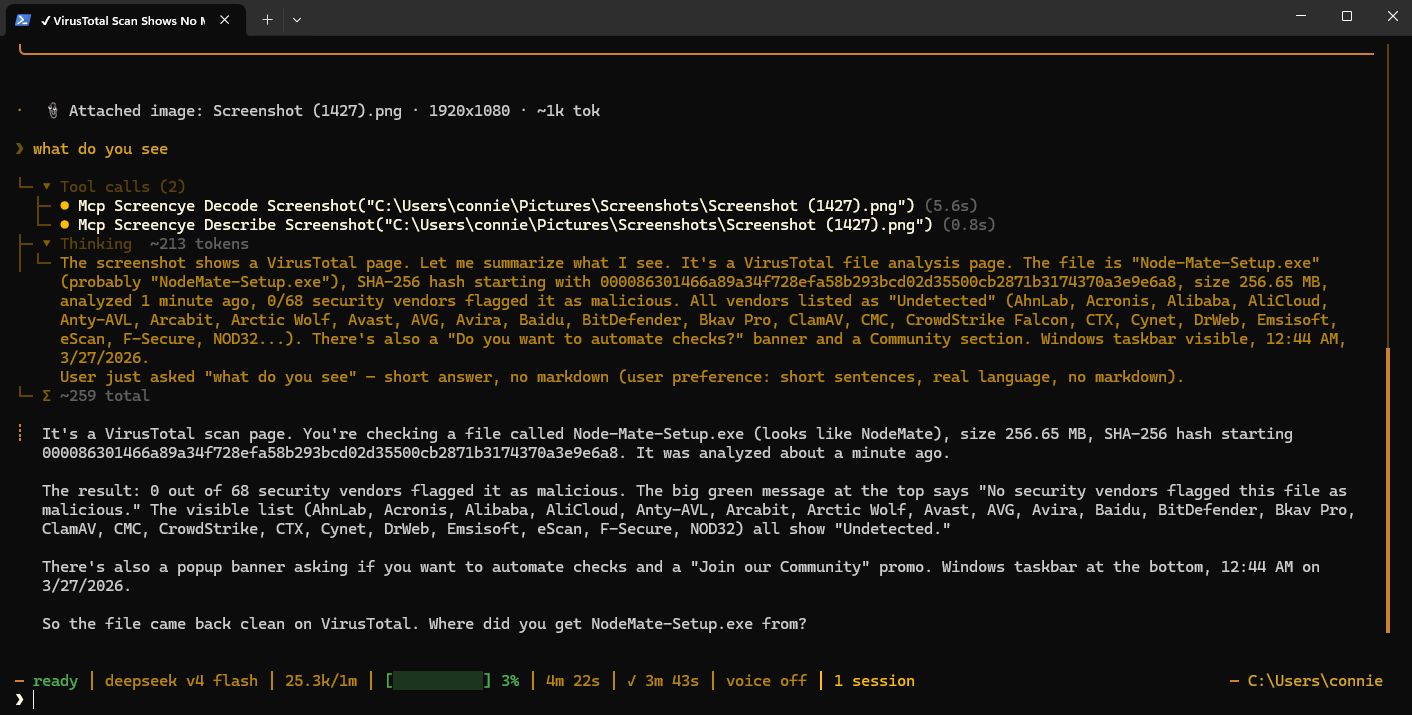
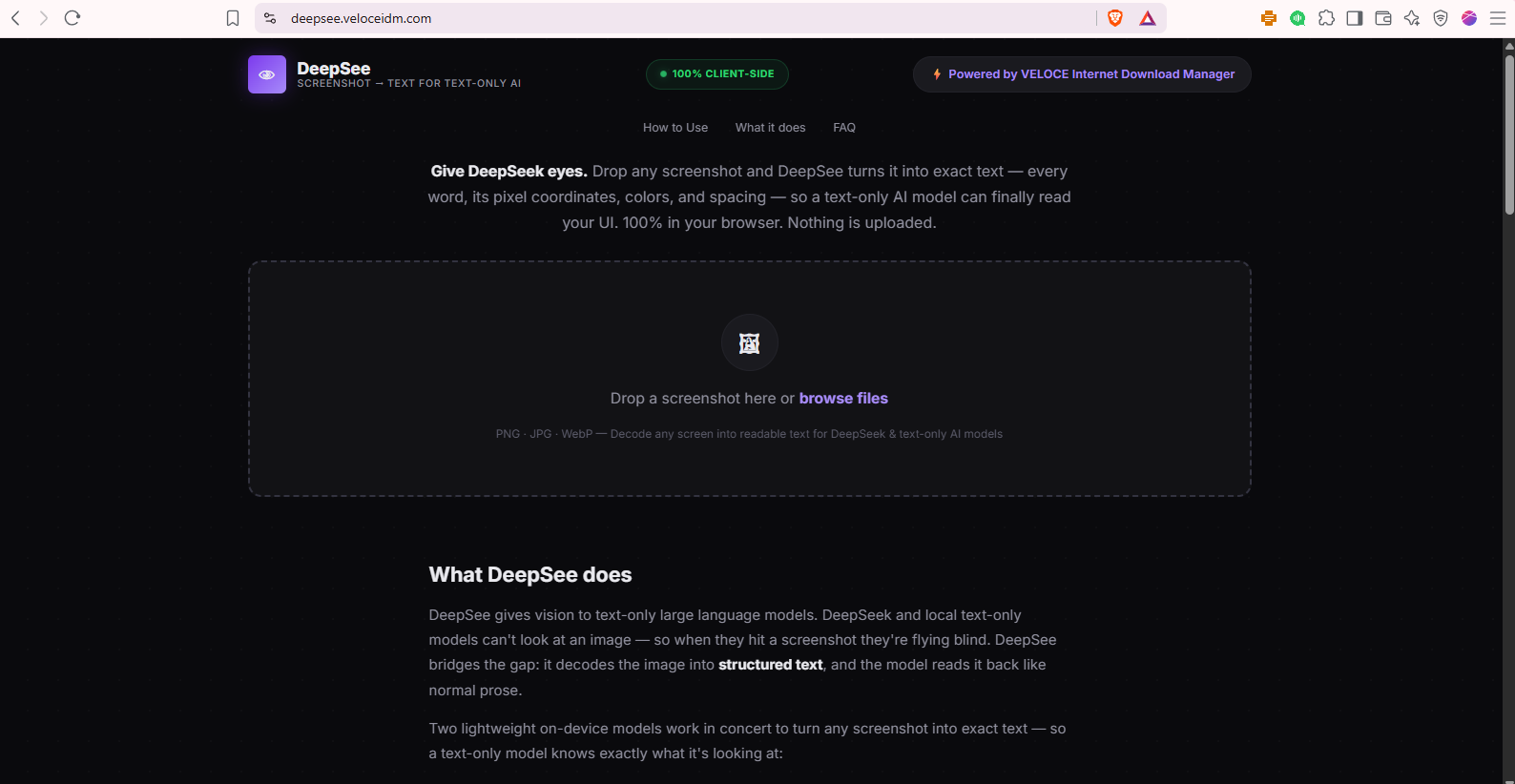
DeepSee gives text-only AI models — DeepSeek, Claude, and local models — eyes. Drop any screenshot and it turns into a structured text transcript: every word with its exact pixel coordinates, colors, and spacing, so an AI that can't see images can finally read what's on screen.
It's 100% on-device. Pixel analysis plus a lightweight OCR engine run entirely in your browser — no vision model, no GPU, no server, nothing uploaded. That also makes it deterministic: the same screenshot always produces the same transcript, perfect for regression-testing how a model reads your UI.
DeepSee also ships as a free MCP plugin, so Claude Code, Hermes, and any MCP-capable agent can call the decode tool automatically whenever they need to look at a screen. Zero VRAM, zero install, zero cost.

Features
- Screenshot → structured text: every word with exact coordinates, colors, spacing, and element type
- 100% in-browser — no uploads, no server, no vision model, zero VRAM
- Deterministic output — same screenshot, same transcript, every time
- Semantic screen-type labels — knows a login page from a dashboard, map, or game
- Free MCP plugin — Claude Code and Hermes can "see" screenshots automatically
- Works with DeepSeek, Claude, and any text-only LLM
Use Cases
- Give DeepSeek or a local text-only model "eyes" to read screenshots
- Debug UI layouts — wrong buttons, text, or spacing — with exact pixel coordinates
- Regression-test how an AI reads your interface using deterministic transcripts
- Automate screenshot understanding inside Claude Code or Hermes via the MCP plugin
- QA and accessibility checks on what's actually rendered, not just the DOM

Comments


DeepSee started with a simple frustration: I use DeepSeek for a lot of my work, and every time it needed to look at a screenshot — a UI, a dashboard, an error state it was blind. Text-only models can't see images. So I built the thing I wished existed: a decoder that turns a screenshot into exact text — every word, its pixel coordinates, its color, its spacing — right in the browser. No uploads, no GPU. Drop a screenshot, get a transcript, hand it to your model. That's it. Along the way I shipped it as an MCP plugin so Claude Code and other agents can call it automatically whenever they hit a screen they can't see. And it's fully deterministic same screenshot, same transcript, every time — which makes it genuinely useful for testing how a model reads your UI instead of guessing. It's free, it's local, and it runs on zero VRAM. If you've ever pasted an image into DeepSeek and watched it fail, this is for you.
Premium Products





























Sponsors
Buy

Makers
Makers
Comments
DeepSee started with a simple frustration: I use DeepSeek for a lot of my work, and every time it needed to look at a screenshot — a UI, a dashboard, an error state it was blind. Text-only models can't see images. So I built the thing I wished existed: a decoder that turns a screenshot into exact text — every word, its pixel coordinates, its color, its spacing — right in the browser. No uploads, no GPU. Drop a screenshot, get a transcript, hand it to your model. That's it. Along the way I shipped it as an MCP plugin so Claude Code and other agents can call it automatically whenever they hit a screen they can't see. And it's fully deterministic same screenshot, same transcript, every time — which makes it genuinely useful for testing how a model reads your UI instead of guessing. It's free, it's local, and it runs on zero VRAM. If you've ever pasted an image into DeepSeek and watched it fail, this is for you.
Premium Products
New to Fazier?

Find your next favorite product or submit your own. Made by @FalakDigital.
Copyright ©2025. All Rights Reserved