Dayboard
One calm place for everything you need today.
Dayboard is a Personal Daily Workspace for people who want a clearer way to run their day without building and maintaining another complicated productivity system.
Most workdays are fragmented across too many places: tasks in one app, notes somewhere else, useful links buried in browser tabs, calendar in another window, and small things you need to remember living mostly in your head.
Dayboard brings the things you need throughout the day into one simple workspace.
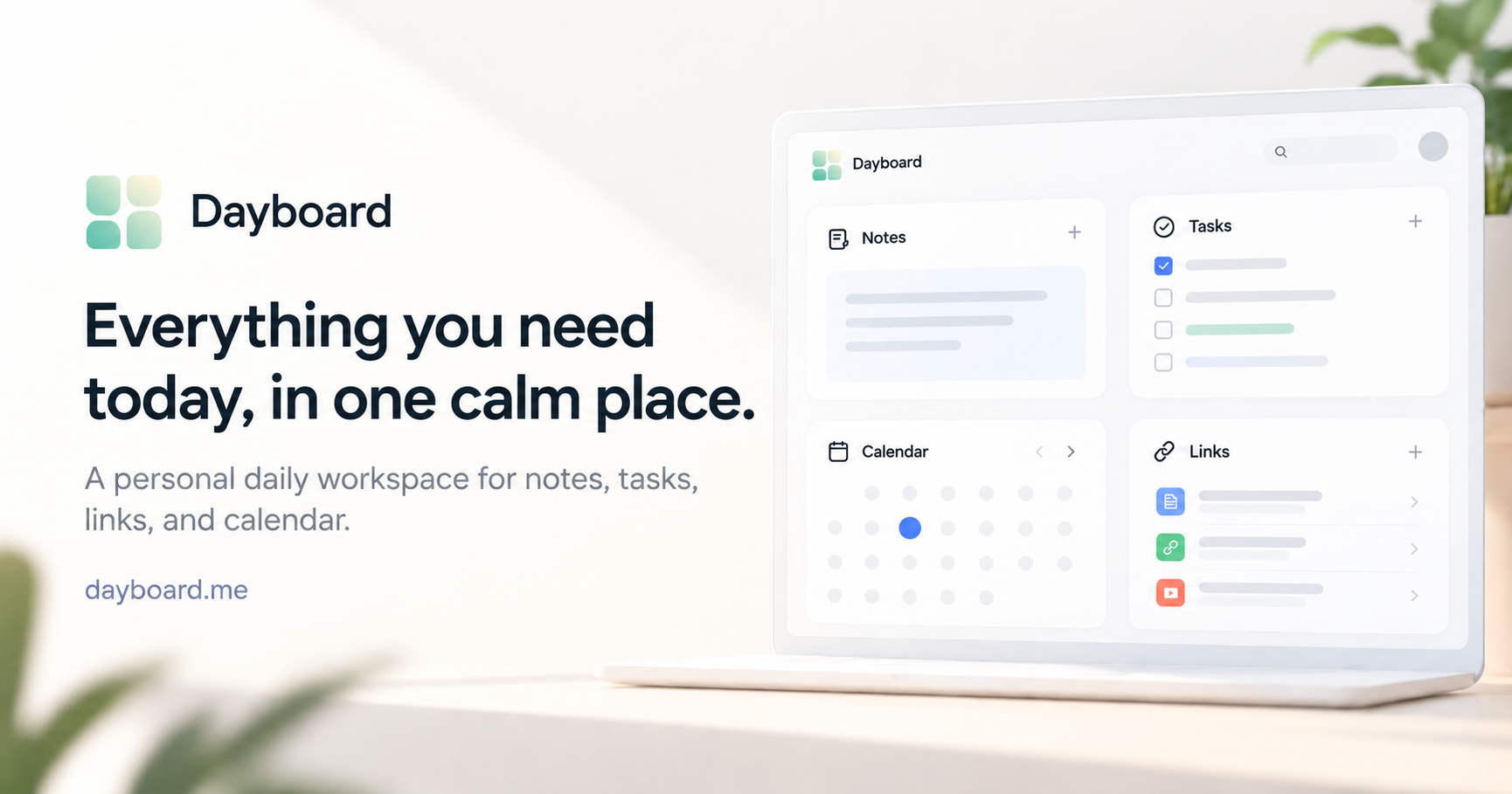
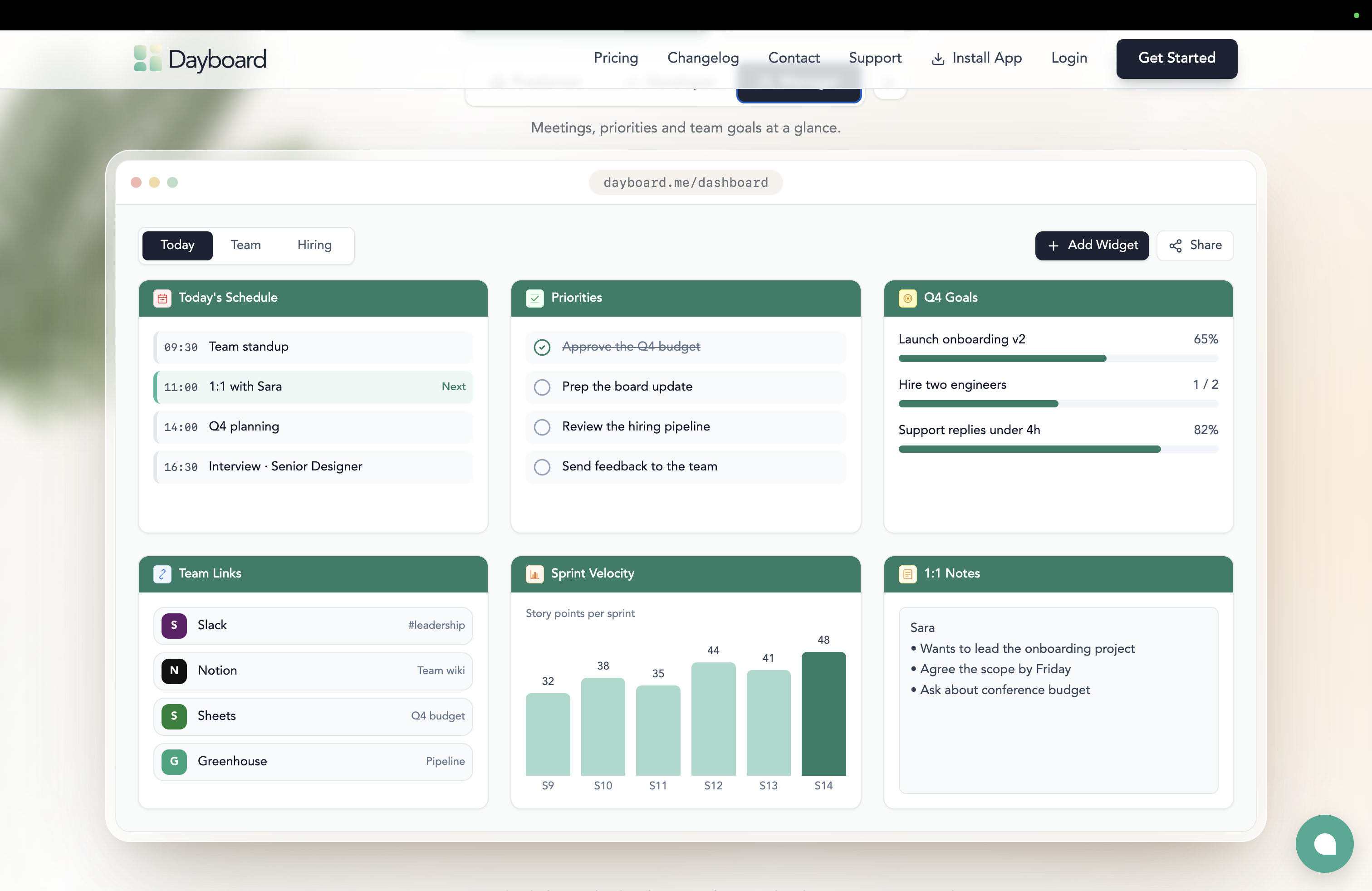
Keep your tasks, notes, important links, and calendar context together, so you spend less time switching between apps and trying to remember where everything is.
It’s designed around a simple idea: today should have one reliable home.
You can use Dayboard to:
- Keep today’s tasks and priorities visible
- Write and organize notes
- Save the links you use throughout the day
- See calendar context alongside your work
- Create separate Dayboards for different areas of your life or work
- Use supporting tools for focus, goals, habits, time tracking, quick capture, and more
Dayboard is especially useful for people who spend most of their day in a browser and regularly move between different tools — founders, managers, developers, designers, product people, freelancers, marketers, and other knowledge workers.
It’s not trying to replace tools like Notion, Todoist, Jira, or Asana. Those tools are great for managing projects, tasks, databases, or teams.
Dayboard is the layer you come back to today — the place where the things that matter right now stay visible and easy to reach.
No elaborate setup.
No productivity methodology to learn.
No system you have to constantly maintain.
Just one calm place to start your day, return to throughout it, and keep the important things close.
Dayboard is built for daily use: open it, see what matters, and get on with your day.
Find us with: Dayboard, personal daily workspace, daily planner, daily planner app, digital daily planner, simple daily planner, online daily planner, daily productivity dashboard, personal productivity app, productivity planner, daily task planner, task management, task tracker, to do list, daily checklist, personal organizer, day organizer, daily schedule planner, focus planner, time management, productivity app, minimalist productivity app, work dashboard, personal dashboard, daily dashboard, task and notes app, notes and tasks, calendar and tasks, daily planning, daily organization, productivity tools, focus tools, browser productivity, work organization, freelancer productivity, founder productivity, developer productivity, remote work tools, knowledge worker productivity
Features
- Personal Daily Workspace – Keep your tasks, notes, important links, and calendar in one calm place.
- Task Management – Organize daily tasks, track progress, and keep priorities visible.
- Quick Notes – Capture ideas, reminders, and important information without switching apps.
- Calendar Overview – See upcoming events and appointments alongside your daily tasks.
- Quick Links – Keep frequently used websites, tools, and resources within easy reach.
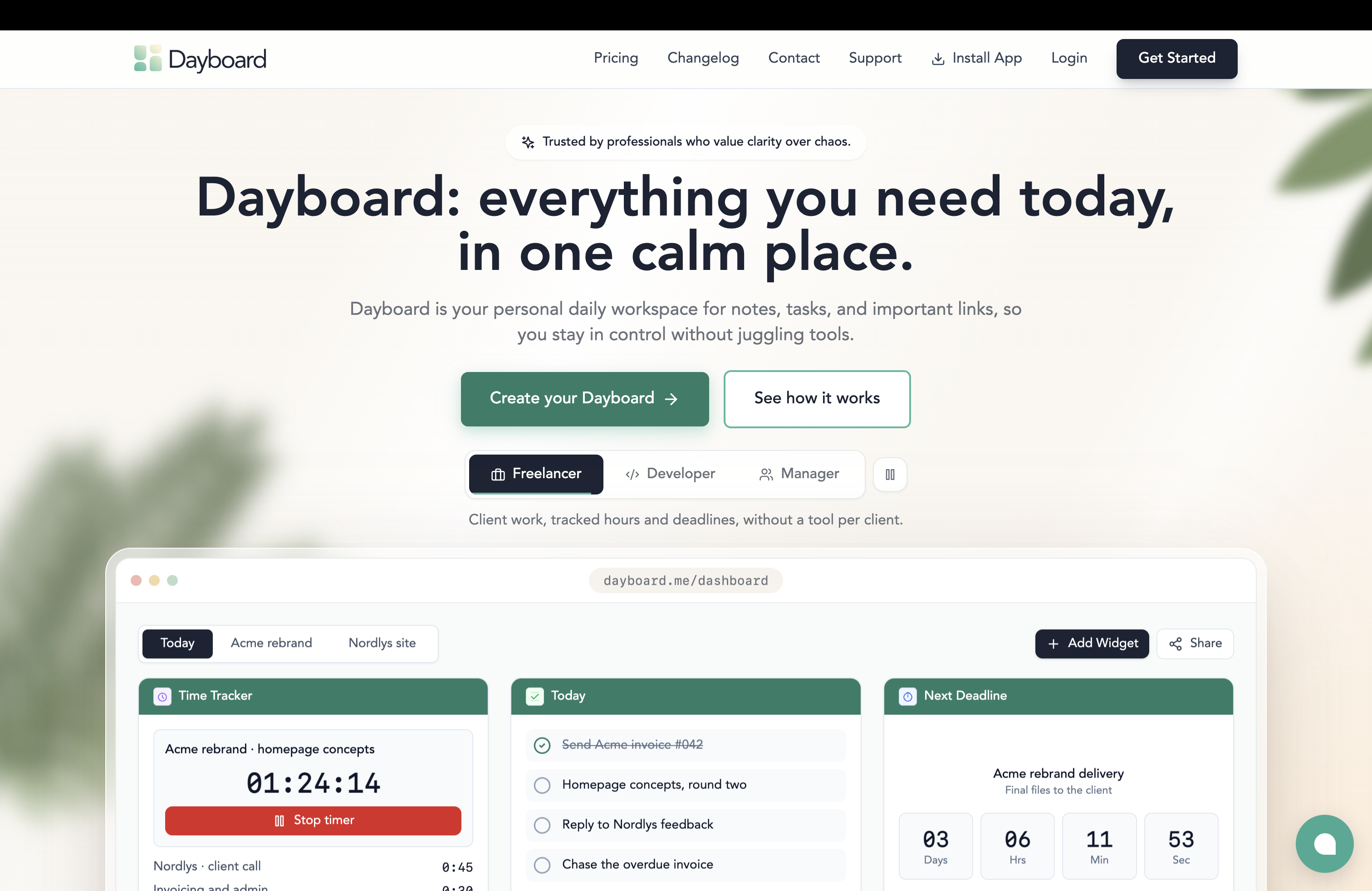
- Focus & Productivity Tools – Use optional widgets for focus sessions, Pomodoro timers, habits, goals, and time tracking.
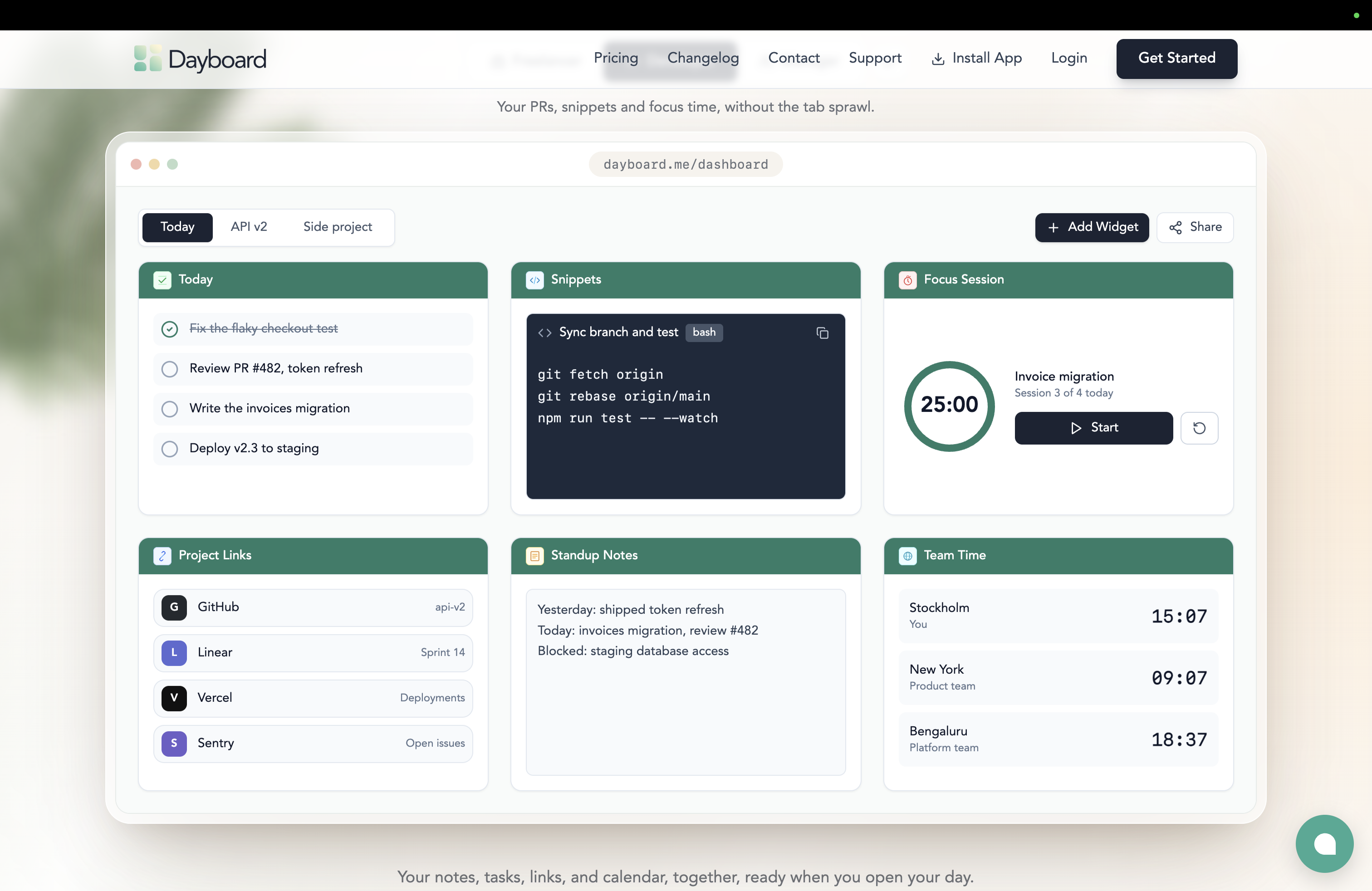
- Customizable Dashboard – Arrange useful widgets to create a workspace that fits your day.
- Cloud Sync & Cross-Device Access – Access your workspace from desktop or mobile.
- Multiple Workspaces – Create separate Dayboards for work, personal priorities, or projects with the Control plan.
- Simple by Design – Get started quickly without complicated setup or ongoing maintenance.
Use Cases
- Daily Planning – Start each morning with a clear overview of tasks, priorities, calendar events, and important links.
- Personal Productivity – Keep everyday responsibilities organized without juggling multiple apps and browser tabs.
- Remote Work – Bring daily tasks, meeting notes, and frequently used tools into one accessible workspace.
- Developers & Designers – Keep project links, documentation, tasks, notes, and focus timers close together.
- Freelancers & Entrepreneurs – Organize client priorities, important resources, schedules, and daily responsibilities.
- Managers & Team Leads – Stay prepared for meetings, track personal follow-ups, and keep daily priorities visible.
- Content Creators & Marketers – Keep campaign links, content ideas, schedules, and daily tasks in one place.
- Focused Work Sessions – Use focus timers and task lists to stay on track with important work.
- Work & Personal Organization – Separate different areas of life with dedicated Dayboards.
- Reducing Tab Overload – Keep frequently accessed information in one reliable starting point instead of searching across apps.
Fazier Deal

Comments


My browser, usually, is filled with tabs, opened links, websites...then I switched to Tab Groups, but then again when i need passwords I have to visit one place, when I need some promths I go to Notion for example, for saved links (I gave up a long time ago saving then in bookmarks) and that is the reason why I use Dayboard as a go to dashboard for projects, products, reminders, bookmarks etc. I've used it for couple of months, and then I figured I can turn it into a SaaS product. I'm already a SaaS founder, maybe that is why I needed this so badly, to keep everything in one place, but that is also a reason I wanted others to get the same relief and benefits (and the reason why it's so cheap as well). Thank you for trying it out. - Milos Lukic, Founder
Premium Products














































Fazier Deal
Sponsors
Buy
Makers
Makers
Comments
My browser, usually, is filled with tabs, opened links, websites...then I switched to Tab Groups, but then again when i need passwords I have to visit one place, when I need some promths I go to Notion for example, for saved links (I gave up a long time ago saving then in bookmarks) and that is the reason why I use Dayboard as a go to dashboard for projects, products, reminders, bookmarks etc. I've used it for couple of months, and then I figured I can turn it into a SaaS product. I'm already a SaaS founder, maybe that is why I needed this so badly, to keep everything in one place, but that is also a reason I wanted others to get the same relief and benefits (and the reason why it's so cheap as well). Thank you for trying it out. - Milos Lukic, Founder
Premium Products
New to Fazier?

Find your next favorite product or submit your own. Made by @FalakDigital.
Copyright ©2026. All Rights Reserved