
Culacc
All your files from every cloud and PC in one place
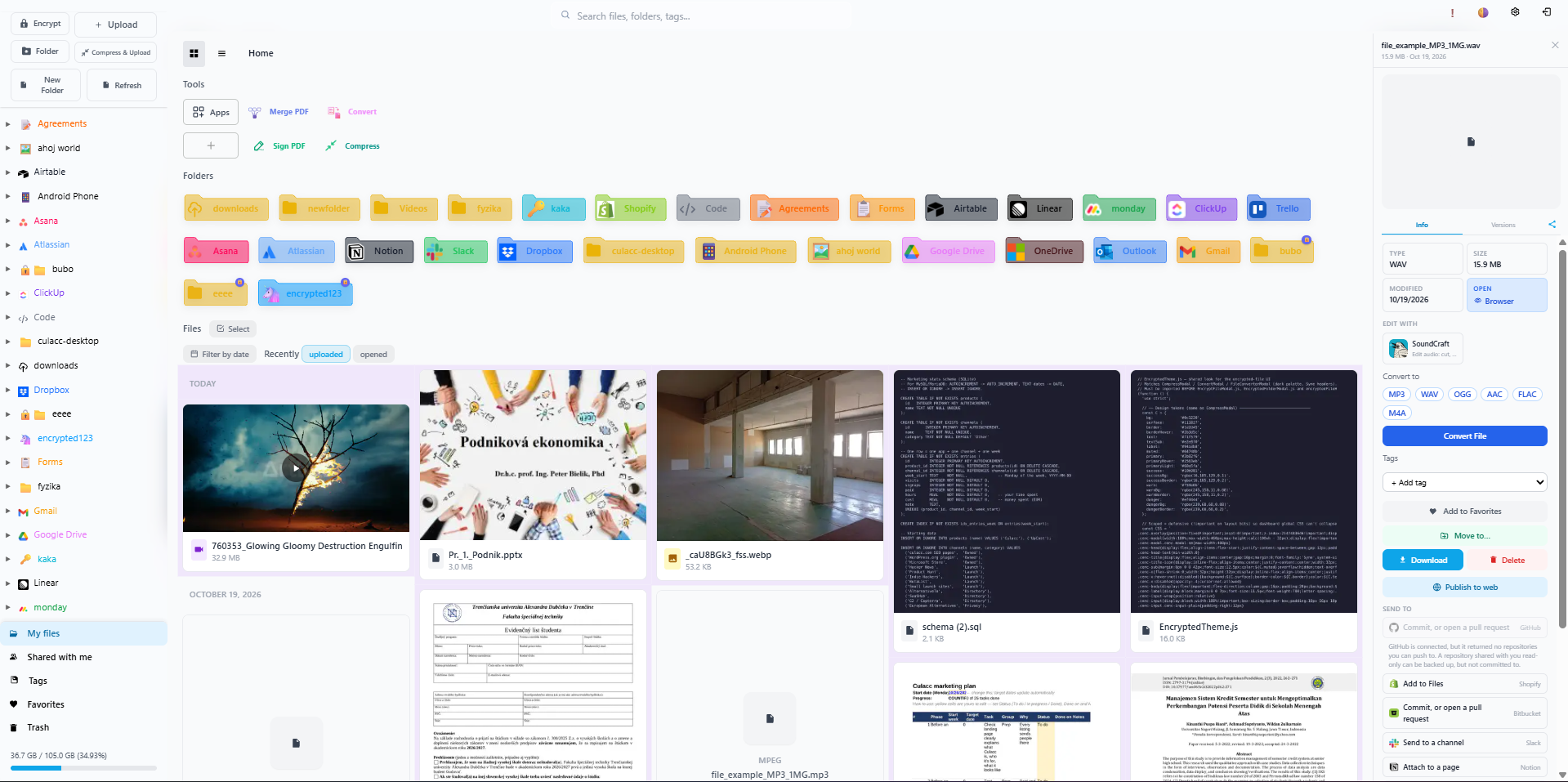
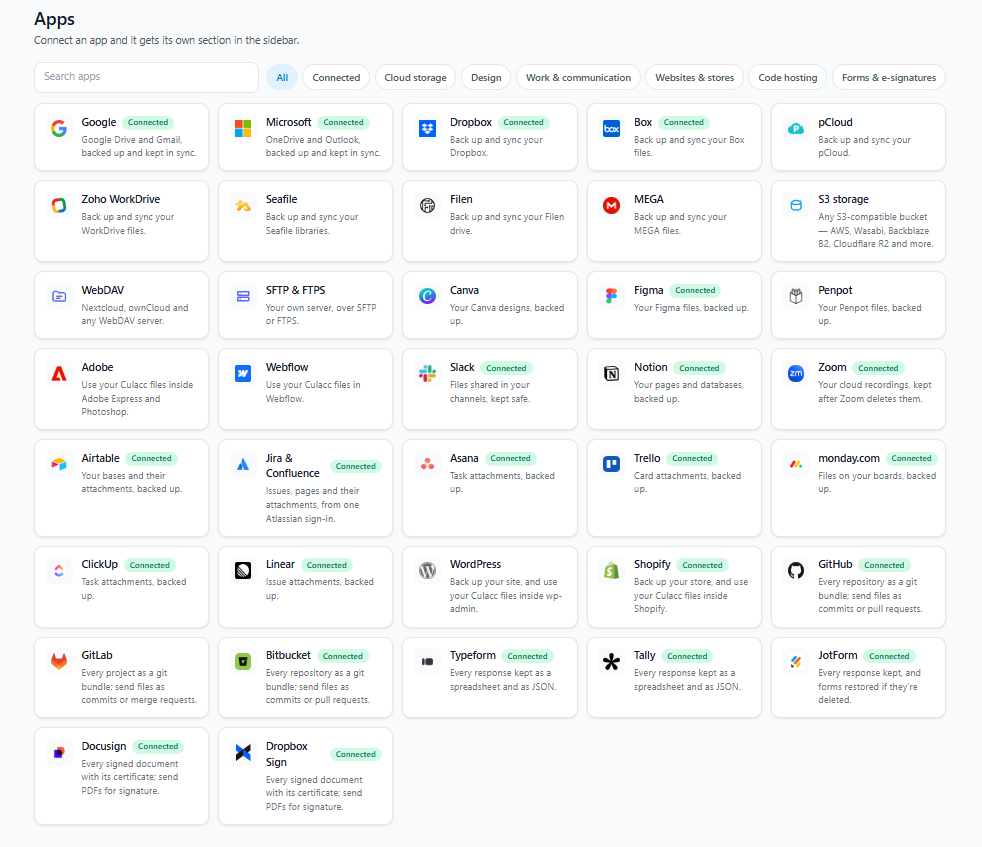
Culacc brings all your files from other clouds and your computers into one place. Sync 37 services like Google Drive, Dropbox and OneDrive, plus any folders on your Windows PC, and every edit is kept as a new version. Edit files and PDFs in full browser editors for photos, documents, spreadsheets, audio and CAD, or in Google Docs, Office and Canva. Share files and folders of any size. Free 5 GB, then x times 100 GB for €0.50/month each.
Features
- All your files in one place: connect 37 services, including Google Drive, Dropbox, OneDrive, MEGA, pCloud, Notion, Slack, GitHub and Figma
- Windows folder sync: choose any folders on your PC to keep in sync
- Automatic version history: every edit is saved as a new version
- Full editors in the browser: photos, vector graphics, PDFs, Word, Excel and PowerPoint files, audio, CAD drawings and page layouts
- Google Docs, Microsoft Office and Canva: open files in them directly, with saves coming back as versions
- Share anything: files and folders of any size, with anyone
- Private: servers in Germany, files encrypted at rest with AES-256
- Simple pricing: 5 GB free, then x times 100 GB for €0.50/month each
Use Cases
- Clean up scattered files: bring everything from Google Drive, Dropbox, OneDrive and old computers into one library
- Never lose work: go back to any earlier version of a document, design or photo
- Edit without installing software: open a PDF, Photoshop file or Word document in the browser
- Send large files: share big folders with clients or friends without size limits
- Move away from big-tech storage: keep files with an independent European service
- Back up your PC: sync important Windows folders to the cloud automatically

Comments


Hi! I’m Andrej, a student from Slovakia, building Culacc on my own. I made it because my files ended up everywhere: Google Drive, Dropbox, OneDrive, old laptops. Culacc pulls them into one place, keeps every version of every file, and lets you edit them right in the browser, including PDFs, photos, Word and Excel files. You can try the editors without an account at culacc.com/apps. I’d love honest feedback, especially on what’s confusing on your first visit. Thanks for checking it out!
Premium Products












































Sponsors
Buy

Makers
Makers
Comments
Hi! I’m Andrej, a student from Slovakia, building Culacc on my own. I made it because my files ended up everywhere: Google Drive, Dropbox, OneDrive, old laptops. Culacc pulls them into one place, keeps every version of every file, and lets you edit them right in the browser, including PDFs, photos, Word and Excel files. You can try the editors without an account at culacc.com/apps. I’d love honest feedback, especially on what’s confusing on your first visit. Thanks for checking it out!
Premium Products
New to Fazier?

Find your next favorite product or submit your own. Made by @FalakDigital.
Copyright ©2026. All Rights Reserved