
CronCalc
Cron expressions to plain English + next runs
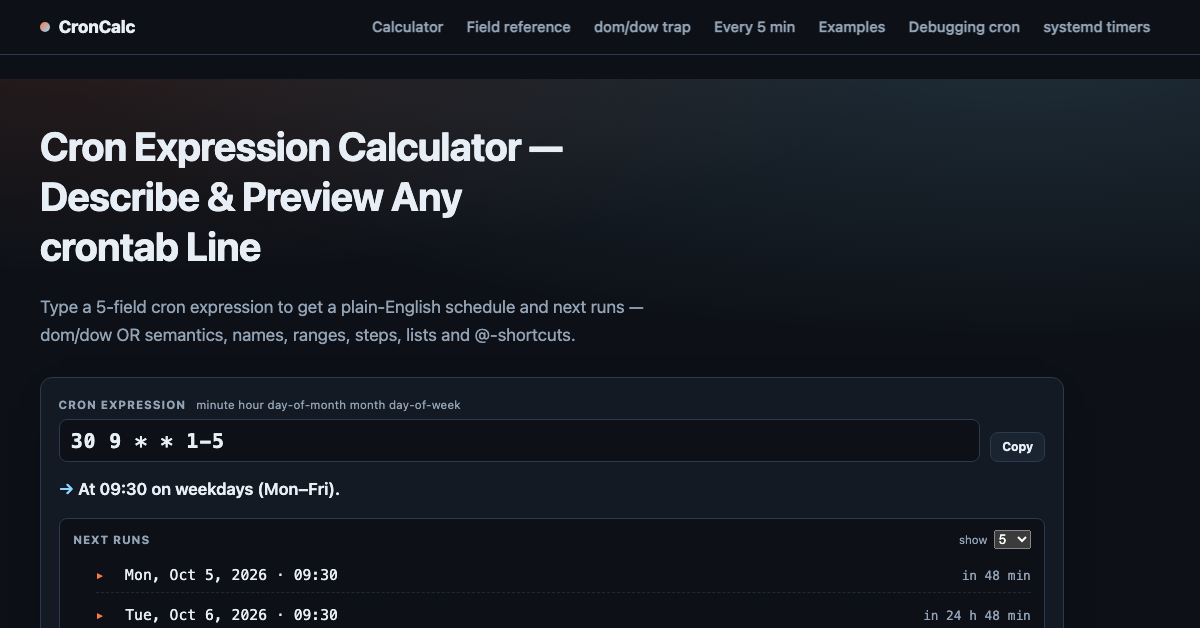
CronCalc translates cron expressions to plain English and shows the next run times instantly. Paste any 5 or 6-field expression, get a human-readable schedule and upcoming executions.
Features
- 5-field and 6-field cron parsing
- Plain-English schedule description
- Next 10 run times computed in your timezone
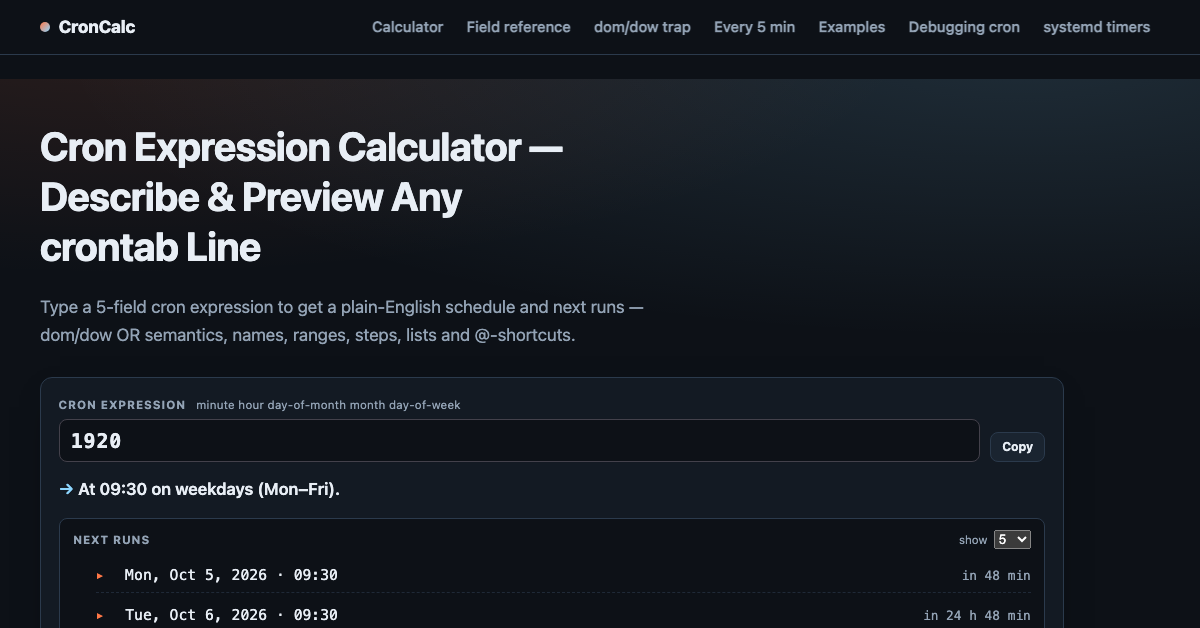
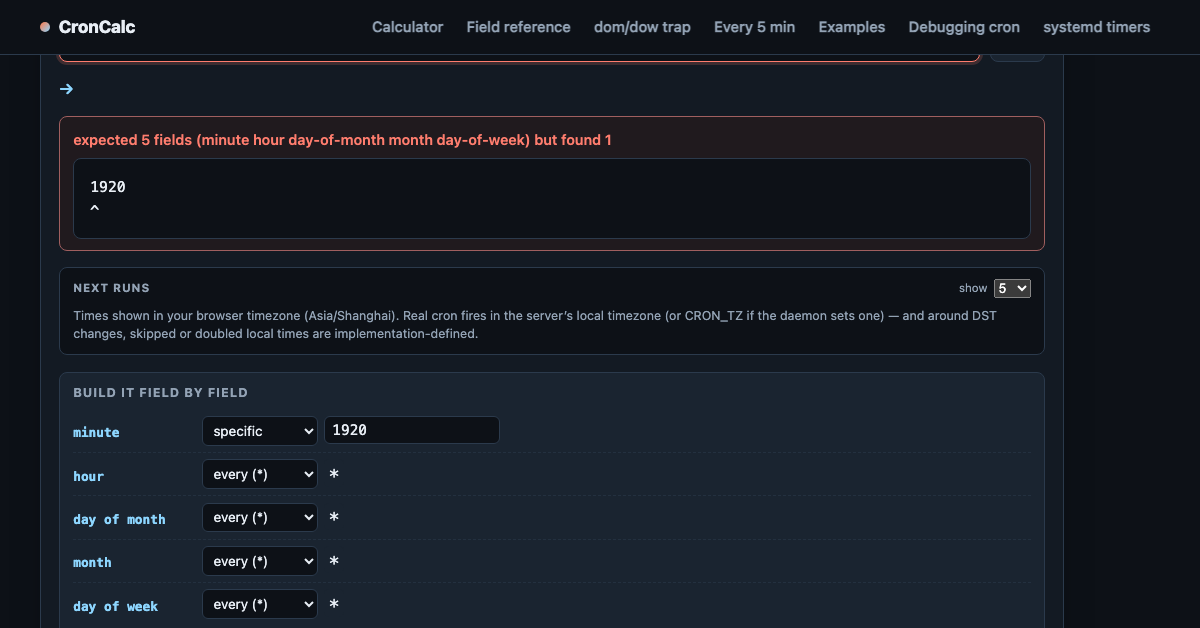
- Flags common mistakes (dom/dow OR trap, Quartz-only syntax)
- Client-side, no signup
Use Cases
Verify a crontab line before committing it · explain a legacy schedule to a new teammate · check when a CI job actually fires · learn cron field syntax interactively

Comments


Really handy — the plain-English translation plus the next run times in my timezone makes double-checking a crontab line much faster than decoding it by hand. Flagging the dom/dow OR trap is a nice touch; that is exactly the kind of thing that silently runs on the wrong days. One small idea: a timezone picker would help when the schedule has to run on a server in a different region. Great little tool, and I like that it is client-side with no signup.

The next 10 executions make the plain-English description much easier to sanity-check before shipping a CI schedule. One useful addition would be a daylight-saving example: show what happens to a 2:30 AM job when that local time is skipped or repeated. That edge case is hard to catch from the cron expression alone.

The dom/dow OR check is what I'd want most from a cron tool, since that trap quietly runs jobs on the wrong days. I also like that it separates Quartz-only syntax from standard 5-field expressions. Would it be possible to show the next runs for a chosen timezone like UTC, for servers in other regions?

The dom/dow warning alone would have saved me a few confused mornings. Two things I would use: a shareable URL that encodes the expression, so I can drop the link into a PR review instead of pasting the cron line, and an equivalent systemd OnCalendar= string next to the plain-English output, since a lot of jobs have moved from crontab to systemd timers and that syntax trips people up even more.

Explaining a legacy schedule to a new teammate is a real use case, and a client-side tool with no signup is easy to trust for pasting production crontab lines. Question: does it parse the shortcut strings (@daily, @weekly, @reboot) and named values like MON-FRI or JAN? Those are the ones I most often see in old crontabs, and it would be nice to see them translated too.
Does the next-runs list account for daylight saving changes? A line like 30 2 * * * in America/New_York is skipped on the spring change day and can fire twice in the fall on some cron implementations. Showing that edge in the 10 next runs would make this a real pre-commit check. Also curious whether you plan to cover systemd timer OnCalendar syntax, since a lot of schedules have moved there.
Small thing done properly. The dom/dow OR trap warning is the one that bites everyone, and showing the next 10 runs in local time saves the usual mental gymnastics. Two ideas: a shareable link for a schedule so you can drop it in a ticket, and a reverse mode where you describe the schedule you want and it gives you the expression.
the dom/dow OR trap is the one that gets everyone eventually, nice that you flag it instead of just translating. showing next runs in local time matters more than people think, half the 'my job didn't run' mysteries are timezone confusion. curious how it handles a CRON_TZ line pasted in with the expression

The dom/dow OR trap warning is the feature that earns a bookmark — that one quietly runs jobs on more days than people expect, and most converters don't even mention it. Showing the next 10 runs in my timezone next to the plain-English text is what makes it checkable before committing a crontab line. One addition I'd find useful: a shareable link that encodes the expression, so a teammate can open the exact schedule I'm asking about instead of me pasting the cron string into chat.
Premium Products








































Sponsors
Buy
Makers
Makers
Comments
Really handy — the plain-English translation plus the next run times in my timezone makes double-checking a crontab line much faster than decoding it by hand. Flagging the dom/dow OR trap is a nice touch; that is exactly the kind of thing that silently runs on the wrong days. One small idea: a timezone picker would help when the schedule has to run on a server in a different region. Great little tool, and I like that it is client-side with no signup.
The next 10 executions make the plain-English description much easier to sanity-check before shipping a CI schedule. One useful addition would be a daylight-saving example: show what happens to a 2:30 AM job when that local time is skipped or repeated. That edge case is hard to catch from the cron expression alone.
The dom/dow OR check is what I'd want most from a cron tool, since that trap quietly runs jobs on the wrong days. I also like that it separates Quartz-only syntax from standard 5-field expressions. Would it be possible to show the next runs for a chosen timezone like UTC, for servers in other regions?
The dom/dow warning alone would have saved me a few confused mornings. Two things I would use: a shareable URL that encodes the expression, so I can drop the link into a PR review instead of pasting the cron line, and an equivalent systemd OnCalendar= string next to the plain-English output, since a lot of jobs have moved from crontab to systemd timers and that syntax trips people up even more.
Explaining a legacy schedule to a new teammate is a real use case, and a client-side tool with no signup is easy to trust for pasting production crontab lines. Question: does it parse the shortcut strings (@daily, @weekly, @reboot) and named values like MON-FRI or JAN? Those are the ones I most often see in old crontabs, and it would be nice to see them translated too.
Does the next-runs list account for daylight saving changes? A line like 30 2 * * * in America/New_York is skipped on the spring change day and can fire twice in the fall on some cron implementations. Showing that edge in the 10 next runs would make this a real pre-commit check. Also curious whether you plan to cover systemd timer OnCalendar syntax, since a lot of schedules have moved there.
Small thing done properly. The dom/dow OR trap warning is the one that bites everyone, and showing the next 10 runs in local time saves the usual mental gymnastics. Two ideas: a shareable link for a schedule so you can drop it in a ticket, and a reverse mode where you describe the schedule you want and it gives you the expression.
the dom/dow OR trap is the one that gets everyone eventually, nice that you flag it instead of just translating. showing next runs in local time matters more than people think, half the 'my job didn't run' mysteries are timezone confusion. curious how it handles a CRON_TZ line pasted in with the expression
The dom/dow OR trap warning is the feature that earns a bookmark — that one quietly runs jobs on more days than people expect, and most converters don't even mention it. Showing the next 10 runs in my timezone next to the plain-English text is what makes it checkable before committing a crontab line. One addition I'd find useful: a shareable link that encodes the expression, so a teammate can open the exact schedule I'm asking about instead of me pasting the cron string into chat.
Premium Products
New to Fazier?

Find your next favorite product or submit your own. Made by @FalakDigital.
Copyright ©2026. All Rights Reserved