
CRM in Excel
Offline CRM in one Excel file. Pay once, no subscription.
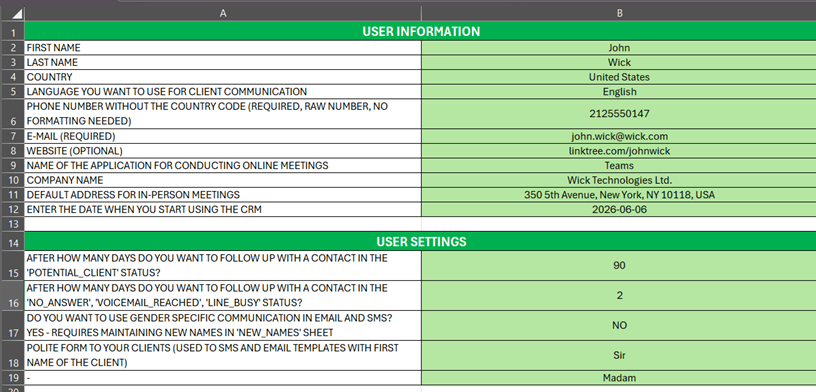
CRM in Excel is a complete CRM built entirely inside one macro-enabled Excel workbook for Windows. There is no subscription and no cloud account: you pay once, you own the file, and your client data stays on your own computer.
It is built for one person who calls clients: consultants, freelancers, real estate agents, recruiters and small business owners who work from a single computer.
What it is not: it is not a team tool, it is not a mobile app, and it does not connect to anything by itself. Several people cannot work on the same base at the same time, and there are no automatic integrations. If you need that, a cloud CRM is the better answer.
A free edition is also available: a separate Excel file with no macros and no sign-up, 1,000 contacts in one base, 7 statuses and a today-and-overdue call list. One purchase unlocks the full Windows version.



Features
- Two databases, 5,000 contacts each: clients you already acquired and cold leads
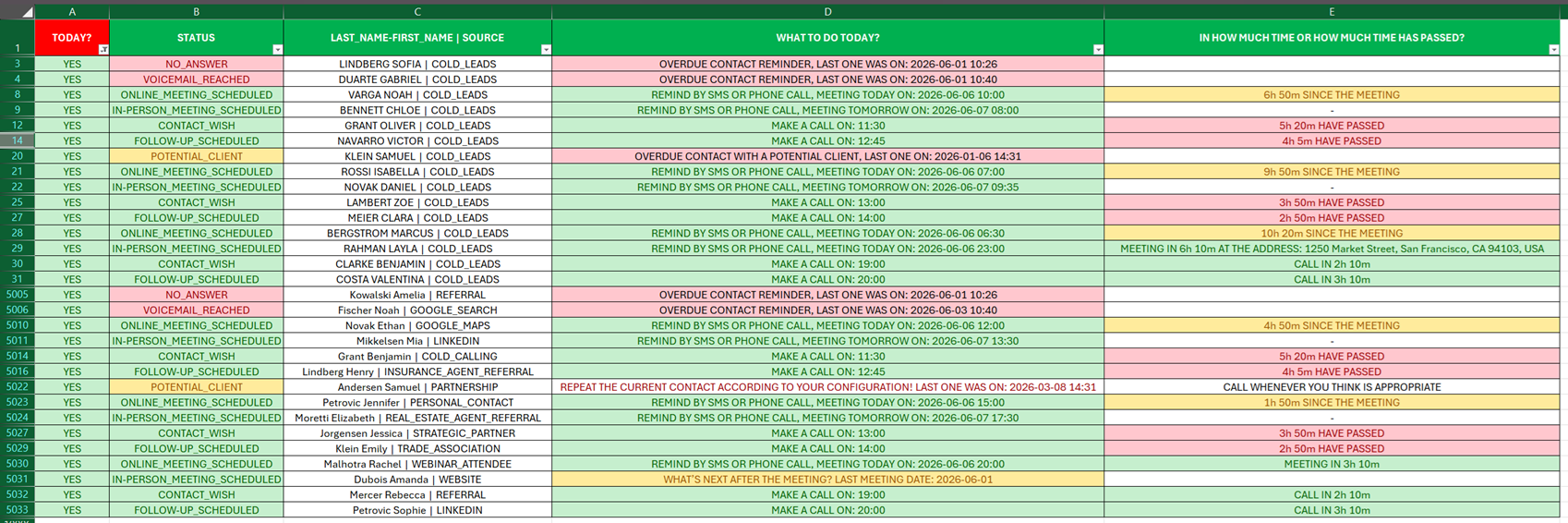
- A daily call list that rebuilds itself from statuses and follow-up intervals, so a scheduled follow-up does not get lost
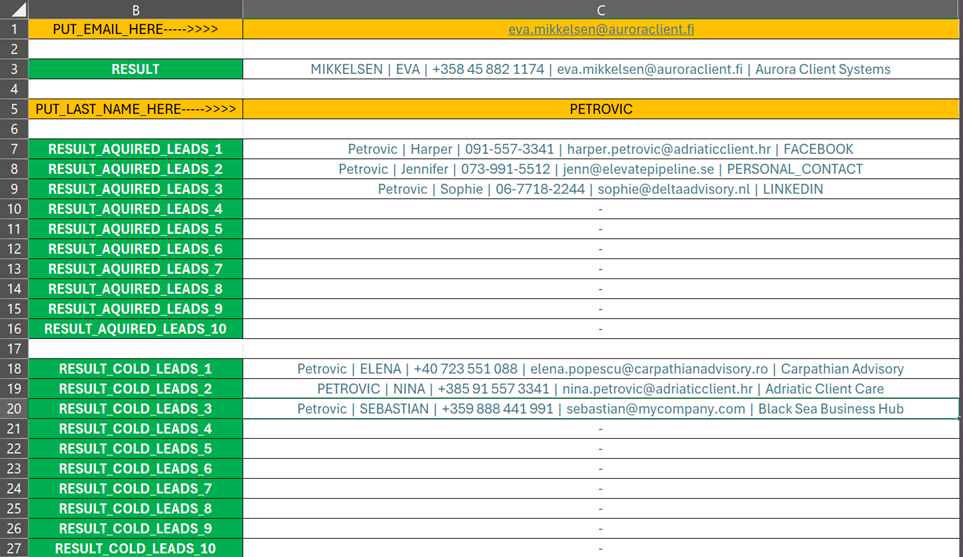
- Phone lookup you run yourself: type the number and the workbook finds the person, with or without country code or leading zero
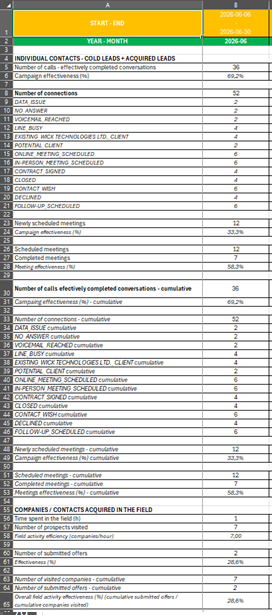
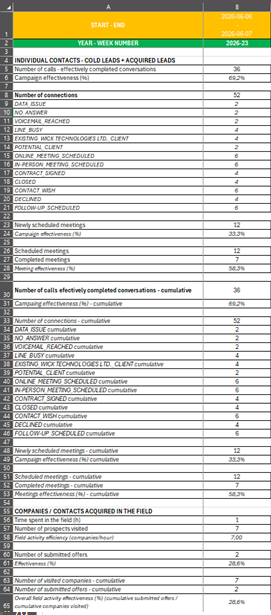
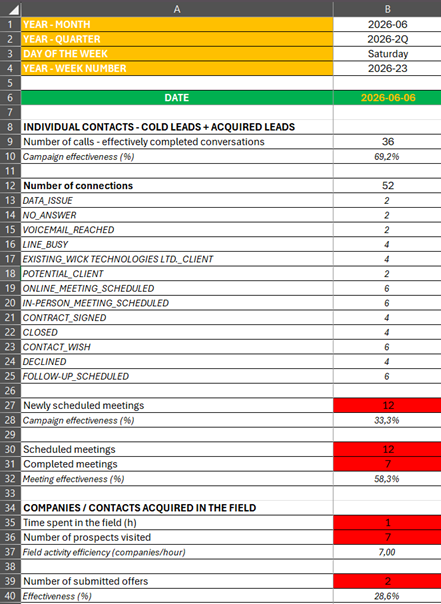
- A statistics sheet that fills itself in: dials, conversations reached, effectiveness per day, week and month, breakdown by status
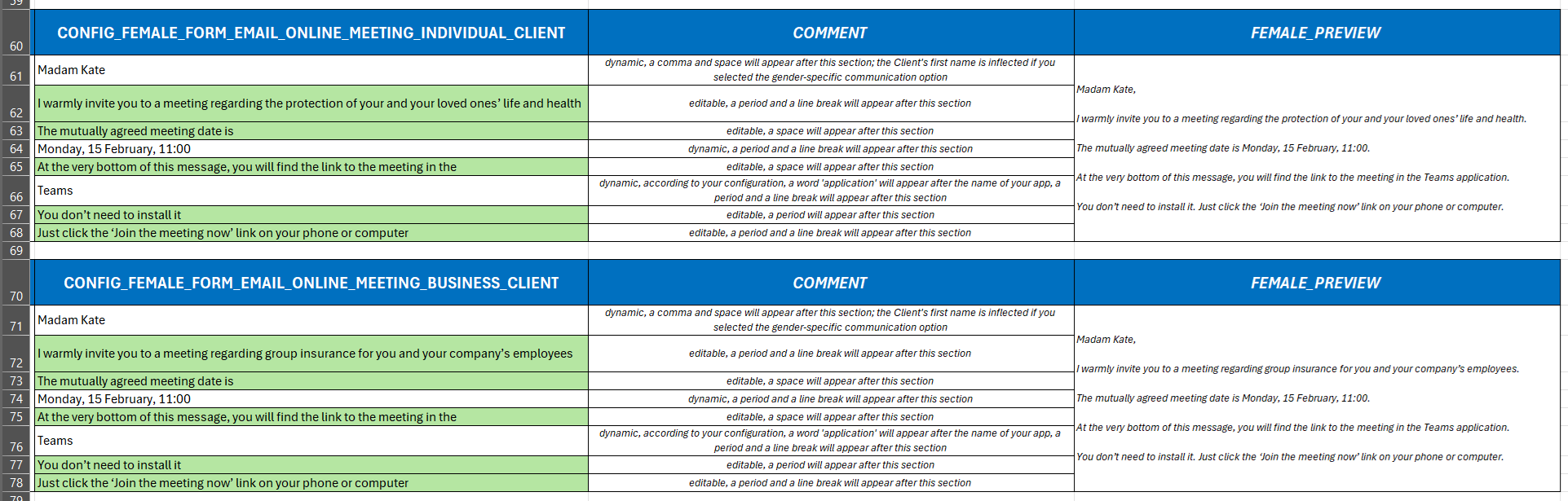
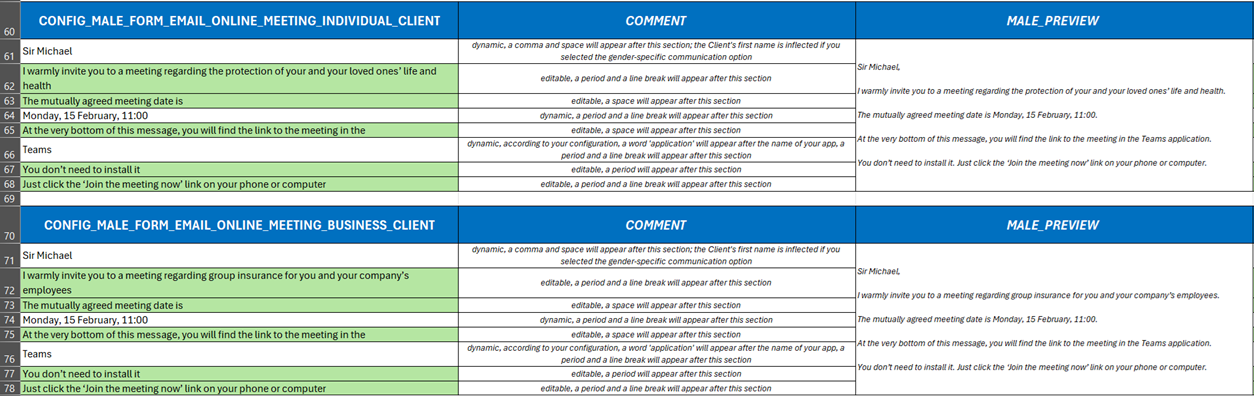
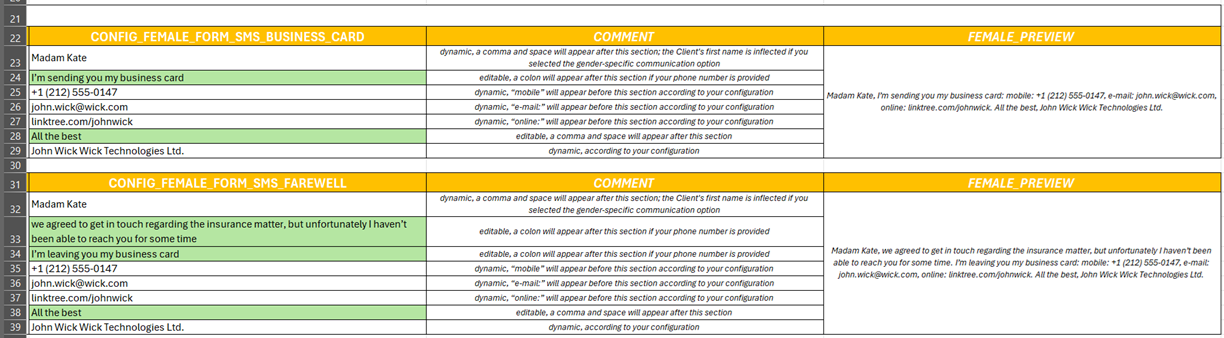
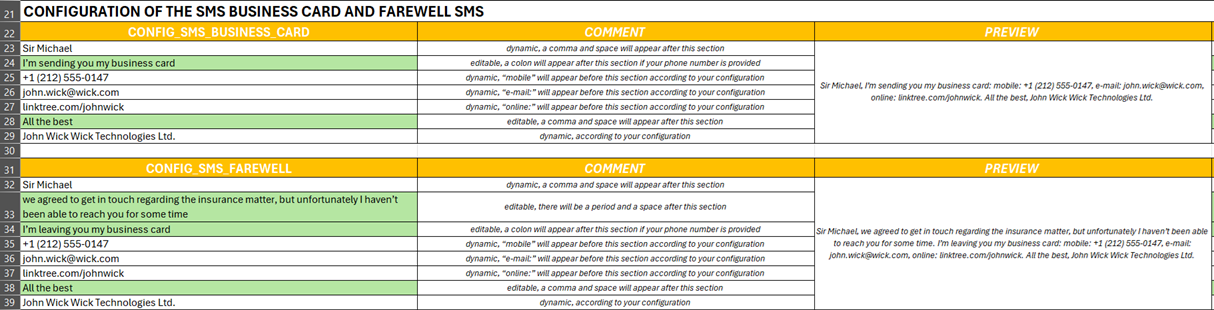
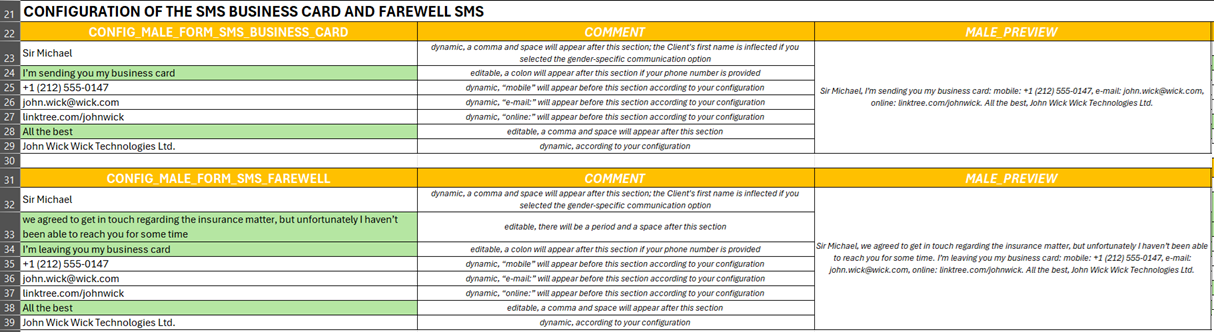
- Message templates that address the person by name, with correct grammatical forms for Polish, Czech, Ukrainian and Lithuanian names
- Runs fully offline on Windows, inside Excel; nothing leaves your computer
- One-time payment, no subscription, you own the file
Use Cases
- A consultant or freelancer who books work by phone and needs to know every morning who to call today
- A real estate agent working a list of owners and buyers, with follow-ups spread over weeks and months
- A recruiter keeping candidates and clients in two separate bases and calling through both
- A small business owner who does not want client data in someone else's cloud
- Anyone replacing a hand-made spreadsheet that lost track of follow-ups
Fazier Deal
Comments


Hi, I'm Michał, the maker. I built CRM in Excel for my own work first. I sell by phone, alone, from one computer, and every CRM I tried wanted a monthly fee and a cloud account for a job that comes down to one question: who do I call today, and what did we agree last time? So I built the answer inside Excel, the tool I already had open. The daily call list rebuilds itself from statuses and follow-up dates, the phone lookup finds a person when a number calls back, and the whole thing lives in one file you pay for once and own. It is deliberately not a team tool and it has no integrations. If you work alone and call people for a living, I'd like to hear what you'd expect from a file like this and what would stop you from using it. There is a free edition with no sign-up if you want to look inside first, and the code fazier takes 30% off the full version until the end of the year.



I like that the page says clearly what it isn't (no team use, no integrations), which makes it easy to tell if it fits. The daily call list that rebuilds from statuses and follow-up intervals sounds like the most useful part. Is there a simple way to import existing contacts from a CSV or Google Contacts export into the free edition?

The daily call list that rebuilds itself from statuses and follow-up intervals seems like the core of this. When a contact is skipped for several days, does it stay flagged as overdue or get rescheduled automatically? Also curious whether the 5,000-contact cap per database slows the workbook noticeably as it fills up.
Premium Products

















































Fazier Deal
Makers
Makers
Comments
Hi, I'm Michał, the maker. I built CRM in Excel for my own work first. I sell by phone, alone, from one computer, and every CRM I tried wanted a monthly fee and a cloud account for a job that comes down to one question: who do I call today, and what did we agree last time? So I built the answer inside Excel, the tool I already had open. The daily call list rebuilds itself from statuses and follow-up dates, the phone lookup finds a person when a number calls back, and the whole thing lives in one file you pay for once and own. It is deliberately not a team tool and it has no integrations. If you work alone and call people for a living, I'd like to hear what you'd expect from a file like this and what would stop you from using it. There is a free edition with no sign-up if you want to look inside first, and the code fazier takes 30% off the full version until the end of the year.
I like that the page says clearly what it isn't (no team use, no integrations), which makes it easy to tell if it fits. The daily call list that rebuilds from statuses and follow-up intervals sounds like the most useful part. Is there a simple way to import existing contacts from a CSV or Google Contacts export into the free edition?
The daily call list that rebuilds itself from statuses and follow-up intervals seems like the core of this. When a contact is skipped for several days, does it stay flagged as overdue or get rescheduled automatically? Also curious whether the 5,000-contact cap per database slows the workbook noticeably as it fills up.
Premium Products
New to Fazier?

Find your next favorite product or submit your own. Made by @FalakDigital.
Copyright ©2026. All Rights Reserved