
Cosmos New Tab
A beautiful home for your browser.
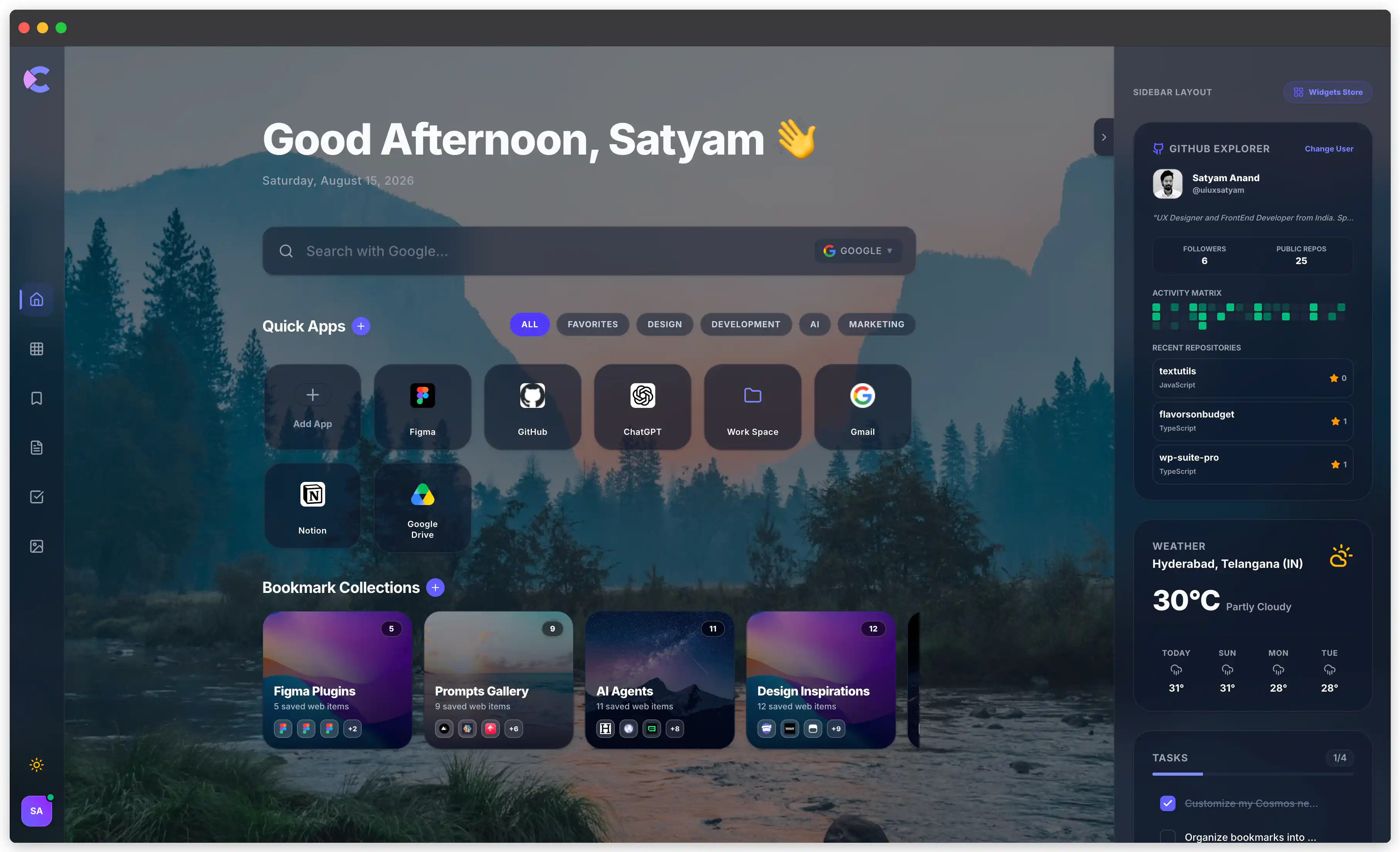
Cosmos New Tab turns every new tab into a beautiful, personalized workspace.
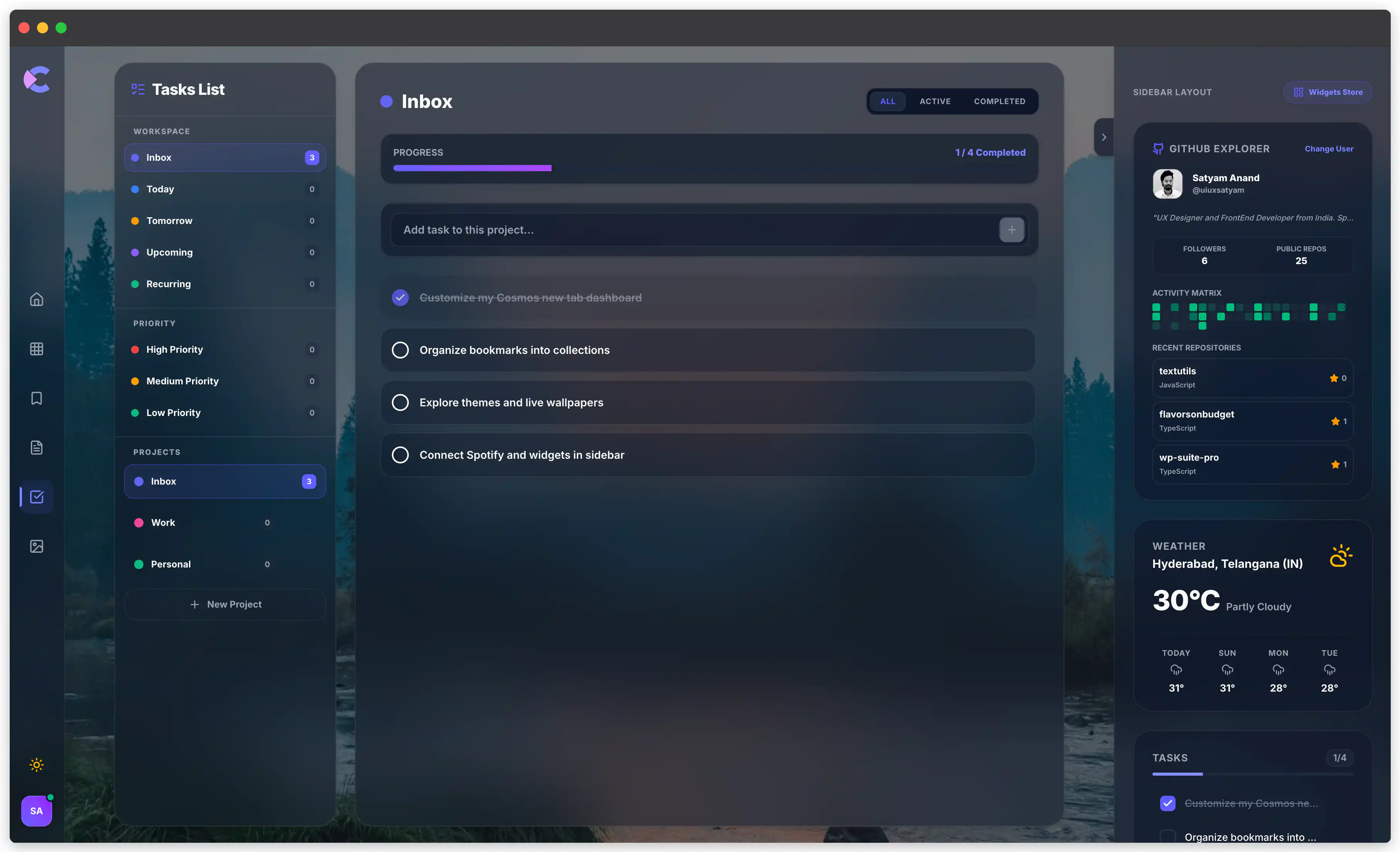
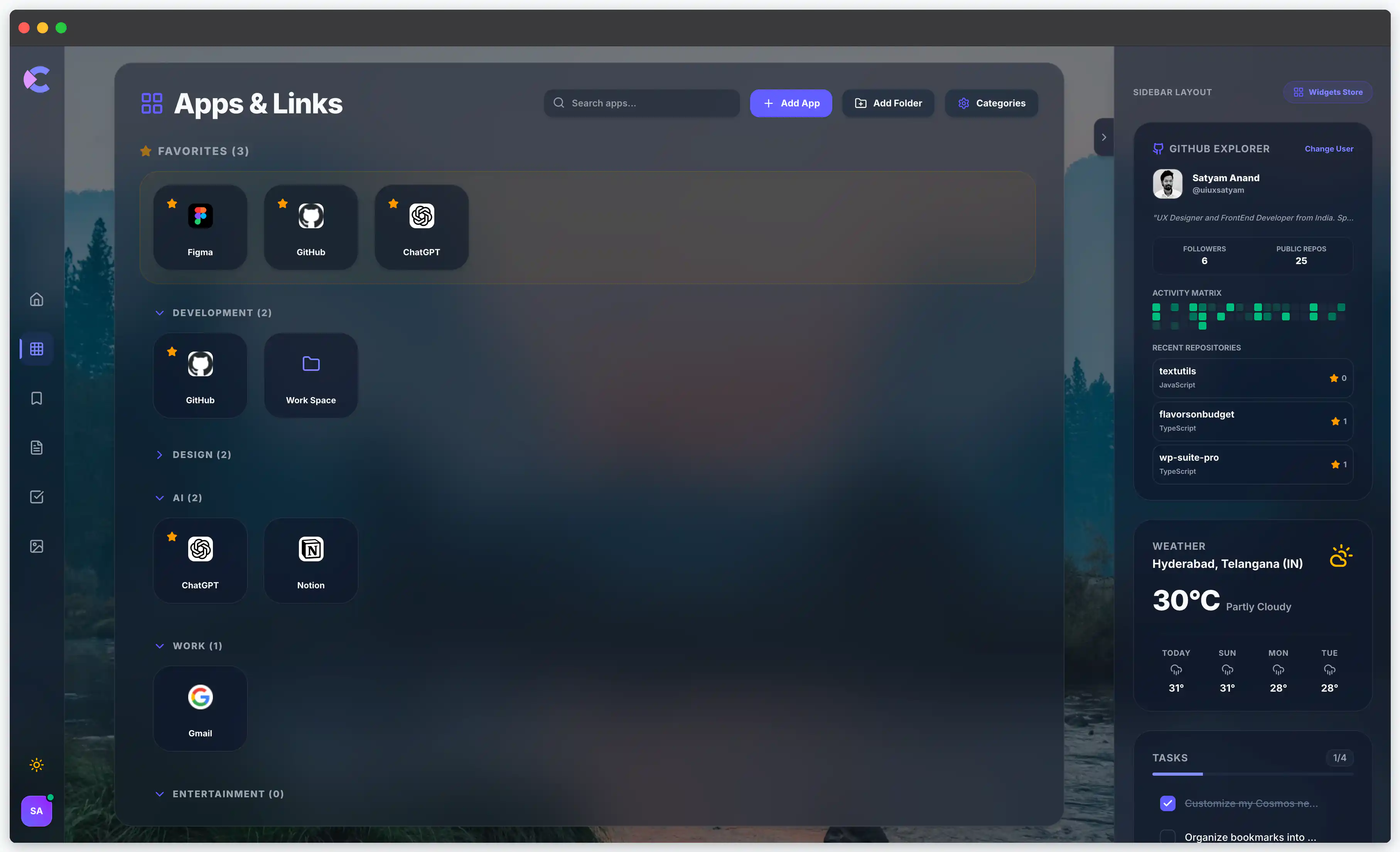
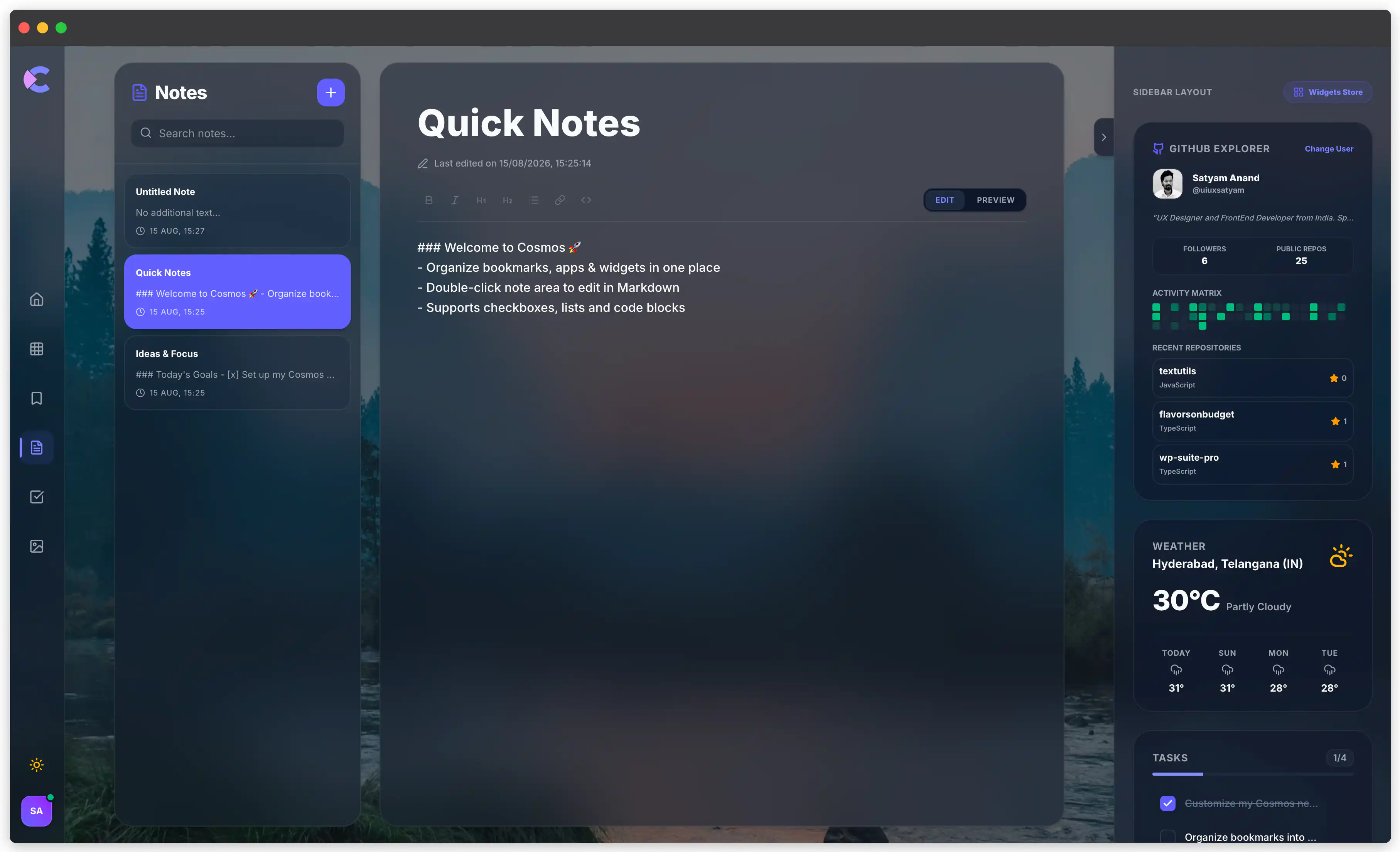
Access your favorite apps and bookmarks in seconds, capture quick notes, manage daily tasks, and stay focused with built-in productivity tools.
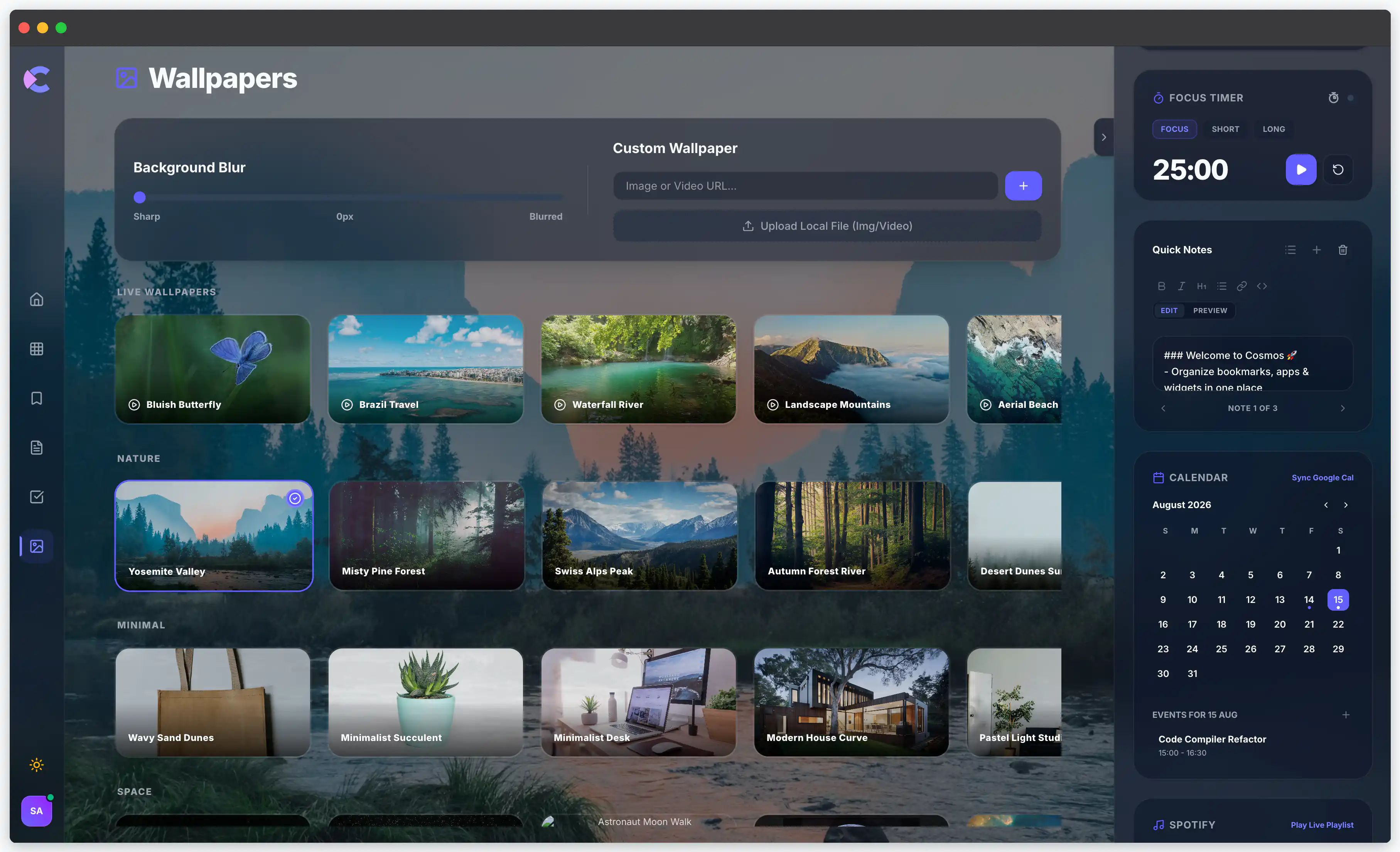
Personalize your space with beautiful wallpapers and themes, while useful widgets bring relevant information closer.
With dedicated widgets for designers and developers, Cosmos keeps everything you need within reach without turning your browser into another cluttered dashboard.
Features
- 🚀 Quick Apps : Access your most-used apps and websites instantly.
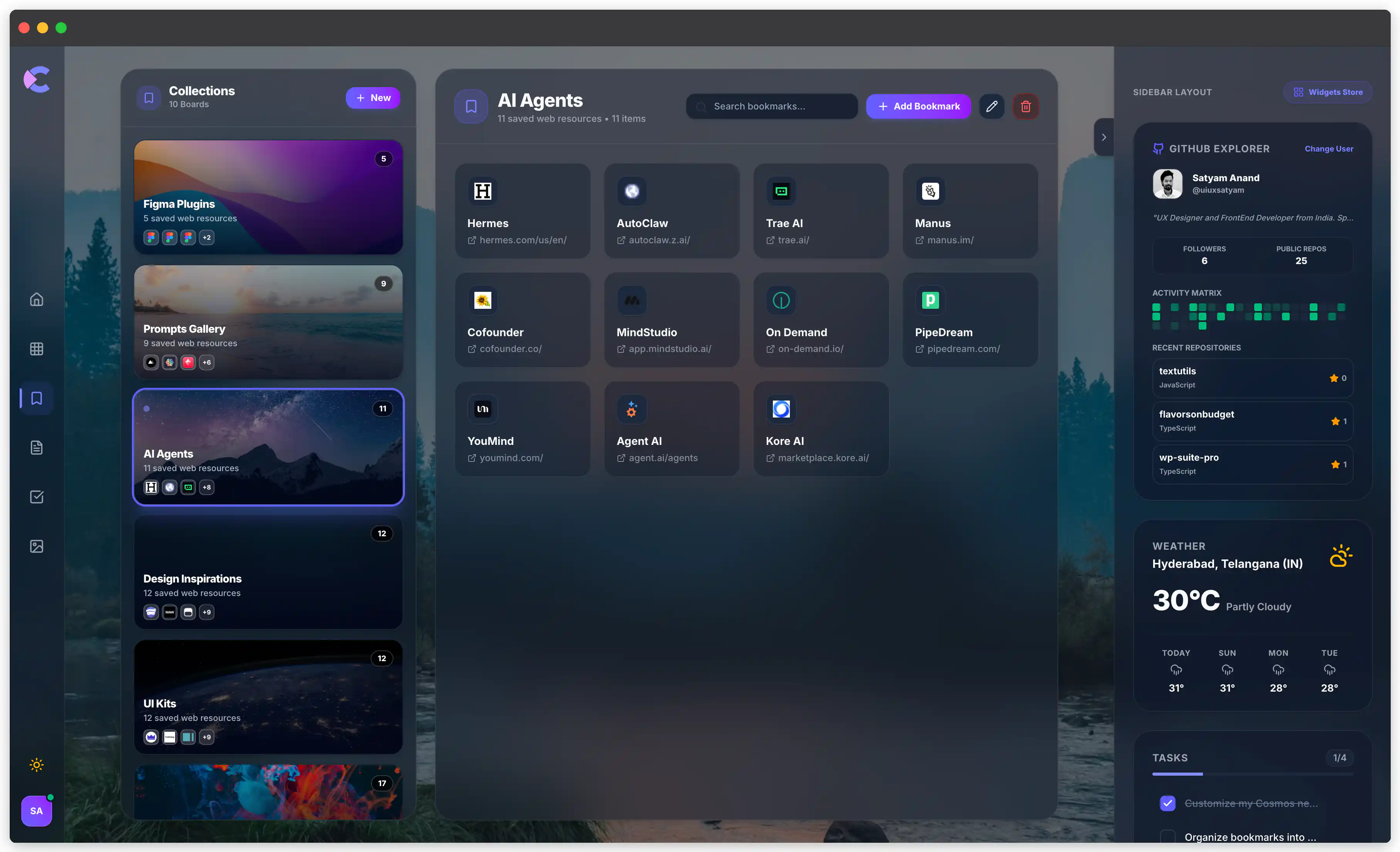
- 🔖 Smart Bookmarks : Organize frequently visited links into clean collections.
- 📝 Quick Notes : Capture ideas, reminders, and thoughts without leaving your tab.
- ✅ Tasks : Keep your daily priorities visible and easy to manage.
- 🧩 Widgets : Add useful information and tools directly to your workspace.
- 💻 Developer Widgets : Keep GitHub, repositories, docs, dev tools, and coding resources within reach.
- 🎨 Designer Widgets : Access design tools, inspiration, resources, and creative workflows faster.
- ⏱️ Focus Timer : Start focused work sessions without opening another app.
- 🌤️ Weather : Check current weather at a glance.
- 🖼️ Wallpapers : Personalize your new tab with beautiful backgrounds.
- 🔍 Search: Search the web quickly from your personalized homepage.
- 🎨 Customization : Make Cosmos yours with themes, layouts, and visual preferences.
- 📱 Responsive Workspace : Keep your experience clean and usable across different screen sizes.
- 🔐 Privacy-Focused : Keep your personal workspace and preferences under your control.
Use Cases
Developers : Keep GitHub, documentation, APIs, deployment tools, and developer widgets within reach.
Designers : Access Figma, inspiration, design resources, and creative tools from one workspace.
Students : Organise study resources, notes, bookmarks, and daily tasks in one place.
Founders : Keep product tools, analytics, dashboards, and priorities visible at a glance.
Writers : Capture ideas, organise research, save references, and stay focused while writing.
Researchers : Keep frequently used sources, references, notes, and research tools together.
Productivity enthusiasts : Combine tasks, focus tools, bookmarks, and useful widgets without the clutter.
Everyday users : Turn the browser’s default new tab into a personalised space for the things they use most.

Comments


The developer-widgets angle is the part that stands out for me. Most new tab extensions stop at wallpapers and bookmarks, so keeping GitHub repos, docs and deploy tools on the start page actually removes a context switch for people who live in the browser all day. Genuine question though: does the workspace sync across devices, or is everything stored locally per browser? For anyone splitting time between a laptop and a desktop, that is usually the deciding factor before committing to a new tab tool.

I built Cosmos from a simple frustration: the browser’s most-used screen felt like an afterthought. 🌌 I wanted a calmer space for the things I actually use, apps, bookmarks, notes, tasks, and useful widgets, especially for designers and developers. It’s now live, and I’d genuinely love your feedback on what feels useful, what doesn’t, and what I should build next.
Premium Products










































Sponsors
Buy

Makers
Makers
Comments
The developer-widgets angle is the part that stands out for me. Most new tab extensions stop at wallpapers and bookmarks, so keeping GitHub repos, docs and deploy tools on the start page actually removes a context switch for people who live in the browser all day. Genuine question though: does the workspace sync across devices, or is everything stored locally per browser? For anyone splitting time between a laptop and a desktop, that is usually the deciding factor before committing to a new tab tool.
I built Cosmos from a simple frustration: the browser’s most-used screen felt like an afterthought. 🌌 I wanted a calmer space for the things I actually use, apps, bookmarks, notes, tasks, and useful widgets, especially for designers and developers. It’s now live, and I’d genuinely love your feedback on what feels useful, what doesn’t, and what I should build next.
Premium Products
New to Fazier?

Find your next favorite product or submit your own. Made by @FalakDigital.
Copyright ©2026. All Rights Reserved