
CookieGuard
See what every website does to your cookies and tracking
CookieGuard answers one question instantly: what did this website do to my cookies and tracking? Click the shield icon and see every cookie created, modified or deleted on the page, plus which tracking scripts fired - in real time, with a plain-language verdict instead of cryptic headers. Highlight known trackers, watch third-party requests in a live log, and get a per-site privacy score you can eyeball in one second. Unlike one-size-fits-all blockers, CookieGuard does not decide for you: it shows you exactly who is doing what, so you can keep the sites you trust and hard-block the ones that misbehave. One-time purchase, no subscription. Works on Chrome and Edge. Live on both stores.
Features
- Real-time log of every cookie created, modified or deleted on the page
- Plain-language verdicts instead of cryptic headers
- Highlights known trackers as they fire
- Live third-party request log
- Per-site privacy score, readable in one second
- One-time purchase, no subscription
- Works on Chrome and Edge
Use Cases
- Audit what your own accounts leak to third parties
- Check what a new service really collects before signing up
- Clean up cross-site tracking noise on sites you visit daily
- Verify whether a site's cookie banner rejection actually works

Comments


Cookie banners exist because the law requires a real choice - so rejection should be genuine, not just CSS hiding. I built CookieGuard to show you exactly what websites do to your cookies and trackers in real time: every cookie created, modified or deleted, which trackers fired, and a plain-language verdict per site. It doesn't decide for you like one-size-fits-all blockers; it gives you the evidence to trust the good sites and hard-block the bad ones. One-time purchase, no subscription. Curious what you'd audit first with it.
Checking whether a banner's 'reject' actually works is the feature I'd use most. Does CookieGuard also show localStorage and sessionStorage writes? A lot of analytics and attribution scripts moved there to get around cookie rules, so a site can look clean on cookies while still tracking. Seeing which scripts fire before any consent click would be great too.
The real-time log of cookies created, modified or deleted, paired with a plain-language verdict, is much more approachable than digging through DevTools. How is the per-site privacy score calculated, and does it weigh first-party analytics differently from third-party ad trackers? Showing a short breakdown behind the score would make it easier to decide which sites to hard-block.

The "does rejecting the cookie banner actually work" use case is the one that would make me install this. Can the log be exported with timestamps, so I can show a site owner exactly which cookies were set after I clicked reject? Also curious whether the log survives a page navigation or resets per page load.
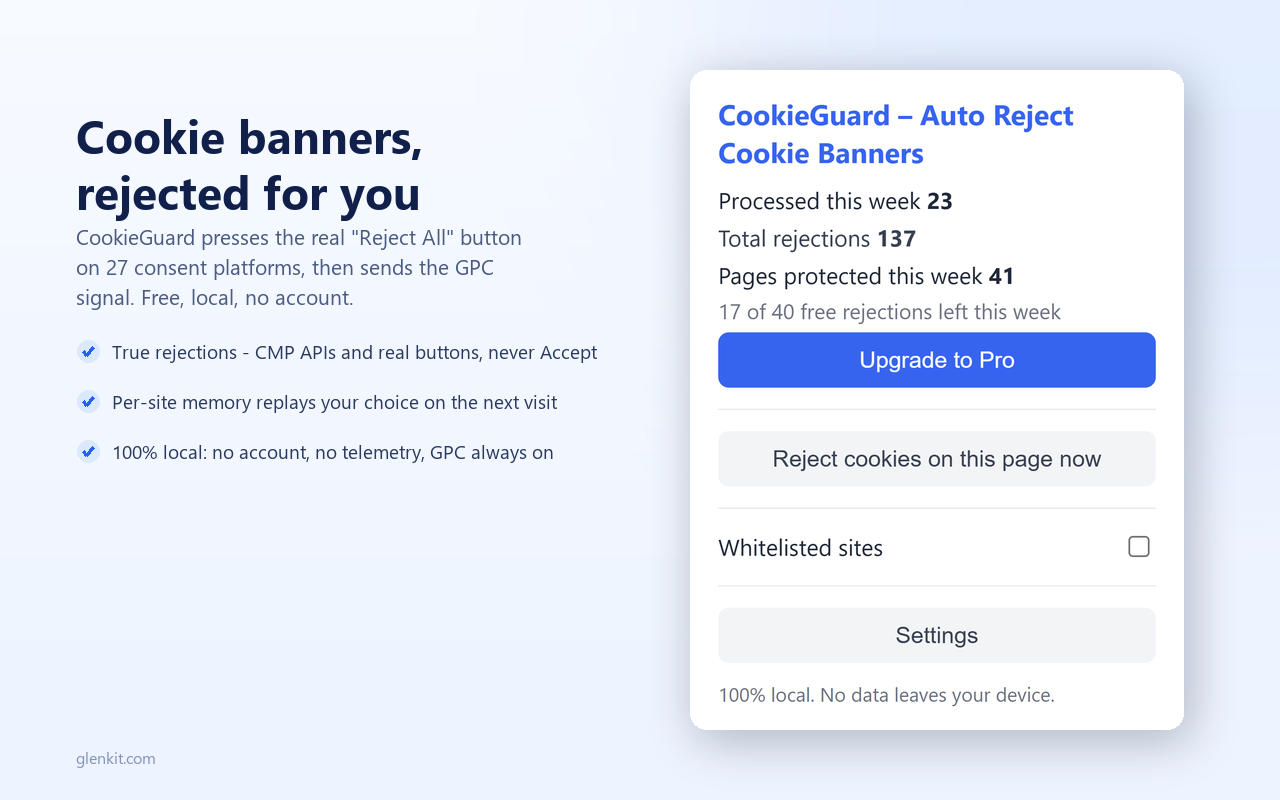
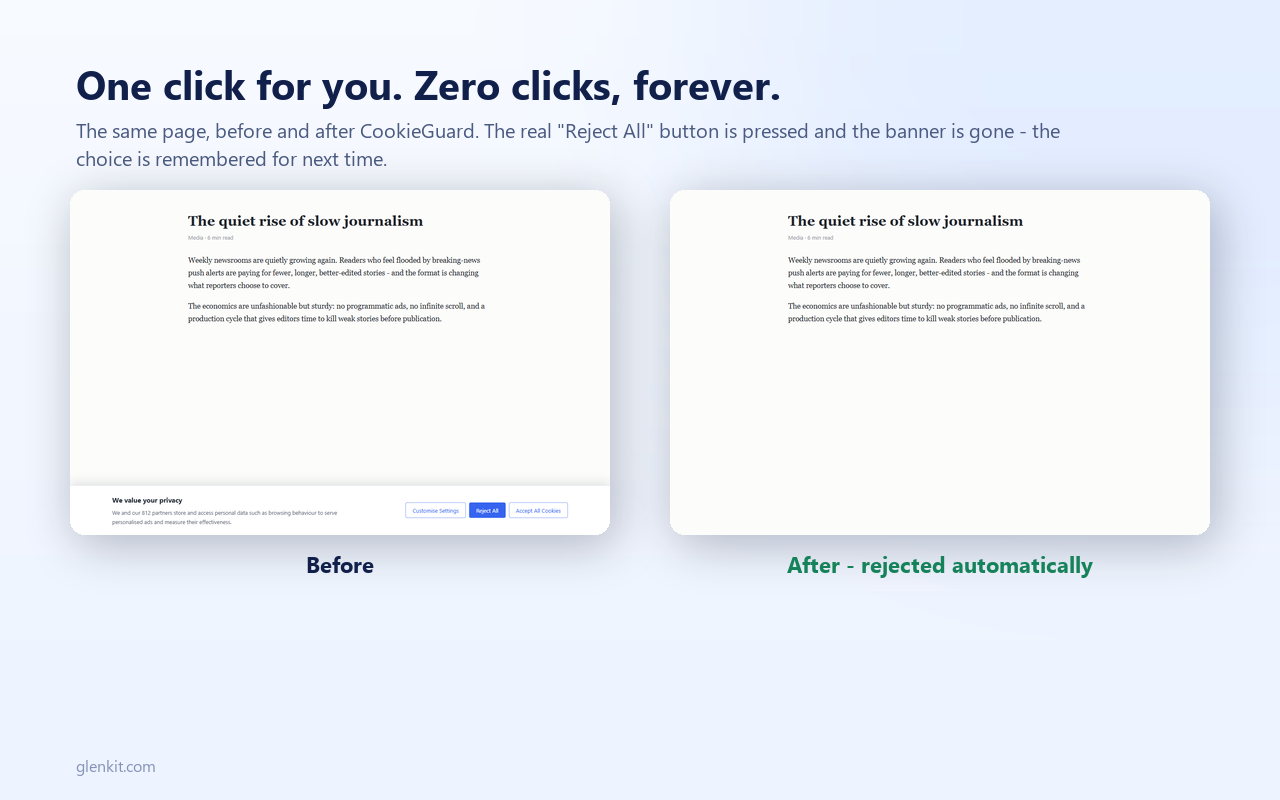
Lo que más me gusta es que presiona el botón real de "Rechazar todo" en lugar de solo ocultar el banner, que es lo que hacen la mayoría de estas extensiones. Y que sea 100% local, sin cuenta ni telemetría, es un gran diferencial de privacidad. ¿Piensan agregar soporte para Firefox? ¡Buen lanzamiento!
Premium Products















































Sponsors
Buy

Makers
Makers
Comments
Cookie banners exist because the law requires a real choice - so rejection should be genuine, not just CSS hiding. I built CookieGuard to show you exactly what websites do to your cookies and trackers in real time: every cookie created, modified or deleted, which trackers fired, and a plain-language verdict per site. It doesn't decide for you like one-size-fits-all blockers; it gives you the evidence to trust the good sites and hard-block the bad ones. One-time purchase, no subscription. Curious what you'd audit first with it.
Checking whether a banner's 'reject' actually works is the feature I'd use most. Does CookieGuard also show localStorage and sessionStorage writes? A lot of analytics and attribution scripts moved there to get around cookie rules, so a site can look clean on cookies while still tracking. Seeing which scripts fire before any consent click would be great too.
The real-time log of cookies created, modified or deleted, paired with a plain-language verdict, is much more approachable than digging through DevTools. How is the per-site privacy score calculated, and does it weigh first-party analytics differently from third-party ad trackers? Showing a short breakdown behind the score would make it easier to decide which sites to hard-block.
The "does rejecting the cookie banner actually work" use case is the one that would make me install this. Can the log be exported with timestamps, so I can show a site owner exactly which cookies were set after I clicked reject? Also curious whether the log survives a page navigation or resets per page load.
Lo que más me gusta es que presiona el botón real de "Rechazar todo" en lugar de solo ocultar el banner, que es lo que hacen la mayoría de estas extensiones. Y que sea 100% local, sin cuenta ni telemetría, es un gran diferencial de privacidad. ¿Piensan agregar soporte para Firefox? ¡Buen lanzamiento!
Premium Products
New to Fazier?

Find your next favorite product or submit your own. Made by @FalakDigital.
Copyright ©2026. All Rights Reserved