
ControllerOverlay
Live controller overlay for OBS, with skins
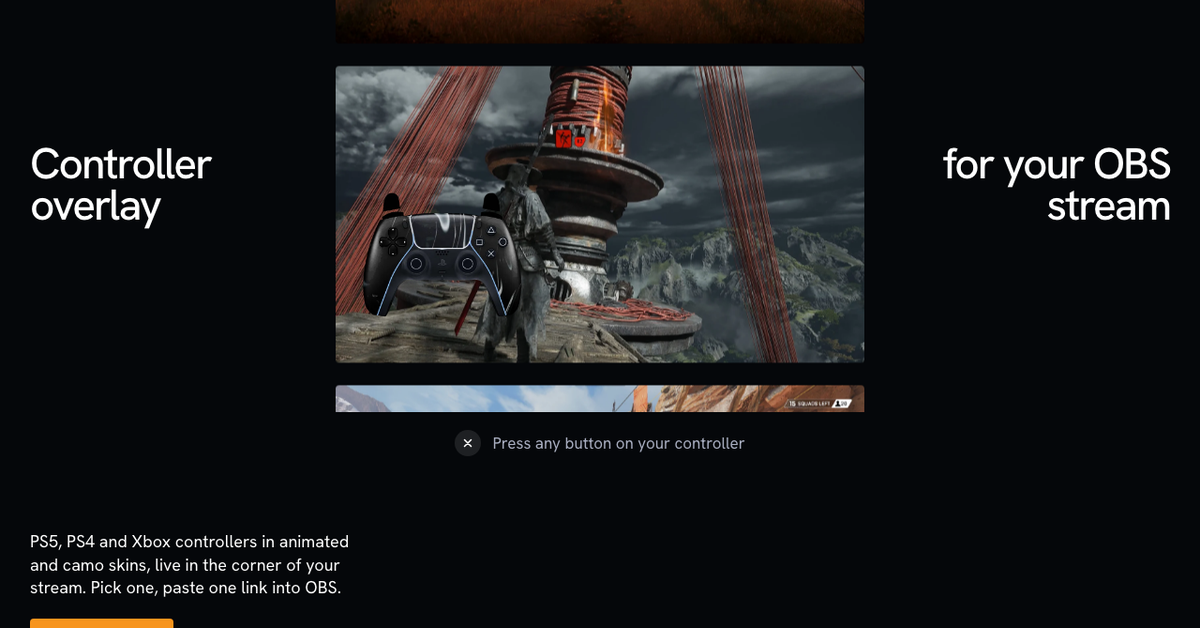
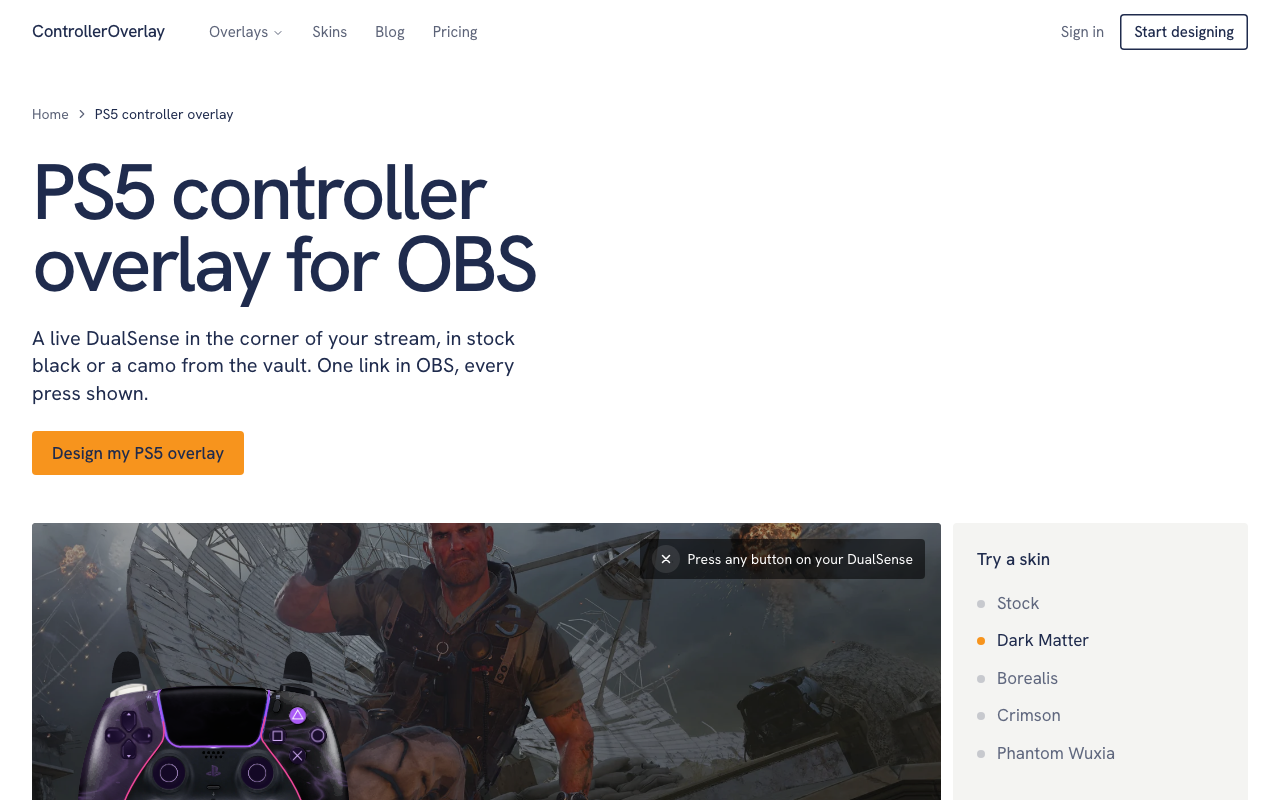
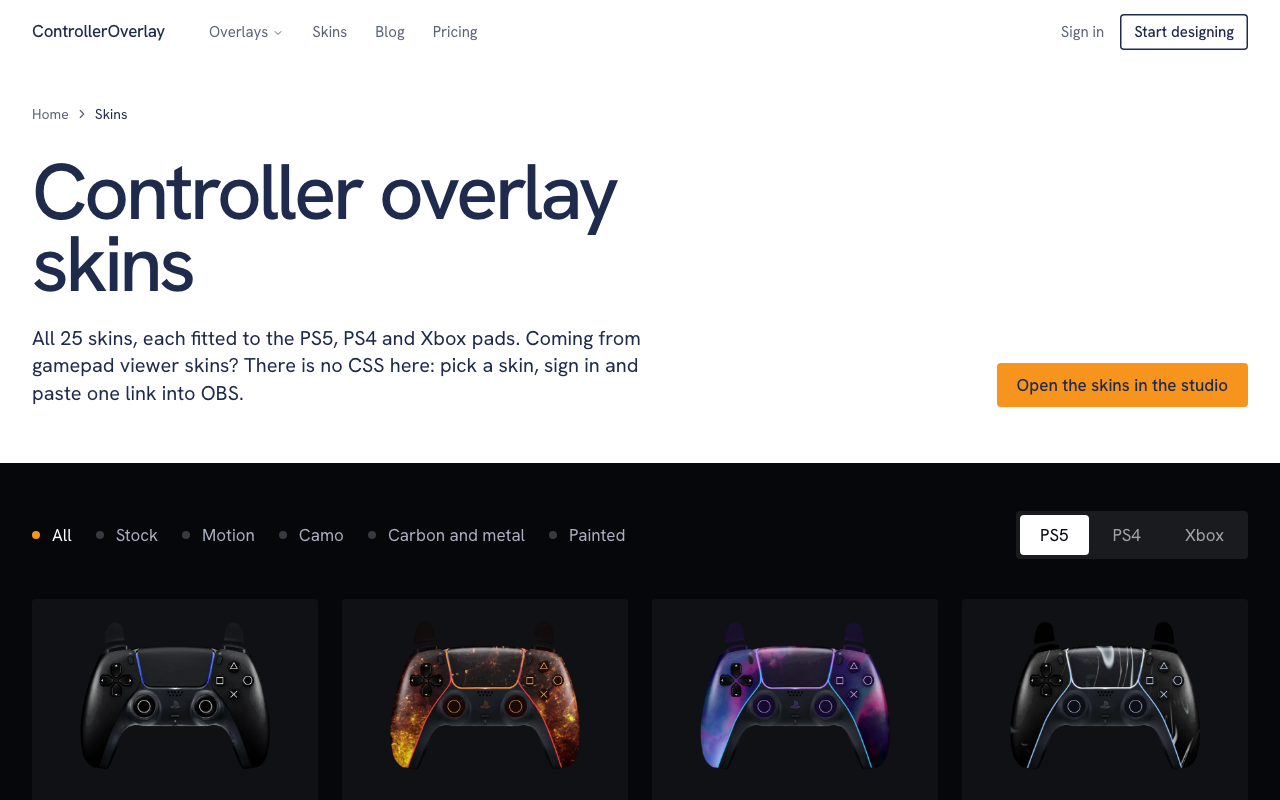
ControllerOverlay puts a live picture of your PS5, PS4 or Xbox controller in the corner of your OBS stream: every button press, trigger pull and stick move shows as you play. Pick one of 39 ready-made skins (8 animated) or describe a skin in a few words and have it drawn and printed on the pad, then paste one link into OBS.
Features
- Live button, trigger and stick input on stream - 39 ready-made skins, 8 of them animated, fitted to PS5, PS4 and Xbox - Skin maker: describe a skin in a few words and it is printed on the pad - Button and light colours and a name on the pad, no CSS - One permanent link; change the design and OBS picks it up in about 12 seconds - OBS Studio browser source (800 x 600, transparent), also Streamlabs Desktop and TikTok LIVE Studio
Use Cases
- Streamers who play with a controller and want viewers to see the inputs - Fighting game and racing streams where every press matters - Making a pad match a stream's look with a skin, including one generated from a description
Comments


Hi all — I built ControllerOverlay because watching a controller on cam tells viewers almost nothing about what the player is pressing. It puts a live picture of the pad on stream: every press, trigger pull and stick move shows as you play, with 39 skins (8 animated) or a skin you describe in a few words. It goes into OBS as one browser-source link. Would love feedback from streamers on what would make an overlay worth keeping on screen.
Premium Products

















































Makers
Makers
Comments
Hi all — I built ControllerOverlay because watching a controller on cam tells viewers almost nothing about what the player is pressing. It puts a live picture of the pad on stream: every press, trigger pull and stick move shows as you play, with 39 skins (8 animated) or a skin you describe in a few words. It goes into OBS as one browser-source link. Would love feedback from streamers on what would make an overlay worth keeping on screen.
Premium Products
New to Fazier?

Find your next favorite product or submit your own. Made by @FalakDigital.
Copyright ©2026. All Rights Reserved