
CompressGIF
Compress GIFs locally in your browser, with API and MCP
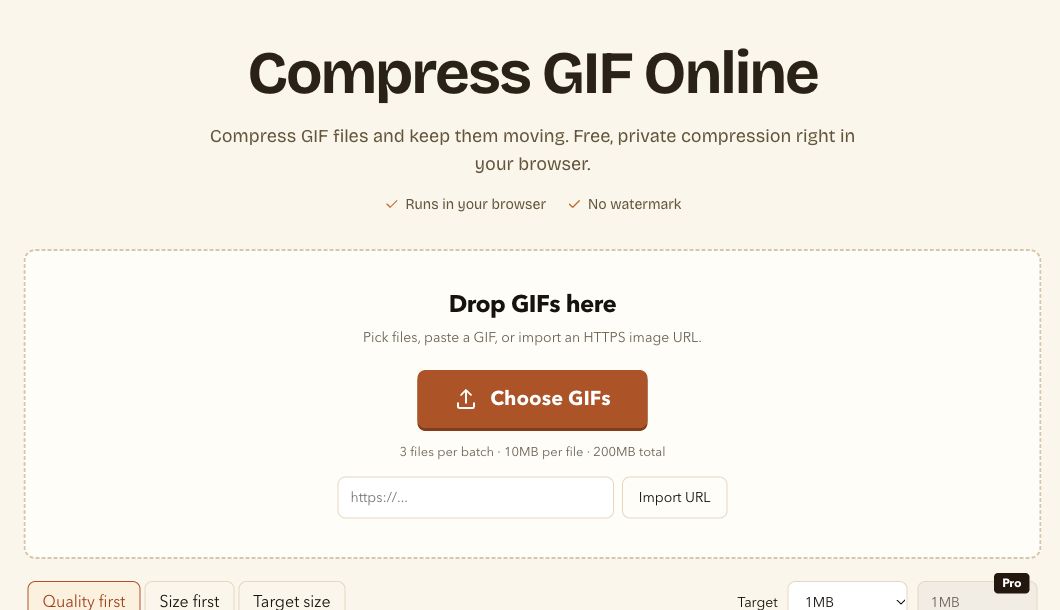
CompressGIF helps you reduce GIF file sizes for READMEs, tutorials, websites, and product demos. Its browser tool runs Gifsicle with WebAssembly, processing local files on your device without uploading them. Choose quality-first, size-first, or target-size compression, then preview and download the result. A separate cloud REST API and MCP service support automated workflows. Free and paid plans are available.
Features
- Browser-local GIF compression powered by Gifsicle and WebAssembly
- Quality-first, size-first, and target-size modes
- Adjustable color count and lossy compression
- Preview results before downloading
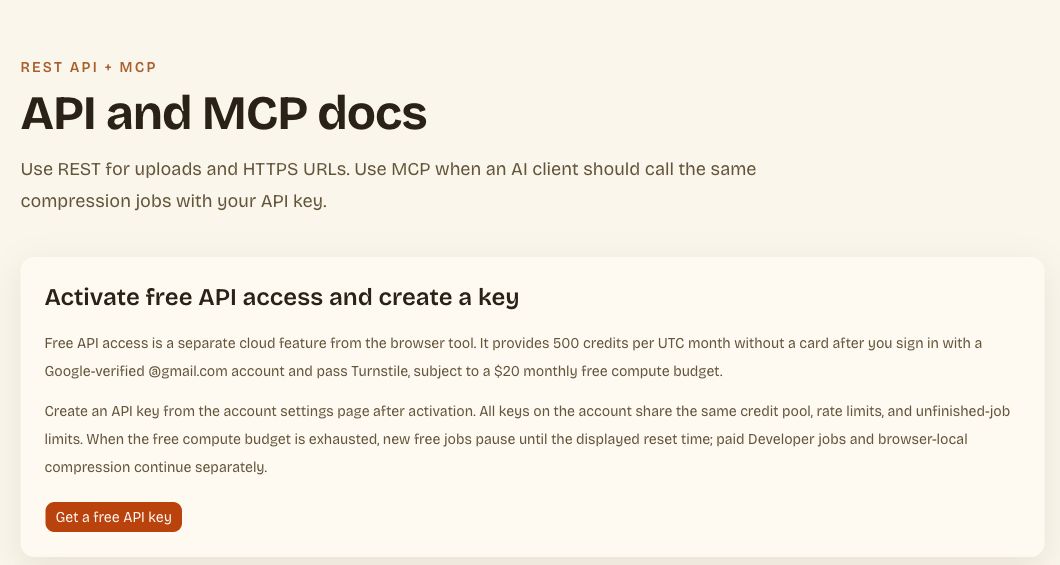
- Separate cloud REST API and MCP service for automation
- Target sizes are not guaranteed; already optimized GIFs may not shrink further
Use Cases
Reduce GIF sizes for GitHub READMEs and documentation
Prepare tutorial and product demo animations for sharing
Optimize website animations and work toward upload size limits
Automate GIF compression through the cloud API or MCP service

Comments

Hi Fazier! I built CompressGIF to make GIFs easier to share in READMEs, tutorials, and product demos. The browser tool processes local files on your device with Gifsicle and WebAssembly, without uploading them. You can choose quality-first, size-first, or target-size compression and preview the result before downloading. For automation, there is a separate cloud REST API and MCP service. Free and paid plans are available. I would love your feedback on the compression controls and on keeping small text and gradients readable.

Our docs use short screen recordings of a UI where the useful part is small text: model names and numbers in a table. In target-size mode, which do you give up first when the file is still too big, colors, frames, or resolution? For text-heavy clips I'd rather keep every frame at full size and drop to fewer colors, so a way to lock frame rate and dimensions would help.
The split between on-device Gifsicle/WASM and a separate cloud API is a practical one: READMEs and demos can stay on the machine, while CI can still compress. Does the in-browser preview apply the same color-count and lossy settings as the file you download, or is the preview a lighter approximation?


I record short demo clips of a browser extension for store listings and READMEs, so this is right up my alley. My recordings are tall and narrow (480x800) and mostly scrolling chat text, so almost every frame changes. In size-first mode, does lossy compression keep small scrolling text readable, or is target-size the better pick for text-heavy GIFs? A side-by-side zoom on one frame in the preview would make that choice easy.

Running Gifsicle via WASM locally is a smart call for README demos, since I never want to upload screen recordings of private repos. The target-size mode is the feature I'd use most: GitHub's README rendering gets sluggish with big GIFs. Curious how the MCP service handles it when a coding agent asks for a size it can't hit. Does it return the closest result or an error?
Running Gifsicle in WebAssembly so README and demo GIFs never leave the browser is the useful default, especially when a demo frame might include a customer screen. Keeping the REST API and MCP as a separate path means automation does not force that upload. The note that target size is not guaranteed is honest. Does the preview show the before/after byte size before you download, or only after the mode finishes?



Running Gifsicle in WebAssembly so the file never leaves the device is a nice touch for internal demo GIFs. I also appreciate the honest note that target sizes aren’t guaranteed. For the target-size mode, do you show which settings it ended up choosing (colors / lossy level)? That would help me reuse the same settings through the API for a batch of README GIFs.

Running Gifsicle in WebAssembly so the file never leaves the browser is the right call for README GIFs that often contain product UI. The target-size mode is the one I would reach for first, since GitHub READMEs feel slow past a few megabytes. Question: does the MCP service expose the same three modes, or only quality-first?
Premium Products

















































Comments
Hi Fazier! I built CompressGIF to make GIFs easier to share in READMEs, tutorials, and product demos. The browser tool processes local files on your device with Gifsicle and WebAssembly, without uploading them. You can choose quality-first, size-first, or target-size compression and preview the result before downloading. For automation, there is a separate cloud REST API and MCP service. Free and paid plans are available. I would love your feedback on the compression controls and on keeping small text and gradients readable.
Our docs use short screen recordings of a UI where the useful part is small text: model names and numbers in a table. In target-size mode, which do you give up first when the file is still too big, colors, frames, or resolution? For text-heavy clips I'd rather keep every frame at full size and drop to fewer colors, so a way to lock frame rate and dimensions would help.
The split between on-device Gifsicle/WASM and a separate cloud API is a practical one: READMEs and demos can stay on the machine, while CI can still compress. Does the in-browser preview apply the same color-count and lossy settings as the file you download, or is the preview a lighter approximation?
I record short demo clips of a browser extension for store listings and READMEs, so this is right up my alley. My recordings are tall and narrow (480x800) and mostly scrolling chat text, so almost every frame changes. In size-first mode, does lossy compression keep small scrolling text readable, or is target-size the better pick for text-heavy GIFs? A side-by-side zoom on one frame in the preview would make that choice easy.
Running Gifsicle via WASM locally is a smart call for README demos, since I never want to upload screen recordings of private repos. The target-size mode is the feature I'd use most: GitHub's README rendering gets sluggish with big GIFs. Curious how the MCP service handles it when a coding agent asks for a size it can't hit. Does it return the closest result or an error?
Running Gifsicle in WebAssembly so README and demo GIFs never leave the browser is the useful default, especially when a demo frame might include a customer screen. Keeping the REST API and MCP as a separate path means automation does not force that upload. The note that target size is not guaranteed is honest. Does the preview show the before/after byte size before you download, or only after the mode finishes?
Running Gifsicle in WebAssembly so the file never leaves the device is a nice touch for internal demo GIFs. I also appreciate the honest note that target sizes aren’t guaranteed. For the target-size mode, do you show which settings it ended up choosing (colors / lossy level)? That would help me reuse the same settings through the API for a batch of README GIFs.
Running Gifsicle in WebAssembly so the file never leaves the browser is the right call for README GIFs that often contain product UI. The target-size mode is the one I would reach for first, since GitHub READMEs feel slow past a few megabytes. Question: does the MCP service expose the same three modes, or only quality-first?
Premium Products
New to Fazier?

Find your next favorite product or submit your own. Made by @FalakDigital.
Copyright ©2026. All Rights Reserved